
Movistar Riders Keyboard - Keyboard Krom - Free user manual and instructions
Find the device manual for free Movistar Riders Keyboard Krom in PDF.


| Product Type | Keyboard |
| Brand | Krom |
| Model | Movistar Riders Keyboard |
| Layout | Full-size (104 keys) |
| Connectivity | Wired USB |
| Cable Length | 1.8 m |
| Key Switch Type | Mechanical |
| Backlight | RGB per key |
| Anti-ghosting | Yes, N-key rollover |
| Dedicated Macro Keys | No |
| OS Compatibility | Windows 7/8/10/11 |
| Dimensions (LxWxH) | 440 x 130 x 40 mm |
| Weight | 1.0 kg |
| Material | Plastic case, metal plate |
| Power | USB powered |
| Cleaning | Use a soft, damp cloth. Do not use solvents. |
| Safety | Keep away from liquids. Do not expose to extreme temperatures. |
| Spare Parts | Keycaps available separately |
| Repair | Not user-serviceable. Contact support. |
Frequently Asked Questions - Movistar Riders Keyboard Krom
User questions about Movistar Riders Keyboard Krom
0 question about this device. Answer the ones you know or ask your own.
Ask a new question about this device
Download the instructions for your Keyboard in PDF format for free! Find your manual Movistar Riders Keyboard - Krom and take your electronic device back in hand. On this page are published all the documents necessary for the use of your device. Movistar Riders Keyboard by Krom.
USER MANUAL Movistar Riders Keyboard Krom
natural_image
Pure geometric pattern with diamond grid on dark background, no text or symbolsDEFAULT BUTTON ASSIGNMENT
EN

1] Multimedia keys
4] WASD / Arrow keys
2] Light cycle effect
5) Function button
3] Windows button lock
6] Anti-Ghosting mode
KROM RIDERS SHORTCUTS
Shortcut keys on keyboard

natural_image
Abstract graphic with a white bird head icon inside a cube and a plus sign in the corner (no text or symbols)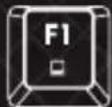
My computer
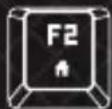
Browser

Calculator

Media Player

Previous Track
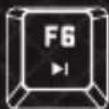
Next Track

Play / Pause

Stop

Volume OFF

Volume -

Volume +
Light mode

The light mode is cyclical. Every time you press the key combination, the light mode changes cyclically.
- Wave transition
- Gradual transition
- Breathing
- Full color
-
Reactive
-
Light explosion
- Radiation
- Cyclone
- Scan
- LED off
WASD / Arrow keys exchange
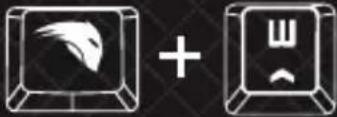
Windows lock / unlock

natural_image
Two computer monitor icons, one with a stylized bird head and the other with a Windows logo (no text or symbols)■ Anti-ghosting keys Lighting keys


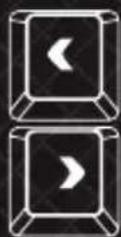
Changes backlit color
Changes transition direction

Increases backlit intensity
Reduces backlit intensity
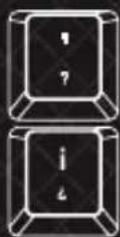
Increases
backlit
speed
Reduces backlit speed
Custom lighting: presets
MOBA: FN + 1
- FPS- 5vs5: FN + 2
MMO: FN + 3
- FPS: FN + 4
- SANDBOX: FN + 5
CUSTOM: FN + 6 to 0
To alternate between custom lighting presets, use the keycaps numbers on the main position of the keyboard. [don't use the numeric pad on the right side of the keyboard].
- Reset default settings
You can reset Krom Riders to its default factory settings by pressing:

One after one
KROM RIDERS FULL MANUAL
Download the complete manual from our website: www.kromgaming.com
SPECIFICATIONS
- Type: Mechanical
- Polling rate: 1000 Hz
• Operation force: 60 ± 10 G - Internal Memory: 64 kb
-
Plug: Gold-plated USB
Key switch type: Red -
Length of cord: 1.8 m ± 10 cm
- Dimensions: 461,1 x 221,9 x 40,5 mm
- Weight: 1,063 ± 30 g
- Compatibility: Windows / MacOS / Linux / Android
WARRANTY
Who does the warranty protects:
This warranty is valid to the original purchaser only.
What does the warranty protects:
For warranty claims, please contact Krom's overseas distribution partners in your country.
Find the distribution partner list at www.kromgaming.com
Warranty: 2 years from the purchasing date. [Depending on the laws of each country]
URL: www.kromgaming.com
E-mail: support@kromgaming.com
What does the warranty not cover:
- Any product, on which the serial number has been defaced, modified or removed.
- Accident, misuse, neglect, fire, water, lightning, or other acts of nature, unauthorized product modification, or failure to follow instructions supplied with the product.
- Repair or attempted repair by anyone not authorized by Krom.
- Damage to or loss of any programs, data or removable storage media.
- Software or data loss occurring during repair or replacement.
- Any damage of the product due to shipment.
- Removal or installation of the product.
- External causes, such as electric power fluctuations or failure.
- Use of supplies or parts not meeting Krom's specifications.
- Normal wear and tear.
- Any other cause which does not relate to a product defect.
If you have any questions regarding technical problems, please contact us via our website:
WWW.KROMGAMING.COM
Krom reserves the right for any modifications in text and/or images.
natural_image
Abstract graphic with a white bird head icon inside a black cube and a plus sign in the corner (no text or symbols)
Mi Equipo
Navegador

Calculadora

natural_image
Two 3D computer icons: a stylized bird with wings and a window, both without any text or symbols.- FPS: FN + 4
- SANDBOX: FN + 5
CUSTOM: FN + 6 to 0
URL: www.kromgaming.com
E-mail: support@kromgaming.com
natural_image
Abstract geometric design with a stylized bird head inside a cube and a plus sign (no text or symbols)
Meu computador

Browser

Calculadora

Media Player
URL: www.kromgaming.com
E-mail: support@kromgaming.com
natural_image
Solid dark fabric with a diamond pattern and a blue bottom edge (no text or symbols)
natural_image
Abstract blue geometric pattern on black grid background (no text or symbols)KROM
www.kromgaming.com


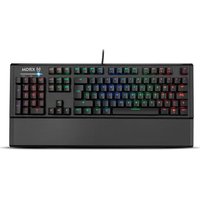
Brand : Krom
Model : Movistar Riders Keyboard
Category : Keyboard