Kyra - Keyboard Krom - Free user manual and instructions
Find the device manual for free Kyra Krom in PDF.


Pick your language and provide your email: we'll send you a specifically translated version.
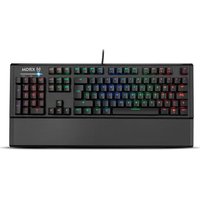
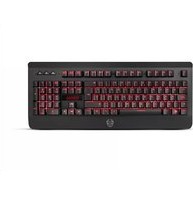
| Product Type | Wired Full-Size Keyboard |
| Brand | Krom |
| Model | Kyra |
| Dimensions (W x D x H) | 440 x 125 x 30 mm |
| Weight | 500 g |
| Connection Type | USB-A (wired) |
| Cable Length | 1.5 m |
| Power Supply | USB bus-powered |
| Number of Keys | 104 keys (full layout) |
| Switch Type | Membrane |
| Backlight | Single-color (white/blue) |
| Multimedia Keys | 12 dedicated multimedia keys |
| Compatible Operating Systems | Windows, macOS, Linux |
| Main Functions | Typing, multimedia control, cursor keys, numeric keypad |
| Materials | ABS keycaps, plastic chassis |
| Cleaning Instructions | Unplug, use compressed air for debris, wipe with soft cloth and mild detergent |
| Safety Features | Slip-resistant base, sealed membrane to protect from minor spills |
| Spare Parts Availability | Keycaps and cable replaceable via Krom support or authorized dealers |
| Repairability | Moderate; keycaps and cable can be replaced by user, internal membrane replacement requires professional service |
| Warranty | 2 years limited manufacturer warranty |
| Country of Origin | China |
Frequently Asked Questions - Kyra Krom
How do I clean my Krom Kyra keyboard?
Unplug the keyboard first. Use compressed air to remove dust and debris between keys. Wipe the surface with a soft cloth slightly dampened with water or mild detergent. Avoid using bleach or alcohol, as they may damage the keycaps.
Why is my keyboard not working when plugged in?
Check the USB connection at both ends. Try a different USB port. Restart your computer. If using a USB hub, connect directly. If the keyboard has a power switch, ensure it is turned on.
Can I replace the keycaps on the Kyra keyboard?
Yes, the keycaps are removable. You can replace them with compatible keycaps. Use a keycap puller to avoid damaging the switches.
Is the Krom Kyra keyboard compatible with Mac?
Yes, it works with macOS. Some multimedia keys may require manual configuration. The basic typing and function keys will work out of the box.
What do I do if a key is stuck or not responding?
Gently remove the keycap and clean the switch area with compressed air. If the problem persists, contact Krom support for further assistance.
Does the keyboard have a warranty?
Yes, the Krom Kyra comes with a 2-year limited manufacturer warranty covering defects in materials and workmanship.
Can I connect multiple devices to this keyboard?
No, this is a wired keyboard and connects to only one device at a time via USB.
How long is the cable?
The keyboard has a 1.5-meter (approximately 5 feet) detachable USB cable.
Is the keyboard spill-resistant?
The keyboard features a sealed membrane that offers some protection against minor spills. However, it is not fully waterproof. Avoid spilling liquids directly onto it.
How do I access the multimedia keys?
Multimedia keys are located in the top row. Typically, you press the Fn key combined with the corresponding function key to perform actions like volume control, play/pause, etc.
User questions about Kyra Krom
0 question about this device. Answer the ones you know or ask your own.
Ask a new question about this device
No questions yet. Be the first to ask one.
Download the instructions for your Keyboard in PDF format for free! Find your manual Kyra - Krom and take your electronic device back in hand. On this page are published all the documents necessary for the use of your device. Kyra by Krom.
USER MANUAL Kyra Krom



Manual assistant
Powered by Anthropic
Waiting for your message
Product information
Brand : Krom
Model : Kyra
Category : Keyboard