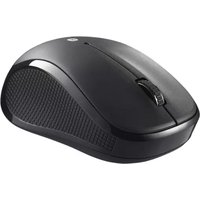
BSMRB050BK - Mouse BUFFALO - Free user manual and instructions
Find the device manual for free BSMRB050BK BUFFALO in PDF.


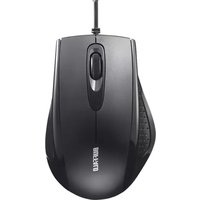
| Product Type | Wired Optical Mouse |
| Model | BSMRB050BK |
| Brand | Buffalo |
| Interface | USB 2.0 |
| Sensor Type | Optical |
| Resolution | 1000 DPI |
| Number of Buttons | 3 (Left, Right, Scroll Wheel) |
| Scroll Wheel | Yes, 2-way scrolling |
| Cable Length | 1.5 m |
| Dimensions (L x W x H) | 100 x 60 x 30 mm |
| Weight | 85 g |
| Power Source | USB bus power |
| Compatible Operating Systems | Windows, macOS, Linux |
| Color | Black |
| Main Functions | Cursor control, left/right click, scroll |
| Cleaning | Wipe with a soft, dry cloth; avoid liquids |
| Safety Precautions | Do not disassemble; keep away from water and heat |
| Spare Parts and Repairability | No user-serviceable parts; contact support for repairs |
| General Information | Designed for general desktop use |
Frequently Asked Questions - BSMRB050BK BUFFALO
User questions about BSMRB050BK BUFFALO
0 question about this device. Answer the ones you know or ask your own.
Ask a new question about this device
Download the instructions for your Mouse in PDF format for free! Find your manual BSMRB050BK - BUFFALO and take your electronic device back in hand. On this page are published all the documents necessary for the use of your device. BSMRB050BK by BUFFALO.
USER MANUAL BSMRB050BK BUFFALO
※We provide technical and customer support only to
Japanese OS.
we provide technical and customer support only in Japanese language.
We provide technica
use in Japan
Brand : BUFFALO
Model : BSMRB050BK
Category : Mouse