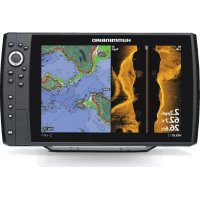
597CI - Browser HUMMINBIRD - Free user manual and instructions
Find the device manual for free 597CI HUMMINBIRD in PDF.


Pick your language and provide your email: we'll send you a specifically translated version.
| Product Type | Fishfinder with GPS and Chartplotter |
| Display | 5-inch color TFT, 640 x 480 pixels |
| Sonar | Dual beam (200/83 kHz) with 60° and 20° coverage |
| GPS | Internal 50-channel GPS with WAAS/EGNOS |
| Charts | Preloaded Humminbird ContourXD maps |
| Dimensions (with bracket) | 9.5 x 6.2 x 3.2 inches (241 x 157 x 81 mm) |
| Weight | 2.0 lbs (0.9 kg) |
| Power Input | 12 VDC (10.8 – 18 VDC) |
| Power Consumption | Typical 0.8 A (with backlight and sonar) |
| Fuse Rating | 3 A, 3AG (in-line) |
| Memory Card Slot | SD/SDHC for data transfer and upgrades |
| Temperature Sensor | Built-in (displays water temperature) |
| Depth Range | 0 – 1500 feet (0 – 457 m) |
| Speed Sensor | Optional (via paddlewheel or GPS) |
| Functions | Sonar, GPS navigation, waypoints, routes, chartplotting |
| Mount Type | Gimbal bracket or flush mount (kit sold separately) |
| Storage Temperature | -4°F to 149°F (-20°C to 65°C) |
| Operating Temperature | 14°F to 122°F (-10°C to 50°C) |
| Maintenance | Clean with a damp cloth; avoid solvents; protect from extreme conditions |
| Safety | Use correct fuse; mount securely; avoid electrical overload |
| Spare Parts & Repairability | Contact Humminbird service; user-replaceable fuse |
Frequently Asked Questions - 597CI HUMMINBIRD
How do I update the software on my Humminbird 597CI?
Download the latest software from the Humminbird website, copy it to an SD card, insert it into the unit, and follow the on-screen prompts. Ensure the unit is powered on and stable during the update.
What transducer is compatible with the 597CI?
The 597CI uses a standard Humminbird XNT 9 20 T or XNT 9 20 T (dual beam). You can also use others with an adapter. Refer to the manual for compatibility.
How do I interpret the sonar readings on the display?
The display shows a traditional 2D sonar view. Fish arches appear as arches; hard bottoms show as stronger returns. Adjust sensitivity and contrast for clarity. Use the 'Fish ID+' feature to highlight fish symbols.
Can I use the 597CI with other brands of GPS charts?
No, the 597CI uses Humminbird’s proprietary chart format (ContourXD). Third-party charts are not supported unless converted via Humminbird PC software.
How do I reset the unit to factory defaults?
Turn off the unit, then press and hold the 'POWER' and 'MARK' buttons simultaneously while powering on. Release when the startup screen appears. This will clear all user data.
What is the maximum depth the 597CI can read?
The unit can read depths up to 1500 feet (457 meters) in optimal conditions. Actual depth depends on water clarity, bottom type, and transducer installation.
Does the 597CI have GPS waypoint management?
Yes, you can create, save, and navigate to waypoints. It can store up to 3000 waypoints, 50 routes, and 50 tracks. Use the 'WAYPOINTS' menu to manage them.
Why is my unit not turning on?
Check the power connection, fuse (3A), and voltage. Ensure the battery is charged above 10.8V. Inspect wiring for damage. If the fuse is blown, replace with a 3A AGC fuse.
How do I clean and maintain the display?
Use a soft, damp cloth (water or mild soap) to clean the screen. Avoid abrasive cleaners or alcohol. Dry with a soft cloth. Keep the unit covered when not in use.
Can I mount the 597CI flush in a dash?
Yes, a flush mount kit (sold separately) allows installation into a dash. Use the provided template to cut an opening. Ensure adequate ventilation behind the unit.
User questions about 597CI HUMMINBIRD
0 question about this device. Answer the ones you know or ask your own.
Ask a new question about this device
No questions yet. Be the first to ask one.
Download the instructions for your Browser in PDF format for free! Find your manual 597CI - HUMMINBIRD and take your electronic device back in hand. On this page are published all the documents necessary for the use of your device. 597CI by HUMMINBIRD.