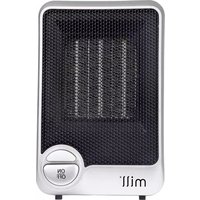
HT600 - Heating MILL - Free user manual and instructions
Find the device manual for free HT600 MILL in PDF.


| Type | Electric panel heater |
| Model | HT600 |
| Brand | Mill |
| Heating power | 600 W |
| Voltage | 220-240 V ~ 50 Hz |
| Heating element | Convection (aluminum element) |
| Thermostat | Electronic thermostat with temperature control |
| Overheat protection | Yes, automatic shut-off |
| IP rating | IP24 (splash-proof) |
| Mounting | Wall-mounted (brackets included) |
| Dimensions (H x W x D) | 450 x 600 x 80 mm |
| Weight | 4.2 kg |
| Material | Steel body with powder coating |
| Control | Electronic control panel with LED display |
| Functions | 24-hour timer, open window detection, child lock, frost protection |
| Energy saving | Adaptive start, eco mode |
| Cleaning | Wipe with damp cloth; do not immerse |
| Accessories included | Mounting kit, user manual |
Frequently Asked Questions - HT600 MILL
User questions about HT600 MILL
0 question about this device. Answer the ones you know or ask your own.
Ask a new question about this device
Download the instructions for your Heating in PDF format for free! Find your manual HT600 - MILL and take your electronic device back in hand. On this page are published all the documents necessary for the use of your device. HT600 by MILL.
USER MANUAL HT600 MILL
INSTRUCTION MANUAL (EN)
for Mill HT600

mill®
Please read the instructions carefully before use. Take good care of this manual for later use.
Important safety information
You must obey common safety guidelines when using electrical products, especially in the presence of children.
WARNING! To avoid electric shock or damage due to the heat, always make sure the plug is pulled out and wait for the fan heater to cool down before it is moved or cleaned.
- The fan heater can only be used under supervision.
- Connect the fan to an outlet with the indicated voltage.
- Avoid using extension cords as this may generate heat in the cable which in turn creates a fire hazard.
- The fan should not be placed directly below a wall socket.
- The fan heater should never be used if the cable is damaged or destroyed. Have it replaced immediately by an authorized technician.
- The fan heater should always be disconnected when not in use. When you want to disconnect it, pull the plug and not the cable.
- The air input/output must never be covered. Keep a distance of at least 1 m in front and 50 cm behind the fan.
- Do not let animals or children touch or play with the fan heater. Be careful! The air outlet becomes hot during use.
- When not in use, the fan heater should be stored in a dry and cool place away from children.
- When moving and before cleaning or maintenance, unplug the cable from the mains and wait until the fan heater has completely cooled down.
- The fan heater should not be used near baths, showers or swimming pools.
- Do not use the fan heater, including the switches, sockets and outlet, with wet hands, as it may cause electric shock.
- The fan heater should never be covered, as this may cause overheating or fire.
- Do not use the fan heater in rooms with explosive gases or when using flammable solvents such as varnish or glue.
- Keep the fan heater clean. Prevent any object from entering the ventilation openings, as this may result in electric shock, fire or damage to the fan heater.
- When repaired, the fan heater should always be repaired by an authorized technician.
STORE THIS INSTRUCTION MANUAL FOR FUTURE USE!
Description of the heater

- Air outlet
- Signal light
- On/off switch
- Air intake
- Overturn switch
Instruction Manual
Using the heater
1) Place the heater on a flat surface. When you hear a click, you can hear the overturn fuse engage.
2) Connect the power cord to an outlet with the indicated voltage.
3) Press the ON/OFF button to set the heater.
a) The signal light will be on.
4) Press the ON/OFF button to turn off the heater. The signal light will go off.
5) If you lift the heater when it is connected, and the heater is turned on, the overturn fuse will cut off power and the heater will stop. The signal light will go off. When you put the heater down again, the overturn fuse will engage and the heater will start again. The signal light will be on.
Safety instructions
To avoid hazards or incorrect use of the device, please read the instructions carefully.
(For an explanation of symbols, see page 7.)
| At the slightest indication that something is wrong with the device, contact an authorized technician to repair it. | Do not operate the device with wet hands. You can get electrocuted. | |
 Do not disassempie Do not disassempie | 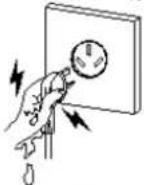 Electric shock Electric shock  | Do not touch!  |
| Do not insert metal objects or other sharp objects into the device. | Do not use open flame or other flammable sprays near the device. | |
 Electric shock Important Electric shock Important  |  Forbidden Forbidden | |
During cleaning, the device must always be switched off and the power cord must be removed from the wall outlet.
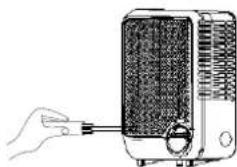
natural_image
Illustration of a hand inserting a plug into a portable electric heater (no text or symbols)Do not unplug by pulling the power cord.
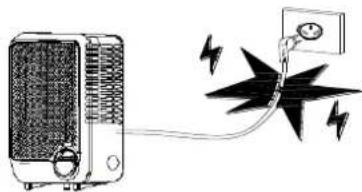
natural_image
Illustration of a portable electric heater connected to a wall-mounted power supply with lightning bolts (no text or symbols)Do not disassemble

Electric shock Forbidden


Make sure that the cord is undamaged and the plug is properly plugged in the socket. Electric shock Important[IMAGE] Electric shock Important[IMAGE] | If the heater produces weird smell or there come strange sounds from the device, stop the heater and remove the plug.Important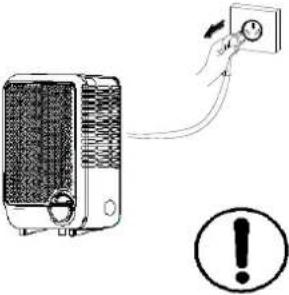 |
If the cable is destroyed, the device must not be used. Contact the service department.

natural_image
Two types of electrical plug connectors shown in line drawings (no text or symbols)Electric shock


The cord must not be curled. Do not place heavy objects on the cord.

Electric shock
Forbidden


The fan heater must not be rinsed under water.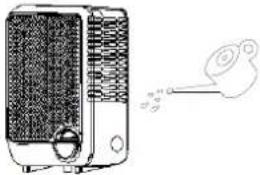 Electric shock Important[IMAGE] Electric shock Important[IMAGE] | Never let the fan blow directly at children. Forbidden Forbidden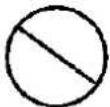 |
If the device is left unused for a long time, turn it off and unplug it.Never allow children or people with impaired functions to use the heater.Important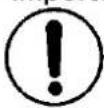 | Use power outlet that meets the standard (10 A / 230 V).Make sure that the power supply is stable (AC 220–240 V~50 Hz).If the device is moved, check if the power supply is correct.Important |
Never use the device near water.Never use the appliance directly below power outlet.Never use the appliance pressed towards the wall, curtain or other flammable object, because it can cause fire.Forbidden | Avoid overheating. Never place any objects over the fan heater.Never insert any objects into the device.Forbidden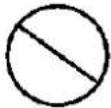 |
Explanation of symbols in the safety instructions:
 WARNING WARNING | An action which can result in damage to the fan heater and/or persons. |
 FORBIDDEN FORBIDDEN | An action which is strictly prohibited. |
 MUST BE FOLLOWED MUST BE FOLLOWED | An action that must be performed exactly as described. |
Maintenance
- Before cleaning, always unplug the heater and leave it to cool.
- Wipe the heater regularly with a damp cloth and dry the surface before turning on the heater again.
- The heater must be cleaned at least once a month during the heating season.
CAUTION! The heater should never be immersed in water.
Avoid using detergents to clean the heater.
Never let any water get inside the heater; this can be hazardous.
- Dust etc. should be removed with a soft cloth.
- The heater should be stored in a dry and clean place.
- If the heater stops working, do not attempt to repair it yourself because it can cause a fire hazard and/or electric shock.
Technical specification
| Model no. | HT600 |
| Voltage | 220–240 V~ |
| Frequency | 50 Hz |
| Current | 600 W |
| Noise level | ≤50 dB |
| Dimensions | 185*120*95 (mm) |
Warranty
The warranty is valid for 2 years. The heater will be repaired or replaced during this time should any malfunction occur. The warranty applies if the heater is used according to these instructions and the customer can present a purchase receipt. If the heater malfunctions in any way, please contact the store where it was purchased or the importer.
Waste disposal
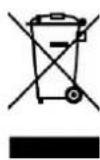
In accordance with the European Directive regarding electronic appliances (Waste Electrical and Electronic Equipment – (WEEE)), please return any electrical equipment that is no longer needed.
This symbol indicates that the appliance cannot be handled as normal household waste, but should be delivered to a designated collection point for recycling electronics and electrical appliances.
Mill International AS


Brand : MILL
Model : HT600
Category : Heating