Zelos - Loudspeaker TRUST - Free user manual and instructions
Find the device manual for free Zelos TRUST in PDF.
Pick your language and provide your email: we'll send you a specifically translated version.
| Product Type | PC Speaker Set |
| Brand | Trust |
| Model | Zelos |
| Compatible Operating Systems | Windows 10, 8, 7 |
| Connectivity | 3.5 mm audio jack |
| Power Source | USB (5V) or AC adapter (not included) |
| Speaker Configuration | 2.0 stereo |
| Controls | Power on/off, volume control |
| Dimensions (approx.) | 100 x 100 x 100 mm per speaker |
| Weight (approx.) | 500 g total |
| Cable Length | 1.2 m |
| Color | Black |
| Material | Plastic |
| Frequency Response | 100 Hz – 20 kHz |
| Output Power | 2 x 3 W RMS |
| Impedance | 4 Ω |
| Signal-to-Noise Ratio | > 80 dB |
| Warranty | 2 years |
| Package Contents | 2 speakers, 3.5 mm audio cable, USB power cable, quick installation guide |
| Cleaning Instructions | Wipe with a dry cloth; do not use liquid cleaners |
Frequently Asked Questions - Zelos TRUST
How do I connect the Trust Zelos speakers to my computer?
Connect the 3.5 mm audio cable to the speaker's input and your computer's headphone or line-out jack. Then plug the USB cable into a USB port on your computer or a USB power adapter for power.
Why is there no sound coming from the speakers?
Ensure the speakers are powered on and the volume is turned up. Check that the audio cable is firmly connected to both the speaker and your device. Also verify that your computer's audio output is not muted and the correct playback device is selected.
Can I use these speakers with a console or TV?
Yes, as long as the device has a 3.5 mm audio output. You may need a USB power source if the device does not provide USB power.
How do I clean the speakers?
Use a soft, dry cloth to gently wipe the exterior. Do not use any liquids or abrasive cleaners as they may damage the speakers.
What should I do if the speakers produce distorted sound?
Lower the volume on your device or the speakers. Distortion often occurs at high volume levels. Also check that the audio source is not distorted.
Are the speakers compatible with Mac or Linux?
The speakers work with any device that has a 3.5 mm audio output and USB power. Mac and Linux computers should work as long as they have these ports.
Can I use only one speaker?
The set is designed for stereo use. While one speaker will produce sound, it is recommended to use both for proper stereo effect.
How long is the cable?
The 3.5 mm audio cable and USB power cable are each approximately 1.2 meters long.
Does the speaker have a microphone?
No, the Trust Zelos speaker set does not include a microphone. It is a standard stereo speaker system.
What is the power consumption?
The speakers are powered via USB (5V, up to 500mA). Power consumption is low, typically less than 2.5W total.
User questions about Zelos TRUST
0 question about this device. Answer the ones you know or ask your own.
Ask a new question about this device
No questions yet. Be the first to ask one.
Download the instructions for your Loudspeaker in PDF format for free! Find your manual Zelos - TRUST and take your electronic device back in hand. On this page are published all the documents necessary for the use of your device. Zelos by TRUST.
USER MANUAL Zelos TRUST
Trust International BV
Laan van Barcelona 600 - 3317DD, Dordrecht, NL
© 11-10-2016 Trust All rights reserved.
Trust
SPEAKER SET
for PC and laptop
Quick Installation Guide

natural_image
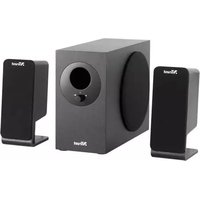
Black and white image of a Nfrust audio speaker with a circular grille (no text or symbols visible)
natural_image
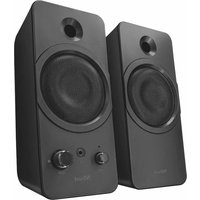
Black XTrust audio amplifier speaker with visible sound waves and control knobs (no text or symbols on body)- Setup


- installation 1/2