
EL-310AN - Calculator SHARP - Free user manual and instructions
Find the device manual for free EL-310AN SHARP in PDF.


| Product Type | Basic Desktop Calculator |
| Brand | Sharp |
| Model | EL-310AN |
| Display | 8-digit LCD |
| Power Source | Solar cell with LR44 backup battery |
| Dimensions (approx.) | 10.2 x 14.5 x 2.5 cm |
| Weight (approx.) | 110 g |
| Key Functions | Addition, subtraction, multiplication, division, percentage, square root, memory |
| Memory | 1 memory key (M+, M-, MR/MC) |
| Auto Power-Off | Yes, after approximately 7 minutes of inactivity |
| Keyboard | Plastic keys with tactile feedback |
| Display Type | Liquid crystal, non-backlit |
| Operating Temperature | 0°C to 40°C |
| Cleaning Instructions | Wipe with a soft dry cloth; do not use solvents or water |
| Safety Warnings | Keep away from liquids and excessive force; do not disassemble |
| Spare Parts / Repair | Battery replacement only; no user-serviceable parts inside |
| Environmental Compliance | RoHS compliant |
| Package Contents | Calculator, user manual |
| Warranty | 1 year limited warranty from date of purchase |
Frequently Asked Questions - EL-310AN SHARP
User questions about EL-310AN SHARP
0 question about this device. Answer the ones you know or ask your own.
Ask a new question about this device
Download the instructions for your Calculator in PDF format for free! Find your manual EL-310AN - SHARP and take your electronic device back in hand. On this page are published all the documents necessary for the use of your device. EL-310AN by SHARP.
USER MANUAL EL-310AN SHARP
- Do not press too hard against the LCD panel because
it contains glass.
- Never dispose of the battery in a fire. - Keep battery out of reach of children.
- If the screen is blank, press ON.
• The battery is factory-installed before shipment, and may
be exhausted before it reaches the service life stated in the specifications.
• This product, including accessories, is subject to
upgrading without prior notice.
- SHARP will not be liable nor responsible for any
incidental or consequential economic or property damage caused by misuse and other malfunctions of this
damage caused by misuse and/or malfunctions of this product and its peripherals, unless such liability is
acknowledged by law.
- Some of the models described in this manual may not be available in some countries.
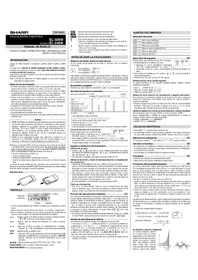
SPECIFICATIONS
Type: Electronic calculator
Operating capacity: EL-310AN/81N: 8 digits EL-122N/123N: 12 digits
Power supply: Built-in solar cell and alkaline manganese battery:
EL-310AN/81N: 1.5 V — (DC) LR1130 or equivalent x 1
EL-122N/123N:
1.5 V ... (DC) LR44 or equivalent × 1 Operating time: EL-310AN/81N; Approx. 18 months
varies according to EL-122N/123N: Approx. 24 months
use and other factors: (with 1 hour of daily use, using the alkaline battery only) Automatic Power-off: FL-310AN/81N; Approx. 7 min
EL-122N/123N: Approx. 10 min.
Operating temperature: 0°C - 40°C
Dimensions: EL-310AN/81N;
76.9 mm(W) × 125 mm(D) × 20.7 mm(H) 3-1/32" (W) × 4-29/32" (D) × 13/16" (H)
EL-122N: 96.5 mm(W) × 155 mm(D) × 24.5 mm(H)
3-13/16"(W) × 6-3/32"(D) × 31/32"(H) EI: 123N
111.9 mm(W) × 176 mm(D) × 26.3 mm(H)
4-13/32-(W) × 6-15/16-(D) × 1-1/32-(H) Accessories: Alkaline manganese battery (installed).
1906-95-195: Perennial mortgage battery (PNAW), Operation manual
GERMAN
BEFORE USE
TECHNICAL DATA
Ionication: 0°C - 40°C Dimensions: EL-310AN/81N;
76.9 mm(L) × 125 mm(P) × 20.7 mm(H)
96.5 mm(L) × 155 mm(P) × 24.5 mm(H)
EL-123N: 111.9 mm(L) x 176 mm(P) x 26.3 mm(H)
1. We also be the generic (limited), mode 3 or pks
SPECIFICATIONS
Type: Calculator
EL-122N/123N: 1.5 V — (DC) LB44 or equivalent x 1
- Prior to starting calculation, press C to clear any residual values and calculation instructions in the calculator.
- Before starting memory calculations, press C to clear the memory.
- For expressing calculation examples, only the symbols that are required for explanation are mentioned.
- The operations of multiple models are described in this manual. Therefore, the position of symbols in this manual may be different from your model.
- Example procedures are listed in following manner unless otherwise specified.
(1) Example (2) Key operations (3) Display
| For EU only: | Manufactured bySHARP CORPORATION22-22 Nagaike-cho, Abeno-ku,Osaka 545-8522, JapanIn Europe represented bySharp Electronics Europe Ltd.4 Furzeground Way, Stockley Park,Udridge, Middresser, US$11 TEZ, U.K.http://www.sharp.eu/Imported into Europe byMORAVIA Consulting, spot.s r.o.,Olomoucká 93, 627 00 Bmo, Czech RepublicVisit our Web sitehttp://www.moravia-consulting.com |
For Australia / New Zealand only: For warranty information please see www.sharp.net.au
Brand : SHARP
Model : EL-310AN
Category : Calculator