ThunderX3

TK40 - Keyboard ThunderX3 - Free user manual and instructions

Find the device manual for free TK40 ThunderX3 in PDF.

📄 2 pages English EN Download 💬 AI Question
Notice ThunderX3 TK40 - page 1
Pick your language and provide your email: we'll send you a specifically translated version.

User questions about TK40 ThunderX3

0 question about this device. Answer the ones you know or ask your own.

Ask a new question about this device

The email remains private: it is only used to notify you if someone responds to your question.

No questions yet. Be the first to ask one.

Download the instructions for your Keyboard in PDF format for free! Find your manual TK40 - ThunderX3 and take your electronic device back in hand. On this page are published all the documents necessary for the use of your device. TK40 by ThunderX3.

USER MANUAL TK40 ThunderX3
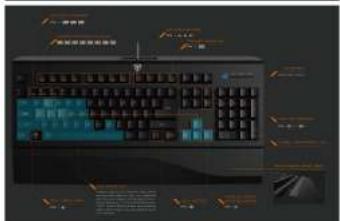
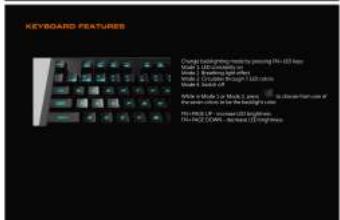
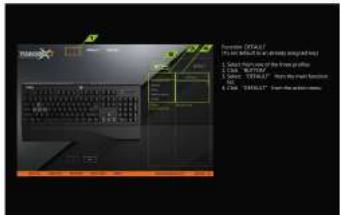
Screenshot of a computer keyboard interface with Chinese labels and UI elements

KEYBOARD FEATURES Chronic keyboard keys are pointing to the 3D key Model 1: 2D compression of a Model 2: 2D compression of a Model 3: 2D compression of a Model 4: 2D compression of a Model 5: 2D compression of a Model 6: 2D compression of a Model 7: 2D compression of a Model 8: 2D compression of a Model 9: 2D compression of a Model 10: 2D compression of a Model 11: 2D compression of a Model 12: 2D compression of a Model 13: 2D compression of a Model 14: 2D compression of a Model 15: 2D compression of a Model 16: 2D compression of a Model 17: 2D compression of a Model 18: 2D compression of a Model 19: 2D compression of a Model 20: 2D compression of a Model 21: 2D compression of a Model 22: 2D compression of a Model 23: 2D compression of a Model 24: 2D compression of a Model 25: 2D compression of a Model 26: 2D compression of a Model 27: 2D compression of a Model 28: 2D compression of a Model 29: 2D compression of a Model 30: 2D compression of a Model 31: 2D compression of a Model 32: 2D compression of a Model 33: 2D compression of a Model 34: 2D compression of a Model 35: 2D compression of a Model 36: 2D compression of a Model 37: 2D compression of a Model 38: 2D compression of a Model 39: 2D compression of a Model 40: 2D compression of a Model 41: 2D compression of a Model 42: 2D compression of a Model 43: 2D compression of a Model 44: 2D compression of a Model 45: 2D compression of a Model 46: 2D compression of a Model 47: 2D compression of a Model 48: 2D compression of a Model 49: 2D compression of a Model 50: 2D compression of a Model 51: 2D compression of a Model 52: 2D compression of a Model 53: 2D compression of a Model 54: 2D compression of a Model 55: 2D compression of a Model 56: 2D compression of a Model 57: 2D compression of a Model 58: 2D compression of a Model 59: 2D compression of a Model 60: 2D compression of a Model 61: 2D compression of a Model 62: 2D compression of a Model 63: 2D compression of a Model 64: 2D compression of a Model 65: 2D compression of a Model 66: 2D compression of a Model 67: 2D compression of a Model 68: 2D compression of a Model 69: 2D compression of a Model 70: 2D compression of a Model 71: 2D compression of a Model 72: 2D compression of a Model 73: 2D compression of a Model 74: 2D compression of a Model 75: 2D compression of a Model 76: 2D compression of a Model 77: 2D compression of a Model 78: 2D compression of a Model 79: 2D compression of a Model 80: 2D compression of a Model 81: 2D compression of a Model 82: 2D compression of a Model 83: 2D compression of a Model 84: 2D compression of a Model 85: 2D compression of a Model 86: 2D compression of a Model 87: 2D compression of a Model 88: 2D compression of a Model 89: 2D compression of a Model 90: 2D compression of a Model 91: 2D compression of a Model 92: 2D compression of a Model 93: 2D compression of a Model 94: 2D compression of a Model 95: 2D compression of a Model 96: 2D compression of a Model 97: 2D compression of a Model 98: 2D compression of a Model 99: 2D compression of a

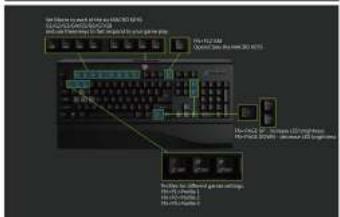
Use Phone to switch the keyboard to access Windows 9.0.12 Windows 9.0.12: Windows 9.0.12 Windows 9.0.12: Windows 9.0.12 Windows 9.0.12: Windows 9.0.12 Play-162.13M Onset Bus: Onset Web: 361.4573 Number 27, Number 18, Number 18, Number 18, Number 18, Number 18, Number 18, Number 18, Number 18, Number 18, Number 18, Number 18, Number 18, Number 18, Number 18, Number 18, Number 18, Number 18, Number 18, Number 18, Number 18, Number 1

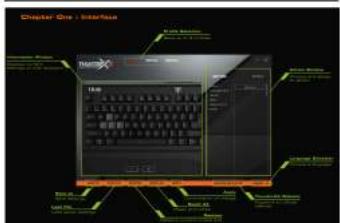
Chapter One - Interface Twin Windows Windows 800 Windows 800 Windows 800 Windows 800 Windows 800 Windows 800 Windows 800 Windows 800 Windows 800 Windows 800 Windows 800 Windows 800 Windows 800 Windows 800 Windows 800 Windows 800 Windows 800 Windows 61 Windows 61 Windows 61 Windows 61 Windows 61 Windows 61 Windows 61 Windows 61 Windows 61 Windows 61 Windows 61 Windows 61 Windows 61 Windows 61 Windows 61 Windows 61 Windows 61 Windows 61 Windows 61 Windows 61 Windows 62 Windows 62 Windows 62 Windows 62 Windows 62 Windows 62 Windows 62 Windows 62 Windows 62 Windows 62 Windows 62 Windows 62 Windows 62 Windows 62 Windows 62 Windows 62 Windows 62 Windows 62 Windows 62 Windows 62 Windows 63 Windows 63 Windows 63 Windows 63 Windows 63 Windows 63 Windows 63 Windows 63 Windows 63 Windows 63 Windows 63 Windows 63 Windows 63 Windows 63 Windows 63 Windows 63 Windows 64 Windows 64 Windows 64 Windows 64 Windows 64 Windows 64 Windows 64 Windows 64 Windows 64 Windows 64 Windows 64 Windows 64 Windows 64 Windows 64 Windows 64 Windows 64 Windows 64 Windows 64 Windows 64 Windows 64 Windows 65 Windows 65 Windows 65 Windows 65 Windows 65 Windows 65 Windows 65 Windows 65 Windows 65 Windows 65 Windows 65 Windows 65 Windows 65 Windows 65 Windows 65 Windows 65 Windows 65 Windows 65 Windows 65 Windows 65 Windows 67 Windows 67 Windows 67 Windows 67 Windows 67 Windows 67 Windows 67 Windows 67 Windows 67 Windows 67 Windows 67 Windows 67 Windows 67

Inspector Task Button 37.04 Control Panel Control Panel Control Panel Control Panel Control Panel Control Panel Control Panel Control Panel Control Panel Control Panel Control Panel Control Panel Control Panel Control Panel Control Panel Control Panel Control Panel Control Panel Control Panel Control Panel Control Panel Control Panel Control Panel Control Panel Control Panel Control Panel Control Panel Control Panel Control Panel Control Panel Control Panel Control Panel Control Panel Control Panel

OK 1. Select the files on the computer setup and help 2. Select the files on the computer setup and help 3. Select the files on the computer setup and help 4. Select the files on the computer setup and help 5. Select the files on the computer setup and help 6. Select the files on the computer setup and help 7. Select the files on the computer setup and help 8. Select the files on the computer setup and help 9. Select the files on the computer setup and help 10. Select the files on the computer setup and help 11. Select the files on the computer setup and help 12. Select the files on the computer setup and help 13. Select the files on the computer setup and help 14. Select the files on the computer setup and help 15. Select the files on the computer setup and help 16. Select the files on the computer setup and help 17. Select the files on the computer setup and help 18. Select the files on the computer setup and help 19. Select the files on the computer setup and help 20. Select the files on the computer setup and help 21. Select the files on the computer setup and help 22. Select the files on the computer setup and help 23. Select the files on the computer setup and help 24. Select the files on the computer setup and help 25. Select the files on the computer setup and help 26. Select the files on the computer setup and help 27. Select the files on the computer setup and help 28. Select the files on the computer setup and help 29. Select the files on the computer setup and help 30. Select the files on the computer setup and help 31. Select the files on the computer setup and help 32. Select the files on the computer setup and help 33. Select the files on the computer setup and help 34. Select the files on the computer setup and help 35. Select the files on the computer setup and help 36. Select the files on the computer setup and help 37. Select the files on the computer setup and help 38. Select the files on the computer setup and help 39. Select the files on the computer setup and help 40. Select the files on the computer setup and help 41. Select the files on the computer setup and help 42. Select the files on the computer setup and help 43. Select the files on the computer setup and help 44. Select the files on the computer setup and help 45. Select the files on the computer setup and help 46. Select the files on the computer setup and help 47. Select the files on the computer setup and help 48. Select the files on the computer setup and help 49. Select the files on the computer setup and help 50. Select the files on the computer setup and help 51. Select the files on the computer setup and help 52. Select the files on the computer setup and help 53. Select the files on the computer setup and help 54. Select the files on the computer setup and help 55. Select the files on the computer setup and help 56. Select the files on the computer setup and help 57. Select the files on the computer setup and help 58. Select the files on the computer setup and help 59. Select the files on the computer setup and help 60. Select the files on the computer setup and help 61. Select the files on the computer setup and help 62. Select the files on the computer setup and help 63. Select the files on the computer setup and help 64. Select the files on the computer setup and help 65. Select the files on the computer setup and help 66. Select the files on the computer setup and help 67. Select the files on the computer setup and help 68. Select the files on the computer setup and help 69. Select the files on the computer setup and help 70. Select the files on the computer setup and help 71. Select the files on the computer setup and help 72. Select the files on the computer setup and help 73. Select the files on the computer setup and help 74. Select the files on the computer setup and help 75. Select the files on the computer setup and help 76. Select the files on the computer setup and help 77. Select the files on the computer setup and help 78. Select the files on the computer setup and help 79. Select the files on the computer setup and help 80. Select the files on the computer setup and help 81. Select the files on the computer setup and help 82. Select the files on the computer setup and help 83. Select the files on the computer setup and help 84. Select the files on the computer setup and help 85. Select the files on the computer setup and help 86. Select the files on the computer setup and help 87. Select the files on the computer setup and help 88. Select the files on the computer setup and help 89. Select the files on the computer setup and help 90. Select the files on the computer setup and help 91. Select the files on the computer setup and help 92. Select the files on the computer setup and help 93. Select the files on the computer setup and help 94. Select the files on the computer setup and help 95. Select the files on the computer setup and help 96. Select the files on the computer setup and help 97. Select the files on the computer setup and help 98. Select the files on the computer setup and help 99. Select the files on the computer setup and help

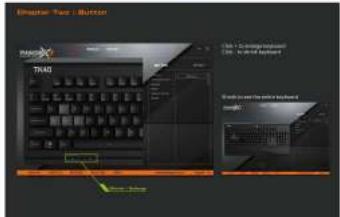
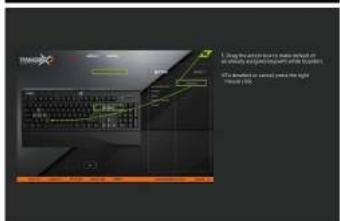
Scanned document page with technical diagram and Chinese text describing a computer setup or system interface.

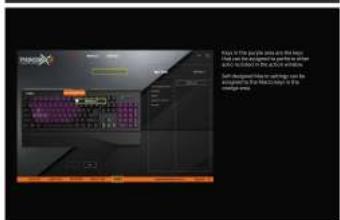
Play in the play area is the best that we do the game's progress to get you can be done in the action window. Soft destinations are waiting on the accessories for the game. It is the game area.

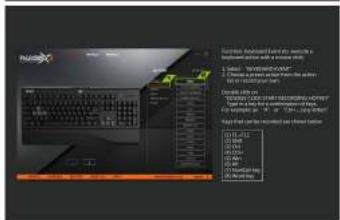
System: Advanced Level 1. Services is Increased activity with a new user's name. 1. Select "WOMEN'S" status 2. Choose another user in the main user 3. Select a list of users to access the user's name. 4. Select a list of users to access the user's name. 5. Select a list of users to access the user's name. 6. Select a list of users to access the user's name. 7. Select a list of users to access the user's name. 8. Select a list of users to access the user's name. 9. Select a list of users to access the user's name. 10. Select a list of users to access the user's name. 11. Select a list of users to access the user's name. 12. Select a list of users to access the user's name. 13. Select a list of users to access the user's name. 14. Select a list of users to access the user's name. 15. Select a list of users to access the user's name. 16. Select a list of users to access the user's name. 17. Select a list of users to access the user's name. 18. Select a list of users to access the user's name. 19. Select a list of users to access the user's name. 20. Select a list of users to access the user's name. 21. Select a list of users to access the user's name. 22. Select a list of users to access the user's name. 23. Select a list of users to access the user's name. 24. Select a list of users to access the user's name. 25. Select a list of users to access the user's name. 26. Select a list of users to access the user's name. 27. Select a list of users to access the user's name. 28. Select a list of users to access the user's name. 29. Select a list of users to access the user's name. 30. Select a list of users to access the user's name. 31. Select a list of users to access the user's name. 32. Select a list of users to access the user's name. 33. Select a list of users to access the user's name. 34. Select a list of users to access the user's name. 35. Select a list of users to access the user's name. 36. Select a list of users to access the user's name. 37. Select a list of users to access the user's name. 38. Select a list of users to access the user's name. 39. Select a list of users to access the user's name. 40. Select a list of users to access the user's name. 41. Select a list of users to access the user's name. 42. Select a list of users to access the user's name. 43. Select a list of users to access the user's name. 44. Select a list of users to access the user's name. 45. Select a list of users to access the user's name. 46. Select a list of users to access the user's name. 47. Select a list of users to access the user's name. 48. Select a list of users to access the user's name. 49. Select a list of users to access the user's name. 50. Select a list of users to access the user's name. 51. Select a list of users to access the user's name. 52. Select a list of users to access the user's name. 53. Select a list of users to access the user's name. 54. Select a list of users to access the user's name. 55. Select a list of users to access the user's name. 56. Select a list of users to access the user's name. 57. Select a list of users to access the user's name. 58. Select a list of users to access the user's name. 59. Select a list of users to access the user's name. 60. Select a list of users to access the user's name. 61. Select a list of users to access the user's name. 62. Select a list of users to access the user's name. 63. Select a list of users to access the user's name. 64. Select a list of users to access the user's name. 65. Select a list of users to access the user's name. 66. Select a list of users to access the user's name. 67. Select a list of users to access the user's name. 68. Select a list of users to access the user's name. 69. Select a list of users to access the user's name. 70. Select a list of users to access the user's name. 71. Select a list of users to access the user's name. 72. Select a list of users to access the user's name. 73. Select a list of users to access the user's name. 74. Select a list of users to access the user's name. 75. Select a list of users to access the user's name. 76. Select a list of users to access the user's name. 77. Select a list of users to access the user's name. 78. Select a list of users to access the user's name. 79. Select a list of users to access the user's name. 80. Select a list of users to access the user's name. 81. Select a list of users to access the user's name. 82. Select a list of users to access the user's name. 83. Select a list of users to access the user's name. 84. Select a list of users to access the user's name. 85. Select a list of users to access the user's name. 86. Select a list of users to access the user's name. 87. Select a list of users to access the user's name. 88. Select a list of users to access the user's name. 89. Select a list of users to access the user's name. 90. Select a list of users to access the user's name. 91. Select a list of users to access the user's name. 92. Select a list of users to access the user's name. 93. Select a list of users to access the user's name. 94. Select a list of users to access the user's name. 95. Select a list of users to access the user's name. 96. Select a list of users to access the user's name. 97. Select a list of users to access the user's name. 98. Select a list of users to access the user's name. 99. Select a list of users to access the user's name. 100. Select a list of users to access the user's name.

ThunderX3 TK40 - 10

• Lien, 11, 2015

51.4.20 24

(1) (2) (3)

The following text is in English:

Y. KAYI

Manual assistant
Powered by Anthropic
Waiting for your message
Product information

Brand : ThunderX3

Model : TK40

Category : Keyboard