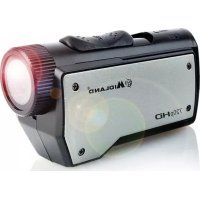
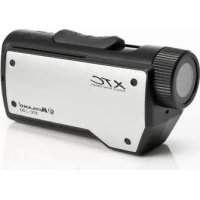
XTC450VP - Camcorder MIDLAND - Free user manual and instructions
Find the device manual for free XTC450VP MIDLAND in PDF.


Pick your language and provide your email: we'll send you a specifically translated version.
| Product Type | Camcorder |
| Brand | Midland |
| Model | XTC450VP |
| Dimensions (WxHxD) | Approximately 5.5 x 2.5 x 3.0 inches |
| Weight | Approximately 0.45 lbs (without battery or memory card) |
| Power Source | Rechargeable lithium-ion battery (3.7V, 1000mAh) |
| Recording Media | MicroSD card (up to 32GB, Class 10 recommended) |
| Video Resolution | 1920x1080 Full HD at 30fps |
| Photo Resolution | 12 megapixels (interpolated) |
| Optical Zoom | 8x |
| Digital Zoom | Up to 16x |
| Display Screen | 2.0-inch TFT LCD |
| Connectivity | USB 2.0, HDMI output |
| Main Functions | Video recording, photo capture, playback, night vision mode, motion detection |
| Care and Cleaning | Wipe gently with a dry, soft cloth; avoid liquids; keep lens clean |
| Safety Precautions | Do not expose to extreme temperatures or moisture; use only specified battery |
| Spare Parts and Reparability | Battery, charger, and USB cable available as accessories; not user serviceable for internal parts |
| General Information | Compact design ideal for outdoor recording; includes mounting bracket |
Frequently Asked Questions - XTC450VP MIDLAND
How do I charge the battery?
Connect the included USB cable to the camcorder and a USB power source (computer or adapter). The charging indicator will turn red during charging and green when fully charged.
What memory card types are supported?
The XTC450VP supports MicroSD cards up to 32GB. For best performance, use a Class 10 or higher card.
How do I transfer videos to my computer?
Connect the camcorder to your computer via USB. It will appear as a removable drive. Copy files directly from the DCIM folder.
Can I use the camcorder while it's charging?
Yes, you can record while connected to a power source. However, this may cause the battery to heat up, so use caution.
How do I enable night vision?
Press the Night Vision button on the side of the camcorder. The infrared LEDs will activate for recording in low light.
What is the recording time on a full charge?
The battery typically provides about 90 minutes of continuous recording at 1080p. Actual time may vary based on usage and settings.
How do I set the date and time?
Go to the Settings menu, select Date/Time, and use the navigation buttons to adjust. Press Record to confirm.
Can I take photos while recording video?
No, the camcorder does not support simultaneous photo capture during video recording. Stop video first to take a photo.
What should I do if the camcorder freezes?
Remove the battery for 10 seconds and reinsert. If the problem persists, try formatting the memory card in the camcorder settings.
How do I clean the lens?
Use a soft, lint-free microfiber cloth. Gently wipe the lens in a circular motion. Avoid using any liquids or abrasive materials.
User questions about XTC450VP MIDLAND
0 question about this device. Answer the ones you know or ask your own.
Ask a new question about this device
No questions yet. Be the first to ask one.
Download the instructions for your Camcorder in PDF format for free! Find your manual XTC450VP - MIDLAND and take your electronic device back in hand. On this page are published all the documents necessary for the use of your device. XTC450VP by MIDLAND.