
4400N - Docking Station SPC - Free user manual and instructions
Find the device manual for free 4400N SPC in PDF.


| Product Type | Docking Station |
| Brand | SPC |
| Model | 4400N |
| Compatibility | Laptops and tablets with USB-C or Thunderbolt 3 |
| Video Output | 1x HDMI 2.0, 1x DisplayPort 1.2 |
| USB Ports | 3x USB 3.0 Type-A, 1x USB-C (data only) |
| Ethernet | 1x Gigabit Ethernet RJ45 |
| Audio | 3.5mm combo audio jack |
| Power Delivery | Up to 60W via USB-C |
| Card Reader | SD card slot |
| Dimensions (W x D x H) | 200 x 80 x 25 mm |
| Weight | 250 g |
| Power Supply | External AC adapter (100-240V, 50/60Hz) |
| Operating Temperature | 0°C to 40°C |
| Storage Temperature | -20°C to 60°C |
| Cable Length | Integrated USB-C cable, 30 cm |
| Supported Operating Systems | Windows, macOS, Linux, Chrome OS |
| Maintenance | Clean with a soft dry cloth; avoid liquids |
| Safety | Overcurrent, overvoltage, short circuit protection |
| Repairability | Not user-serviceable; contact support for repairs |
| Spare Parts | Power adapter and USB-C cable available separately |
| General Information | Plug-and-play; no driver installation needed |
Frequently Asked Questions - 4400N SPC
User questions about 4400N SPC
0 question about this device. Answer the ones you know or ask your own.
Ask a new question about this device
Download the instructions for your Docking Station in PDF format for free! Find your manual 4400N - SPC and take your electronic device back in hand. On this page are published all the documents necessary for the use of your device. 4400N by SPC.
USER MANUAL 4400N SPC
Altavoz Bluetooth
GO NFC SPEAKER
Copyright © 2014 SPC
www.spc-universe.com
This guide includes all the information to make the most out of your Go NFC Speaker..
EN
Copyright © 2014 SPC
www.spc-universe.com
The information that this guide contains cannot be transmitted, played or distributed in any case without the written authorization of SPC.
COMERCIAL BRANDNAMES
SPC is a registered brandname of Telecom y Novatecno S.A.
NOTE: SPC reserves the right to modify the information of this guide in any moment. All the information and recommendations that we can find here do not guarantee anything.
BOX CONTENT
Bluetooth speaker
USB cable to connect the unit with the PC
Stereo cable
User guide
Warranty sheet
FEATURES
■ Support Bluetooth V2.1 with music in stereo and its remote control profiles A2DP 1.2 and EDR
- Splash Proof. IP54.
■ Distance: up to 10 m.
Built-in microphone.
■ Battery life: up to 10 hours aprox. * Less autonomy to higher volume.
■ Rechargeable lithium battery.
USB charging.
UNIT AND CONTROLS

EN

-
Microphone for when taking calls when your mobile phone is connected to the speaker with Bluetooth.
-
LED indicador – Illuminates to show various functions of the speaker.
-
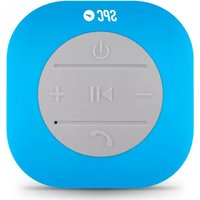
Key

- Press to play or pause a song.
- Press once to take or hang up the call.
-
Press and hold to disconnect from your current Bluetooth device.
-
Key

- Press to switch between Bluetooth and Line in modes.
-
Key +
-
Press and hold to increase volume.
- Double tap quickly to skip to the next song.
-
For incoming calls press once to decline the call.
-
Key -
- Press and hold to decrease volume.
- Double tap quickly to skip to the previous song.
- For incoming calls press once to decline the call.
7. Key

- Press to turn on. Press and hold to turn off the speaker.
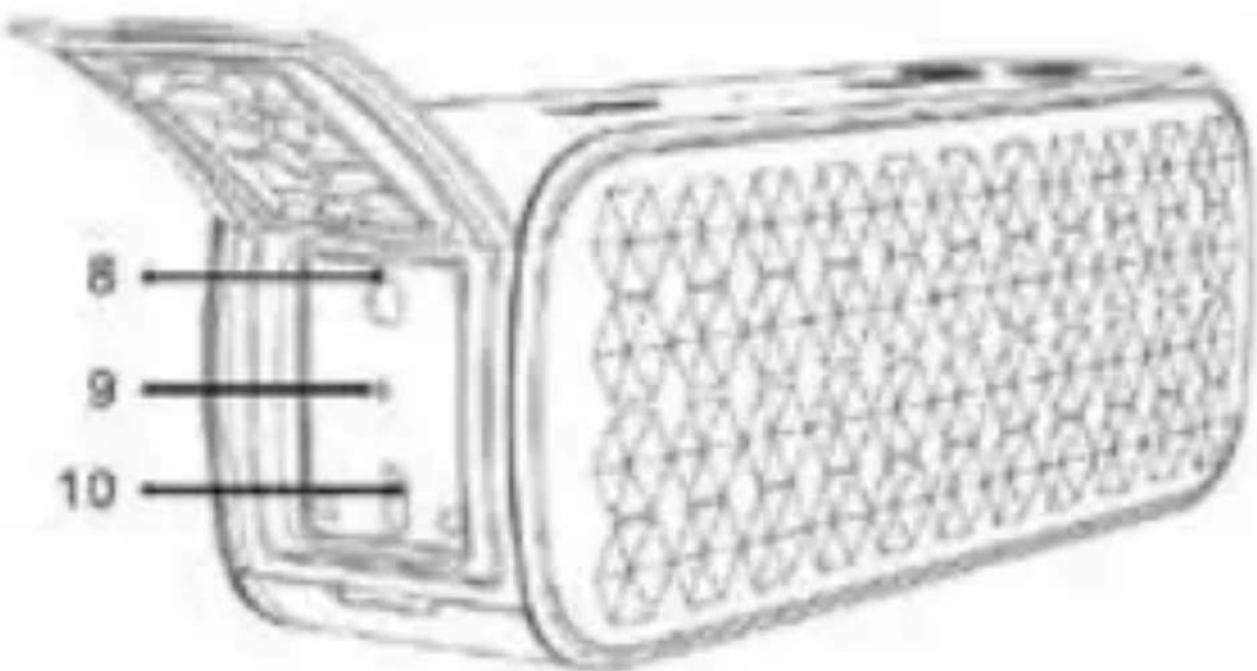
8. AUX Line in
- Accepts 3.5 mm stereo cable for audio.
9. RESET
- Stick a pin into the hole to reset the speaker.
10. Micro-USB
- Connects to a micro-USB cable for charging the speaker.
CHARGING SPEAKER
Connect the smallest end of the provided micro USB cable in the speaker micro USB connector (10) and the other end in your computer USB connector. The speaker will start charging and
the red light indicator (1) will show flashing. When the battery is fully charged the light will change to blue.
When the red light starts flashing and play a warning tone, you must charge the device.
SPEAKER WORKING WAY
SWITH ON OR OFF
Press to turn on. Press and hold to turn off the speaker.
PAIR THE SPEAKER
If your phone supports the A2DP Bluetooth profile and has a music player feature, you can use the phone to make and receive calls, and to play music with the speaker.
-
Press 🤨 to turn on the speaker. You will see the blue light (1) flashing.
-
Set your Bluetooth device (mobile phone) to scan for Bluetooth devices. You will see a list.
- From the list of Bluetooth devices select the SPC4400.
- Your Bluetooth device will indicate when the pairing is complete.
- Blue light keeps fixed.
Note: Next time when you turn on the speaker, it will automatically connect.
Note: The speaker has a voice guide for the different functions.
AUTO-CONNECT WITH NFC - BLUETOOTH
NFC (Near Field Communication) is an alternative way of connecting Bluetooth devices. This requires both devices to have the NFC feature built in and available.
Press 📁 to turn on the speaker. The LED will flash blue. If the LED is flashing slowly, press the 📋 button to change to search mode.
Turn on your device's NFC function.
- Place your NFC device adjacent to the button.
■ Follow the instructions on your Bluetooth device.
BEM-VINDO
Copyright © 2014 SPC
www.spc-universe.com
PT
PT
Director General/General Manager/Diretor-geral
Esta declaración de conformidad está de acuerdo con la Directiva Europea 1999/5/CE. This declaration of conformity is in compliance with the European Directive 1999/5/EC. Esta declaração de conformidade respeita as normas da Diretiva Europeia 1999/5/EC.


Brand : SPC
Model : 4400N
Category : Docking Station