IUWA-300N - Access Point Inca - Free user manual and instructions
Find the device manual for free IUWA-300N Inca in PDF.


User questions about IUWA-300N Inca
0 question about this device. Answer the ones you know or ask your own.
Ask a new question about this device
Download the instructions for your Access Point in PDF format for free! Find your manual IUWA-300N - Inca and take your electronic device back in hand. On this page are published all the documents necessary for the use of your device. IUWA-300N by Inca.
USER MANUAL IUWA-300N Inca
Always the Best Quality
USER MANUAL ENGLISH TÜM MODELLER
TÜ RKÇE
TANITIM VE KULLANIM
KILAVUZU
www.incatech.net
natural_image
White wireless router with two black antennas and a white base, connected to a USB cable (no visible text or symbols)Wireless USB Adapter
Quick Installaon Guide
Thank you for purchasing Wireless LAN USB Adapter. This quick installaon guide is aimed at easy installaon procedures of this device. Before installaon, please read the following procedures carefully.
Installaon
Part 1 Driver Installaon:
It supports Windows 98/Me/2000/XP/Vista/Windows 7, following is installaon sample on Windows XP.
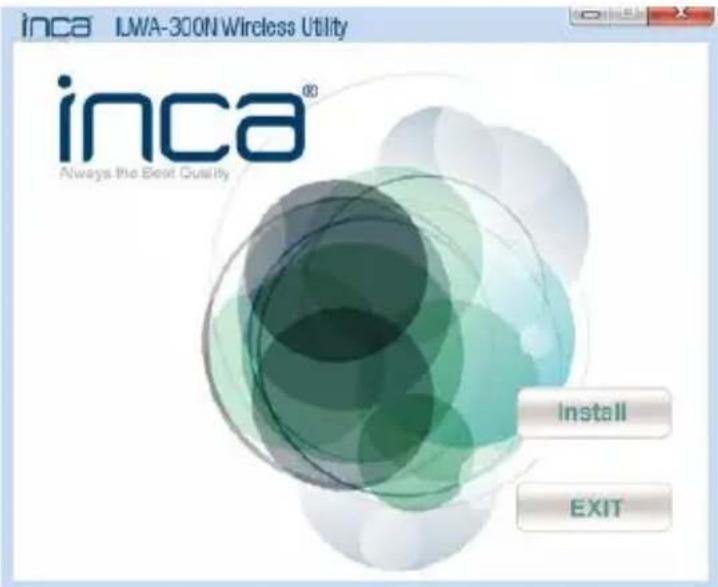
1.1 Please insert the CD-ROM into the disk drive and chose the right model of wireless USB adapter, run Setup.exe to direct install, the system will appear as following interface. Click "Install" to connue.
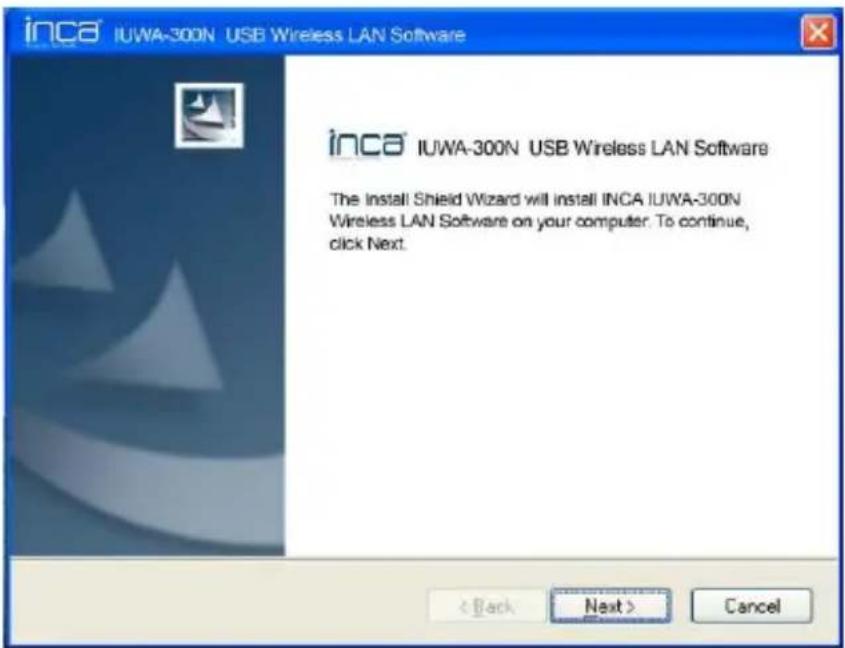
1.2 As shown below, click Install to connue;
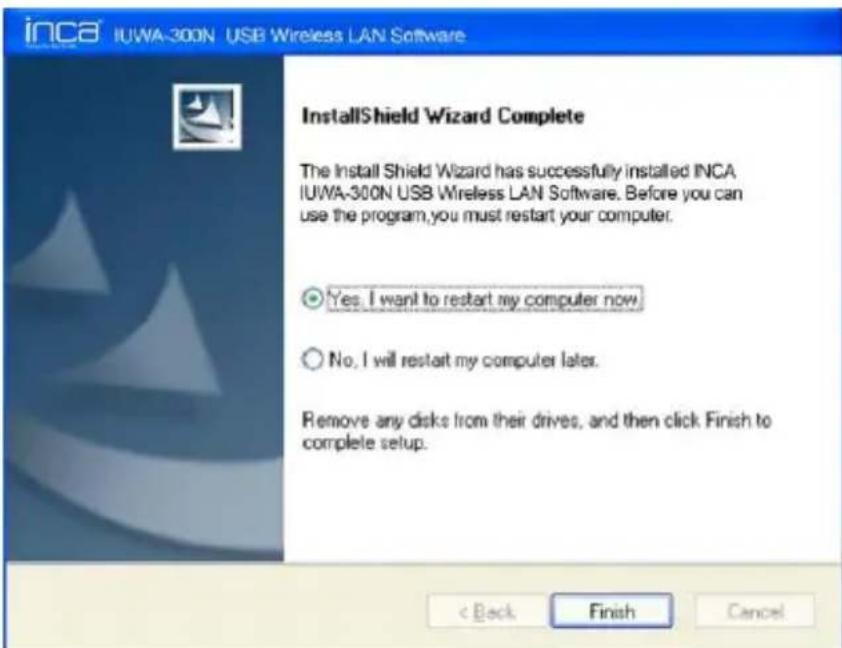
1.3 As shown below, select Yes, I want to resetart my computer now, and click Finish, then you will complete the installaon.
1.4 Plug this USB adapter into a USB 2.0 port on the PC. Or users can plug the Network Adapter with the standard USB cable.
1.5 Aer compleng, a new icon will appear in your Icon tray. Check the icon to make sure that the ulity is installed successfully.
Part 2 Seng TCP/IP property
Right-click on My Network Places> Properes> Local Area Connecons> Properes> Internet Protocol (TCP/IP) >Properes. Select a Stac IP Address. Input your IP address ,subnet mask and DNS server address (Note: If you are entering a DNS server ,you must enter the IP address of the Default Gateway and the DNS server informaon will be supplied by your ISP, Internet Service Provider.),then click OK .
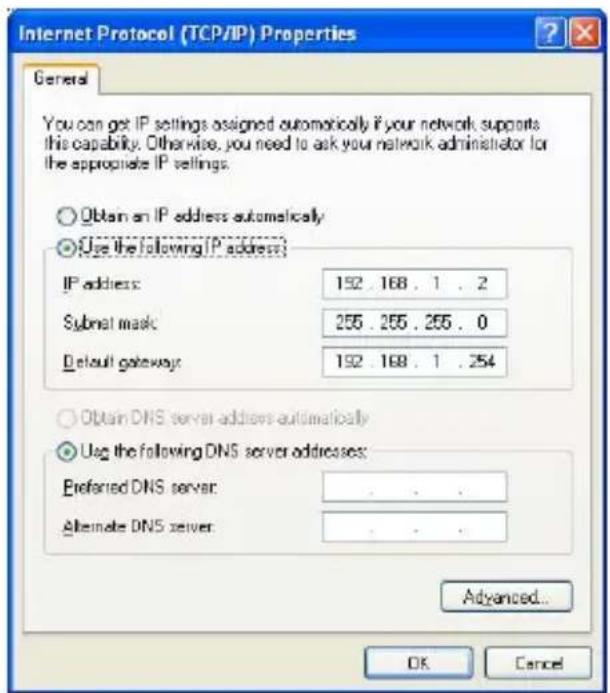
Note:
Many broadband routers will automatically assign IP addresses to the computers on the network, using DHCP (Dynamic Host Conguraon Protocol) technology. If you are using a DHCP-capable router you will not need to assign stac IP address.
Part 3 Uninstall
If you want to uninstall the driver of the 802.11n Wireless Adapter, please go to Start> All Programs> 802.11n Wireless >Uninstall - 802.11n USB Wireless Adapter. Then system will uninstall the UI conguraon and the driver of the 802.11n Wireless Adapter. The window will appear as following diagram:
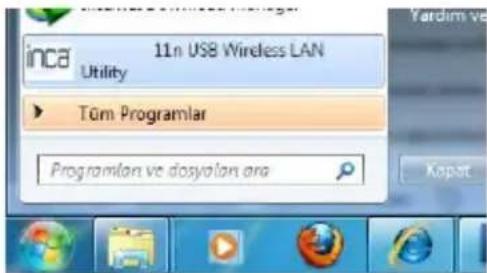
- If you want to remove the Wireless Adapter, please stop it rst. In order to avoid unnecessary troubles, you can't remove it during the communicaon.
- Aer re-installed the driver of the Wireless Adapter or changed communicaons network conguraon, the system may need to restart, in order to make the new conguraon to take eect.
Aer you restart your system with wireless 11n USB Wireless LAN Adapter Utility program to run.
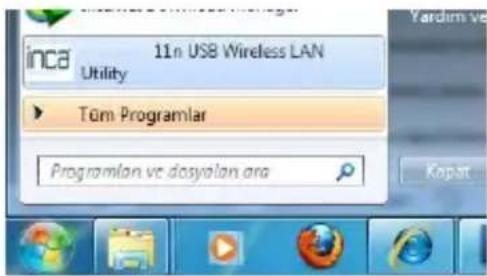
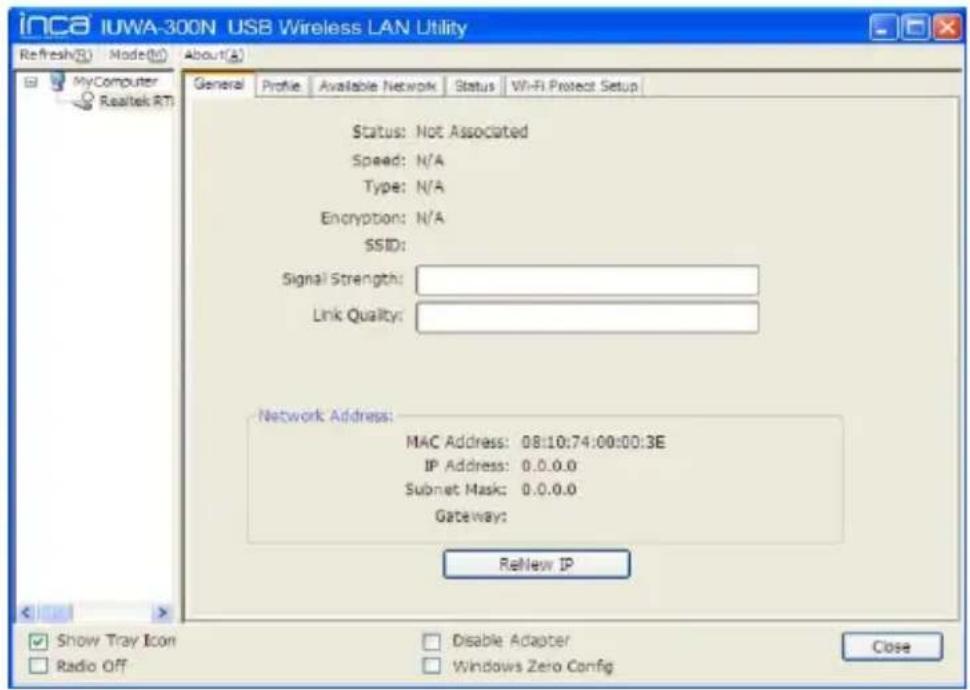
11n USB Wireless LAN Utility program looks as follows. Available from this screen, we must choose the Network opon.
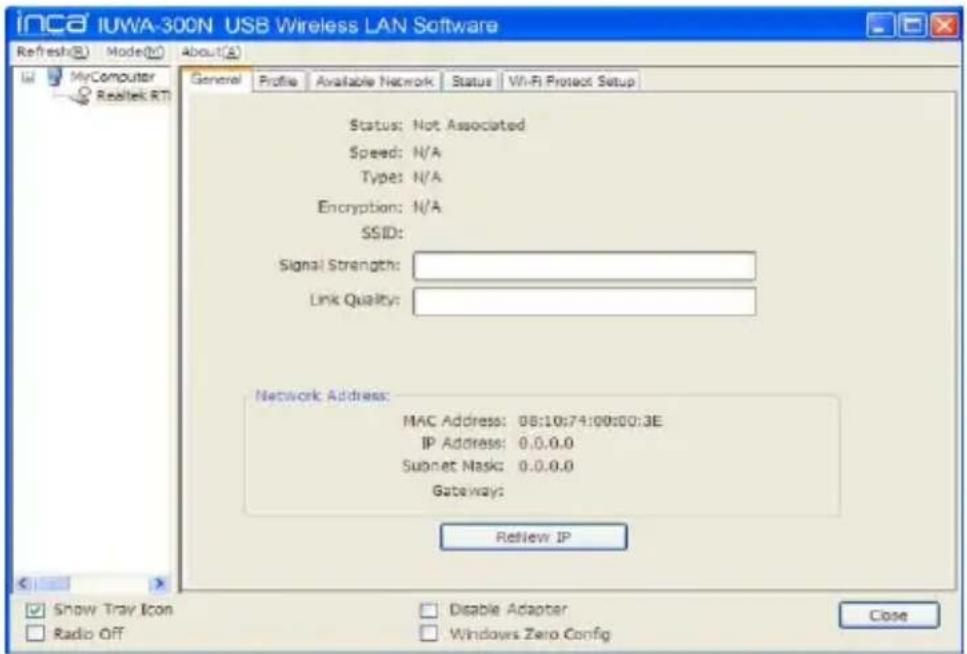
Opons available in Network Refresh to enable the detecon of all wireless networks. With all the wireless network SSID appears in the secon names. Double-click one you want here that you can start using the wireless network. In addition to the names of wireless networks are not encrypted and have been reported. Unknown writers is without password. When you click on those who will ask you passwords are encrypted. Enter your password when you are ready to use wireless networks and can seamlessly connect to the internet.
www.incatech.net
GUARANTEE DOCUMENT

Using this guarantee certificate is allowed by Turkish Government Ministry of Customs and Trade General Directorate of Protecting Consumer and Competition which is in accordance with law no 4077 and government communique numbered TRKGM-95/116-117 that based on law no4077. Date and Number of approval :
DISTRIBUTOR OR IMPORTER COMPANY
FIRM'S NAME : PASİFİK BİLGİSAYAR ULUSLARARASI TİC. LTD. ŞTİ.
Address : Esentepe mah. Zincirlidere cad. no:86/A Esentepe/Mecidiyeköy İSTANBUL
Phone : (212) 212 12 11
Fax : (212) 212 61 67
Firm Competent's
Sign and Stamp :
Description : Wireless USB Adapter
Brand Name : INCA
Model : All Models
Tax stamp and Serial no. :
Delivery Date and Place :
Invoice Date and No :
Date-Sign-Stamp :
www.incatech.net
WARRANTY CONDITIONS
- Warranty period, begins the date the good is delivered and lastas for 2 years.
- The good, covering all its parts, as a whole, is covered by our company's warranty.
- in the case that the good is defective within the warranty period, the time of repair is added to the warranty period. The repair time of the good is maximum 20 business days. This period begins when the defect of the good is submitted to the service station, and in case of no service station, to the dealer, seller, representative, importer or producer- manufacturer. In case the defect of the good is not resolved within 10 business days, the producer-manufacturer or the importer, is obliged to provide a similar good for the use of the consumer, until the repairing period is completed.
- In case the good is out of order, arising of the material and workmanship or assembly errors, within the warranty period, it will be repaired free of charge, any charge called workmanship expense, spare part cost or any other will not be charged.
- Even if the consumer uses his right to repair, if the good;
-following the date of delivery to the consumer, has defects within the warranty period in one year, the same defect more than two times; or deifferent defects for more than four times, or the various defects within the warranty period becomes a total of six; and these defects lead to prevent the continuous using of the good
if the required maximum time limit for repairi is exceeded
if it is determined that the repair of defect is not possible with a report to be issued by the company service station, and in case of no service station, issued by the dealer, seller, representative, importer or producer-manufacturer.
The consumer may claim the substitution of the good, return of the value paid or a value discount on the rate of defect.
-
The warranty does not cover the defects arising of the misuse of the good, contrary to the using instructions in the user's guide.
-
For the issues to rise of the Warranty Certificate, the claims may be made to Ministry of Customs and Trade, Protection of Consumers and Competition Office
www.incatech.net
GARANTI BELGESI

IEC 60950-1: 2005 (2nd Edition) +A1:2009
EN 60950-1:2006+A11:2009+A1:2010
EU Declaration of Conformity
Product : 300 Mbps Wireless-N USB Adapter Model : INCA IUWA-300N
The product above is conformity with Low Voltage Directive 2006/95/EC in order to comply with the requirements in the Council Directive 2006/95/EC relating to electrical equipment designed for use within certain voltage limits.
For the safety evaluation of the compliance with this Directive 2006/95/EC, the following standard were applied:
IEC 60950-1: 2005 (2nd Edition) +A1:2009 EN 60950-1:2006+A11: 2009+A1:2010
The following manufacturer / importer within Europe is responsible for his declaration:
İhsan SALİM
Name (Full Name)
2011-12-11
Date
General Manager
Position/ Title
Legal Signature