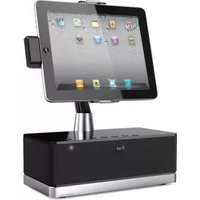
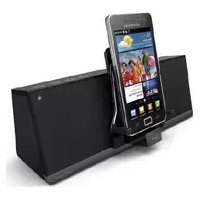
ArtStation Pro - Docking Station ILUV - Free user manual and instructions
Find the device manual for free ArtStation Pro ILUV in PDF.


Pick your language and provide your email: we'll send you a specifically translated version.
| Product Type | Docking Station |
| Brand | iLuv |
| Model | ArtStation Pro |
| Dimensions (Approx.) | 12.5 x 8.0 x 2.5 cm |
| Weight (Approx.) | 180 g |
| Power Input | USB-C (5V/3A) |
| Charging Output | Up to 2.4A per port |
| Number of Ports | 3 USB-A, 1 USB-C (data + charge) |
| Data Transfer Rate | Up to 480 Mbps (USB 2.0) |
| Compatible Devices | Smartphones, tablets, e-readers, and other USB-charged devices |
| Material | ABS plastic with non-slip base |
| LED Indicator | Blue when powered |
| Safety Features | Overcurrent, overvoltage, short circuit, and overheating protection |
| Cleaning Instructions | Wipe with dry cloth; avoid liquids |
| Warranty | 1 year limited |
| Included Accessories | Docking station, USB-C cable, user manual |
| Usage | Desk, bedside table, office |
| Stand Design | Horizontal or vertical placement |
Frequently Asked Questions - ArtStation Pro ILUV
What devices are compatible with the iLuv ArtStation Pro?
The ArtStation Pro works with most smartphones, tablets, e-readers, and other USB-charged devices up to 2.4A. It is not recommended for laptops or high-power devices.
How do I set up the docking station?
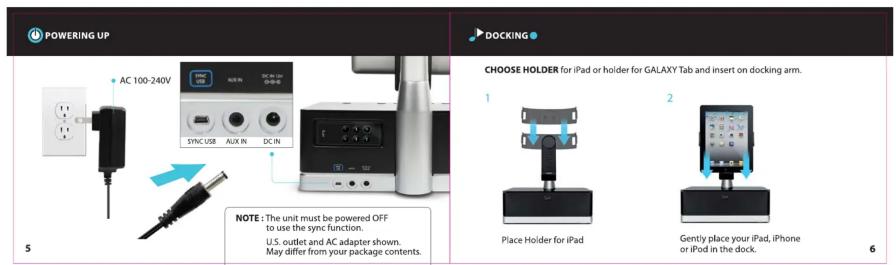
Connect the included USB-C cable to the docking station and plug the other end into a USB-A power adapter (not included). Place your device on the stand or connect via USB cable.
Can I charge multiple devices at once?
Yes, the ArtStation Pro can charge up to 4 devices simultaneously using its 3 USB-A ports and 1 USB-C port. Total output is limited to ensure safe charging.
Does the docking station support fast charging?
It supports standard 5V/2.4A charging per port, but does not support Qualcomm Quick Charge or USB-PD fast charging protocols.
Can I transfer data through the docking station?
Yes, the USB-C port supports data transfer at USB 2.0 speeds (up to 480 Mbps) and the USB-A ports also support data syncing. However, it is primarily designed for charging.
What is the LED light indicating?
A solid blue LED indicates the docking station is receiving power and ready to charge. If the LED is off, check the power connection.
How do I clean the docking station?
Disconnect the station and wipe it with a soft, dry cloth. Do not use water, cleaning solvents, or abrasives, as they may damage the surface.
Is it safe to leave devices on the dock overnight?
Yes, the ArtStation Pro has built-in overcharge protection, so it is safe to leave devices connected after they reach full charge.
What should I do if the dock is not charging?
Ensure the power adapter is functional and connected properly. Try a different USB cable. If the issue persists, contact iLuv support for assistance.
Can I use a different power adapter?
Yes, as long as the adapter provides 5V with at least 3A output. Using a lower amperage may result in slower charging or insufficient power.
User questions about ArtStation Pro ILUV
0 question about this device. Answer the ones you know or ask your own.
Ask a new question about this device
No questions yet. Be the first to ask one.
Download the instructions for your Docking Station in PDF format for free! Find your manual ArtStation Pro - ILUV and take your electronic device back in hand. On this page are published all the documents necessary for the use of your device. ArtStation Pro by ILUV.
USER MANUAL ArtStation Pro ILUV
| Designed by iLuv in New York | Speaker Dock for GALAXY Tab 8.9 and 10.1 PATENT PENDING Quick Start Guide ArtStation Pro / iSM524 |



Manual assistant
Powered by Anthropic
Waiting for your message
Product information
Brand : ILUV
Model : ArtStation Pro
Category : Docking Station