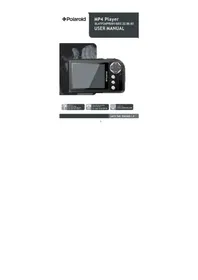
PMP280-4 - Mp3 player POLAROID - Free user manual and instructions
Find the device manual for free PMP280-4 POLAROID in PDF.


Pick your language and provide your email: we'll send you a specifically translated version.
| Product Type | Digital MP3 Player |
| Brand | Polaroid |
| Model | PMP280-4 |
| Storage Capacity | 4 GB (internal flash memory) |
| Display | 1.8-inch color TFT LCD |
| Audio Formats Supported | MP3, WMA, WAV, APE, FLAC, OGG |
| Additional Functions | FM radio, voice recording, e-book reader, photo viewer, video playback |
| Battery | Built-in rechargeable Li-ion battery (260 mAh) |
| Charging | Via USB 2.0 (included cable) |
| Playback Time | Up to 10 hours (audio) |
| Dimensions | 90 x 40 x 10 mm |
| Weight | 50 g |
| Interface | USB 2.0, 3.5mm earphone jack |
| Accessories Included | Earphones, USB cable, User manual |
| Spare Parts / Repairability | Battery replaceable by authorized service; earphones and USB cable widely available |
| Safety | Do not expose to moisture; use only specified charger; keep away from children under 3 years |
| Maintenance | Clean with a soft, dry cloth; avoid solvents |
| General Information | Portable media player from Polaroid, model PMP280-4, 4 GB storage, supports multiple audio and video formats. |
Frequently Asked Questions - PMP280-4 POLAROID
How do I charge the Polaroid PMP280-4?
Connect the included USB cable to the player and a computer USB port or a 5V USB charger. The battery icon will show charging status. A full charge takes about 2 hours.
How do I transfer music to the device?
Connect the player to a computer via USB. It will appear as a removable drive. Simply drag and drop music files (MP3, WMA, etc.) into the device folder.
What audio formats are supported?
The PMP280-4 supports MP3, WMA, WAV, APE, FLAC, and OGG formats for high-quality audio playback.
How long does the battery last?
With continuous music playback, the battery lasts up to 10 hours. Actual battery life may vary depending on volume and usage.
How do I use the FM radio?
From the main menu, select FM Radio. Use the navigation buttons to search for channels. You can save up to 20 preset stations. An earphone cable is required as antenna.
How do I record voice?
Go to Voice Recorder from the menu, press the play/pause button to start recording, and press again to stop. Recordings are saved as WAV files in the RECORD folder.
What should I do if the device freezes or doesn't respond?
Press and hold the Reset button (small pinhole) with a paperclip for 5 seconds, or turn the device off and on again. If the issue persists, try recharging the battery.
Can I expand the storage with a memory card?
The PMP280-4 has a microSD card slot that supports cards up to 32 GB for additional storage media.
How do I reset the device to factory settings?
Go to Settings > System > Reset All, confirm by selecting Yes. This will erase all user data and restore default settings.
Where can I download the user manual?
The full user manual can be downloaded for free from the website notice-facile.com or the Polaroid support page. Search for model PMP280-4.
User questions about PMP280-4 POLAROID
0 question about this device. Answer the ones you know or ask your own.
Ask a new question about this device
No questions yet. Be the first to ask one.
Download the instructions for your Mp3 player in PDF format for free! Find your manual PMP280-4 - POLAROID and take your electronic device back in hand. On this page are published all the documents necessary for the use of your device. PMP280-4 by POLAROID.