
XtremKey - USB Drive LACIE - Free user manual and instructions
Find the device manual for free XtremKey LACIE in PDF.


| Product Type | USB Flash Drive |
| Brand | LaCie |
| Model | XtremKey |
| Interface | USB 3.0 (backward compatible with USB 2.0) |
| Capacity | Up to 128 GB (model dependent) |
| Read Speed | Up to 240 MB/s |
| Write Speed | Up to 160 MB/s |
| Dimensions | 61 x 18 x 10 mm |
| Weight | 20 g |
| Power Source | USB bus powered |
| Operating Temperature | 0°C to 45°C |
| Storage Temperature | -10°C to 70°C |
| Durability | Shockproof, waterproof, dustproof (IP68 rated) |
| Encryption | AES-256 hardware encryption |
| Compatibility | Windows, macOS, Linux, Chrome OS |
| File System | exFAT (pre-formatted), can be reformatted to NTFS, FAT32, etc. |
| LED Indicator | Yes (activity light) |
| Material | Aluminum casing with rubber bumper |
| Maintenance | Wipe with a soft, dry cloth |
| Spare Parts | Not available (non-repairable) |
| Warranty | 2 years limited |
Frequently Asked Questions - XtremKey LACIE
User questions about XtremKey LACIE
0 question about this device. Answer the ones you know or ask your own.
Ask a new question about this device
Download the instructions for your USB Drive in PDF format for free! Find your manual XtremKey - LACIE and take your electronic device back in hand. On this page are published all the documents necessary for the use of your device. XtremKey by LACIE.
USER MANUAL XtremKey LACIE
INLEIDING
- Intego Backup Assistant
- LaCie PC/Mac Lock
• LaCie Private-Public - Wuala 4GB
- Wuala 1GB=1GB
MINIMALE SYSTEEMVEREISTEN
USB, FireWire, and eSATA external devices feature "plug & play" connectivity, which means that your LaCie storage can be connected and disconnected while the computer is running. To prevent failures, however, it is important to follow these steps when disconnecting your device.
WINDOWS XP USERS
From the System Tray (located in the lower right-hand side of your screen), click the Eject icon (a small green arrow over a hardware image). A message will appear, listing the devices the Eject icon controls (it should say, „Safely remove...”). Click on the LaCie storage device in this prompt.
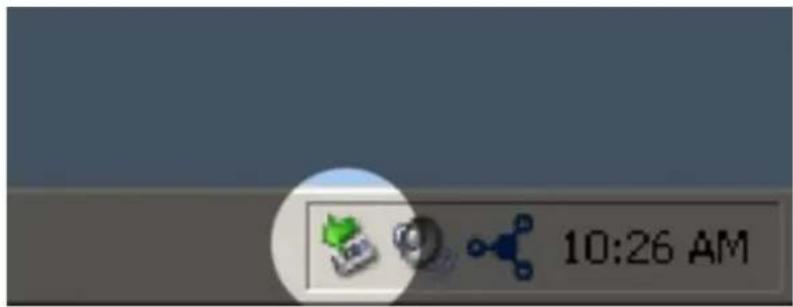
This message will appear: "Safe to Remove Hardware" (or similar). It is now safe to disconnect the device.
WINDOWS VISTA & WINDOWS 7 USERS
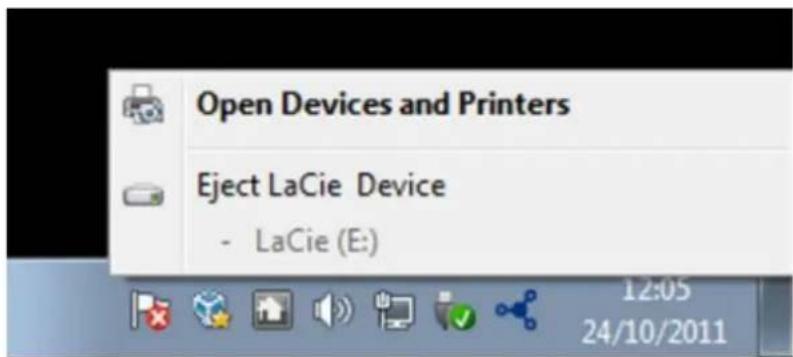
From the System Tray (located in the lower right-hand side of your screen) click on the plug icon (note the white check mark inside a green circle).

A message will appear, detailing the devices that may be safely unmounted.
Select Eject for the device you wish to unmount. A message will appear notifying you that it is safe to remove it.
MAC USERS
Drag the storage device icon to the Trash. (The icon pictured below is a generic USB device icon. Your LaCie storage may be represented by an icon that looks like the device itself.)
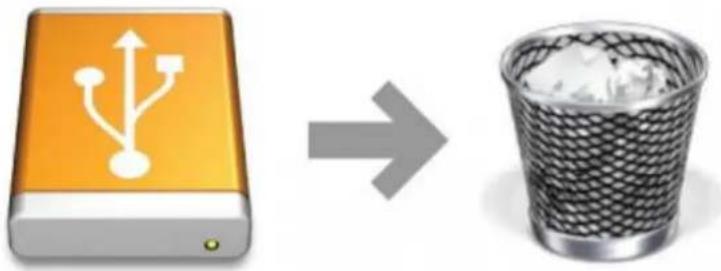
When the icon disappears from the desktop, the storage device can be disconnected.
UW LACIE USB KEY FORMATTEREN
WAARSCHUWING VOOR DE KLANT


Brand : LACIE
Model : XtremKey
Category : USB Drive