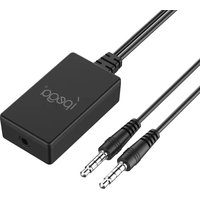
PG-9176 - Camera IPEGA - Free user manual and instructions
Find the device manual for free PG-9176 IPEGA in PDF.


Pick your language and provide your email: we'll send you a specifically translated version.
| Product Type | Digital Camera |
| Brand | IPEGA |
| Model | PG-9176 |
| Dimensions | Approx. 10 x 6 x 2 cm |
| Weight | Approx. 150 g (with battery) |
| Power Source | Rechargeable Li-ion battery (3.7V) |
| Charging | Via USB cable (included) |
| Image Sensor | CMOS sensor, resolution up to 48 MP (interpolated) |
| Video Resolution | Up to 1080p at 30 fps |
| Storage | MicroSD card (up to 32 GB, not included) |
| Lens | Fixed focus lens |
| Display | 2.0-inch LCD screen |
| Functions | Photo, video, playback, time-lapse, self-timer |
| Connectivity | USB 2.0, HDMI (mini) |
| Maintenance and Cleaning | Clean lens with a soft, dry cloth; keep away from moisture |
| Safety | Do not disassemble; avoid using near water; keep out of reach of children |
| Spare Parts and Repairability | Contact IPEGA for replacement batteries or chargers; not user-serviceable |
| General Information | Compatible with Windows and Mac; designed for casual and travel photography |
Frequently Asked Questions - PG-9176 IPEGA
How do I insert the microSD card?
Open the side cover, insert the microSD card with the metal contacts facing down into the slot until it clicks. To remove, push the card in until it clicks again and release.
How do I charge the camera battery?
Connect the included USB cable to the camera's USB port and plug the other end into a standard USB charger (5V, 1A) or a computer USB port. The charging indicator light will turn on and off when fully charged.
How do I transfer photos to my computer?
Turn off the camera, connect it to your computer via USB. It will appear as a removable drive. Alternatively, remove the microSD card and insert it into a card reader.
What should I do if the camera won't turn on?
First, ensure the battery is charged. If not, charge for at least 2 hours. Also check that the SD card is properly inserted. If still unresponsive, press the reset button (if available) or remove and reinsert the battery.
How do I set the date and time?
Go to the settings menu (gear icon), select 'Date/Time', and use the navigation buttons to adjust the values, then press the OK button to save.
Can I use the camera while charging?
It is not recommended to use the camera while charging as it may interfere with battery health and performance. Turn off the camera during charging.
What is the maximum storage capacity supported?
The camera supports microSD cards up to 32 GB. For best performance, use a Class 10 card or higher.
How do I take a self-timer photo?
In photo mode, press the self-timer button (usually a clock icon) to toggle between 2s, 5s, 10s, or off. Press the shutter button, and the camera will take the photo after the delay.
How do I reset the camera to factory settings?
Go to the settings menu, select 'Reset' or 'Restore Defaults', confirm with OK. The camera will restart with default settings. Note: this will erase your custom settings but not your photos.
Why are my photos blurry?
Blurry photos can be caused by camera shake, moving subject, or dirty lens. Hold the camera steady with both hands, ensure adequate lighting, and clean the lens with a soft cloth. Also check that the focus mode is set to appropriate distance.
User questions about PG-9176 IPEGA
0 question about this device. Answer the ones you know or ask your own.
Ask a new question about this device
No questions yet. Be the first to ask one.
Download the instructions for your Camera in PDF format for free! Find your manual PG-9176 - IPEGA and take your electronic device back in hand. On this page are published all the documents necessary for the use of your device. PG-9176 by IPEGA.
USER MANUAL PG-9176 IPEGA
产品特性参数:
Application Instruction:
- With this Audio converter, players can wear a headphone and chat with playmate freely while playing N-switch games;
- Users wear a headphone and can hear the sound from mobile phone through Nintendo Switch online app and the game sound from Switch game console at the same time, provide fantastic gaming experience of N-Switch players.
Function Map

Application Instruction:
- Easy to operate, link one of the audio plug with Nintendo Switch Console and another one with mobile phone ,match together with headphone,can hear the game sound of N-Switch console and the sound from mobile phone through Nintendo Swich Online app ,chat with playmate freely.

Products Paramter
- product size : L50*W28*H14mm;
- product weight: 18±2g;
- cable length: 30cm;
Accessories List:
2 in 1 Converter x1 User Manual x1
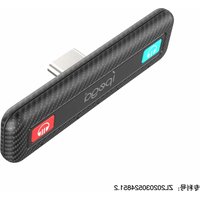

Table of contents
Click a title to access it
Manual assistant
Powered by Anthropic
Waiting for your message
Product information
Brand : IPEGA
Model : PG-9176
Category : Camera