StreetWalker HardDrive - Uncategorized Think Tank - Free user manual and instructions
Find the device manual for free StreetWalker HardDrive Think Tank in PDF.


User questions about StreetWalker HardDrive Think Tank
0 question about this device. Answer the ones you know or ask your own.
Ask a new question about this device
Download the instructions for your Uncategorized in PDF format for free! Find your manual StreetWalker HardDrive - Think Tank and take your electronic device back in hand. On this page are published all the documents necessary for the use of your device. StreetWalker HardDrive by Think Tank.
USER MANUAL StreetWalker HardDrive Think Tank
natural_image
Black compact backpack and DSLR camera setup (no visible text or symbols)StreetWalker™ Instructions
Instructions for using the waistbelt, optional Modular belt, sternum strap, and tripod or monopod attachment for StreetWalker, StreetWalker Pro and StreetWalker HardDrive.
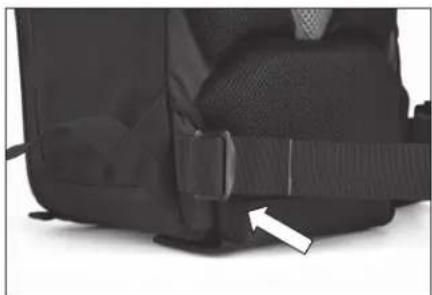
Removable Waistbelt
natural_image
Close-up of a black athletic backpack with a white arrow pointing to the side (no text or symbols visible)The included waistbelt is removable by unthreading the webbing through the buckle.
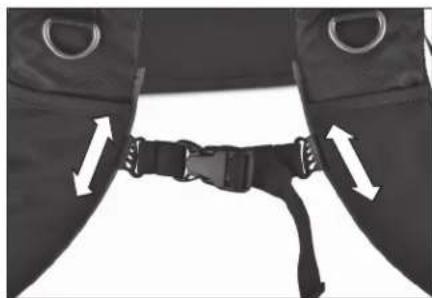
Adjustable Sternum Strap
natural_image
Close-up of a black athletic belt buckle with white directional arrows indicating movement (no text or symbols)The sternum strap can be raised or lowered, to accommodate a photographer's unique height or torso length.
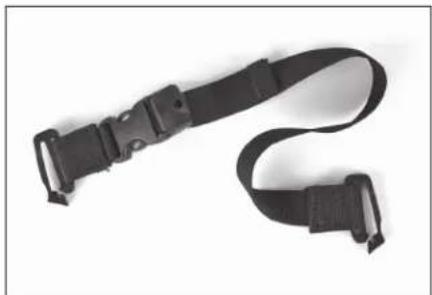
Tripod or Monopod Attachment
natural_image
Black and white photo of a black and white harness strap (no text or symbols visible)Locate the two adjustable "tripod straps" in the StreetWalker.
natural_image
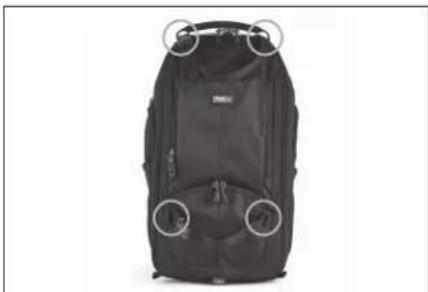
Black backpack with circular headrests and front pockets, no visible text or symbolsAttach the tripod straps to the webbing loops at the top and near the bottom of the StreetWalker.
natural_image
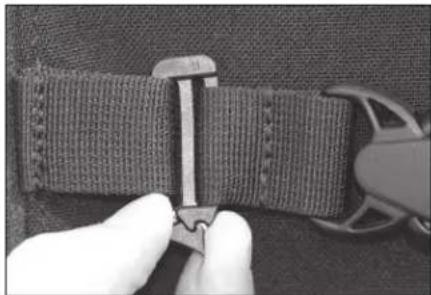
Close-up of a hand holding a textured fabric belt with a metal clip, partially visible against a dark fabric background (no text or symbols)Push the open Slik Clip through the webbing loops and snap it shut with your fingers on both sides.
Carrying a Tripod
natural_image
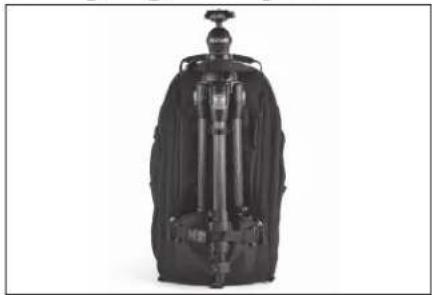
Black mechanical device with attached lever and base (no visible text or symbols)Insert two tripod legs into the outside lower pocket.
natural_image
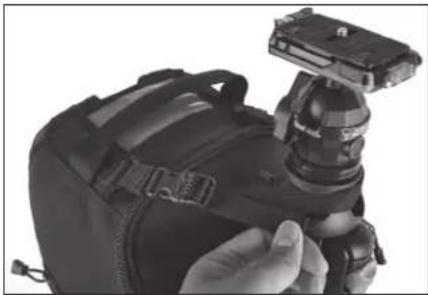
Close-up of a black camera module being handled with a strap (no visible text or symbols)Unlock the adjustable strap then pull the strap tight around the top of the tripod. Tighten the lower strap around the exposed tripod leg for additional stability.
Carrying a Monopod
natural_image
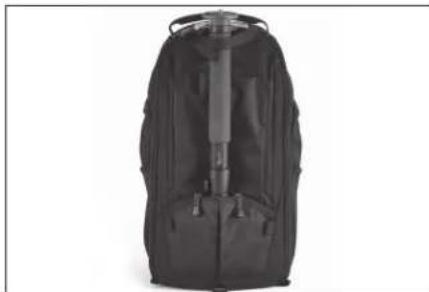
Black backpack with a firearm, shown against a plain white background (no text or symbols visible)Attaching a monopod requires the use of only the top tripod strap. Close the zipper as much as possible for additional stability.
StreetWalker™ Pro Instructions
Using the Tripod Cup
natural_image
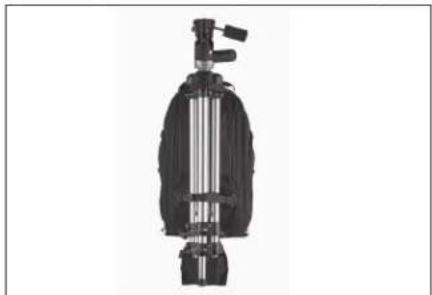
Black-and-white photo of a cylindrical mechanical device with internal components and a handle (no visible text or symbols)Locate the blue tab with tripod icon near the bottom of the StreetWalker Pro or StreetWalker HardDrive. Pull tab downward to deploy the tripod cup. Use the included tripod straps to secure the tripod onto the backpack.
Attach a Modular Belt
natural_image
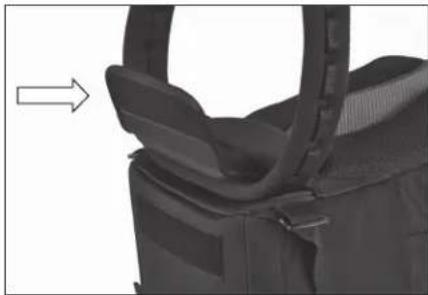
Close-up of a black athletic vest with straps and shoulder clips, no visible text or symbolsRemove the StreetWalker waistbelt. Then open the "hook & loop" panel at the bottom of the backpack to slide a Think Tank Pro Speed Belt™ or Skin™ Belt into place.
StreetWalker™ HardDrive Instructions
Carrying Pro-size DSLRs
natural_image
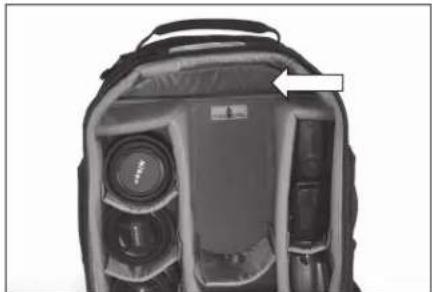
Close-up of a camera head with visible lens and frame structure (no text or symbols)Fold the "Pro SLR Body Hinge" 90 degrees and seal in place to accommodate a pro-size DSLR body. Keep the Body Hinge vertical to hold a regular size DSLR body.
Laptop Compartment Opening
natural_image
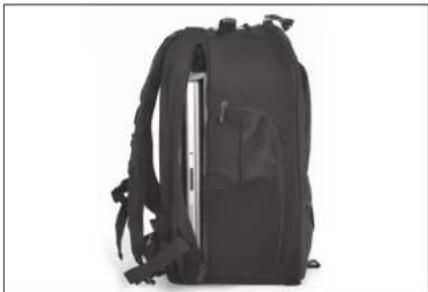
Black backpack with visible front and back panels, no text or symbols presentUp to a 15.4" laptop can be carried in the StreetWalker HardDrive with a pro-size DSLR. Check the size of your laptop to verify compatibility.