Production Manager 50 V2.0 - Suitcase Think Tank - Free user manual and instructions
Find the device manual for free Production Manager 50 V2.0 Think Tank in PDF.


| Product Type | Suitcase (rolling camera bag) |
| Brand | Think Tank |
| Model | Production Manager 50 V2.0 |
| External Dimensions | Approx. 22 x 14 x 9 in (56 x 36 x 23 cm) |
| Internal Dimensions | Approx. 20 x 12 x 7 in (51 x 30 x 18 cm) |
| Weight | Approx. 9.5 lbs (4.3 kg) |
| Capacity | Fits 2 DSLR bodies, 6-8 lenses, 15" laptop, accessories |
| Material | Nylon exterior with foam padding |
| Wheels | Two inline skate wheels with recessed bearings |
| Handle | Retractable trolley handle with comfort grip |
| Compartments | Multiple customizable dividers, front organizer pocket |
| Laptop Compartment | Padded compartment fits up to 15" laptop |
| Carry Options | Top handle, side grab handle, shoulder strap (included) |
| Security | TSA-compatible lockable zippers |
| Weather Protection | Water-resistant fabric and seam-sealed rain cover included |
| Accessories Included | Rain cover, shoulder strap, dividers |
| Maintenance | Clean with damp cloth; air dry |
| Repairability | Modular parts; contact Think Tank for service |
| Warranty | Limited lifetime warranty |
Frequently Asked Questions - Production Manager 50 V2.0 Think Tank
User questions about Production Manager 50 V2.0 Think Tank
0 question about this device. Answer the ones you know or ask your own.
Ask a new question about this device
Download the instructions for your Suitcase in PDF format for free! Find your manual Production Manager 50 V2.0 - Think Tank and take your electronic device back in hand. On this page are published all the documents necessary for the use of your device. Production Manager 50 V2.0 by Think Tank.
USER MANUAL Production Manager 50 V2.0 Think Tank
Production Manager™ 50 V2.0 Instructions
Large Capacity Rolling Gear Case
For more information please visit: www.thinktankphoto.com

Production Manager 50 V2.0 - Rolling Gear Case
natural_image
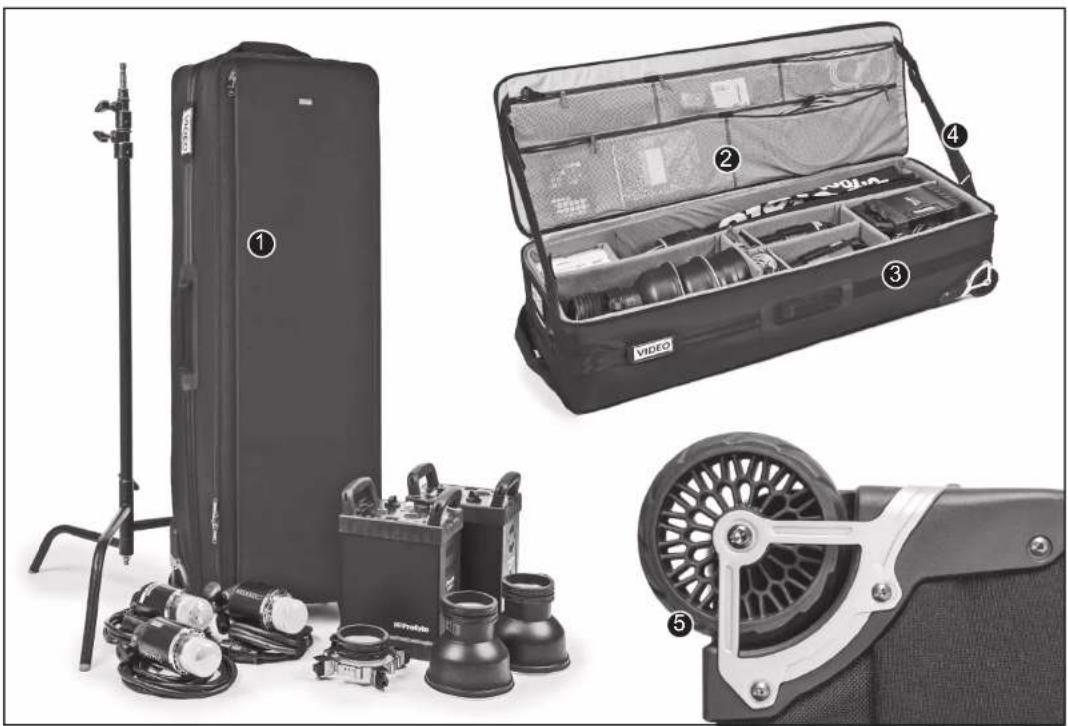
Black-and-white product display showing a hard case, open case with gear, and mechanical components (no visible text or symbols)- Large front zippered pocket is great for flat items like cords, reflectors, small soft boxes, umbrellas, gels, scrims, or other peripheral items.
- Mesh interior pockets provide organization for accessories: wireless flash triggers, power cables, sync cables, etc.
- Attachment of light stands, tripods and large modifiers.
- Adjustable lid straps keep the lid open and accessible enabling you to work out of the case with ease.
- Replaceable, custom-designed wheels with double sealed carbon steel bearings enable the case to roll smoothly and hold up under the toughest conditions.
natural_image
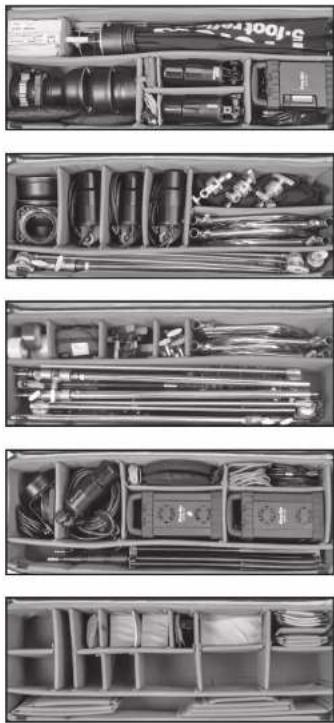
Four-panel photo of a handbag organizer with various tools and components (no visible text or labels)Endless interior layouts to adapt to numerous equipment combinations and help manage the "production" of transporting and using lighting equipment on location. Extra dividers are included for custom configurations.
Production Manager™ 50 V2.0 Instructions
Large Capacity Rolling Gear Case
For more information please visit: www.thinktankphoto.com

LIGHT STAND / TRIPOD ATTACHMENT
natural_image
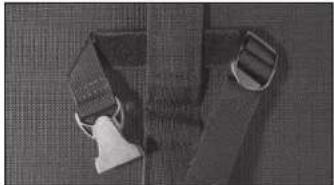
Top-down view of a pair of fabric pieces with visible stitching and straps (no text or symbols)Step 1: Place the "Tripod Strap" under the webbing on the side of the bag, matching the hook and loop material to keep the strap in position.
natural_image
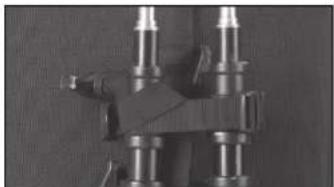
Mechanical assembly with metallic components and mounting holes (no visible text or symbols)Step 2: When attaching light stand(s), hook the strap under a tightening knob to minimize movement while traveling.
natural_image
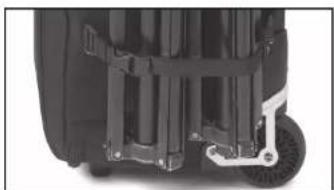
Close-up of a black bicycle seat with visible wheels and brackets (no text or symbols)Step 3: Pull the buckle straps on both the Compression Strap and Tripod Strap to tighten the light stand(s) onto the side of the bag.
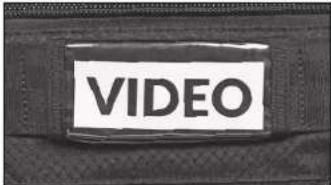
Customizable ID panels show the contents at a glance.
natural_image
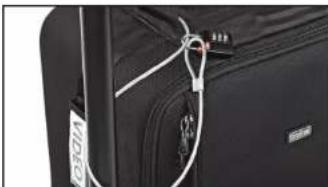
Close-up of a black suit jacket with white zipper and zipper strap (no visible text or symbols)Security cable and combination lock in top pocket can be used to secure zipper and lock the bag to immovable objects.
natural_image
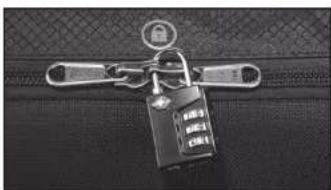
Close-up of a zipper with a key inserted into a dark bag (no visible text or symbols)TSA combination lock for securing main zipper. There are many instances when photographers must leave behind some or all of their gear. It is absolutely vital that this gear be secured from theft.
SETTING THE CABLE LOCK
natural_image
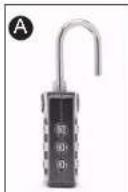
Hand holding a key inserted into a black padlock (no visible text or symbols)- Turn the dials and align the numbers so that 0-0-0 is visible inside the indicator window. (Figure A).
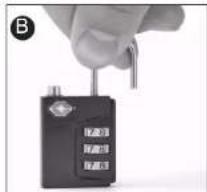
- Pull up the shackle and turn 90° counterclockwise to align the small protrusion on the shackle with the notch on the lock body.
- Press the shackle down firmly and then turn another 90°. (Figure B).
- With the shackle still turned in the position above, turn the dials to your own personal combination.
- Return the shackle to the original position. Your personal combination is now ready to use.
02021 Think Tank Photo PINC0240