
SKS 7073VT - Kitchen scale SENCOR - Free user manual and instructions
Find the device manual for free SKS 7073VT SENCOR in PDF.


| Product Type | Kitchen Scale |
| Brand | Sencor |
| Model | SKS 7073VT |
| Dimensions (approx.) | 20 x 15 x 2 cm |
| Weight (approx.) | 300 g |
| Power Supply | 2 x AAA batteries (not included) |
| Maximum Capacity | 5 kg |
| Graduation | 1 g |
| Units | g, kg, lb, oz |
| Tare Function | Yes |
| Auto-Off | Yes, after 60 seconds of inactivity |
| Platform Material | Stainless steel |
| Display | LCD with backlight |
| Overload Indicator | Yes |
| Low Battery Indicator | Yes |
| Cleaning | Wipe with a damp cloth; do not immerse in water |
| Safety | Use on a flat, stable surface; do not exceed maximum load |
| Spare Parts Availability | Contact Sencor service center for replacement batteries |
| Repairability | User-replaceable batteries; other repairs by qualified personnel |
| General Information | Kitchen scale for accurate weighing of ingredients |
Frequently Asked Questions - SKS 7073VT SENCOR
User questions about SKS 7073VT SENCOR
0 question about this device. Answer the ones you know or ask your own.
Ask a new question about this device
Download the instructions for your Kitchen scale in PDF format for free! Find your manual SKS 7073VT - SENCOR and take your electronic device back in hand. On this page are published all the documents necessary for the use of your device. SKS 7073VT by SENCOR.
USER MANUAL SKS 7073VT SENCOR
EN Smart Bluetooth kitchen scale
Important safety instructions
READ CAREFULLY AND STORE FOR FUTURE USE.
- This appliance is designed for household use. Do not use it for commercial purposes, for weighing animals or for other purposes for which it is not intended.
- This appliance may be used by children and persons with reduced physical, sensory or mental abilities or with insufficient experience and knowledge if they are properly supervised.
• Children must be supervised to ensure that they do not play with the appliance.
- Do not use the appliance outdoors, do not locate it on unstable surfaces, on electric or gas cooktops, in the vicinity of an open flame or other sources of heat.
- Do not expose the appliance to direct sunlight or high humidity and do not use it in an excessively dusty environment.
- During use, it necessary to ensure that the appliance is located on an even, smooth, hard and stable surface. Otherwise, this may result in weighing inaccuracies.
- In the event that the maximum weighing capacity is exceeded, remove the excessively heavy food or item from the weighing platform to prevent possible damage to the appliance.
- Do not use the appliance as a place for placing items. It must be ensured that no items are placed on the appliance during storage.
• Always use new batteries of the same type. Never combine used and new batteries or various types of batteries. Never put the batteries in a fire, short circuit them or damage them in any way. Dispose of them ecologically at the end of their lifetime. Never throw batteries out with communal waste.
- If you will not be using the appliance for an extended period of time, remove the batteries. If the battery were to leak into the inner area of the appliance, this could damage it.
- Do not use rechargeable batteries to power this appliance.
- Keep the batteries out of children's reach as they may present a hazard to a child. In the event that a child swallows a battery, immediately seek medical help.
- Keep the appliance clean. When cleaning it, follow the instructions in chapter Cleaning and maintenance. Do not submerge the appliance under water or any other liquid and do not rinse it under running water.
- Do not repair the appliance yourself or make any adjustments to it. Have all repairs performed at an authorised service centre. By tampering with the appliance, you risk voiding your legal rights arising from unsatisfactory performance or quality warranty.
EN
Smart Bluetooth kitchen scale
User's manual
- Prior to using this appliance, please read the user's manual thoroughly, even in cases, when one has already familiarised themselves with previous use of similar types of appliances. Only use the appliance in the manner described in this user's manual. Keep this user's manual in a safe place where it can be easily retrieved for future use. In the event that you hand this appliance over to somebody else, make sure to also include this user's manual.
- Carefully unpack the appliance and take care not to throw away any part of the packaging before you find all its parts. We recommend saving the original cardboard box, packaging material, purchase receipt and responsibility statement of the vendor or warranty card for at least the duration of the legal liability for unsatisfactory performance or quality. In the event of transportation, we recommend that you pack the appliance in the original box from the manufacturer.
DESCRIPTION OF THE APPLIANCE
A1 Weighing and measuring platform
A2 Weighing and measuring unit toggle button (on the underside)
B1 Weight zeroing function icon
B2 Negative symbol Appears in the TARE when a container with food is removed from the scale
B3 Measuring unit: fl'oz = Anglo-American volume unit ml = Metric volume unit lb:oz = Imperial weight unit
TURNING THE SCALE ON AND OFF
- The scale has an automatic start function. To turn it on, simply push down on it with your hand or place the weighed item on it.

Note:
We recommend starting the scale by pushing with your hand on the weighing area. When an item is placed on the scale, it will only start automatically when the item is sufficiently heavy. If you start the scale by placing an item on the weighing area, a weight of "O" will be shown. Thus, this option is suitable particularly when you need to place a container in which you will be weighing the ingredients on to the weighing area before actual weighing.
- When left idle, the scale will first reduce the brightness of the display and then turn off automatically after a while.
POWER SOURCE AND REPLACING BATTERIES
- The scale is powered using alkaline batteries (2 × 1.5 V AAA). The batteries are included with the scale and are already inserted inside the battery compartment on the underside of the scale. To prevent the batteries from discharging and damaging the scale, they are protected by an insulating strip, which needs to be removed before use.
- When "Lo" appears on the display, replace both the batteries with new ones. Open the battery compartment cover and remove the flat
batteries. Insert new batteries of the same type. Ensure correct polarity as shown at the bottom of the battery compartment and put the cover back on.
SELECTING A WEIGHT AND VOLUME MEASURING UNIT
- The scale enables the measuring units to be toggled between Anglo-American (imperial) and metric using the UNIT button on the underside of the scale. Depending on the mode that is set, the display will show the metric unit icons (ml or kg) or the Anglo-American unit icons (fl'oz or lb:oz).
SELECTING A MODE
- Press and hold down the TARA/MODE button and select the required weighing or volume measurement mode. Each time the button is pressed, the mode will change in the following order:
- Weighing mode → milk volume measurement mode → water volume measurement mode.
- The mode setting is indicated by the respective icon (B6 - B8) on the display.
WEIGHING
- Place the scale on an even and stable surface. To turn the scale on, touch the weighing surface. Wait until "O" is shown on the display. Select a weighing mode
- Place the ingredients that you wish to weigh into the middle of the weighing and measuring surface. Their weight will be shown on the display.

Note:
We recommend not placing ingredients directly on the scale but rather to use plastic foil, a bowl or other container. When weighing ingredients in a bowl, press the TARA/MODE button to set the value shown on the scale to zero.
MEASURING VOLUME
- Place the scale on an even and stable surface. To turn the scale on, touch the weighing area. Wait until "0" is shown on the display. Select the water or milk volume measurement mode.
- Place a container for measuring volume in the middle of the weighing area. Its weight will be shown on the display. Press the TARA/MODE button to zero the value ("O" will appear on the display).
- Pour the liquid into the container. Its volume will be shown on the display.
TARE FUNCTION
- The TARE function is used for incrementally weighing several types of ingredients in a single container without having to remove the container from the scale. This function will automatically subtract the weight of the container from the total weight of the ingredients.
- Place an empty container on the scale. Its weight and the "O" symbol will be shown on the display. Press the TARA/MODE button to zero the value. The "O" symbol will remain lit.
-
Place the first ingredient into the container. Its weight will be shown on the display. Press the TARA/MODE button to zero the value and the "T" symbol will be lit. The weight of the first ingredient will thereby be stored in memory and the scale is ready to weigh the next ingredient.
-
Place the second ingredient into the container. Its weight will be shown on the display. Press the TARA/MODE button to display the sum of the weight of the first and second ingredient. Press the TARA/MODE button again to store the sum in memory and the value on the display will be zeroed. The "T" symbol will remain lit.
- In the same manner, add further ingredients up to the maximum weighing capacity of the scale (5000 g).
- When the container with the ingredients is removed from the scale, the display will show a negative value.
TURNING OFF
• The scale will turn off when left idle for longer than several minutes.
ERROR MESSAGES
| Display | What to do |
| Lo | Batteries are flat. Replace the batteries. More information in chapter "POWER SOURCE AND REPLACING BATTERIES". |
| Err | The maximum weighing capacity of the scale is exceeded (5000 g). |
PAIRING THE SCALE WITH A SMART DEVICE
- The scale is equipped with Bluetooth wireless technology, which together with the free Sencor FOOD application installed in your smart device offers direct access to an extensive and regularly updated database of ingredients and their nutritional values.
- The Sencor FOOD application was developed in cooperation with the creators of the Dine4Fit calorie counter application designed for smartphones with the iOS operating system (version 13 and higher) or the Android operating system (version 5 and higher). When the application is used, the phone must be connected to the internet.
- The scale is paired with the phone automatically when the application is started. For pairing to occur, it is sufficient for the Bluetooth function to be activated on the smart device. If the application does not find the scale, it will actively ask you to try pairing the scale again.

Note:
The scale is only able to pair with a single mobile device at any one time. If you encounter problems with pairing, check that there is no other device within range that is currently actively paired with the scale.
• The application offers two weighing modes:
1:13

Sencor Food by Dine4fit

- "On scale" mode – shows weight of item currently being weighed. After using the "Find ingredient" field to tell the scale which ingredient you are weighing, it will show you the nutritional value of the ingredient relative to its current measured weight.
- "List" mode – enables the aggregate nutritional value of multiple ingredients to be determined. This mode is suitable, for example, when preparing meals according to recipes. Place the ingredients one by one on the scale and using the "Find ingredient" field, enter the ingredient type. When you have determined the weight and type of ingredient, use the "+ Add ingredient to list" button to add it to the aggregate nutritional value. Use the TARA/MODE button on the scale for additional weighing as required. For the entire weighing time, in the "List" mode the scale will continuously show the total weight of the ingredients and calculate the value of the individual nutritional components (e.g. how many total grams of saccharides are contained in the weighed ingredients).
- The Sencor FOOD application is connected to the Calorie counter application. When you have finished weighing, with a single click you can enter your food into your diet in the Calorie counter and to maintain a long term overview of the food you consume (ATTENTION: Certain advanced functions of the Calorie counter application may be provided for a fee).
Troubleshooting possible problems with the application
• The application does not show the data from the scale:
- Check that you have activated the Bluetooth function on your phone/tablet.
- Check that you are within the Bluetooth signal range.
- Check whether the batteries in the the scale are flat. Replace the batteries with new ones.
- Restart the application.
- Restart the operating system and Bluetooth connection.
• The application does not find the weighed ingredient
- Check your current internet connection
• Bluetooth connection failed:
- Check that only a single device is connected to the scale.
- Check that the Bluetooth version on your device is 4.0 or higher.
- You are in the vicinity of other devices transmitting in the same frequency band as Bluetooth (Wi-Fi router, DAB radio, microwave oven, another smartphone, etc.), which may cause interference to transmission. Try moving the scale or the smart device to a different location.
CLEANING AND MAINTENANCE
• To clean the scale, use a soft sponge lightly dampened in warm water. Wipe dry using a clean wiping cloth.
- For cleaning, do not use steel wool, cleaning products with an abrasive effect, solvents, etc. Otherwise, the surface of the appliance may be damaged.
- Do not submerge the scale under water or any other liquid and do not rinse it under running water. The scale is not designed to be washed in a dishwasher.
- Never dry the scale over heat sources such as wood stoves, electric or gas stoves, etc.
STORAGE
- When you have finished using it, store the scale in a suitable location out of children's reach. Keep the scale away from extreme temperatures, direct sunlight and excessive humidity. Do not use it in an overly dusty environment.
- When not using the scale for a longer time, always remove the batteries.
TECHNICAL SPECIFICATIONS
Power source....2×1.5 V type AAA batteries
Weighing capacity (maximum load capacity)....5 kg / 11 lb
Weighing precision....1g/0.1oz
Measuring units....kg / ml / floz / lb oz
We reserve the right to change text and technical specifications.
INSTRUCTIONS AND INFORMATION REGARDING THE DISPOSAL OF USED PACKAGING MATERIALS
Dispose of used packaging material at a site designated for waste in your municipality.
DISPOSAL OF USED ELECTRICAL AND ELECTRONIC EQUIPMENT
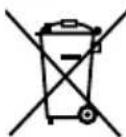
This symbol on products or original documents means that used electric or electronic products must not be added to ordinary municipal waste. For proper disposal, renewal and recycling, hand over these appliances to determined collection points. Alternatively, in some European Union states or other European countries you may return your appliances to the local retailer when buying an equivalent new appliance. Correct disposal of this product helps save
valuable natural resources and prevents potential negative effects on the environment and human health, which could result from improper waste disposal. Ask your local authorities or collection facility for more details. In accordance with national regulations penalties may be imposed for the incorrect disposal of this type of waste.
For business entities in European Union states
If you want to dispose of electric or electronic equipment, ask your retailer or supplier for the necessary information.
Disposal in other countries outside the European Union.
This symbol is valid in the European Union. If you wish to dispose of this product, request the necessary information about the correct disposal method from the local council or from your retailer.

This product meets all the basic requirements of EU directives related to it.
SENCOR hereby declares that the radio device model SKS 7070GG / SKS 7071GR / SKS 7072BL / SKS 7073VT / SKS 7074RD / SKS 7075RS / SKS 7076GD / SKS 7077CH / SKS 7078BK is in conformity with directive 2014/53/EU. The full wording of the EU Declaration of Conformity is available at the website: www.sencor.eu.
FAST ČR, a.s.
U Sanitasu 1621
CZ-251 01 Ríčany
www.sencor.eu


- EN Smart Bluetooth kitchen scale
- Important safety instructions
- READ CAREFULLY AND STORE FOR FUTURE USE.
- EN
- Smart Bluetooth kitchen scale
- User's manual
- DESCRIPTION OF THE APPLIANCE
- TURNING THE SCALE ON AND OFF
- Note:
- POWER SOURCE AND REPLACING BATTERIES
- SELECTING A WEIGHT AND VOLUME MEASURING UNIT
- SELECTING A MODE
- WEIGHING
- MEASURING VOLUME
- TARE FUNCTION
- TURNING OFF
- PAIRING THE SCALE WITH A SMART DEVICE
- Troubleshooting possible problems with the application
- CLEANING AND MAINTENANCE
- STORAGE
- TECHNICAL SPECIFICATIONS
- INSTRUCTIONS AND INFORMATION REGARDING THE DISPOSAL OF USED PACKAGING MATERIALS
- DISPOSAL OF USED ELECTRICAL AND ELECTRONIC EQUIPMENT
- For business entities in European Union states
- Disposal in other countries outside the European Union.
Brand : SENCOR
Model : SKS 7073VT
Category : Kitchen scale