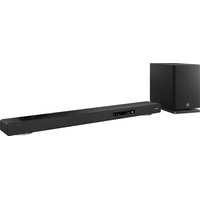
YRS-2500 - Soundbar YAMAHA - Free user manual and instructions
Find the device manual for free YRS-2500 YAMAHA in PDF.


Pick your language and provide your email: we'll send you a specifically translated version.
| Product Type | Soundbar for home theater |
| Brand | Yamaha |
| Model | YRS-2500 |
| Dimensions (W x H x D) | Approx. 890 x 52 x 131 mm (35.0 x 2.0 x 5.2 in) |
| Weight | Approx. 2.7 kg (6.0 lbs) |
| Power Supply | AC 100-240V, 50/60 Hz |
| Power Consumption | 30 W (standby: 0.5 W) |
| Speaker Configuration | 2.0 channel, built-in subwoofers |
| Total Output Power | 120 W (60 W x 2) |
| Audio Input | HDMI ARC, Optical digital, Analog stereo mini jack |
| Bluetooth | Yes, version 4.2, A2DP, AVRCP |
| Wireless Features | Music streaming via Bluetooth |
| Remote Control | Included (infrared) |
| Wall Mounting | Compatible with included brackets |
| Sound Modes | Surround, Movie, Music, News |
| Control via TV | HDMI-CEC compatible |
| Surface Material | Brushed aluminum top, fabric grille |
| Cleaning | Wipe with dry soft cloth; do not use solvents |
| Safety | Do not expose to moisture; place on stable surface |
| Spare Parts / Repairability | Contact authorized Yamaha service center; no user-serviceable parts |
Frequently Asked Questions - YRS-2500 YAMAHA
How do I connect the soundbar to my TV?
Use the HDMI ARC port for best audio quality. Connect an HDMI cable from the soundbar's HDMI OUT (ARC) to your TV's HDMI ARC port. Ensure TV audio output is set to HDMI ARC.
Can I use Bluetooth to stream music?
Yes, the YRS-2500 supports Bluetooth. Press the Bluetooth button on the remote or soundbar, then pair your device. Select 'Yamaha YRS-2500' in your device's Bluetooth list.
How do I control the soundbar without the remote?
You can use the buttons on the top of the soundbar: Power, Volume +/-, and Input select. For full control, download the Yamaha Soundbar Controller app (if supported).
What do the different sound modes do?
The sound modes optimize audio: Surround simulates 5.1ch, Movie enhances dialogue, Music provides balanced sound, News clarifies speech. Press the Sound Mode button to cycle.
Is the soundbar wall-mountable?
Yes, it comes with wall-mount brackets. Measure and mark screw positions, attach brackets, then hang the soundbar. Ensure the wall can support the weight (approx. 2.7 kg).
Why is there no sound from the soundbar?
Check that the soundbar is powered on and the correct input is selected. Ensure TV audio output is set to external speakers or HDMI ARC. Verify cables are securely connected.
Can I connect a subwoofer to the soundbar?
The YRS-2500 has built-in subwoofers, so external subwoofer is not required. There is no dedicated subwoofer output.
How do I reset the soundbar to factory settings?
Press and hold the Power button on the soundbar for 10 seconds until the indicator flashes. This restores factory defaults. You may need to re-pair Bluetooth devices.
What is the warranty period?
Typically, Yamaha soundbars come with a 2-year limited warranty. Check your local Yamaha website or contact support for details.
How do I update the firmware?
Firmware updates are done via USB or network (if supported). Download the update file from the Yamaha support site, copy to a USB stick, insert into the soundbar's USB port, and follow the on-screen instructions (if a display is available) or refer to the manual.
User questions about YRS-2500 YAMAHA
0 question about this device. Answer the ones you know or ask your own.
Ask a new question about this device
No questions yet. Be the first to ask one.
Download the instructions for your Soundbar in PDF format for free! Find your manual YRS-2500 - YAMAHA and take your electronic device back in hand. On this page are published all the documents necessary for the use of your device. YRS-2500 by YAMAHA.