NL-3331 - Gps Navilock - Free user manual and instructions
Find the device manual for free NL-3331 Navilock in PDF.


User questions about NL-3331 Navilock
0 question about this device. Answer the ones you know or ask your own.
Ask a new question about this device
Download the instructions for your Gps in PDF format for free! Find your manual NL-3331 - Navilock and take your electronic device back in hand. On this page are published all the documents necessary for the use of your device. NL-3331 by Navilock.
USER MANUAL NL-3331 Navilock
natural_image
Illustration of a globe with green and blue continents, no text or symbols presentNAVILOCK®

natural_image
Close-up of a black MT3333 audio recording device with a metallic connector (no visible text or symbols on the device body)60325 NL-3330

natural_image
Black NAVLOCK sensor with attached cable and connector (no visible text or symbols on the device body)60326 NL-3331
natural_image
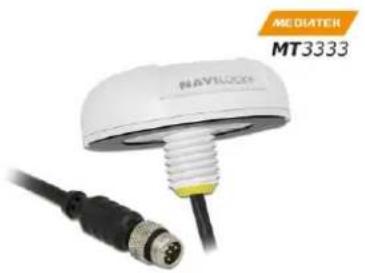
Close-up of a NAVLOCK sensor with a black cable and orange connector, labeled 'MEDIATER MT3333' (no other text or symbols visible)60327 NL-3332
1. Introduction
The NLGNSS/rebeed with Ninteralateral and
MT3333 GNSS chipset.
The waterproof M8 screw connection allows the adaptation to many different interfaces with different plugs by means of various optional connection cables.
The flanged thread on the NL-3331 / NL-3332 allows secure and waterproof attachment, e.g. on a vehicle roof.
The magnetic and non-slip bottom of the NL-3330 allows temporary attachment e.g. on a vehicle roof.
1.1. Package content\*
1x Navilock NL-3330 / NL-3331 / NL-3332
1x 8cm CD ROM incl. manual
*Make sure before commissioning that all components of the delivery are included in the package. If anything is missing or damaged, please immediately contact your dealer.
Important Health and Safety
If you use this product, you should take the following precautions to avoid possible legal liabilities and damages. Follow all product safety and operating instructions and keep them in a safe place. Observe all warnings in the manual and on the product. To avoid injury, electric shock, fire, and damage to the equipment, observe the following precautions.
Electrical safety
This product is intended for use with current via USB or PS/2. Other usage may be dangerous and will invalidate any approval given to this product.
NOTE: RECYCLE OR DISPOSE USED BATTERIES OR BATTERY CELLS ACCORDING TO THE LOCAL REGULATIONS OR THE ENCLOSED INSTRUCTIONS.

SAFETY PRECAUTIONS FOR DIRECT SUNLIGHT
Make sure that the product is kept away from excessive moisture and extreme temperatures. Allow the unit, the battery or the battery cells are not over a longer period of time in a vehicle or in places where can increase the temperature to 60 ^ ( 140 ^ ) (a car dashboard, window sill, or behind a glass pane that is exposed to direct sunlight or strong ultraviolet light). The device or the vehicle may be damaged and the batteries or rechargeable batteries become overheated.
Damage Requiring Service
Disconnect in the following cases, the product from the power supply, remove the battery, and contact an authorized service technician or the dealer:
If liquid has been spilled into the product or an object has fallen.
The product has been dropped or damaged.
There are noticeable signs of overheating.
The product does not operate normally when the operating instructions.
Avoid using your device after a dramatic change in temperature
If you expose rapid changes in temperature and / or humidity ranges, condensation may occur inside the unit. To avoid damaging the device, allow sufficient time for the moisture to evaporate before using the device.
NOTE:
If you move the unit from a cold to a warm or from a warm to a cold environment, allow the device to acclimate to room temperature before turning it on.
1.2. Optional waterproof adapter and connection cables
The three M8 GNSS receivers are equipped with a serial RS-232 interface. This is provided by the specially developed waterproof M8 plug. Optional adapter cables, with waterproof M8 jack, offer a wide range of interfaces:
| 62933 | GNSS Connection cable M8 > 2,5 mm stereo plug 3 pin Plug 90° LVTTL (3,3 V) Naviloc |
| 62893 | GNSS Connection cable M8 > 2,5 mm stereo plug 3 pin Plug 90° TTL (5V) Navilock |
| 62935 | GNSS Connection cable M8 > 2,5 mm stereo plug 4 pin Plug 90° LVTTL (3,3 V) Naviloc |
| 62888 | GNSS Connection cable M8 > 2,5 mm stereo plug 4 pin Plug 90° TTL (5V) Navilock |
| 62936 | GNSS Connection cable M8 > 3,5 mm stereo plug 3 pin Plug 90° LVTTL (3,3 V) Naviloc |
| 62894 | GNSS Connection cable M8 > 3,5 mm stereo plug 3 pin Plug 90° TTL (5V) Navilock |
| 62937 | GNSS Connection cable M8 > 3,5 mm stereo plug 4 pin Plug 90° LVTTL (3,3 V) Naviloc |
| 62887 | GNSS Connection cable M8 > 3,5 mm stereo plug 4 pin Plug 90° TTL (5V) Navilock |
| 62875 | GNSS Connection cable M8 > DB9 jack RS232 Navilock |
| 62941 | GNSS Connection cable M8 > Micro-B USB OTG Plug Navilock |
| 62942 | GNSS Connection cable M8 > Micro-Fit 4pin RS-232 Navilock |
| 62943 | GNSS Connection cable M8 > mini-B USB Plug Navilock |
| 62938 | GNSS Connection cable M8 > open wire LVTTL (3,3 V) PPS Navilock |
| 62892 | GNSS Connection cable M8 > open wire TTL (5V) PPS Navilock |
| 62939 | GNSS Connection cable M8 > PIN Header jack LVTTL (3,3 V) PPS Navilock |
| 62891 | GNSS Connection cable M8 > PIN Header jack TTL (5V) PPS Navilock |
| 62934 | GNSS Connection cable M8 > RJ11 Plug RS-232 Navilock |
| 62890 | GNSS Connection cable M8 > RJ45 Plug RS-232 Navilock |
| 62940 | GNSS Connection cable M8 > Type-C Plug USB Navilock |
| 62970 | GNSS Connection cable M8 > Type-A Plug USB Navilock |
| 62971 | GNSS Extension cable M8 Plug > M8 jack 1 m Navilock |
| 62972 | GNSS Extension cable M8 Plug > M8 jack 2 m Navilock |
| 62973 | GNSS Extension cable M8 Plug > M8 jack 3 m Navilock |
| 62974 | GNSS Extension cable M8 Plug > M8 jack 5 m Navilock |
| 62975 | GNSS Extension cable M8 Plug > M8 jack 10 m Navilock |
By means of various M8 extension cables it is possible to extend the cable length of each receiver as desired waterproof.
The M8 adapter cables > all types of TTL work with ASIX ZT3221LEEY.
The M8 adapter cables> all types of USB work with Prolific PL2303SA.
2. Starting operation
2.1. Example with cable 62970 GNSS connection cable M8> Type-A plug USB Navilock
Connect the M8 plug to the M8 jack. Connect the USB A plug to your PC or similar. at. The Windows operating system automatically loads the corresponding driver of the Prolific chip set in the cable. If the automatic loading of the driver does not work, download the driver from the Prolific website:
http://www.prolific.com.tw/US/ShowProduct.aspx?pcid=41&showlevel=0017-0037-0041 and install it.
3. LED
Only the NL-3330 has an status LED for checking the functional states.
Green LED on: USB connected on
Green LED flashes: GNSS Satfix
4. Application Environment
The receivers NL-3330, NL-3331 and NL-3332 can be used in all conceivable operating systems, depending on the cable used.
5. Function test
Connect your GNSS receiver to a notebook or tablet.
Then determine which comm port your receiver is connected to. You will need this information to set up your receiver in your navigation software.

5.1 Function test with u-blox program u-center
Install the program after downloading from the u-blox website https://www.u-blox.com/en/u-center-download-windows. Start the program with administrator rights, set the comm port and the transmission speed. For questions about the u-center, please consult the u-blox online manual https://www.u-blox.com/sites/default/files/u-center_UserGuide_%28UBX-13005250%29.pdf

text_image
COM1 - u-center 8.28 File Edit View Player Receiver Tools Window Help Sky View Az - /EI - Data View Longitude 13.26847667 Latitude 52.40883833 Altitude 91.000 m TTFF Fix Mode 3D/DGNSS 3D Acc. [m] 2D Acc. [m] PDOP 0 1.6 5 HDOP 0 0.9 5 Satellites Watch View 08:54:45 UTC Tuesday 01/03/2018 Ready u-blox M8/8 No file open NMEA 00:10:15 08:54:45Explosion on contact with fire!
Do not permanently expose the receiver to temperatures above 60^ C ( 140^ F).
6. Possible sources of error and their elimination
6.1. You still don't get a satfix.
The Need@p NL-20361/nuLs-3632s first satfix on another continent. To get a satfix the view to the sky must be unobstructed. Move the NL-3330 / NL-3331 / NL-3332 as far as possible from the wall. A house wall reflects the signal strongly and contributes to the satfix time delay.
6.2. Your PC doesn't support the auto start function, and doesn't start the CD-ROM automatically. Please check under http://msdn2.microsoft.com/en-us/library/Aa969329.aspx.
6.4. The NL-8022MP came in touch with jet water (water jet from a shower head or strong rain when it was mounted on a car roof). Do not connect the receiver with the notebook etc. under any circumstances, because it will otherwise be completely and irreparably destroyed. Return the receiver to our support center, mentioning "water damage". The support center will disassemble the receiver, dry it and check ist functionality.

text_image
Yellow triangular warning sign with black exclamation mark symbolThe Navilock repair center tries to be as obliging as possible, so please tell us the real reason for the defect. During the error analysis, we can generally detect if the cause for the defect was an external cause, water damage, fall, over-voltage or the wrong handling of the unit.
Failures are often the result of little causes. It is not always necessary to exchange the product immediately, because this will not solve the cause of the failure if it is not a GNSS hardware problem.
Before visiting your dealer, please contact the Navilock support center. They will try to help you quickly and without further ado, so that the circumstances of an exchange, which might in any case be unnecessary, are avoided.
In this case, please write down a detailed description of the error, add this information to your end device and the software used in this device, as well as the operation environment (operating system, service pack version, CPU type, storage size, hard disk drive and interface etc.), and send an e-mail to support@navilock.de
A support member will look into your problem and work out a solution.
We hope your Navilock product brings you fun and enjoyment!
7. Specifications
Chipset vendor/type: MediaTek MT3333 GALILEO GLONASS GPS
Cannels: 33 tracking, 99 acquisition
Sensitivity: -165 dBm
Frequency:
GALILEO: E1, 1575.4200 Mhz
GPS: L1, 1575,4200 MHz
GLONASS: G1, 1602.5625 -1615.5000 MHz
Target precisions:
Position horizontal: GPS/SBAS/QZSS+GLONASS: 2.5 m CEP
Time: 1 micro second synchronized with GPS time
Speed: 0.1m/s
Date: WGS-84
Protocol: NMEA-0183 V3.01 GGA, GSA, GSV, RMC, VTG
Detection rates:
Cold start: 34 s average
Hot start: 1 s average
Reacquisition: 1 s average
Update rate: 1 - 10 Hz
Data transfer rate: 9.6 Kbps
Dynamic prerequisites:
Acceleration limit: smaller than 4 g
Heigth limit: 18000 m
Speed limit: 515 m/s
Performance:
Power supply: 5 V
Current: ca. 50 mA tracking
Connectors: 1 x M8 male waterproof
Cable gauge: 28 AWG power and data line
Operating temperature: -20^ 60^
Dimensions:
(LxBxH) 60325: ca. 73.50 x 43.00 x 24.50 mm
(∅xH without thread) 60326 60327: ca. 62.00 x 21.00 mm
Weight: ca. 86 g
8. Zertifikate
CE
9. Warranty period
Your GNSS receiver will be repaired free of charge within the legal warranty period, unless it was damaged due to external cases, humidity dropping or other damages due to improper usage.
Your dealer is always ready to help you. Please send your unit for repairs directly to:
Navilock Repair Center Beeskowdamm 13/15 D-14167 Berlin-Zehlendorf
Postage must always be paid by the client.
Please add a proof of purchase and a detailed error description. Time based error, meaning how often an error occurs, must be expressly mentioned.
For logistic reasons, we cannot accept returned packages without the postage being paid by the client.
10. Support
For additional support questions, please contact our support center:
support@navilock.de /www.bytelipoknem+49 30 84716503*.
You can also call the Service Hotline at the following hours: Mo – Fr.: 9:00 – 16:30.
* You will be charged a connection fee for a telephone call to Germany/Berlin, in accordance with the connection fee overview of your telephone service provider. Callers from Germany, who subscribed to a national telephone flat-rate service and can call nation-wide fixed-telephone numbers free of charge, can call us without incurring additional charges.
You can also find current product information on our homepage. www.navilock.com.
11. Final provision
The information and data contained in this manual may be changed without prior notice. Errors and misprints reserved.
12. Copyright
No part of this instruction manual may be duplicated or transmitted for any purpose and by any means, be they electronic or mechanical, without the express written authorization from Navilock.
The brand Navilock is a registered trademark and may not be used without the written authorization of the trademark owner. In no case may it be altered or completed by additions.
13. Brands of third parties
Brands, trade names, product names and logos of third parties mentioned in this documentation may be trademarks or registered trademarks of the respective owners.
Conformity declaration
Please download the Declaration of Conformity from http://www.navilock.de/support/ in the conformity area.

text_image
Symbolic image showing a crossed-out recycling machine and a stylized 'CE' with a horizontal line below it.WEEE note
The WEEE (Waste Electrical and Electronic Equipment) directive, which came into force on 13 February 2003, lead to a comprehensive change in the disposal of used electric products. It is the main purpose of this directive to avoid electric waste products (WEEE), while simultaneously promoting the re-usage, recycling and other forms of reconditioning in order to reduce the amount of waste. The WEEE logo on the product and the package shows that the product should not be disposed of with regular garbage. You are responsible for disposing all used electric and electronic devices at the corresponding collection sites. The separate collection and meaningful re-usage of electronic waste helps to deal with natural resources more economically. In addition, re-using electronic waste contributes to the preservation of the environment and human health. Additional information regarding the disposal of electric and electronic devices, their re-usage and the collection sites can be found at your local authorities, disposal companies, specialist shops and the manufacturer of the product.
RoHS conformity
This product meets the requirements of directive 2002/95/EC of the European Parliament and of the Council of 27 January 2003, concerning the limited usage of dangerous substances in electric and electronic devices (RoHS) and its amendments. This product complies with the directive 2011/65/EU from January 3rd 2013.