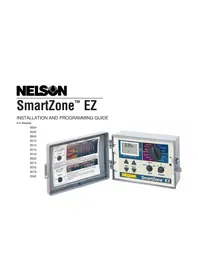
ACV200 - Irrigation Control Nelson - Free user manual and instructions
Find the device manual for free ACV200 Nelson in PDF.


Pick your language and provide your email: we'll send you a specifically translated version.
| Product Type | Irrigation Controller |
| Brand | Nelson |
| Model | ACV200 |
| Number of Stations | 2 |
| Power Supply | 24 VAC, 50/60 Hz |
| Dimensions (H x W x D) | 7.5 x 5.5 x 2.5 inches |
| Weight | 1.2 lbs |
| Enclosure Rating | Weather-resistant, suitable for outdoor installation |
| Display | LCD with backlight |
| Programs | 3 independent programs with multiple start times |
| Watering Duration | 1 minute to 12 hours per station |
| Rain Sensor Input | Compatible with normally-closed rain sensors |
| Operating Temperature | 32°F to 130°F |
| Warranty | 2 years limited |
| Maintenance | Clean with a soft, damp cloth; do not use solvents or abrasives |
| Safety | Install in accordance with local electrical codes; disconnect power before servicing |
| Spare Parts | Available through Nelson distributors; model-specific parts include faceplate, transformer, and valve connectors |
| General Information | Designed for residential and light commercial irrigation systems |
Frequently Asked Questions - ACV200 Nelson
How many zones can the ACV200 control?
The ACV200 controls 2 zones (stations).
What type of power supply does the ACV200 need?
It requires 24 VAC, typically supplied by a plug-in transformer included with the unit.
Can the ACV200 be used outdoors?
Yes, it has a weather-resistant enclosure and can be installed outdoors, but should be protected from direct rain or sprinkler spray.
How do I program watering start times?
Press the Program button to select a program (A, B, or C), then use the Start Time button to set up to 4 start times per program.
Does the ACV200 have a rain sensor connection?
Yes, it has a rain sensor input for a normally-closed sensor. When the sensor is active, watering is automatically skipped.
What is the maximum watering duration per station?
Each station can be set from 1 minute to 12 hours.
How do I reset the controller to factory settings?
Press and hold the Reset button (located behind the faceplate) for 5 seconds. All programming will be erased.
What does the battery backup do?
The ACV200 uses a 9V alkaline battery (not included) to retain the time and program settings during a power outage.
Why is my display blank or unresponsive?
Check the power connection and circuit breaker. If using battery backup only, the battery may be dead. Replace the battery and reconnect AC power.
Can I expand the ACV200 to control more zones?
No, the ACV200 is a fixed 2-station controller. For larger systems, consider Nelson models with more stations.
User questions about ACV200 Nelson
0 question about this device. Answer the ones you know or ask your own.
Ask a new question about this device
No questions yet. Be the first to ask one.
Download the instructions for your Irrigation Control in PDF format for free! Find your manual ACV200 - Nelson and take your electronic device back in hand. On this page are published all the documents necessary for the use of your device. ACV200 by Nelson.