
HER-430 - Laser pointer Steren - Free user manual and instructions
Find the device manual for free HER-430 Steren in PDF.


| Product Type | Laser Pointer |
| Brand | Steren |
| Model | HER-430 |
| Laser Class | Class 2 |
| Wavelength | 650 nm (Red) |
| Output Power | < 5 mW |
| Range | Up to 200 meters |
| Power Source | 2 x AAA batteries (not included) |
| Dimensions | 14.5 x 1.5 x 1.5 cm |
| Weight | 35 g (with batteries) |
| Housing Material | Aluminum alloy |
| Switch Type | Push button on/off |
| Key Ring | Yes |
| Operation | Momentary or continuous (press and hold) |
| Cleaning | Wipe lens with soft, dry cloth |
| Battery Replacement | Unscrew tail cap, replace batteries with correct polarity |
| Safety | Avoid direct eye exposure; keep away from children |
| Repairability | Non-user-serviceable; contact Steren support |
| Included Accessories | User manual only |
| Warranty | 1 year limited warranty |
Frequently Asked Questions - HER-430 Steren
User questions about HER-430 Steren
0 question about this device. Answer the ones you know or ask your own.
Ask a new question about this device
Download the instructions for your Laser pointer in PDF format for free! Find your manual HER-430 - Steren and take your electronic device back in hand. On this page are published all the documents necessary for the use of your device. HER-430 by Steren.
USER MANUAL HER-430 Steren

STEREN
Confi guración
Encender / apagar

STEREN


STEREN
Volumen

Segundo método

STEREN
Tercer método
50 m laser distance meter
HER-430
Thank You on purchasing your new Steren product.

This manual includes all the feature operations and troubleshooting necessary to install and operate your new Steren's 50 m laser distance meter.
Please review this manual thoroughly to ensure proper installation and operation of this product. For support, shopping, and everything new at Steren, visit our website:

STEREN

IMPORTANT


To avoid damage in the eyes and injuries, don't look directly to the laser. Don't aim the laser beam directly to the people, animals or indirectly to reflective surfaces.
- Don't try to use dark glasses as protection, they don't protect.
- Don't allow that the kids use the meter without supervision, they could blinding their self or other people.
- Don't use the device in a areas where there is liquid fuels, gases or dust materials, could produce sparks and induce fire.
Highlights
Performs professional works updating your measuring system to this laser distance meter. Save time and get accurate readings.
Make blue prints, faster than before or use this meter in building works, remodeling or any installation. You can measure linear length or even performs area or volume calculation. You can choose the measure unit between feet, inches or meters.
It has luminous LCD screen for an easy Reading, the buttons are soft touch fi nish and the case is manufactured in high resistant plastic, besides you can store it easily and protect it with the included case.
Measuring from 0.5 m to 50 m
Volume or area calculation
Indirect and double indirect measuring
Measuring units: meters, inches and feet
Memory

STEREN
Parts
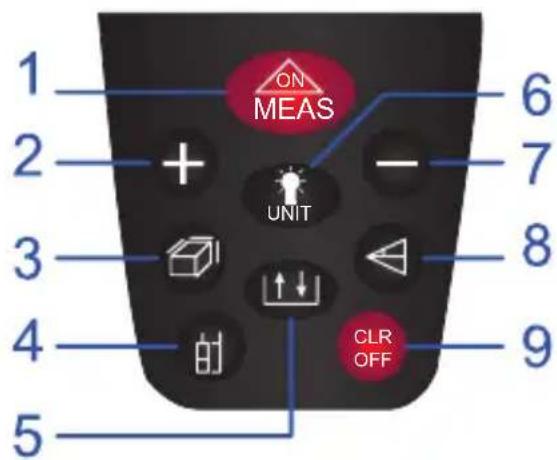
- On / measure
- Addition
- Area / volume
- Change reference point
- Storage
- Backlight
- Subtraction
- Indirect measure (pythagoras theorem)
-
Off / delete
-
Screen
-
Lens
-
Laser
-
Battery compartment
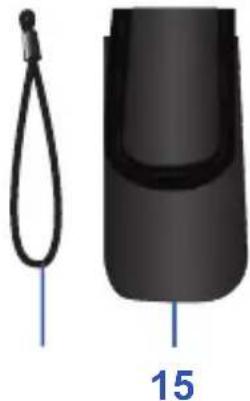
-
Strap
-
Pouch
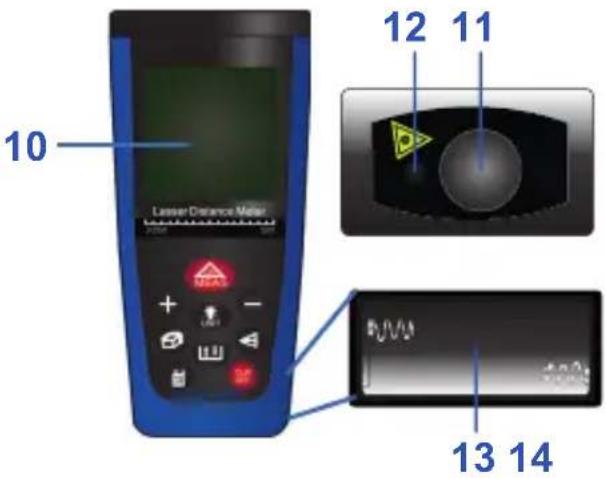

STEREN
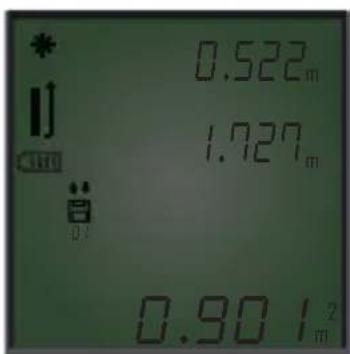
Screen icons
| * | Laser on |
| Reference point | |
| Battery indicator | |
| Area/volume indicator | |
| Storage indicator | |
| max | Min/Max value |
| *(Fig. 1) | display area |
| ma | Unit |
| **(Fig. 1) | area |
Fig. 1
* Supplementary display area
** Primary display area


STEREN
Working principle
The distance is determined along of the laser beam of measure, emitted until touch a reflective surface.
Thanks to laser point of measure is possible identify rightly the target of measure. The reach depends on the reflectivity and the quality of the target's surface.
Measure in a rough surface
In measures onto a rough surface it is measured a medium value, that gives a high value to the core of the laser beam that for the periferic area.
Measure in a curves or inclined surfaces
If you pointed obliquely to this surfaces, in determined circumstances the tool could receive inadequate luminous energy or if you point in straight angle, too luminous energy.
Measure in wet and shiny surfaces
Always that the laser meter can aim onto the surface, can measuring a confiable distance until the target.
When it is of the very reflective surfaces should count with the reduced reach or with measures until light's reflection.
Measure in transparent surfaces
The light penetrates in this materials, by can produce errors in the measure. Also there may be measure errors if made measure through the crystal or in case that objects are in the target's line. Can measuring distances in materials that they allows passing light such as liquids, polystyrene or foam.

STEREN
Before to start
Place or replace the batteries

Always change all the batteries. Never mix new batteries with used batteries.
- With a screwdriver remove the cover of the compartment.
- Insert 2 "AAA" batteries.
- Place again the cover and screw it.
Can use rechargeable batteries

Settings
On / Off
- To turn on the device, press ON MEAS during few seconds.
- To turn off press and hold CLR OFF. The equipment will turn off automatically after few minutes of inactivity.
Delete data
Press CLR to delete the last measure or to clean the screen. In area, volume or indirect measurings you can cancel the last measure, one by one, pressing this button.
Backlight
Press UNIT to turn on/off the backlight.

STEREN
Unit change
Press and hold

everytime that you wish to change the measure unit: meters (m),
inches (in) or feet (ft).
| Distance Area | Volume | ||
| 1 0.000 m | 0.000 m 0.000 m | 2 | 3 |
| 2 0.000 in | |||
| 3 0.000 ft | 0.000 ft 0.000 ft | 2 | 3 |
Reference point
Is the point where start the measure; you can choose between the high edge or the low edge of the device. By default, the reference point is in the low edge, if you want to change it, press 🔍.
Basic function
Simple measure (distance)
- Set the equipment in the place where you want to start measuring; turn on the meter and verify that the reference point is what you need.

- Aim the laser to the target and press display area of the screen.
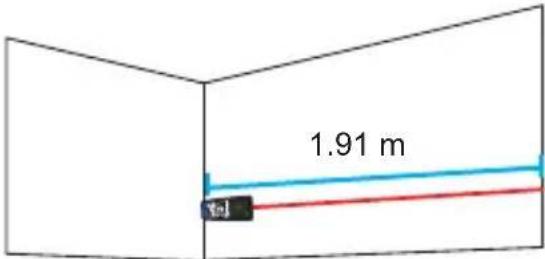

The result of the measure appears in the primary

STEREN
Special functions
Auto consecutives measures (Max/Min)
- In the simple measure mode, press and hold ON MEAS for a few seconds to enter to consecutives measures mode, in the screen appears Max/Min.
-
Press ☐ to start the measures. Measures will be taken, automatically and the values will appear in the top of the screen. The last simple measure appear in the primary display area of the screen.
-
Press ON MEAS to stop the auto measures and press again if you want to return to the measure simple mode.
Note: The device make up to 20 consecutives measures.

Addition and subtraction
Sum
- Make a simple measure.
- Press + . Symbol [+] appears
- Press MEAS to take a second measure. In the primary display area it is showed the sum of the two amounts.
- To delete a quantity, press

Note: If you wish to make a subtraction, follow the same instructions using the button


STEREN
Area
To measure the area only need to perform two measures. Define which be the long and width of the place to measure. Then follow next steps:
- Press In the screen appear the icon
- Press ON MEAS to measure the length
- Press ON MEAS again, to measure the other side (width)
Automatically you got the measure of the area, based in this 2 measures.
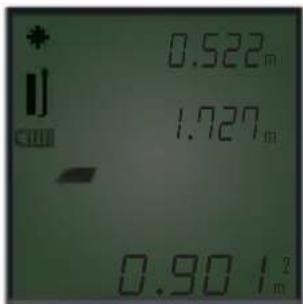

Volume
To measure the volume are necessary three measures. Define which be the lenght, width and height of the place to measure. Then, follow next steps:
- Press two times. In the screen appears the icon
- Press the button MEAS to measure the first side (length)
- Press the button ON MEAS to measure the second side (width)
- Press the button ON MEAS to measure the third side (height)
The device calculate automatically the volume, based in this 3 measures.


STEREN
Indirect measure (Pythagoras theorem)
This meter is capable to calculate distances based in the Pythagoras theorem. This function is ideal to measure some hard and inaccessible zones.
The obtained results are correct only if the right angles are exactly as the respective measures.
There are 3 methods to measure using this function; you can change it pressing the button

First method
- Press ◀. In the screen appears the icon
- Press ON MEAS to measure the hypotenuse (a) the icon △ appears in the screen
- Press ON MEAS again to measure the right (b).
Automatically you got the measure of the height, based in this 2 measures.


STEREN
Second method
- Press two times. In the screen appears the icon
- Press ON MEAS to measure the hypotenuse (a) the icon appear in the screen
- Press ON MEAS again to measure the right of the middle (b)
- Press again to measure the hypotenuse (c)
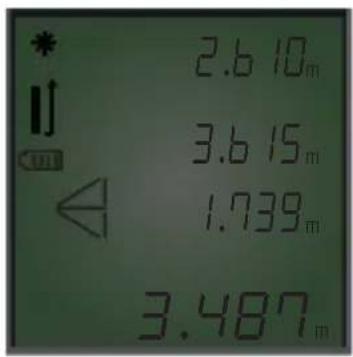
The meter calculates automatically the height of the straight edge (x).
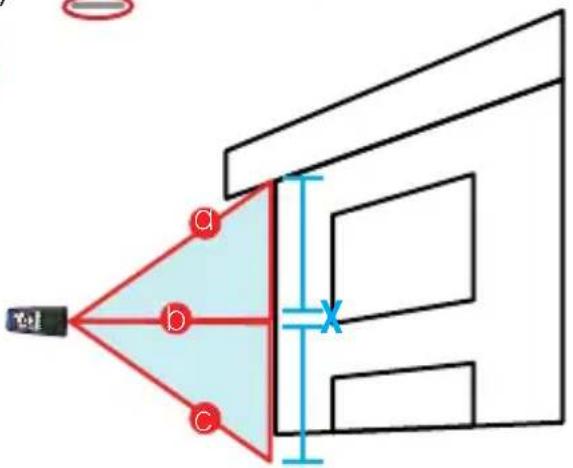
Third method
- Press three times. In the screen appears the icon
- Press ON MEAS to measure the hypotenuse (a) the icon appears in the screen
- Press again to measure the right of the middle (b)
- Press one more time to measure the first right edge (c)


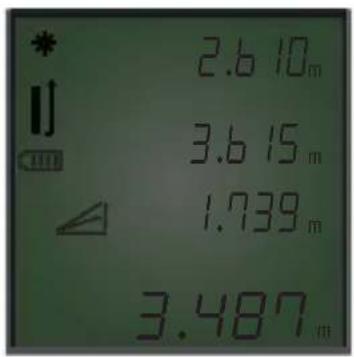
The meter calculates automatically the height of the straight edge (x).


STEREN
Register memory
Once a measure is performed. Press 📋 to store it. In the screen appears the icon 🔒, indicating that it has been stored in the internal memory of the meter. You can stored up to 15 measures.

to store it. In

, indicating that it has beenf the meter. You can stored up

Exploration
Press 🏠️ to enter store mode. In the screen appears the last stored measure and the icon 🏠️. To explore between the stored measures press + and −.
Care and Maintenance
- Remove the dust from the lens and the laser. Don't touch the lens with the fingers
- Only use soft and clean clothes and if is necessary, use a damp cloth.
• In case that exist a large time of inactivity, remove the batteries.

STEREN
Error code
| Code Error Solution | ||
| E160 Data overfl ow Very large data | ||
| 250 Pythagoras measure fault The hypotenuse is greater than the straight edge | ||
| 251 Very low temperature Use it in normal temperature | ||
| 252 Very high temperature Use it in normal temperature | ||
| 253 Very strong signal bounce Measure other object with less refl ection | ||
| 254 Wrong calibration | Measure again with less vibration | |
| 255 | Very weak signal bounce | Measure other object with less refl ection |
| 245 | Measure error | Try again |
Specifications
Input: 3 V --- (Two "AAA" batteries)
Operating temperature: 0° - 40 °C (32° - 104 °F)
Storage temperature: -10 °C to 60 °C
Laser: Class II, 635 nm, <1mV
Product: 50 m laser distance meter Part number: HER-430 Brand: Steren
WARRANTY
This Steren product is warranted under normal usage against defects in workmanship and materials to the original purchaser for one year from the date of purchase.
CONDITIONS
- This warranty card with all the required information, invoice, product box or package, and product, must be presented when warranty service is required.
- If the product is in the warranty time, the company will repair it free of charge.
- The repairing time will not exceed 30 natural days, from the day the claim was received.
- Steren sell parts, components, consumables and accessories to customer, as well as warranty service, at any of the addresses mentioned later.
THIS WARRANTY IS VOID IN THE NEXT CASES:
If the product has been damaged by an accident, acts of God, mishandling, leaky batteries, failure to follow enclosed instructions, improper repair by unauthorized personnel, improper safe keeping, among others.
a) The consumer can also claim the warranty service in the purchase establishment.
b) If you lose the warranty card, we can reissue it, if you show the invoice or purchase ticket.
RETAILER INFORMATION
Name of the retailer:
Address:
Product:
Brand:
Part number:
Serial number
Date of delivery:



STEREN®
Help us to improve this instruction manual, call us to:
01 800 500 9000
Customer Service Center
- CONFI GURACIÓN
- ENCENDER / APAGAR
- STEREN
- VOLUMEN
- SEGUNDO MÉTODO
- TERCER MÉTODO
- 50 M LASER DISTANCE METER
- HER-430
- IMPORTANT
- HIGHLIGHTS
- PARTS
- WORKING PRINCIPLE
- MEASURE IN A ROUGH SURFACE
- MEASURE IN A CURVES OR INCLINED SURFACES
- MEASURE IN WET AND SHINY SURFACES
- MEASURE IN TRANSPARENT SURFACES
- BEFORE TO START
- PLACE OR REPLACE THE BATTERIES
- SETTINGS
- ON / OFF
- DELETE DATA
- BACKLIGHT
- UNIT CHANGE
- REFERENCE POINT
- BASIC FUNCTION
- SIMPLE MEASURE (DISTANCE)
- SPECIAL FUNCTIONS
- AUTO CONSECUTIVES MEASURES (MAX/MIN)
- ADDITION AND SUBTRACTION
- SUM
- AREA
- VOLUME
- INDIRECT MEASURE (PYTHAGORAS THEOREM)
- FIRST METHOD
- SECOND METHOD
- THIRD METHOD
- REGISTER MEMORY
- EXPLORATION
- CARE AND MAINTENANCE
- SPECIFICATIONS
- PRODUCT: 50 M LASER DISTANCE METER PART NUMBER: HER-430 BRAND: STEREN
- WARRANTY
- CONDITIONS
- THIS WARRANTY IS VOID IN THE NEXT CASES
- RETAILER INFORMATION
Brand : Steren
Model : HER-430
Category : Laser pointer