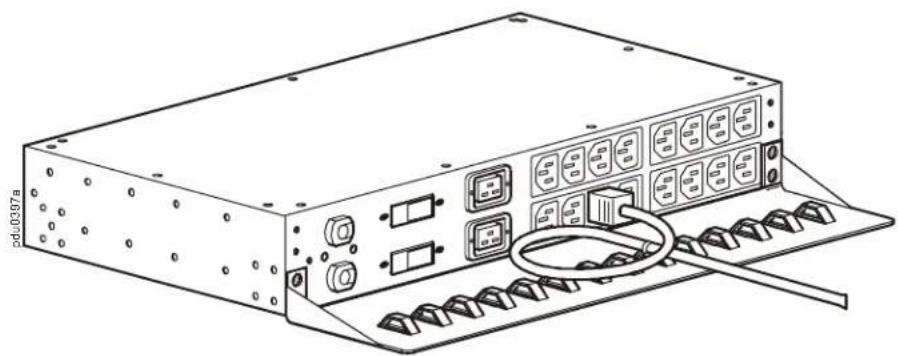
AP7769 - Wardrobe APC - Free user manual and instructions
Find the device manual for free AP7769 APC in PDF.


Pick your language and provide your email: we'll send you a specifically translated version.
| Product Type | Server Rack Enclosure |
| Brand | APC |
| Model | AP7769 |
| Rack Height | 42U |
| External Dimensions (H x W x D) | 1991 mm x 600 mm x 1070 mm |
| Internal Usable Depth | 965 mm |
| Weight (Empty) | 130 kg |
| Maximum Static Load | 1000 kg |
| Material | Steel |
| Color | Black (RAL 9005) |
| Front Door | Perforated, lockable |
| Rear Door | Solid, lockable |
| Side Panels | Removable, lockable |
| Cable Entry | Top and bottom |
| Grounding | Front and rear grounding bars |
| Standards | EIA-310-D, UL 2416 |
| Operating Temperature | 0°C to 50°C |
| Storage Temperature | -25°C to 70°C |
| Relative Humidity | 5% to 95% non-condensing |
| Cooling | Compatible with fan kits (optional) |
| Security | Lockable doors and side panels |
| Maintenance | Clean with damp cloth; check grounding annually |
| Spare Parts | Doors, side panels, mounting rails available |
| Installation | Requires two persons; use appropriate lifting equipment |
| Warranty | 2 years |
Frequently Asked Questions - AP7769 APC
What are the dimensions of the APC AP7769 rack?
The APC AP7769 rack has external dimensions of 1991 mm (H) x 600 mm (W) x 1070 mm (D). Internal usable depth is 965 mm.
What is the weight capacity of this rack?
The rack has a maximum static load of 1000 kg and weighs 130 kg when empty.
Is the rack compatible with standard 19-inch equipment?
Yes, the APC AP7769 is designed to accommodate standard 19-inch rack-mountable equipment with a 42U height capacity.
Can the rack be bolted to the floor for stability?
Yes, the rack has bolt-down holes in the base for securing to the floor to prevent tipping during installation or seismic events.
How do I ground the rack?
The rack includes front and rear grounding bars. Connect a grounding wire from the rack to the facility ground using these bars.
How to install equipment in the rack?
Install equipment using the included mounting brackets and hardware. Slide the equipment onto the adjustable mounting rails and secure with screws. Ensure proper weight distribution.
Does the rack come with mounting hardware?
Yes, the rack includes mounting brackets, screws, and cage nuts for standard equipment installation.
Can the front door be reversed?
Yes, the front door is reversible to allow opening from left or right side. Instructions are provided in the user manual.
Are the side panels removable?
Yes, both side panels are removable and lockable for easy access to equipment and cable management.
What is the warranty period for the APC AP7769?
The rack comes with a 2-year warranty from APC covering defects in materials and workmanship.
User questions about AP7769 APC
0 question about this device. Answer the ones you know or ask your own.
Ask a new question about this device
No questions yet. Be the first to ask one.
Download the instructions for your Wardrobe in PDF format for free! Find your manual AP7769 - APC and take your electronic device back in hand. On this page are published all the documents necessary for the use of your device. AP7769 by APC.
USER MANUAL AP7769 APC
Rack Automatic Transfer Switch Cord Retention Bracket (AP7769)—Installation
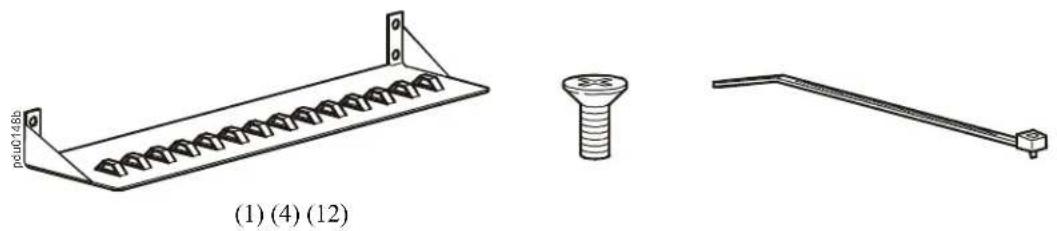
natural_image
Technical drawings of three mechanical components: a spring-loaded plate, a screw with threaded fastener, and a lever handle (no text or symbols)1
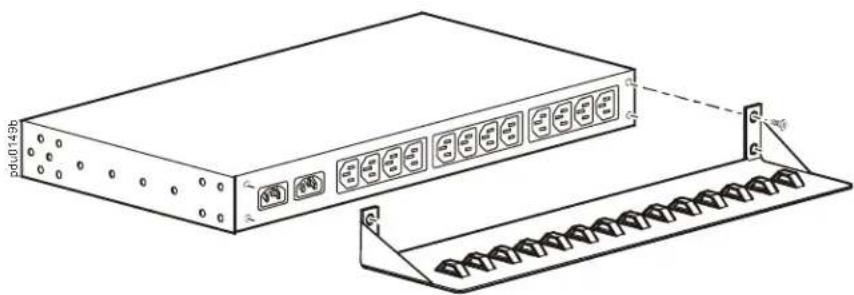
natural_image
Technical line drawing of a rectangular electronic device with multiple ports and a rack base (no text or symbols)2
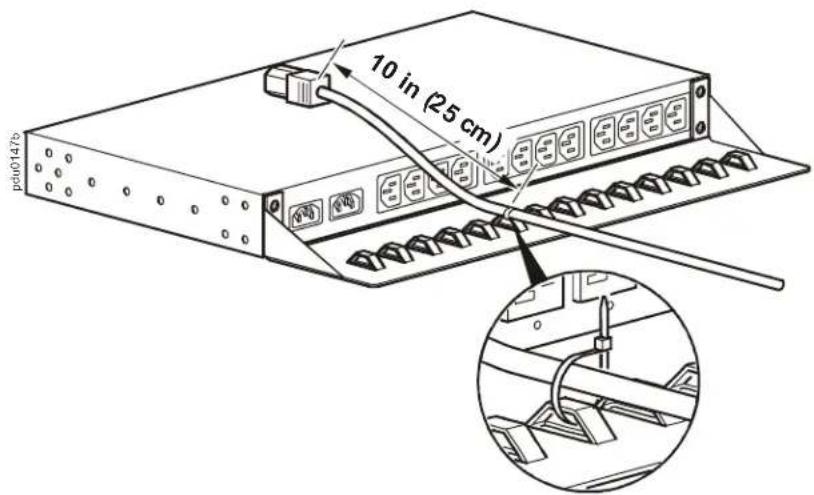
3
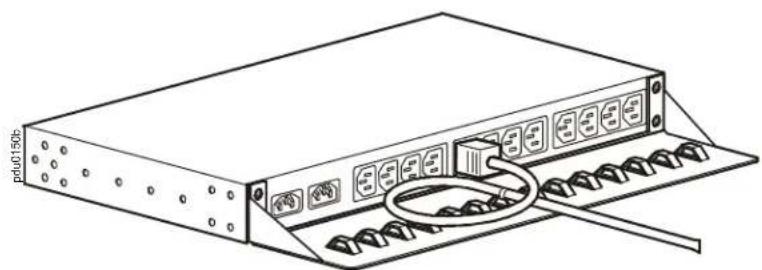
natural_image
Line drawing of a server rack with ports and a cable inserted (no text or symbols)1
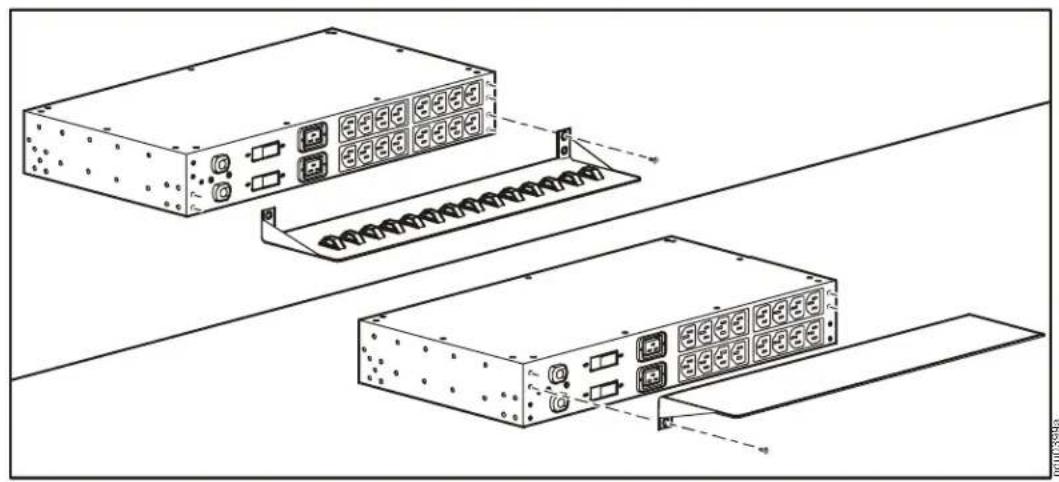
natural_image
Technical line drawing of two server rack units with connectors and ports, no text or symbols present2
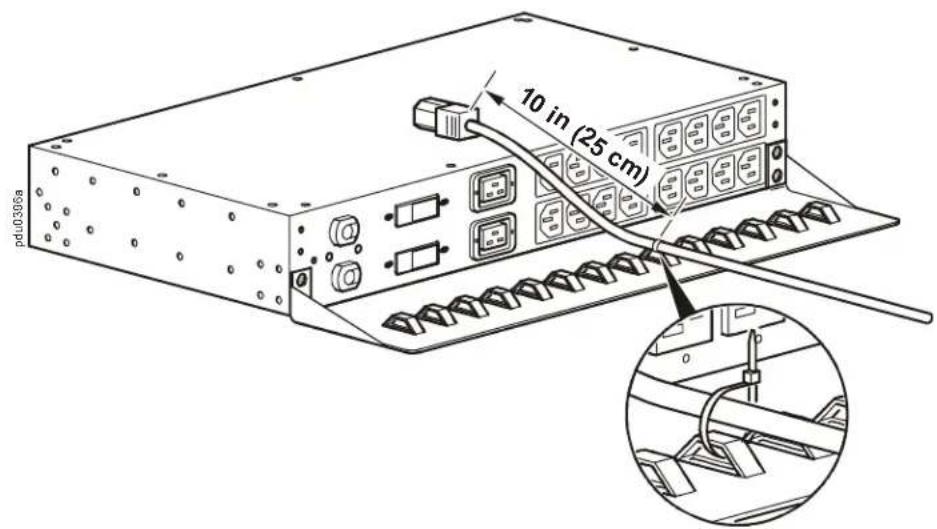
3