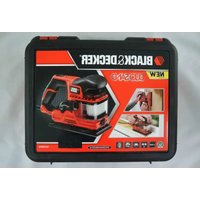
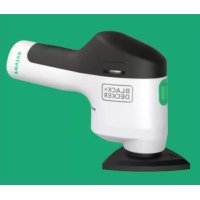
7800 - Sander BLACK & DECKER - Free user manual and instructions
Find the device manual for free 7800 BLACK & DECKER in PDF.


Pick your language and provide your email: we'll send you a specifically translated version.
| Product Type | Random Orbit Sander |
| Brand | Black & Decker |
| Model | 7800 |
| Power Source | 120V AC, 60Hz, 2.5 Amps |
| No-Load Speed | 12,000 OPM (Orbits Per Minute) |
| Pad Diameter | 5 inches (127 mm) |
| Dust Collection | Integrated dust bag with micro-filter |
| Weight | 3.5 lbs (1.6 kg) |
| Dimensions (L x W x H) | 10 x 5 x 5 inches (254 x 127 x 127 mm) |
| Orbit Diameter | 3/32 inch (2.4 mm) |
| Body Material | High-impact plastic with rubber comfort grip |
| Switch Type | Slide lock-on switch |
| Insulation | Double insulated (no grounding required) |
| Accessories Included | One sanding disc (100 grit), dust bag |
| Compatible Discs | 5-inch hook-and-loop sanding discs (various grits) |
| Maintenance | Empty dust bag regularly; clean pad with damp cloth |
| Spare Parts Available | Dust bag (part #N006120), pad (part #N006121), switch (part #N006122) |
| Certification | UL listed, CSA certified |
| Warranty | 2-year limited warranty |
Frequently Asked Questions - 7800 BLACK & DECKER
What type of sanding discs should I use with the Black & Decker 7800 sander?
Use 5-inch hook-and-loop sanding discs. Common grits include 60 (coarse), 100 (medium), and 220 (fine). Always ensure the disc is centered on the pad.
How do I change the sanding disc?
Peel off the old disc and align the new disc with the pad, pressing firmly. Make sure the holes in the disc align with the dust collection holes on the pad.
How do I empty the dust bag?
Remove the dust bag from the sander, open the zipper or clasp, and empty the dust into a trash bin. Tap the bag gently to remove trapped dust. Reattach securely.
My sander is not running. What could be the issue?
Check the power cord for damage, ensure the outlet is working, and verify the switch is in the 'on' position. If the sander still doesn't run, internal components may need repair.
Can I use this sander for wet sanding?
No, the Black & Decker 7800 is designed for dry sanding only. Wet sanding can damage the motor and create electrical hazards.
How do I clean the sander?
Unplug the sander. Wipe the exterior with a dry cloth. Clean the pad with a soft brush. Do not use water or solvents. Empty the dust bag after each use.
What safety precautions should I take when using this sander?
Always wear safety goggles and a dust mask. Keep hands away from moving parts. Unplug when changing discs. Avoid loose clothing. Use in a well-ventilated area.
Is the sander double insulated?
Yes, the Black & Decker 7800 is double insulated, meaning it does not require a three-prong grounded outlet. However, always use a proper outlet for safety.
What is the warranty period for this sander?
The Black & Decker 7800 comes with a 2-year limited warranty. For warranty claims, contact Black & Decker customer service with proof of purchase.
Where can I find replacement parts?
Replacement parts like dust bags, pads, and switches are available through Black & Decker's website or authorized dealers. Use part numbers: dust bag #N006120, pad #N006121, switch #N006122.
User questions about 7800 BLACK & DECKER
0 question about this device. Answer the ones you know or ask your own.
Ask a new question about this device
No questions yet. Be the first to ask one.
Download the instructions for your Sander in PDF format for free! Find your manual 7800 - BLACK & DECKER and take your electronic device back in hand. On this page are published all the documents necessary for the use of your device. 7800 by BLACK & DECKER.