
Blade L3 Plus - Smartphone ZTE - Free user manual and instructions
Find the device manual for free Blade L3 Plus ZTE in PDF.


| Product Type | Smartphone |
| Brand | ZTE |
| Model | Blade L3 Plus |
| Display Size | 5.5 inches IPS LCD |
| Resolution | 720 x 1280 pixels (HD) |
| Processor | Quad-core 1.3 GHz Cortex-A53 |
| RAM | 1 GB |
| Internal Storage | 8 GB (expandable via microSD) |
| Rear Camera | 8 MP with autofocus and flash |
| Front Camera | 2 MP |
| Battery | Li-Ion 3000 mAh (removable) |
| Dimensions | 152 x 76 x 8.9 mm |
| Weight | 165 g |
| Operating System | Android 5.0 Lollipop |
| Network | GSM / HSPA / LTE |
| SIM | Dual SIM (Micro-SIM) |
| Connectivity | Wi-Fi 802.11 b/g/n, Bluetooth 4.0, GPS |
| Ports | Micro USB 2.0, 3.5mm audio jack |
| Sensors | Accelerometer, proximity, compass |
| Care Instructions | Clean with soft dry cloth; avoid liquids and extreme temperatures |
| Safety Warnings | Use only certified chargers; do not disassemble; keep away from water |
| Spare Parts Availability | Batteries, chargers, and replacement parts available from ZTE authorized dealers |
| Repairability | Moderate; battery and back cover user-replaceable; screen repair requires professional service |
Frequently Asked Questions - Blade L3 Plus ZTE
User questions about Blade L3 Plus ZTE
0 question about this device. Answer the ones you know or ask your own.
Ask a new question about this device
Download the instructions for your Smartphone in PDF format for free! Find your manual Blade L3 Plus - ZTE and take your electronic device back in hand. On this page are published all the documents necessary for the use of your device. Blade L3 Plus by ZTE.
USER MANUAL Blade L3 Plus ZTE
ZTE Blade L3 Plus Quick Start Guide
Copyrights
Copyright © 2015 by ZTE Corporation
All rights reserved.
No part of this publication may be quoted, reproduced, translated or used in any form or by any means, electronic or mechanical, including photocopying and microfilm, without the prior written permission of ZTE Corporation.
ZTE Corporation reserves the right to modify technical parameters and specifications in this guide, and promptly correct the contents in the guide that are inconsistent with the latest documents. All modifications shall be compiled in a new version of Quick Start Guide without prior notice.
ZTE Corporation keeps the right to make the final explanation to this guide.
Trademarks
Android is a trademark of Google, Inc.
All other trademarks and copyrights remain the property of their respective owners.
Third-party Applications Statement
During the installation process of some third-party applications, issues of repeated restart or abnormal operation of software might be caused by incompatibility of the third-party applications rather than the phone.
Installation of a third-party ROM or non-official operating system might bring security risk and security threats. ZTE Corporation will not be liable for the security threats brought by upgrade of the operating system.
Getting to Know Your Phone
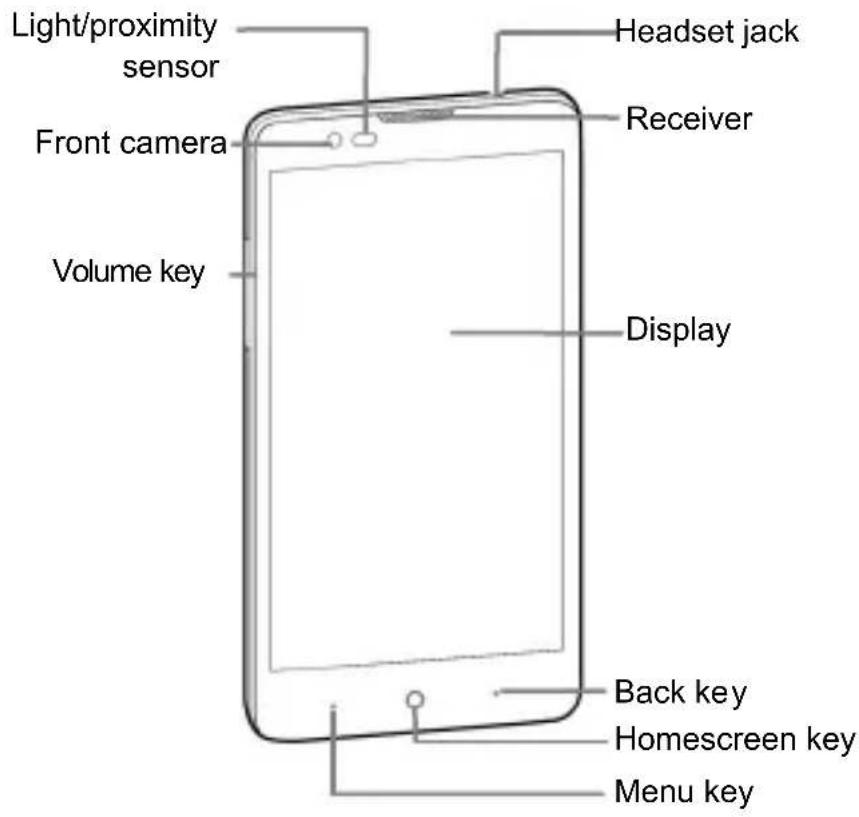
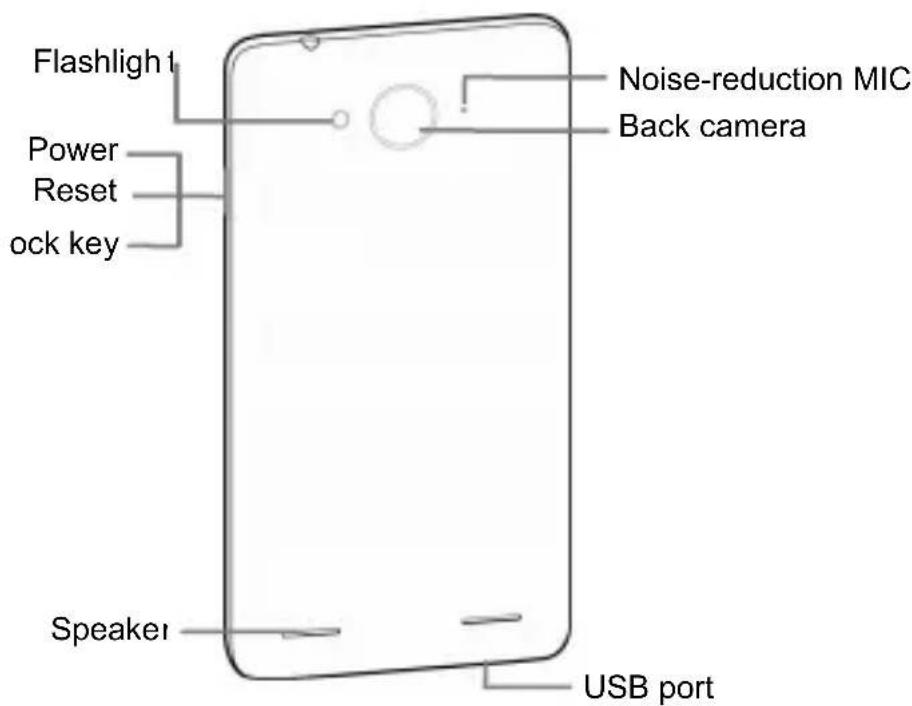
Inserting and Removing SIM card
You must insert a valid SIM card into your phone before use. All information about the establishment of network connection, together with the relevant information saved in the card's Contacts, are stored in the SIM card.
-
Open the back cover and insert the SIM card into the socket.
-
You can use a Micro-SIM card only.
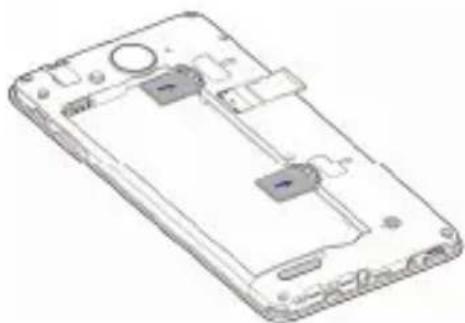
natural_image
Line drawing of a smartphone showing internal components and casing (no text or symbols)Note:
-
The card slot 1 supports both WCDMA and GSM network. When a WCDMA card is inserted into the card slot 1, the card slot 2 supports GSM network only.
-
Two SIM cards cannot support 3G network at the same time. When one SIM card supports 3G network, the other SIM card supports GSM network only.
-
Only one card supports data service. When one card is used for data service, the other card cannot be used.
A Micro-SIM card is a small SIM card with dimensions of 12mm x15mm, which functions the same as a regular SIM card. The word ‘Micro-SIM’ on the phone is used just to clarify the mobile phone’s functions and give an instruction to consumers.
Inserting and Removing Memory card
Insert the memory card into the card slot in the direction shown in the figure.
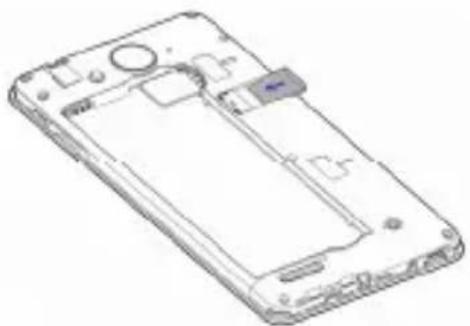
natural_image
Line drawing of a smartphone casing with internal components (no text or symbols)Charging the Battery
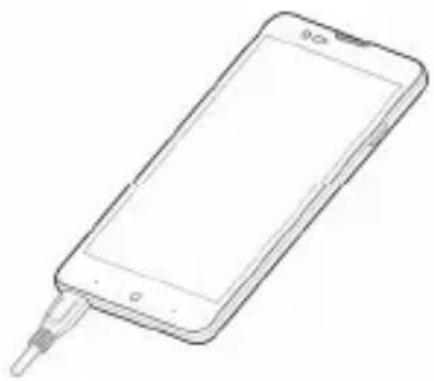
Connect the charger to the phone using a USB cable, and plug the charger into a standard power socket.
natural_image
Line drawing of a smartphone with a cable inserted (no text or symbols)The Quick Start Guide provides simple instructions to users. For details about the functions, please read the internal User Manual. Open ‘User Manual’ to get more instructions.
Declaration of RoHS compliance
We're determined to reduce the impact we have on the environment and take responsibility for the earth we live on. So this document allows us to formally declare that the ZTE Blade L3 Plus, manufactured by ZTE CORPORATION, fully complies with the European Parliament's RoHS (Restriction of Hazardous Substances) Directive 2002/95/EC, with respect to all the following substances:
(1) Lead (Pb)
(2) Mercury (Hg)
(3) Cadmium (Cd)
(4) Hexavalent Chromium (Cr (VI))
(5) Polybrominated biphenyl (PBB)
(6) Polybrominated diphenyl ether (PBDE)
Our compliance is witnessed by written declaration from our suppliers. This confirms that any potential trace contamination levels of the substances listed above are below the maximum level set by EU 2002/95/EC, or are exempt due to their application.
The ZTE Blade L3 Plus manufactured by ZTE CORPORATION, meets all the requirements of EU 2002/95/EC.
Disposal of your old phone
natural_image
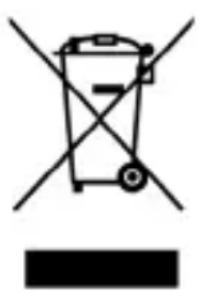
Symbol of a trash bin with crossed lines indicating no waste or restriction, and a solid black rectangle below (no text or labels)- When the wheelie bin symbol is attached to a product, it means the product is covered by the European Directive 2002/96/CE.
- All electrical and electronic products should be disposed of separately from normal household waste via designated collection points provided by government or local authorities.
- The correct disposal of electrical and electronic products will help protect the environment and human health.
Health and safety
SAR certification information
The model meets international guidelines for exposure to radio waves.
Your phone is a radio transmitter and receiver. It's designed not to exceed the limits for exposure to radio waves recommended by international guidelines. The guidelines were developed by ICNIRP, an independent technical standards body, and include margins designed to assure the protection of all persons, regardless of age and health.
These guidelines use a unit of measurement known as Specific Absorption Rate, (SAR). The SAR limit for mobile devices is 2.0 W/kg and the highest SAR value for this device when tested near the head is 0.349 W/kg, near the body is 0.972 W/kg. ^1 ...
As SAR is measured when the phone is on its highest transmitting power, the actual SAR of this device while operating normally is typically below the levels shown above. This is because your phone automatically changes its power level to ensure it only uses the minimum level required to reach the network.
The World Health Organization has stated that present scientific information does not indicate the need for any special precautions for the use of mobile devices.
Important safety information
For your own health and safety, please follow the radio frequency (RF) radiation exposure guidelines and keep your phone no less than 1.5cm away from your body.
Failure to do this could mean that your RF exposure exceeds the guideline limits.
How to limit your radio frequency (RF) exposure
The World Health Organization (WHO) gives the following advice to people who want to limit their exposure to RF radiation...
Present scientific information does not indicate the need for any special precautions for the use of mobile phones. If individuals are concerned, they may choose to limit their own or their children's RF exposure by limiting the length of calls, or using 'hands-free' devices to keep mobile phones away from the head and body.
Further information on the subject can be obtained from the World Health Organization website at http://www.who.int/peh-emf WHO Fact sheet 193: June 2000.
It is hereby declared that following designated product:
Product Type: WCDMA Digital Mobile Handset
Model No.: ZTE V993W
complies with the essential protection requirements of Low Voltage Directive 2006/95/EC (previous 73/23/EEC), Electromagnetic Compatibility Directive 2004/108/EC (previous 89/336/EEC), Radio and Telecommunication Terminal Equipment Directive (EC Directive 1999/05/EC), Erp directive (2009/125/EC) and their amendments.
This declaration applies to all specimens manufactured identical to the samples submitted for testing/evaluation.
Assessment of compliance of the product with the requirements relating to Low Voltage Directive 2006/95/EC (previous 73/23/EEC), Electromagnetic Compatibility Directive 2004/108/EC (previous 89/336/EEC), Erp directive 2009/125/EC (previous 2005/32/EC), Radio and Telecommunication Terminal Equipment Directive 1999/05/EC and their amendments was performed by Phoenix Testlab (Notified Body No. 0700), based on the following standards:
| Safety | EN60950-1:2006+A11:2009+A1:2010+A12:2011; EN62471:2008 |
| EMC EN | 301 489-1 V1.9.2; EN 301 489-3 V1.6.1;EN 301 489-7 V1.3.1; EN 301 489-17 V2.2.1;EN 301 489-24 V1.5.1 |
| Radio EN | 300 328 V1.8.1;EN 300 440-1 V1.6.1;EN 300 440-2 V1.4.1EN 301 908-1 V6.2.1;EN 301 908-2 V5.4.1;EN 301 511 V9.0.2; |
| Health | EN 50360:2001/A1:2012EN 62209-1:2006; EN 62209-2:2010;EN 50566:2013; EN 62479:2010 |
This declaration is the responsibility of the manufacturer:
ZTE Corporation
ZTE Plaza, Keji Road South, Hi-Tech, Industrial Park,
Nanshan District, Shenzhen, Guangdong, 518057, P.R. China
Authorised person signing for the company:
Xu feng
Quality Director Of ZTE Corporation
Name in block letters & position in the company
Shenzhen, October 2014
徐锋
Place & date
Legally valid signature
ZTE Blade L3 Plus
Copyright © 2015 ZTE Corporation.
natural_image
Line drawing of a smartphone showing internal components and casing (no text or symbols)natural_image
Line drawing of a smartphone rear panel with visible internal components (no text or symbols)natural_image
Line drawing of a smartphone with a cable inserted, showing its screen and antenna (no text or symbols)Notas:
natural_image
Simple line drawing of a trash bin with crossed lines indicating no waste or discharge (no text or symbols)ZTE Plaza, Keji Road South, Hi-Tech, Industrial Park,
Nanshan District, Shenzhen, Guangdong, 518057, P.R. China
Copyright © 2014 pela ZTE Corporation
natural_image
Line drawing of a smartphone front panel with internal components (no text or symbols)Nota:
natural_image
Line drawing of a smartphone rear panel with visible circuitry and mounting points (no text or symbols)Carregando a Bateria
natural_image
Line drawing of a smartphone with a cable inserted (no text or symbols)natural_image
Symbol of a trash bin with crossed lines indicating no waste or restriction, plus a solid black rectangle below (no text or labels)ZTE Plaza, Keji Road South, Hi-Tech, Industrial Park,
Nanshan District, Shenzhen, Guangdong, 518057, P.R. China
Shenzhen, October 2014
徐锋
Local & data Assinatura legal válida
Copyright © 2014 Da ZTE Corporation
natural_image
Line drawing of a smartphone showing internal components and casing (no text or symbols)Nota:
natural_image
Line drawing of a smartphone rear panel showing internal components and casing (no text or symbols)natural_image
Line drawing of a smartphone with a cable inserted (no text or symbols)natural_image
Symbol of a trash bin with crossed lines indicating no waste or restriction, and a solid black rectangle below (no text or labels)ZTE Plaza, Keji Road South, Hi-Tech, Industrial Park,
Nanshan District, Shenzhen, Guangdong, 518057, Repubblica popolare cinese
- ZTE Blade L3 Plus Quick Start Guide
- Copyrights
- Trademarks
- Third-party Applications Statement
- Getting to Know Your Phone
- Inserting and Removing SIM card
- Note:
- Inserting and Removing Memory card
- Charging the Battery
- Declaration of RoHS compliance
- Disposal of your old phone
- Health and safety
- SAR certification information
- The model meets international guidelines for exposure to radio waves.
- Important safety information
- How to limit your radio frequency (RF) exposure
- ZTE Blade L3 Plus
- Notas:
- Nota:
- Carregando a Bateria
Brand : ZTE
Model : Blade L3 Plus
Category : Smartphone