Blade A521 - Smartphone ZTE - Free user manual and instructions
Find the device manual for free Blade A521 ZTE in PDF.


| Product Type | Smartphone |
| Brand | ZTE |
| Model | Blade A521 |
| Dimensions (approx.) | 165 x 75 x 8 mm |
| Weight | 190 g |
| Battery Capacity | 4000 mAh (removable) |
| Display | 6.5-inch HD+ IPS LCD |
| Processor | Octa-core 1.6 GHz |
| Operating System | Android 10 (Go edition) |
| Storage | 32 GB internal, expandable via microSD |
| RAM | 2 GB |
| Rear Camera | 13 MP + 2 MP (depth) dual camera |
| Front Camera | 5 MP |
| Connectivity | 4G LTE, Wi-Fi 802.11 b/g/n, Bluetooth 4.2, GPS |
| SIM | Dual SIM (Nano-SIM, dual stand-by) |
| Sensors | Fingerprint (rear-mounted), accelerometer, proximity |
| Ports | microUSB 2.0, 3.5mm headphone jack |
| Battery Charging | Standard 5W charger included |
| Care Instructions | Keep away from water and extreme temperatures. Clean with soft dry cloth. |
| Safety | Avoid using while charging. Use only approved accessories. |
| Spare Parts & Repairability | Battery removable; screen and other parts replaceable by authorized service centers. |
| General Information | Released in 2020. For user manual and support, visit ZTE official website. |
Frequently Asked Questions - Blade A521 ZTE
User questions about Blade A521 ZTE
0 question about this device. Answer the ones you know or ask your own.
Ask a new question about this device
Download the instructions for your Smartphone in PDF format for free! Find your manual Blade A521 - ZTE and take your electronic device back in hand. On this page are published all the documents necessary for the use of your device. Blade A521 by ZTE.
USER MANUAL Blade A521 ZTE
ZTE BLADE A521Upgrade Guide (Through SD Card)
1. Cautions
The software version and pictures in this document are just for reference only. Please use ZTE handset support website provided version to download software.
1) Download the upgrade package.
- Open http://www.ztedevice.com.cn/support and download the upgrade package (update.zip) that matches your phone model. If the downloaded package is not update.zip, unzip the package to obtain it.
- Ensure that your micro SD card is at least 2GB.
Note : Please refer to our current version download size.
2) Remove the SIM card before upgrade.
3) Backup your data and APPs in your phone before upgrade. You can use third-part backup apps.
4) Verify that the update.zip file in the root directory of the SD card matches the model of the phone. Do not modify the file name and extension name of the files in the upgrade package.
5) Verify that your phone has enough (at least 40%) power. Charge the phone if required. To avoid data lost or upgrade failure, it is not recommended to upgrade your phone through an SD card when the phone is being charged.
6) You should not perform any other operation on the phone during the upgrade process.
7) A normal upgrade should be completed in about 4 minutes. If it fails, please try again. Any question you can contact the after-sale center to get support.
2. Update from system
1) Download the upgrade package that matches the phone model from ZTE official website (http://www.ztedevice.com.cn/support/), extract update.zip
from the package and copy it to the root directory of the SD card (the file name must be update.zip).
2) Check update.zip file in the root directory of the SD card by File Manager and make sure the file is pasted successfully.

update.zip
1.29G, 2015-12-10 09:12
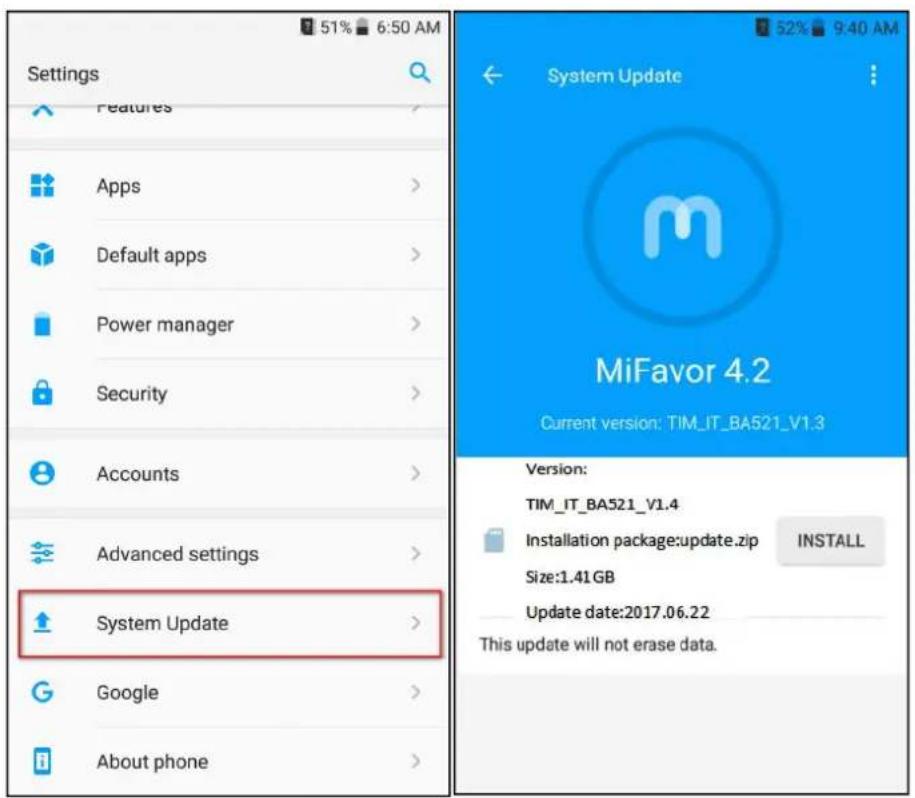
3) Select Settings—>System update, then click INSTALL button and finish update following tips.
3. Update from recovery mode
1) Download the upgrade package that matches the phone model from ZTE official website (http://www.ztedevice.com.cn/support/), extract update.zip from the package and copy it to the root directory of the SD card (the file name must be update.zip).
2) Check update.zip file in the root directory of the SD card by File Manager
and make sure the file is pasted successfully.

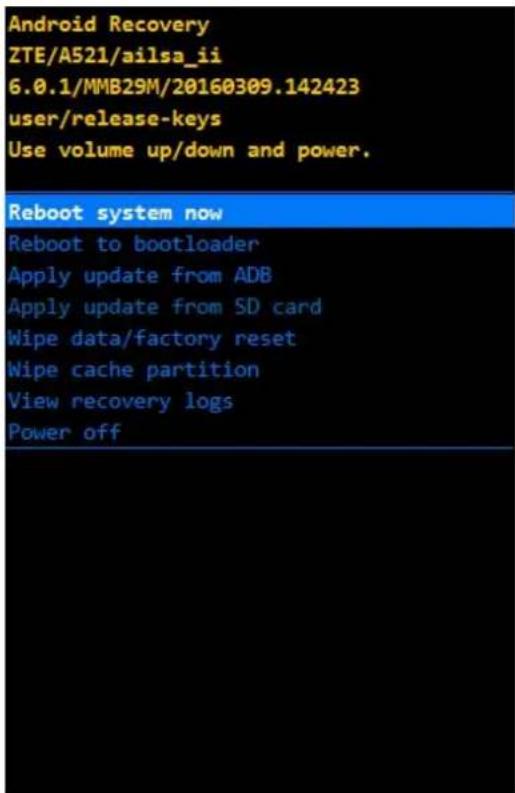
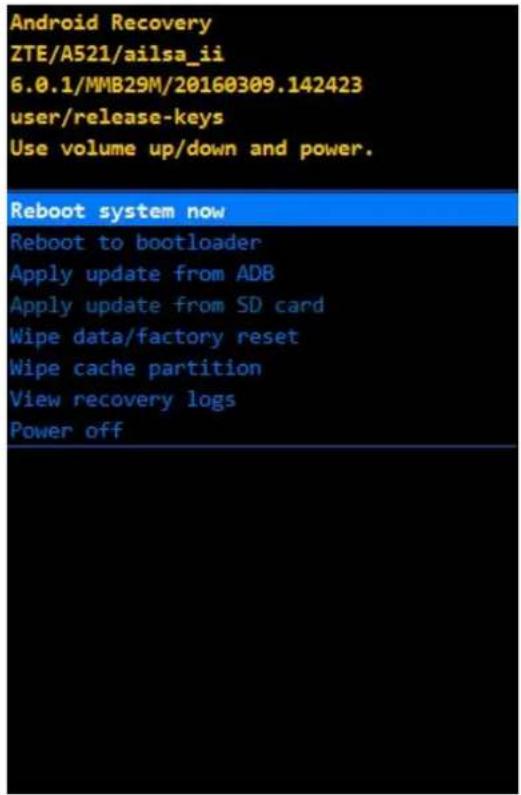
3) Power off the phone, press and hold volume up & power key together until phone enters Android system recovery mode.
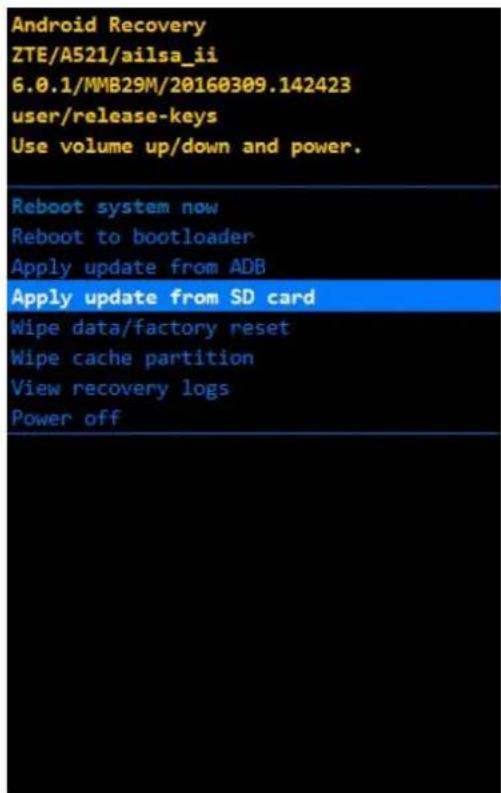
1) Press Volume key to select Apply update from SD card and press power key to confirm selection.
2) Press Volume key to select the update.zip file and then press power key to start the upgrade process.
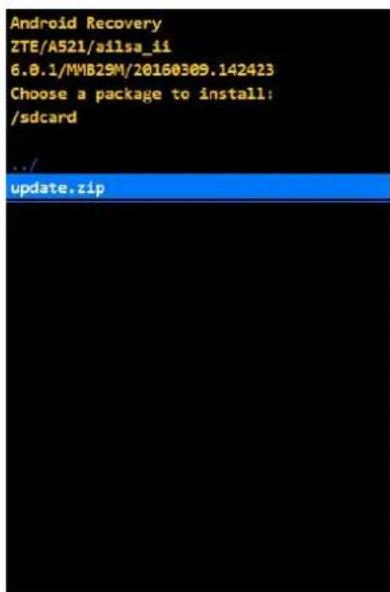
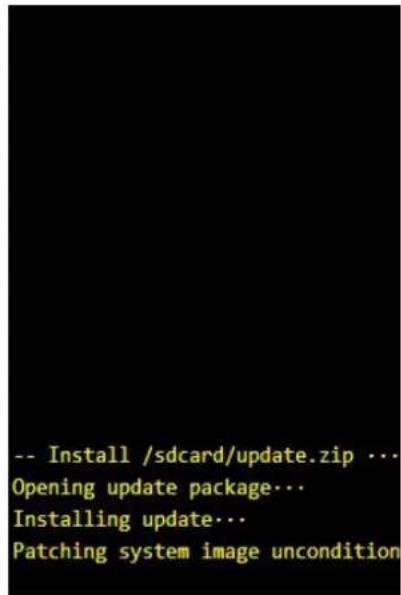
3) The upgrade completes in about four minutes and the screen tells you Install from SD card complete. Please select reboot system now and press power key to reboot your phone. Restore the phone to factory configuration manually to finish upgrade.