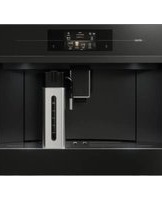
CM4574M - Coffee maker Atag - Free user manual and instructions
Find the device manual for free CM4574M Atag in PDF.


| Product Type | Drip Coffee Maker |
| Brand | Atag |
| Model | CM4574M |
| Dimensions (W x D x H) | 24 x 30 x 35 cm |
| Weight | 2.5 kg |
| Power Supply | 220-240 V, 50/60 Hz |
| Power Consumption | 1000 W |
| Water Tank Capacity | 1.5 L |
| Max Cup Capacity | 12 cups |
| Brewing Temperature | 92-96 °C |
| Brewing Time (full tank) | Approx. 10 min |
| Pause & Serve Function | Yes |
| Auto Shut-Off | Yes, after 2 hours |
| Programmable Timer | Yes, 24-hour |
| Keep Warm Plate | Yes, automatic |
| Water Level Indicator | Yes, transparent |
| Anti-Drip Valve | Yes |
| Filter Type | Paper filter size 4, reusable basket |
| Cord Storage | Yes, under base |
| Cleaning Recommendation | Descale every 3 months |
| Safety Features | Auto shut-off, boil-dry protection |
| Repairability Index | 7.5 / 10 (spare parts available) |
| Warranty | 2 years |
Frequently Asked Questions - CM4574M Atag
User questions about CM4574M Atag
0 question about this device. Answer the ones you know or ask your own.
Ask a new question about this device
Download the instructions for your Coffee maker in PDF format for free! Find your manual CM4574M - Atag and take your electronic device back in hand. On this page are published all the documents necessary for the use of your device. CM4574M by Atag.
USER MANUAL CM4574M Atag
natural_image
Interior view of a modern kitchen appliance with digital display and control panel (no visible text or symbols)INSTRUCTIONSFORUSE
Coffeemachine
CM4574M
CM4585M
Contents
Set your appliance to 'Standby' and 'Off' .... Importanttipsandtrickswhenyoumake coffee....
Cleantheinternaltubesofthemilkcontainer andthenozzle....
3Pictogramusednentsofthemilk......
4Safetytainer.... 25
7Yourcoffeemachine......
7Dearcustomer!......
8Descriptionoftheappliance......
11Touchkeysandsymbols......
14Operation....
14Beforefirstuse......
15Setyourapplianceto'On'......
16 28
16
16Makecoffeeusingcoffeebeans......
17Makecoffeeusingpre-groundcoffee......
17AdjOsethetgebdwingunit/infuseroncea.....
18Makeoilk-basedhotdrinks 31
19Makeandthebsrefcincenit/infuser.twicea.....
19Cysteinisebeverages.... 33
19Supplyabeveragethatiscustomised......
20Customiseauserprofile......
20Supplyhotwaterorsteam......
21Settings....
21Settingsmenu....
23Maintenance....
23Cleanyourappliance......
23Cleanthehotwaterspout......
24
25
25Cleanthea
26Cleanthe
26Cleanthe
27Cleanthei
27Cleanthev
27Cleanthe
27Cleanther
28Descaletr
29Setthewal
30Installawa
31Replacea
31Removea
31
33
35Usethemi
37Troubles
39Environn
39Disposal
40Installatio
40Safety.....
41Dimensio
42Built-in....
44Yournote
Thefollowingsymbolsareusedthroughoutthemanual, and they havethefollowingmeanings:

INFORMATION!
Information, advice, tip, or recommendation

WARNING!
Warning–general danger

ELECTRICSHOCK!
Warning—dangerofelectricshock

HOTSURFACE!
Warning-dangerofhotsurface

DANGEROFFIRE!
Warning-dangeroffire

RIGHT!

WRONG!
It is important that you carefully read the instructions.
WARNING!
READCAREFULLYANDKEEPITFORFUTUREREFERENCE!
Whatyoushouldpayattentionto
WARNING!
The appliance and its accessible parts become hot during use.
Careshouldbetakentoavoidtouchingheatingelements.
- This appliance can be used by children aged from 8 years and above and persons with reduced physical, sensory or mental capabilities or lack of experience and knowledge if they have been given supervision or instruction concerning use of the appliance in asafeway and understand the hazards involved.
- Appliances can be used by persons with reduced physical, sensory or mental capabilities or lack of experience and knowledge if they have been given supervision or instruction concerning the use of the appliance in asafeway and understand the hazards involved.
- Childrenshouldbesupervisedtoensurethattheydonotplay withtheappliance.
- Donotallowchildrentocleanormaintaintheapplianceunless supervised.
- Always disconnect the appliance from the supply if it is left unattended and before assembling, disassembling or cleaning.
●
Surfacesmarkedwiththissymbolbecomehotduringuse(the symbolispresentincertainmodelsonly).
WARNING!
Thefillingaperturemustnotbeopenedduringuse.
WARNING!
Avoidspillageontheconnector.
WARNING!
Thereisapossibilityofinjurywhenthereisamisuseofthe appliance.
- Heatingelementsurfacesaresubjectedtoresidualheatafteruse.
WARNING!
Donotusetheapplianceiftheglasssurfaceiscracked.
- Neverimmersetheapplianceinwater.
- Thisisahouseholdapplianceonly.Itisnotintendedtobeused in:staffkitchenareasinshops,officesandotherworking environments;farmhouses;byclientsinhotels,motelsandother residentialtypeenvironments;bedandbreakfasttype environments.
- If the supply cord is damaged, it must bere placed by the manufacturer, its service agent or similar qualified persons in orderto avoidahazard.
- Donotleanorhangonthemachinewhenithascomeoutofthe cabinetanddonotplaceheavyorunstableobjectsonthe machine.
- Themanufacturerisnotliablefordamagecausedbyimproper, incorrectorunreasonableuseoftheappliance.
- When using the appliance, donottouch the hot surfaces. Use theknobsor handles.
- Incaseoffailures, makesuretheapplianceisnotconnectedto themainspowersupply. Refertoourservicedepartmentfor repairs.
- Onlyaskfororiginalsparepartstobeused.Failuretorespect theabovecouldreducethesafetyoftheappliance.
Safety
- Donotputobjectscontainingliquids,inflammableorcorrosive materialsonthemachine.
- Usetheaccessoriesholdertocontaincoffeeaccessories(for examplecoffeebeans).
- Nevertouchtheappliancewithdamphands.
- Unplugdirectlyfromtheplugonly.
- Neverpullthepowercableasyoucoulddamageit.
Designateduse
- This appliance is intended for domestic use only (around 3000 cupsayear). Any other use is considered improper and in that case, no guarantee will begin.
- This appliance is designed to “make espresso coffee” and “heat drinks”. Useitwithcaretoavoidscaldsfromthewaterandsteam jetsorthroughincorrectuse.
- This appliance is designed and made to prepare beverages based on coffee, milk and hot water. Only used drinking water in the tank. Never use the accessoriestomake beverages other than those described in these instructions. Any other uses is considered improper and thus dangerous. The manufacturer is not liable for damaged or deriving from improper use of the appliance.
- Cleanallthecomponentsthoroughly, takingparticularcarewith partsincontactwiththemilk.
- IMPORTANT: Topreventdamagetotheappliance, donotclean with alkalinedetergents; useasoftclothand, whereapplicable, neutraldetergent.
Dearcustomer!
Pleasereadtheoperatinginstructionsbeforeuse. Theyincludegeneraltips, informationaboutthe settingsandadjustmentsyoucanmake,andthebestwaytotakecareofyourappliance.
TIP!
You can find them most recent version of the instructions for use on our website.
Enjoy your cooking!
Yourcoffeemachine
Descriptionoftheappliance
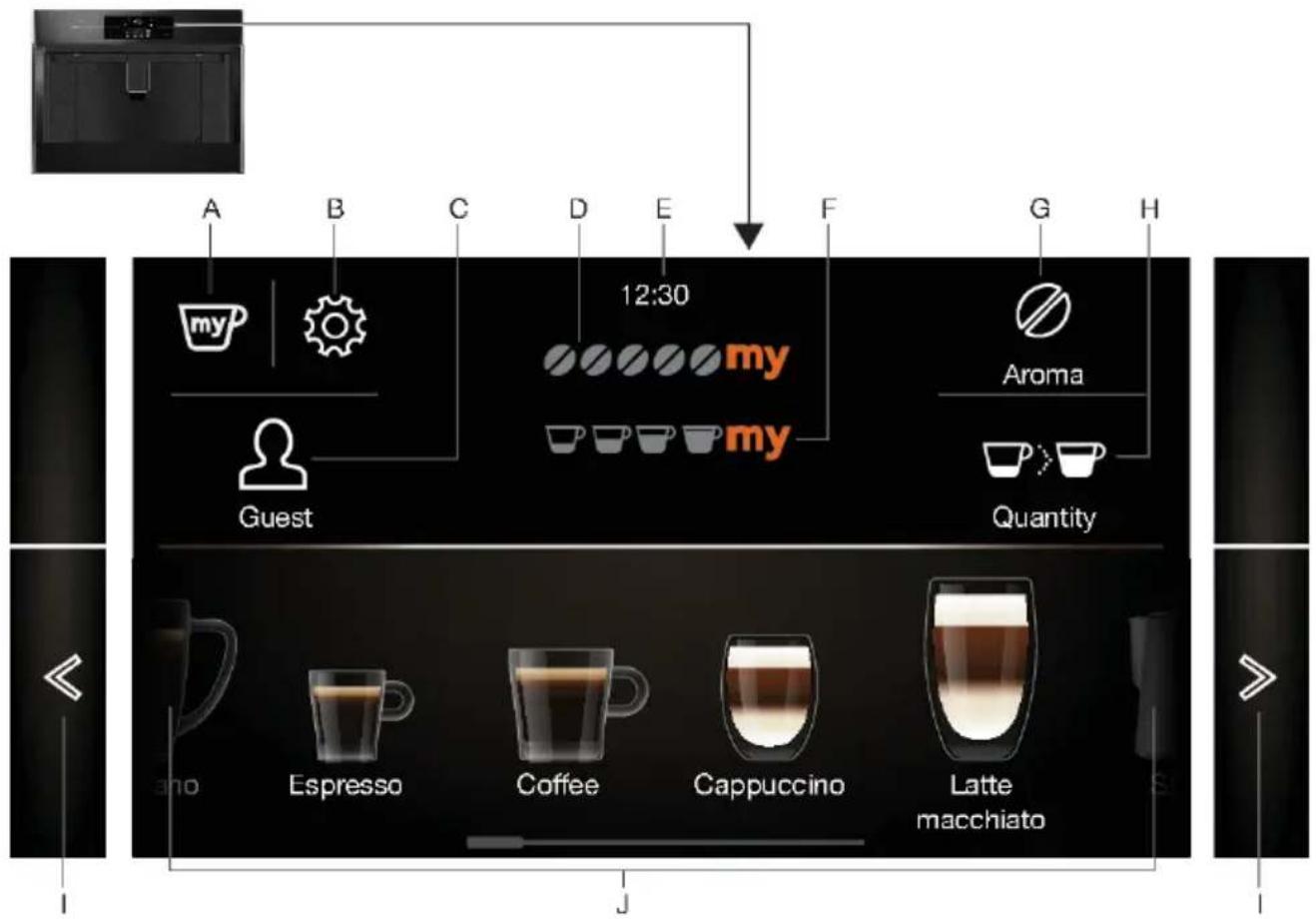
flowchart
graph TD
    A["Guest"] --> B["my"]
    B --> C["Splice icon"]
    C --> D["12:30 coffee cup"]
    D --> E["my"]
    E --> F["my"]
    F --> G["Aroma"]
    G --> H["Quantity cup"]
    H --> I["Latte macchiato"]
    I --> J["Espresso"]
    J --> K["Coffee cup"]
    K --> L["Cappuccino"]
    L --> M["Latte macchiato"]
A.Myprofile
B.Settings
C.Userprofile
D. Selectedaroma
E.Time
F.Selectedsize
G.Aroma
H.Size
I.Scrollleft/right
J.Beveragesavailabletoselect

natural_image
Row of glass and beer mug icons arranged horizontally on a dark background (no text or symbols)Whenthisprimaryscreenisshown, the appliance is ready to use.
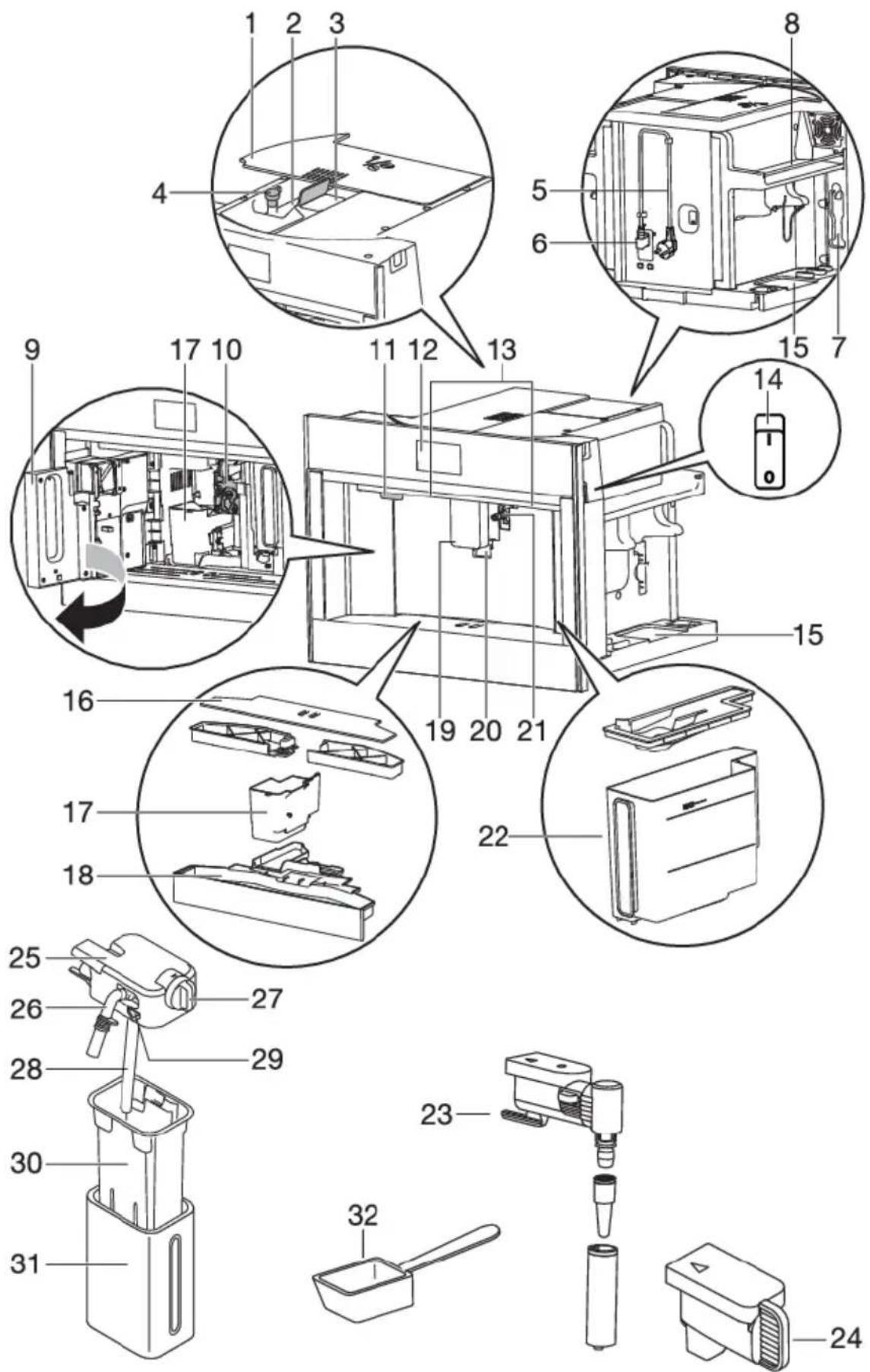
Yourcoffeemachine
- Lidbeancontainer
- Beancontainer
- Groundcoffeefunnel(withlid)
4.Knobtoadjustthegrindlevel
5.Powercord
6.IECconnector - Areaforthemeasuringspoon
8.Cupwarmingarea - Servicedoor
10.Brewingunit - On/Standbybutton
- Controlpanel
- Lighting
14.Mainswitch
15.Areaforaccessories(leftandright)
16.Cuptray - Coffeegroundscontainer
- Driptraywithlevelindicator
- Coffeespouts(adjustableheight)
20.Cuplights - Hotwaterconnectionnozzle
22.Watertank - Hotwaterspout
- Coverconnectionnozzle
- Lidwithamilkfrother
- Frothedmilkspout(adjustable)
- Milkfrothadjustmentknob
- Milkintaketube
- Releasebutton
30.Milkcontainer - Thermalcasing
- Measuringspoonforpre-groundcoffee
Maintenanceset
•'TotalHardnessTest'indicatorpaper
- Descaler
- Watersoftenerfilter(certainmodelsonly)
- Cleaningbrush/cleaningcloth
- Milkcleaner
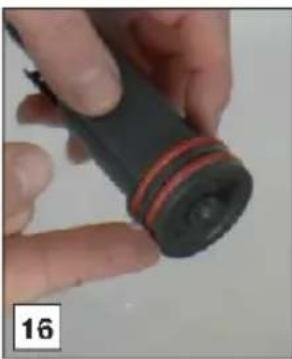
•O-ringsandlubricatinggrease
Touchkeysandsymbols
Touchkeys

Myprofile
Customiseseveralbeveragesettingsfortheuserprofilethatisshownonthe primaryscreen.
- Seechapter'Customisebeverages'.
- Youcannotusethistouchkeywhentheguestprofileisshownonthe display.

Settings
- Seechapter'Settingsmenu'.

Userprofile
Touchthiskeytoselectthecorrectuserprofile.Sixdifferentuser-profilesandaguestprofileareavailable.
- If you select a beverage that has been customised for this profile, it will be supplied with the customised saved settings. See chapter 'Supply a beverage that is customised'.
- If you select the guest profile, beverages will be supplied with the default settings.

Customiseauserprofile
- Seechapter'Customiseauserprofile'.

Aroma
- Touch this key (several times) to select 'Pre-ground' or to select the aroma.

Size
- Touchthiskey(severaltimes)toselectthecoffeequantity.

Scrollleft/right
- Touchthesekeysuntilthecorrectvariableisshownonthedisplay.

OK

Stop

Escape
Cancelorgobackonestep.
- Valueswillnotbesaved.
Yourcoffeemachine
TablecontinuedfromlastpageTablecontinuedfromlastpage
| Touchkeys | |
 Next Next | Next |
  | Minus(-)/Plus(+)Adaptthearomawhenyoucustomiseabeverage. |
 | Start |
 | EnterEnteramenu. |
 | DoubleespressoThistouchkeyisshownonthedisplayforafewsecondsatthestartof preparingoneespresso. |
 Extra Extra | ExtraIncreasethequantityofwaterofthebeveragethatisbeingprepared. |
 | On/OffThesettingis‘off’. |
 Symbols Symbols | On/OffThesettingis‘on’. |
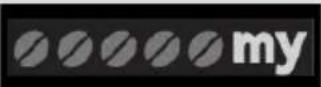 | Myaroma(ifprogrammed)/Standard |
 | •Pre-ground |
 | •Extralight |
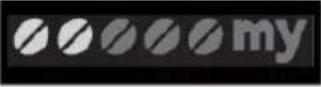 | •Light |
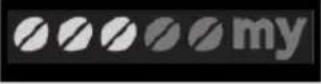 | •Medium |
 | •Strong |
 | •Extrastrong |
 | Myquantity(ifprogrammed)/Standard |
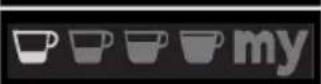 | •Small |
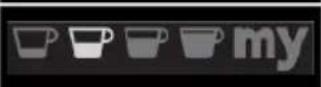 | •Medium |
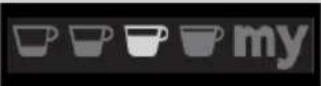 | •Large |
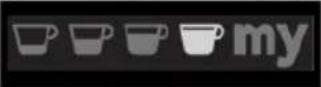 | •Extralarge |
 | Settingssaved |
 | Defaultvalue |
 | Auto-startfunctionenabled |
 | Energy-savingenabled |
 | Filterenabled |
Operation
Beforefirstuse
Removethepackaging.Makesuretheproductiscompleteandundamaged.Checkifallaccessories arepresent.Donotusetheapplianceifitisvisiblydamaged.Contacttheservicedepartmentif thereareanyproblems.
NOTE!
- Coffeehasbeenusedtotesttheapplianceinthefactory.Thereforeitiscompletelynormal thattherearetracesofcoffeeinthemill.
- Customise the water hardness as soon as possible. Obey the instructions in chapter 'Set the waterhardness'.
TIP!
Toimprovetheperformanceofyourappliance, were recommendinstallingawatersoftenerfilter. If yourmodelisnotprovidedwithafilter,youcanpurchaseonefromtheservicedepartment.
NOTE!
- Alwaysusecleanandcoldtapwater,bottledwaterwithoutaddedmineralsordistilledwatersuitableforconsumption.
- The first time you use the appliance, the water circuit is empty. The appliance could be very noisy. Thenoise becomes less when the circuit fills with water.
- The first time you set the appliance, you need to make 4-5 cups of coffee before it starts to give results that a times a satisfactory.
- When making the first 5-6 beverages, it is normal to hear the noise of boiling water. This noise becomes less during use.
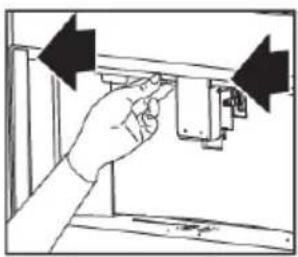
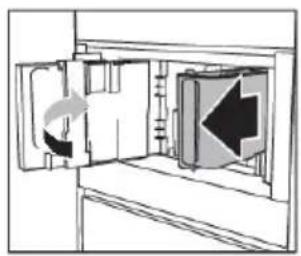
- Pulltheapplianceforwardtogetaccesstothemainswitch, theareaforaccessoriesandthe lidofthebeancontainer. Pullthecoffeespoutsforwardtoopentheservicedoor.
- Usetheaccessoriesholdertocontaincoffeeaccessories(forexamplecoffeebeans).
natural_image
Hand inserting a component into a device panel (no text or symbols visible)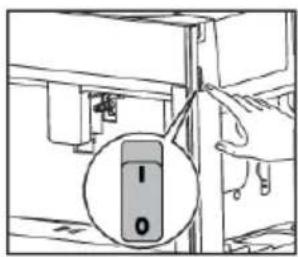
natural_image
Diagram of a ship's interior layout with arrows indicating movement or flow (no text or symbols)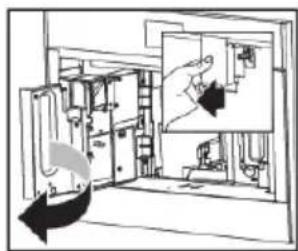
natural_image
Diagram of a room interior with furniture and a hand holding a device, showing no text or symbolsNOTE!
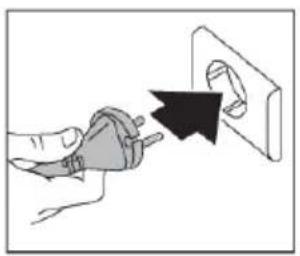
Readandobeytheinstructionsshownonthedisplay. Thedisplayshowsinformationandtouch keystouse. Importantinformationisaccompaniedbyanaudiosignal.
natural_image
Hand inserting a plug into an electrical outlet (no text or symbols visible)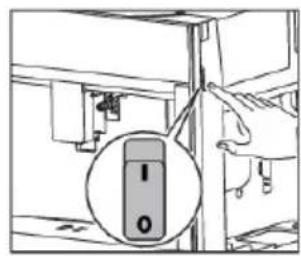
natural_image
Diagram showing a door opening with a directional arrow indicating left motion (no text or symbols present)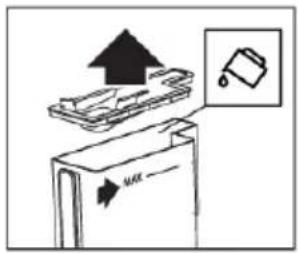
natural_image
Diagram showing a door with two directional arrows indicating flow or movement (no text or symbols present)
natural_image
Simple line drawing of a cylindrical object with an arrow pointing to it, enclosed in a rectangular frame (no text or symbols)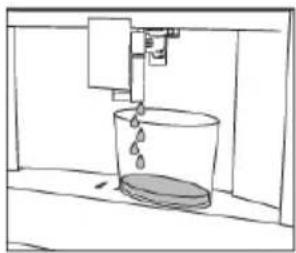
natural_image
Simple line drawing of a bucket pouring liquid into a container (no text or symbols)The appliance goestostandbyautomatically. It is now ready for normal use.

WARNING!
Danger!Riskofburns.
During rinsing, alittlehotwaterflows out of the coffeespouts. Avoid contact with splashes of water. Donotlet the appliance stay unattended while hot water is beings supplied.
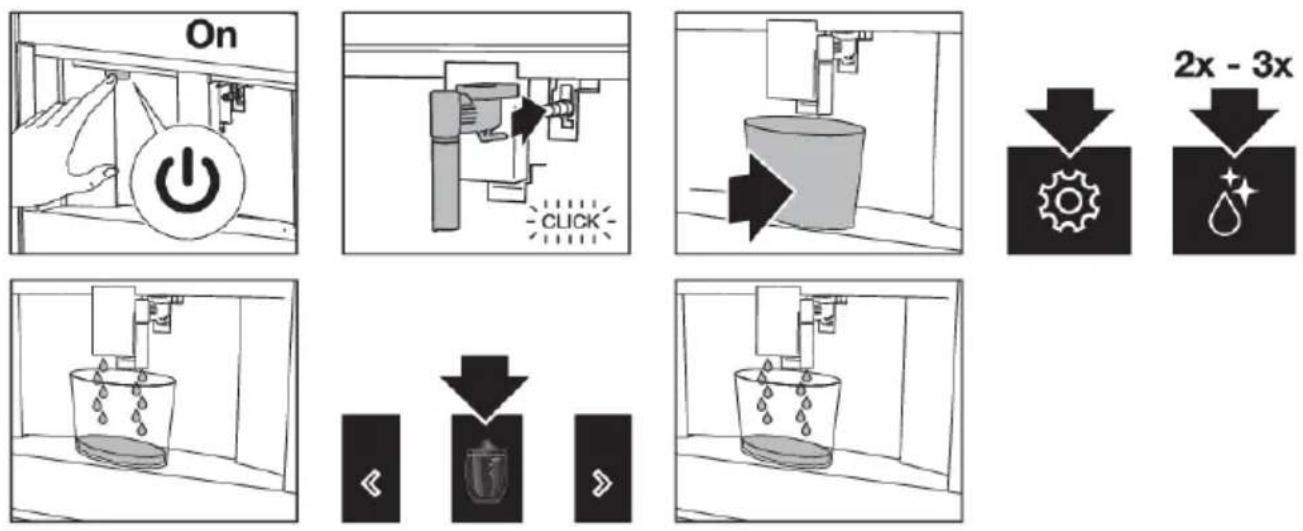
Setyourapplianceto'On'
natural_image
Simple line drawing of a mug inside a cabinet with an arrow indicating direction (no text or symbols)
natural_image
Simple line drawing of a coffee cup with steam rising from a machine (no text or symbols)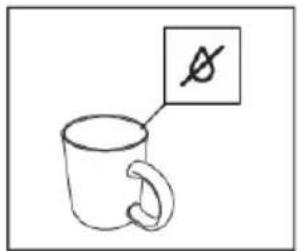
The appliance is ready to use if it has reached the correct temperature.
Theprimaryscreenisshown.
NOTE!
Each time the appliance is set to 'On', it performs an automatic preheat and rinse cycle. This cycle cannot be interrupted. The appliance is ready for use only after the completion of this cycle.
TIP!
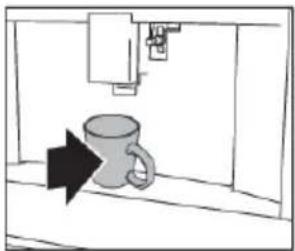
Putacupunderthespouts.Collectthehotwaterfromtherinsecycletowarmthecup.
NOTE!
Donotpushthemainswitchwhiletheapplianceissetto'On'.
Operation
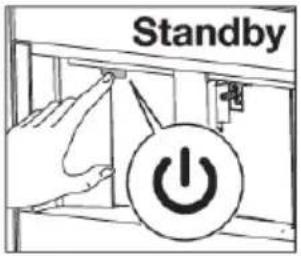
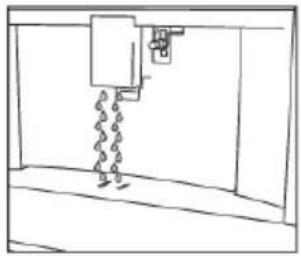
Set your appliance to 'Standby' and 'Off'
natural_image
Simple line drawing of a mechanical device with chains and a lever (no text or symbols)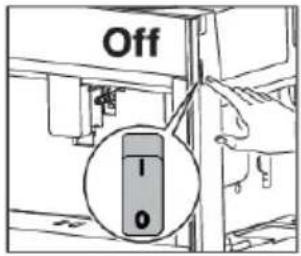
NOTE!
Each time the appliance is set to 'Standby' after being used to make coffee, it performs an automaticrinsecycle.
TIP!
- If you do not use the appliance for a long period, set the appliance to 'Off'.
- Todisconnecttheappliancecompletely, placethemainswitchonthesideoftheappliance inthe0(off)position.
Importanttipsandtrickswhenyoumakecoffee
- Thesupplyofcoffeecanbestoppedatanymoment.
- Assoonasthesupplyhasended, you can increase the quantity of water.
- Youcancustomisebeverages.
- Adjust the grind level if the coffee is supplied, a drop at time to o weak and not creamy enough.
• Makeahottercoffee:
-Performarinsecycleandwarmthecupswiththehotwaterfromtherinsecycle.
-Supplyhotwatertowarmthecups.
-Usethecupwarmersettingtowarmthecups.
-Increasethecoffeetemperature.
- Lowerthespoutstothecupasnearaspossible. This makes the coffeemorecreamy.
• After the coffee supply, the aroma setting and the quantity setting are reset to the 'original recipe'. - Onceabeveragehasbeenmade, the appliance is ready to make them next beverage.
Makecoffeeusingcoffeebeans
NOTE!
Donotusegreen, caramelisedorcandiedcoffeebeans. They could make the coffee emillunusable.
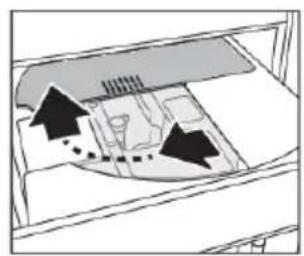
natural_image
Diagram of a boat navigating a ship deck with directional arrows indicating flow or movement (no text or symbols)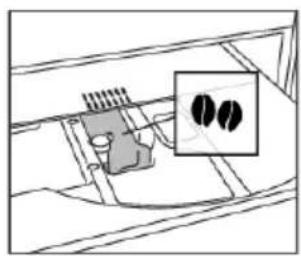
natural_image
Diagram of a mechanical component with internal structure and a magnified inset showing two circular features (no text or symbols)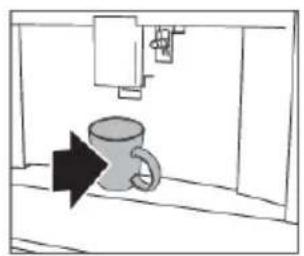
natural_image
Simple line drawing of a kitchen sink with a mug and directional arrow (no text or symbols)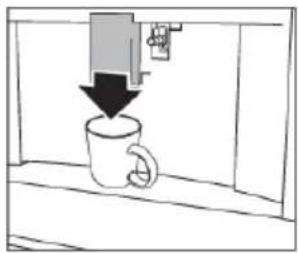
natural_image
Simple line drawing of a coffee cup with a downward arrow indicating compression or lifting (no text or symbols)
natural_image
Simple black-and-white diagram showing a downward arrow above a circular symbol (no text or labels)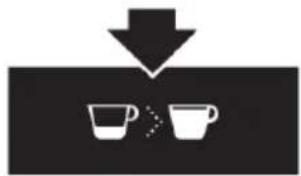
natural_image
Simple diagram showing a downward arrow pointing to two cups, no text or symbols present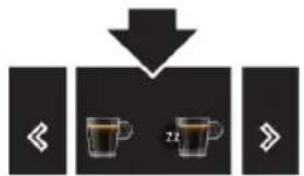
flowchart
graph TD
    A["Start"] --> B["Step 1"]
    B --> C["Step 2"]
    C --> D["Next Step"]
Makecoffeeusingpre-groundcoffee
NOTE!
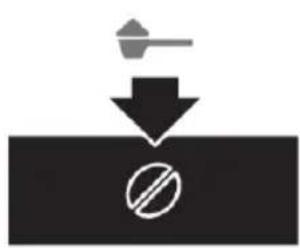
- Only add pre-ground coffee when the appliance is set to 'On'. Otherwise, the coffee could spread through the inside of the appliance and damage it.
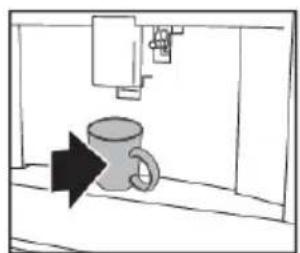
- Onlymakeonecupofcoffeeatatime.Donotusemorethan1measuringspoon.
• Make sure the funnel is not blocked (see chapter 'Maintenance').
natural_image
Simple diagram showing a hammer striking a surface with a prohibition symbol (no text or labels)
natural_image
Simple diagram showing a downward arrow pointing to two white cups, indicating a drop or reduction process (no text or symbols)
natural_image
Diagram of a room interior with furniture and directional arrows indicating movement or flow (no text or symbols)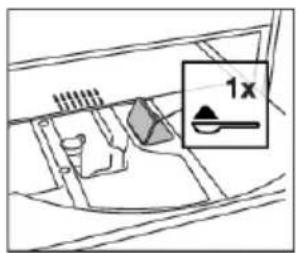
natural_image
Simple line drawing of a mug inside a cabinet with an arrow pointing to it (no text or symbols)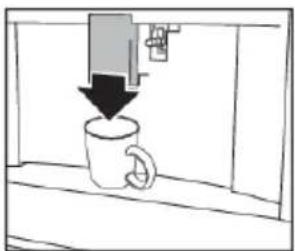
natural_image
Simple line drawing of a coffee mug with a downward arrow, no text or symbols present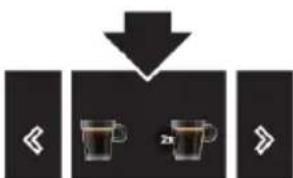
flowchart
graph TD
    A["Start"] --> B{2x}
    B --> C["Next Step"]
    style A fill:#000,stroke:#fff,color:#fff
    style B fill:#fff,stroke:#000,stroke-width:2px
    style C fill:#fff,stroke:#000,stroke-width:2px
Adjustthegrindlevel
Thecoffeemillissetbydefaulttopreparecoffeecorrectly.Itshouldnotrequireregulatinginitially.
However, you can adjust the grind level:
Operation
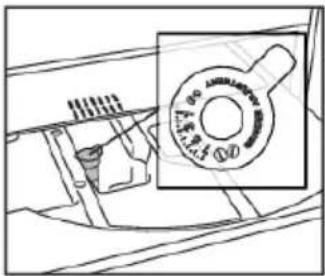
- ifthecoffeeissuppliedtooslowlyornotatall.
-Turntheknoboneclickclockwiseinthedirectionof7.
•forastronger, creamiercoffee.
-Turntheknoboneclickanti-clockwiseinthedirectionof1.
NOTE!
- Only turn the knob when the coffee mill is operating (during the start of the coffee preparation). Turntheknoboneclickatatime.Whenyouhavemadeatleast2cupsofcoffee,turnthe knobanotherclickiftheadjustmentdidnotgivethedesiredresult.
Makemilk-basedhotdrinks
TIP!
- Use skimmed or partially skimmed milk at refrigerator temperature (about 5 °C) to get a richer denserfroth.
| position | Recommendedfor...DescriptionDial | |
 | Caffelatte/HotmilkNofroth | |
 | LattemacchiatoMin.Froth | |
 | Cappuccino/FrothedmilkMax.froth |

natural_image
Diagram of a mechanical device with arrows indicating direction, no text or symbols present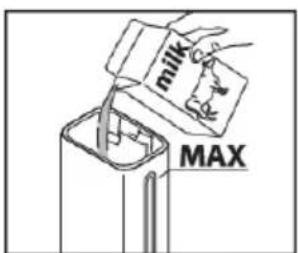
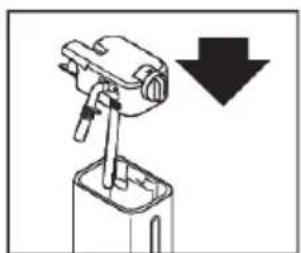
natural_image
Mechanical device with a downward arrow indicating a process or operation (no text or symbols present)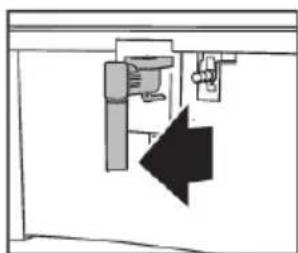
natural_image
Pure electrical circuit lines without any symbols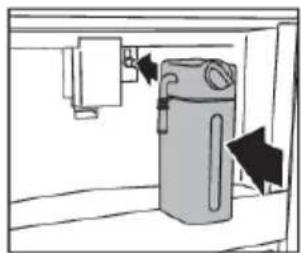
natural_image
Diagram of a water dispenser with directional arrows indicating flow or movement (no text or symbols)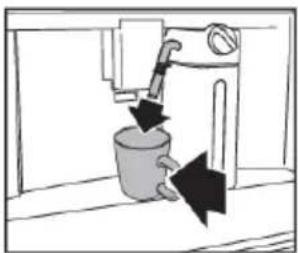
natural_image
Simple line drawing of a kitchen sink with a pipe and bucket, no text or symbols present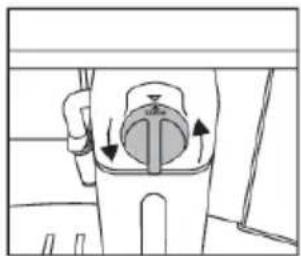
natural_image
Diagram of a mechanical device with directional arrows indicating motion or force (no text or symbols)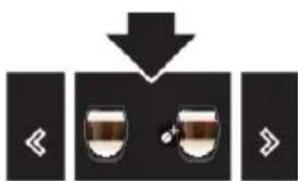
flowchart
graph TD
    A["Start"] --> B["Step 1"]
    B --> C["Step 2"]
    C --> D["Step 3"]
NOTE!
After the supply of a milk-based hot drink, the display shows a CLEAN message (see chapter 'Maintenance').
Maketwocupsofcoffee
With this appliance, you can make a perfect espresso or coffee. Toguarante the equality of each cup, we have chosen not to offer the option of two cups of coffee at the same time.
Customisebeverages
The appliance allows you to choose six different profiles, each associated with a different icon. For every beverage, the customized aroma and amount can be saved in a profile.
Supplyabeveragethatiscustomised
Makesuretheprimaryscreenshowsthecorrectuserprofile.Ifyouselectabeveragethathasbeencustomisedforthisprofile,itwillbesuppliedwiththecustomisedsavedsettings.
TIP!
Theorderinwhichallthebeveragesforauserprofilearedisplayedisbasedonthefrequencyof selection.

natural_image
Simple icon showing a person silhouette with a downward arrow, no text or symbols present
flowchart
graph TD
    A["Left Arrow"] --> B["Two cups"]
    B --> C["Right Arrow"]
TIP!
If you select the guest profile, beverages will be supplied with the default settings.
Operation
Customiseauserprofile
natural_image
Two identical black icons showing a person with a downward arrow above it, and two stylized human figures below (no text or symbols)Supplyhotwaterorsteam

HOTSURFACE!
Danger!Riskofburns.
- Donotlettheappliancestayunattendedwhilehotwaterorsteamisbeingsupplied.
- Avoidburnsfromsplashes. Alwaysstopthehotwaterorsteamsupplybeforeremoving the cupcontainingtheliquid.
TIP!
Usesteamtoheatorfrothliquid.Immersethehotwaterspoutintheliquid.Whentherequired temperatureorleveloffrothisreached,stopthesteamsupply.
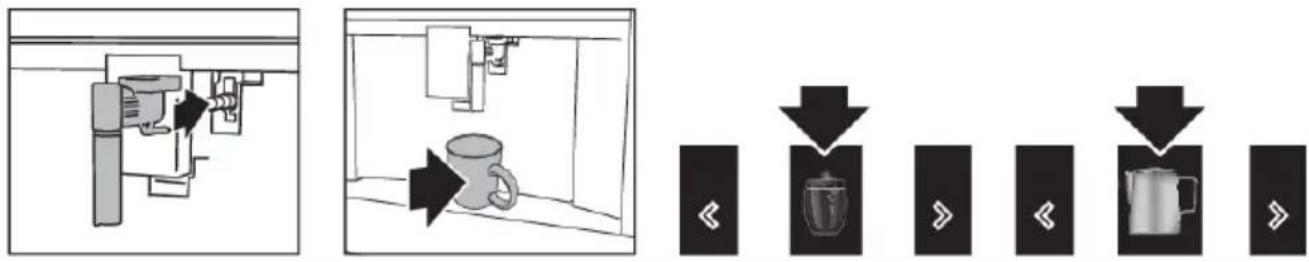
flowchart
graph TD
    A["Start"] --> B["Reactor with Bag"]
    B --> C{Order}
    C -->|Downward Arrow| D["Order to Coffee"]
    C -->|Upward Arrow| E["Order to Coffee"]
    D --> F["Back to Coffee Box"]
    E --> G["Back to Coffee Box"]
TIP!
Tipswhenyouusesteamtofrothmilk
- Whenchoosingthesizeofthecup, bearinmindthattheliquiddoublesortriplesinvolume.
- Foracreamierfroth, rotatethecupwithslowmovementsupanddown.
NOTE!
Clean the hot water spout each time you used it to froth milk (see chapter 'Maintenance').
Settingsmenu
 | RinsingCleanandheattheappliance'sinternalcircuit. Supplyhotwaterfromthecoffee spoutsandhotwaterspout(ifinserted).• Putacontainerwithaminimumcapacityof100mlunderthecoffeeandhot waterspouts. |
 | DescalingSeechapter‘Maintenance’. |
 | WaterfilterSeechapter‘Maintenance’. |
 | DrinksettingsConsultyourcustomisedsettingsforeachprofile. Resetthedefaultvaluesforeach beverage.• See also ‘Default values’ for more information. |
 | SettimeAdjustthetimeshownonthedisplay. |
 | Auto-startSettheauto-starttime.Atthattime,theapplianceisreadytomakecoffee immediately.• Tousethissetting,makesurethatthetimeofthedayiscorrectlyset.• Thecorrespondingsymbolisdisplayadjacenttothetimetoindicatethatthe settingison. |
 | Auto-off(standby)Setthetimefortheappliancetogotostandby. |
 | CupwarmerThefanblowshotairintothecupwarmerarea.• Theresidualheatoftheapplianceisusedforheatingupthecup.Theheating resultisdependingonthetimethemachineissetto‘On’. |
 | EnergysavingEnergyconsumptionisdecreasedincompliancewithEuropeanregulations.• Thecorrespondingsymbolisdisplayadjacenttothetimetoindicatethatthe settingison.• Youmayhavetowaitafewsecondsbeforethefirstcoffeeissupplied. |
Tablecontinuedfromlastpage
 | CoffeetemperatureAdjustthetemperatureofthewaterthatisusedtomakecoffee. |
 | WaterhardnessSeechapter‘Maintenance’. |
| [X8GW] | SetlanguageAdjustthelanguageshownonthedisplay. |
 | BeepSetthebeeponoroff.Youhearabeepeverytimeyoutouchakeyandwhenyouinsert/removeanaccessory. |
 | LightingSetthelightingonoroff.Thecuplightingcomesoneachtimeabeverageissuppliedandduringeachrinsecycle. |
 | BackgroundSetthecolourofthedisplaybackground. |
| DEMO | DemomodeStartthedemomodetoshowthemainfunctions.To exit the demo mode, set your appliance to ‘Standby’. |
| [STXX] | DefaultvaluesResetallmenusettingsandprogrammedquantitiesbacktothedefaultvalues(withtheexceptionofthelanguage). |
 | StatisticsShowstatisticsrelatingtotheappliance. |
Cleanyourappliance
WARNING!
Readandobeytheinstructionsshownonthedisplay. Thedisplayshowsinformationandtouch keystouse. Importantinformationisaccompaniedbyanaudiosignal.
NOTE!
- Do not use solvents, abrasive detergents, alcohol or chemical products to clean the appliance!
- Donotusemetalobjectstoremoveencrustationsorcoffeedeposits. They could scratch metalorplasticsurfaces.
- Only the milk container is dishwasher safe. Do not clean the other components of the appliance inthedishwasher!
Regularcleaning
•Thehotwaterspout(eachtimeyouusedittofrothmilk).
- Theinternaltubesofthemilkcontainerandthehotwaterconnectionnozzle(eachtimea milk-basedhotdrinkissupplied).
- Themilkcontainerandallthecomponents(aboutonceamonth).
•The appliance's internal circuit.
•Thecoffeegroundscontainer.
- Thedriptray.
•Theinsideofthecoffeemachine(aboutonceamonth).
- Thewatertank(aboutonceamonthandwhenyoureplacethewatersoftenerfilter).
•Thecoffeespouts.
•Thepre-groundcoffeefunnel(aboutonceamonth).
•Thebrewingunitandtheinfuser(atleastonceamonth).
Specialcleaning
- Twiceayearyoumustdisassemblethebrewingunit,cleanthepartsandlubricatetheO-rings of the brewing unit and the infuser (see 'Clean the brewing unit/infuser twice a year').
- Eachtimethemilkcontainerisempty, were recommendcleaningallcomponentsusingthemilk cleaner(see'Usethemilkcleaner').
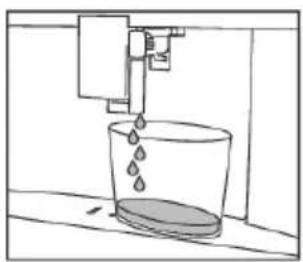
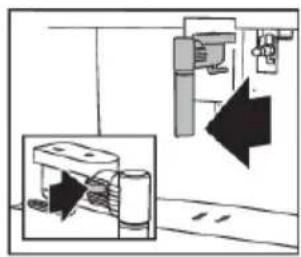
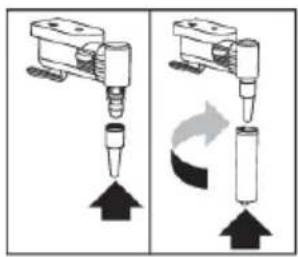
Cleanthehotwaterspout
Cleanthehotwaterspouteachtimeyouusedittofrothmilk. This avoidsthebuild-upofmilkresidues and preventsitfromclogging.
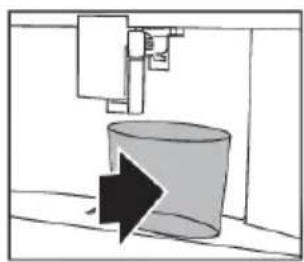
natural_image
Simple line drawing of a cylindrical object with an arrow pointing downward, no text or symbols present.
natural_image
Simple line drawing of a bucket pouring liquid into a container (no text or symbols)Maintenance

HOTSURFACE!
Waitafewminutesforthehotwaterspouttocooldown.
NOTE!
Washallpartsofthespoutthoroughlywithaspongeandwarmwater.
natural_image
Diagram showing a mechanical device with a close-up view of its internal components (no text or symbols present)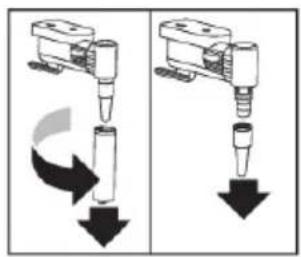
natural_image
Two diagrams showing mechanical components with arrows indicating motion, no text or symbols present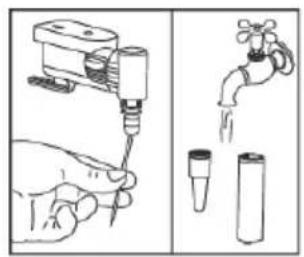
Cleantheinternaltubesofthemilkcontainerandthenozzle
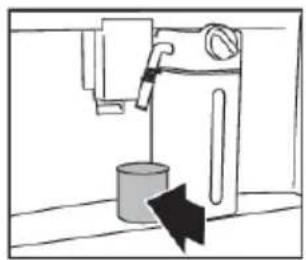
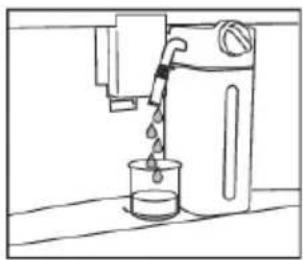
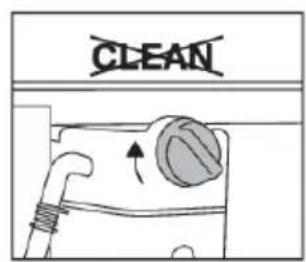
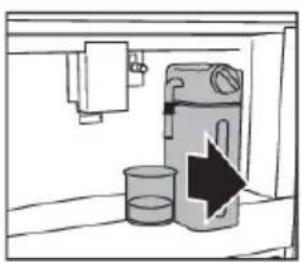
Eachtimeamilk-basedhotdrinkissupplied, thedisplayshowsaCLEANmessage. Putanempty cupunderthemilkspoutbeforeyouobeythisinstructionshownonthedisplay.Letthemilkcontainer stayintheappliance(youdonotneedtoemptyit).

WARNING!
Danger!Riskofburns.
Whencleaningtheinternaltubesofthemilkcontainer, alittlehotwaterandsteamleakoutofthe frothedmilkspout. Avoidcontactwithsplashesofwater.
natural_image
Simple line drawing of a kitchen sink with a container and directional arrow (no text or symbols)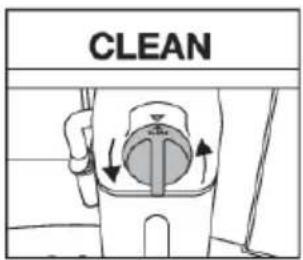
natural_image
Simple line drawing of a water tap pouring liquid into a beaker (no text or symbols)Thecleaningstopsautomatically.
natural_image
Simple line drawing of a kitchen sink with a bag and a water bottle, no text or symbols present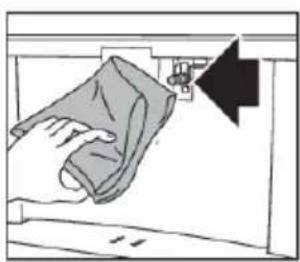
natural_image
Illustration of a hand cleaning a garment with a cloth, showing a black arrow pointing to the fabric (no text or symbols present)Anymilkresiduesareremovednow.
NOTE!
- Toprepareanumberofcappuccinosandmilk-basedcoffees,onlyconfirmtheCLEAN messageafteryouhavepreparedthelastbeverage.Toproceedwithmakingthenext beverages,touchtheescapekey.
- Ifyoutouchtheescapekey,asymbolisshownonthedisplaytoremindyouthattheinternal tubesofthemilkcontainerneedcleaning.
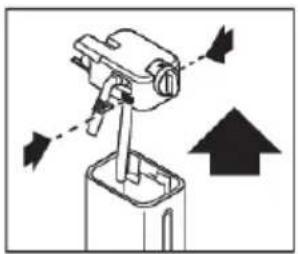
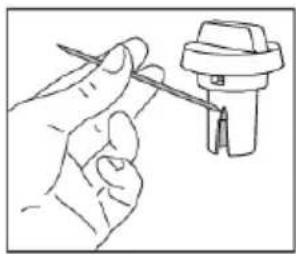
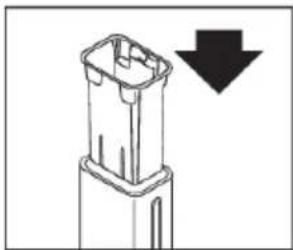
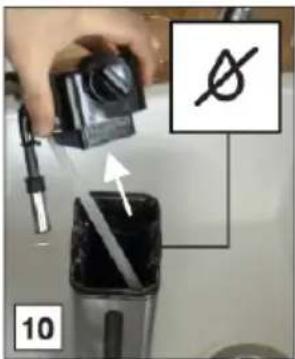
Cleanallcomponentsofthemilkcontainer

WARNING!
Thethermalcasingmustnotbefilledwithorimmersedinwater.Cleanwithadampclothonly.
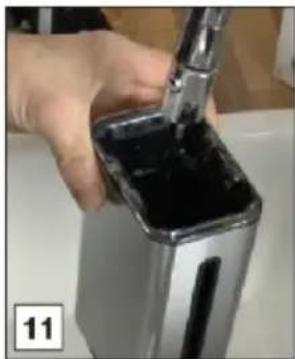
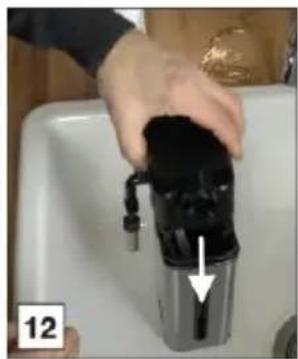
Washall the component so of the frotherthoroughly with hot water and light washing-up liquid.
NOTE!
Onlythemilkcontainerisdishwashersafe.
natural_image
Diagram of a mechanical device with directional arrows indicating movement or force (no text or symbols)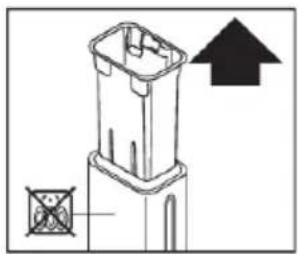
natural_image
Technical line drawing of a mechanical component with an upward arrow and a cross-sectional view (no text or symbols)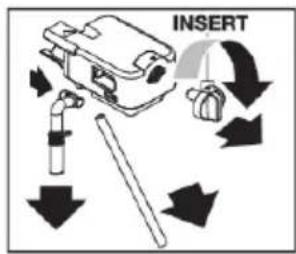
natural_image
Line drawing of a hand holding a screwdriver next to a mechanical component (no text or symbols)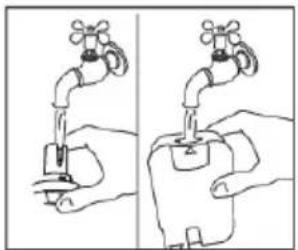
natural_image
Illustration of two hands holding a faucet, showing water level changes (no text or symbols)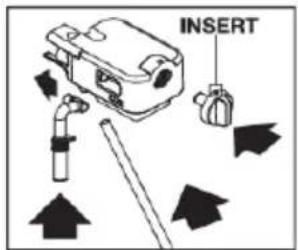
natural_image
Diagram of a mechanical component with a downward arrow indicating a process or direction (no text or symbols present)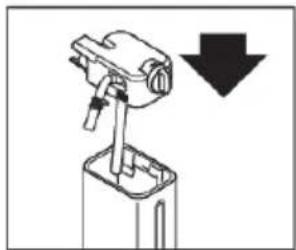
natural_image
Diagram of a mechanical device with a downward arrow indicating a process or operation (no text or symbols present)Cleantheappliance'sinternalcircuit
If the appliance is not used for more than 3 or 4 days, we strongly recommend dobeying these steps before using it again.
Maintenance
Cleanthecoffeegroundscontainer
NOTE!
- Amessagetoemptythegroundscontainerisdisplayed72hoursafterthefirstcoffeehas been prepared. Do not set the appliance to 'Off' with the main switch. If you do so, the 72 hourscannotbecalculatedcorrectly.
natural_image
Illustration of hands inserting a component into a device (no text or symbols visible)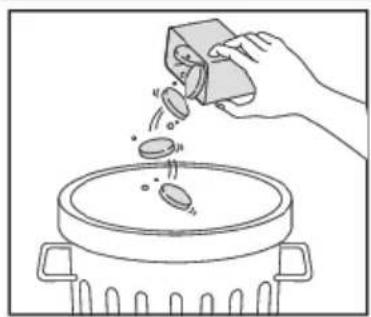
natural_image
Line drawing of a hand pouring liquid into a pot on a stove (no text or symbols)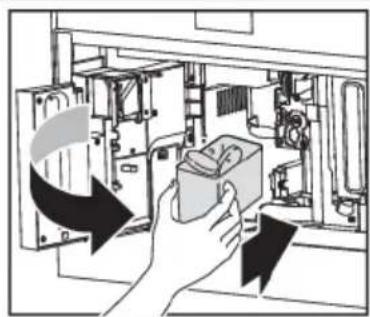
natural_image
Illustration of a hand inserting a component into an electronic device (no text or symbols visible)- When removing the driptray, the grounds container must be emptied, even if it contains few grounds. If this is not done before you make them next coffees, the grounds container may fill up more than expected and clog the appliance.
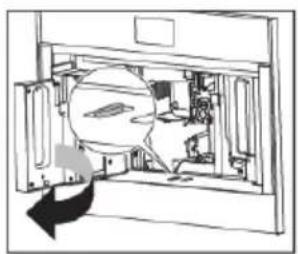
Cleanthedriptray
NOTE!
Cleanandemptythedriptraybeforetheindicatorisabovethecuptray.Ifyoudonot,watermay overflowtheedgeanddamagetheappliance,thesurfaceitrestsonorthesurroundingarea.
natural_image
Diagram of a mechanical assembly inside a housing, showing internal components and a circular component (no text or symbols)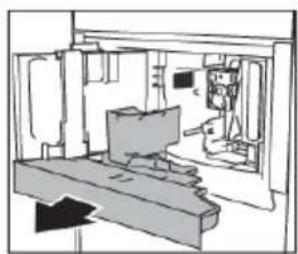
natural_image
Line drawing of an interior space with furniture and a monitor (no text or symbols)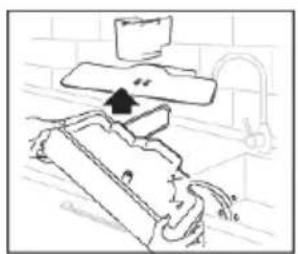
natural_image
Simple line drawing of a kitchen sink with a stand and faucet, no text or symbols present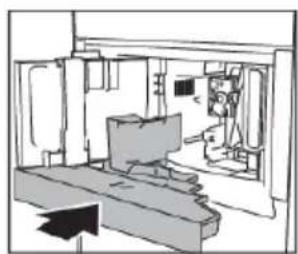
natural_image
Interior view of a room with furniture and a monitor, no visible text or symbolsCleantheinsideofthecoffeemachine
WARNING!
Before cleaning internal parts, set the appliance to 'Standby'. Do not immerse the coffee machine inwater.
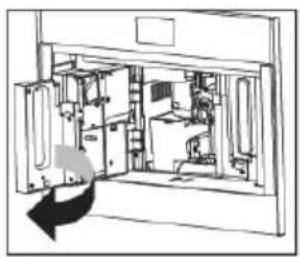
natural_image
Technical line drawing of an internal mechanical or electronic assembly (no text or symbols visible)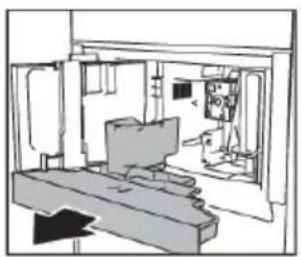
natural_image
Interior view of a modern office or lab space with desks, chairs, and equipment (no visible text or symbols)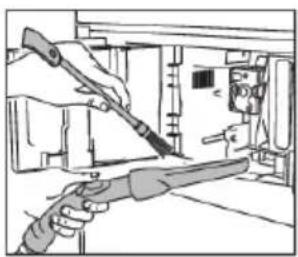
natural_image
Illustration of two hand tools inside a device, one holding a tool and the other extending (no text or symbols visible)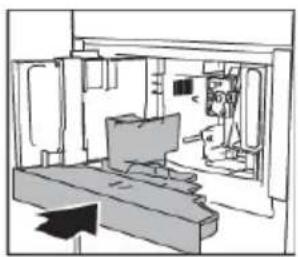
natural_image
Interior view of a computer room with monitor and keyboard (no visible text or symbols)Cleanthewatertank
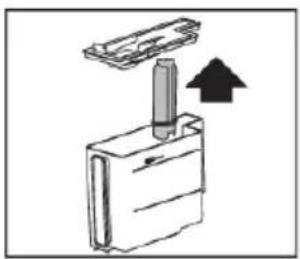
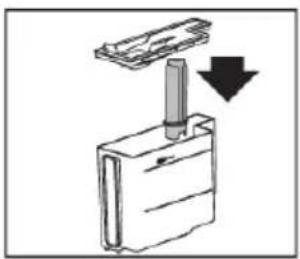
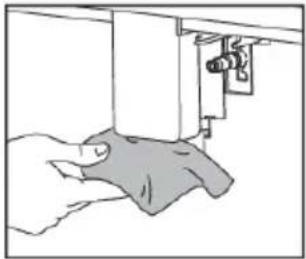
NOTE!
Cleanthewatertankwithadampclothandalittlemildwashing-upliquid.Rinsethoroughlybefore fillingthetankandputtingitbackintheappliance.
natural_image
Diagram of a mechanical assembly with a cylindrical component inserted into a rectangular housing, showing an upward arrow (no text or symbols present)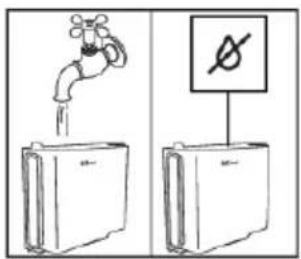
natural_image
Simple line drawing of a mechanical component with a downward arrow indicating motion (no text or symbols)Cleanthecoffeespouts
natural_image
Line drawing of a sewing machine needle stitching fabric (no text or symbols)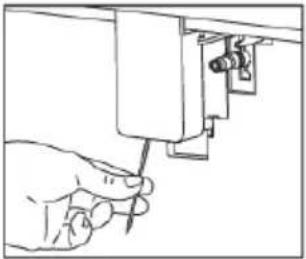
natural_image
Hand holding a tool inside a mechanical component (no text or symbols visible)Cleanthepre-groundcoffeefunnel
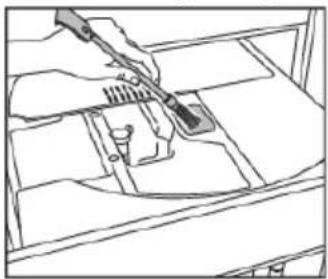
natural_image
Line drawing of a hand using a tool to clean or wash a container (no text or symbols)Maintenance
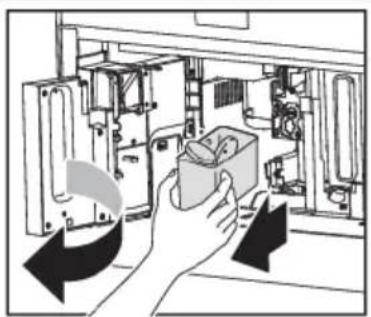
Descaletheappliance
Descaletheappliancewhentherelatedmessageisshownonthedisplay.
- Todescaleimmediately, read and obey the instructions shown on the display.
- Todescaletheappliancelater,touchtheescapekey.
-Asymbolisshownonthedisplaytoremindyouthattheapplianceneedsdescaling.

WARNING!
Beforeuse,readtheinstructionsandthelabellingonthedescalerpack.Youshoulduseadescaler authorisedbythemanufactureronly.Usinganunsuitabledescalerand/orperformingdescaling incorrectlymayresultinfaultsnotcoveredbythemanufacturer'swarranty.

WARNING!
Danger!Riskofburns.
Hotwatercontainingacidflowsoutofthehotwaterspout.Takecaretoavoidcontactwithsplashes ofthissolution.
NOTE!
- Aseriesofrinsesandpausesisperformedautomaticallytoremoveallthescaleresidues insidethecoffeemachine. Emptythecontainereverytimeafterithascollectedtherinsing water.
- If a filter was removed previously, the display will show the message when to insert the filter into the housing. If no filter was present, you can skip this step.
- If the descaling cycle is not completed correctly (e.g. no electricity) we recommend repeating thecycle.
- If the water tank has not been filled to the MAX level, at the end of descaling, the appliance requestsathirdrinsetoguaranteethatthedescalersolutionhasbeencompletelyeliminated fromtheappliance'sinternalcircuits.Beforestartingrinsing,remembertoemptythedrip tray.
- The appliance may request descaling cycles at very short intervals. This is normal dueto the appliance's advanced control system.
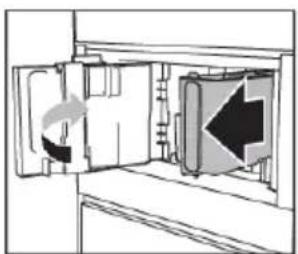
natural_image
Diagram showing a door opening with a directional arrow indicating left motion (no text or symbols present)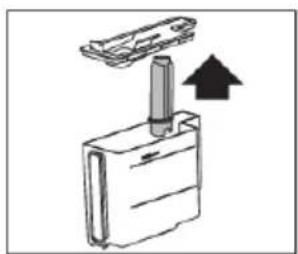
natural_image
Simple line drawing of a mechanical component with an upward arrow indicating motion (no text or symbols)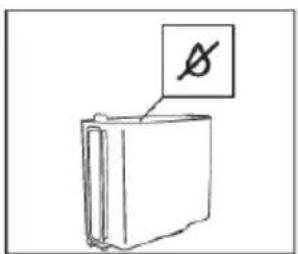
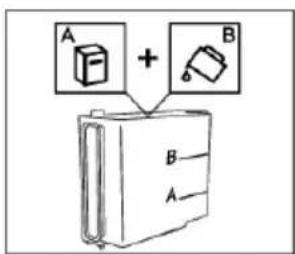
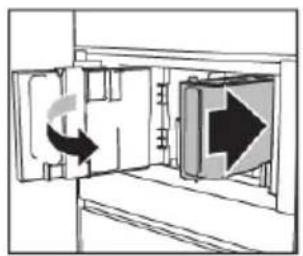
natural_image
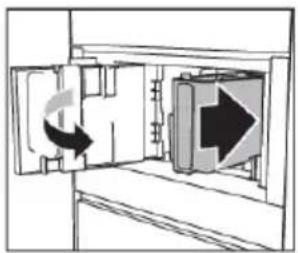
Diagram showing a door with a double-headed arrow indicating rotation or movement, next to an open door with a large right-pointing arrow (no text or symbols present)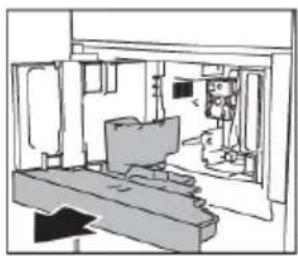
natural_image
Interior architectural sketch of a room with furniture and a monitor (no text or symbols)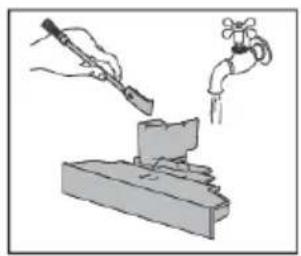
natural_image
Illustration of a hand using a tool to lift a small object, with a faucet nearby (no text or symbols)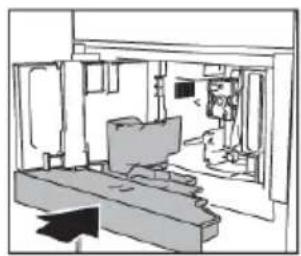
natural_image
Interior architectural sketch of a modern building with furniture and a monitor (no text or symbols)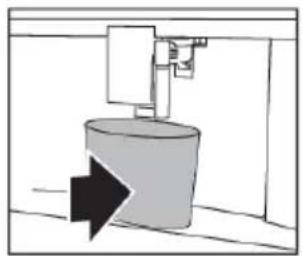
natural_image
Pure diagram of a cylindrical object with an arrow indicating direction, no text or symbols present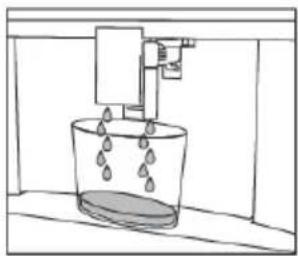
natural_image
Simple line drawing of a bucket with water droplets inside, mounted on a platform (no text or symbols)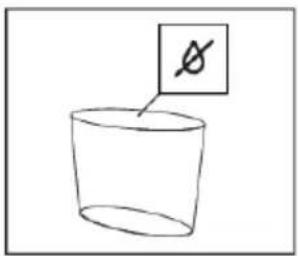
natural_image
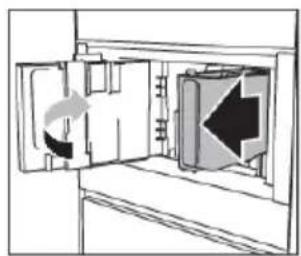
Diagram of a door opening with directional arrows indicating movement, no text or symbols present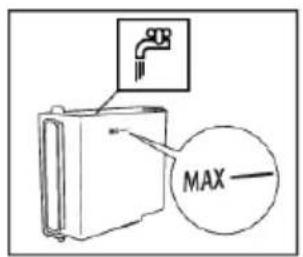
natural_image
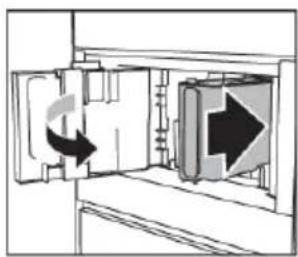
Diagram showing a door opening with a curved arrow indicating rotation, and an arrow pointing right (no text or symbols present)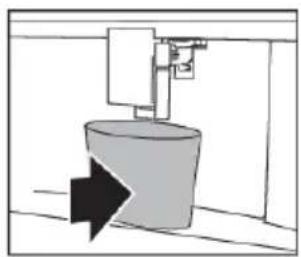
natural_image
Simple line drawing of a cylindrical object with an arrow pointing to it, no text or symbols present.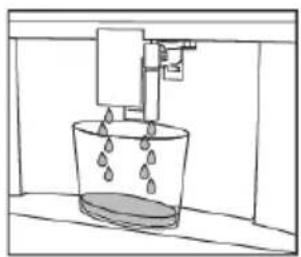
natural_image
Simple line drawing of a bucket with liquid and a vertical pipe above it (no text or symbols)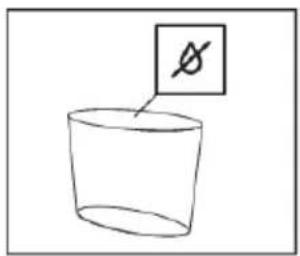
natural_image
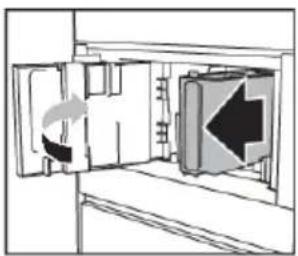
Diagram of a door opening with a directional arrow indicating left motion (no text or symbols)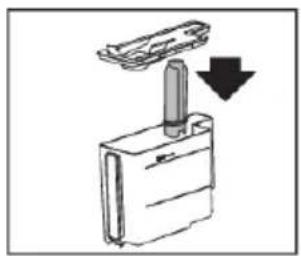
natural_image
Simple line drawing of a mechanical component with a downward arrow indicating force or direction (no text or symbols)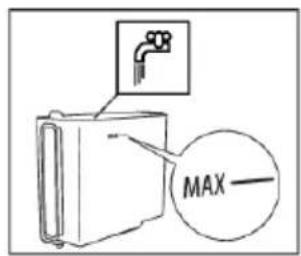
Setthewaterhardness
NOTE!
The appliance issue by default for a hardness level of 4. The appliance can also be programmed according to the hardness of them in the various regions.
Theapplianceneedstobedescaledlessoftenifthishardnesslevelislower.
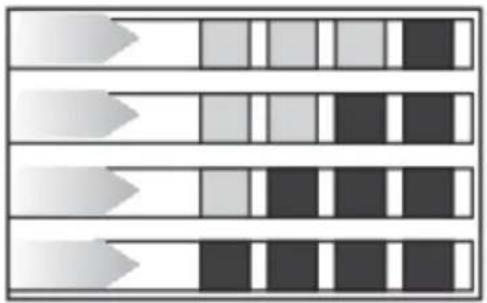
Immerse the 'total hardness test' indicator paper (attached to the instructions) in a glass of water for onesecond.
Afteraboutaminite, redsquarescanbeseen.
Maintenance
natural_image
Abstract pattern of horizontal bars with varying shades of gray and black, no text or symbols presentLevel 1: soft water
Level 2: moderately hard water
Level 3: hard water
Level 4: very hard water
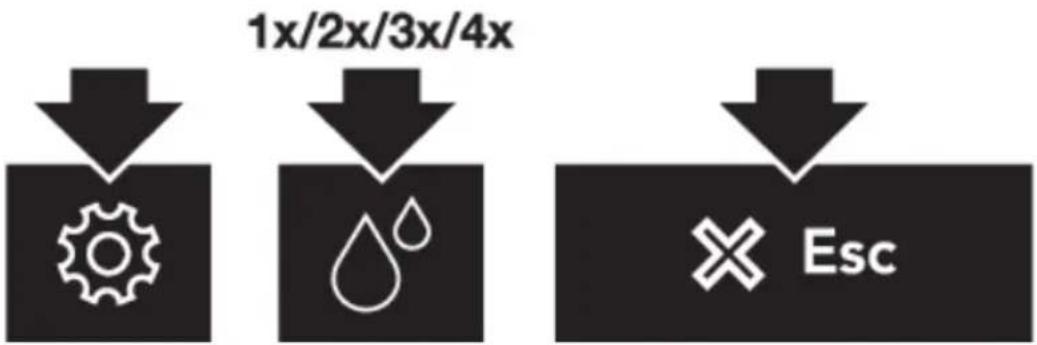
The appliance is now programmed with the new water hardness setting.
Installawatersoftenerfilter
NOTE!
Certainmodelsarefittedwithawatersoftenerfilter. If thisisnotthecasewithyourmodel, you are recommended topurchase one from the serviced department.
NOTE!
Thefilterlastsabouttwomonthsiftheapplianceisusednormally.Ifthecoffeemachineisleft unusedwiththefilterinstalled,itwilllastamaximumof3weeks.
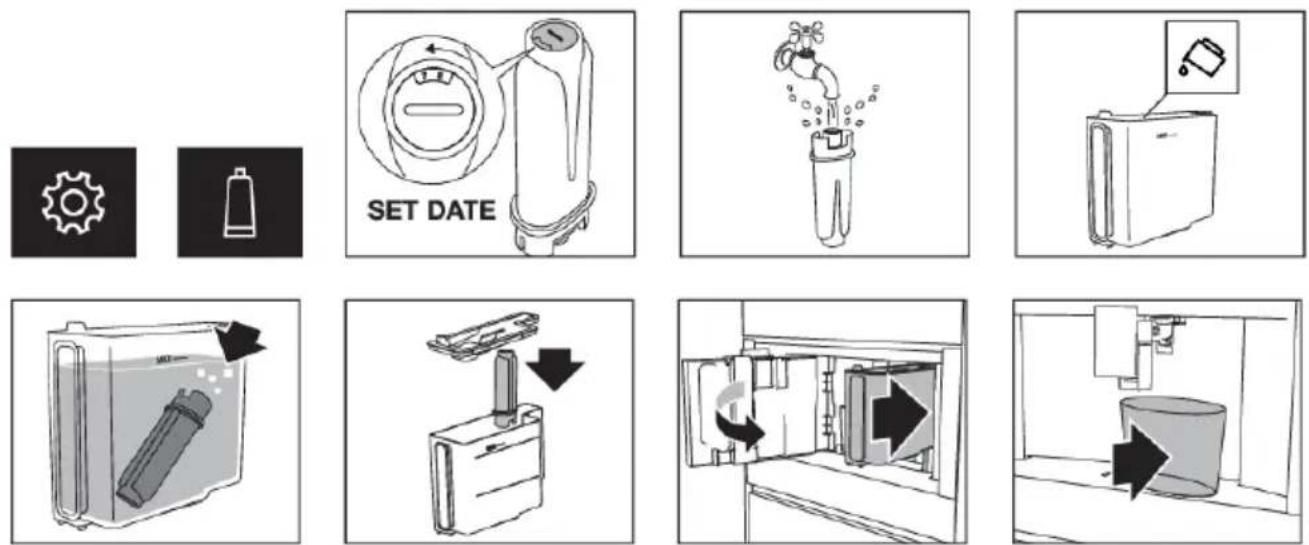
Thewaterfiltersymbolisshownonthedisplayadjacenttothetime. This indicates that the filter has been enabled.
Replaceawatersoftenerfilter
Replacethefilterwhentherelatedmessageisshownonthedisplay.
- Toreplacethefilterimmediately,readandobeytheinstructionsshownonthedisplay.
•Toreplacethefilterlater,touchtheescapekey.
-Asymbolisshownonthedisplaytoremindyouthatthefilterneedstobereplaced.
TIP!
Takealookatthepicturesintheprevioussectiononhowtoinstallthefilter.
NOTE!
Aftertwomonths(seedateindicator)orwhentheappliancehasnotbeenusedfor3weeks,you shouldreplacethefilterevenifthemessagehasnotbeendisplayedyet.
Removeawatersoftenerfilter
If you want to set the appliance without the filter, you must remove it and notify the appliance of its removal.
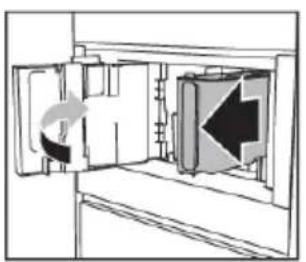
natural_image
Diagram of a door with an arrow indicating direction, showing internal structure without any text or symbols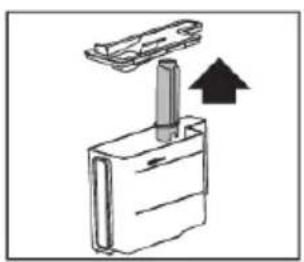
natural_image
Simple line drawing of a mechanical component with an arrow indicating upward motion (no text or symbols)
Cleanthebrewingunit/infuseronceamonth
WARNING!
- Do not remove the brewing unit when the appliance is set to 'On'. Set the appliance to 'Standby'. Donotuseforcetoremovethebrewingunit.
- Donotusewashing-upliquidtocleanthebrewingunit.Itwouldremovethelubricantapplied totheinsideofthepiston.
Maintenance
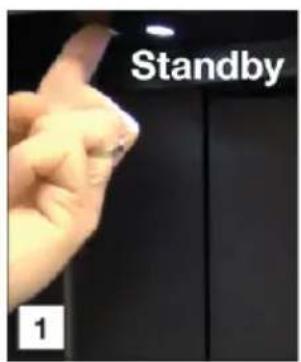
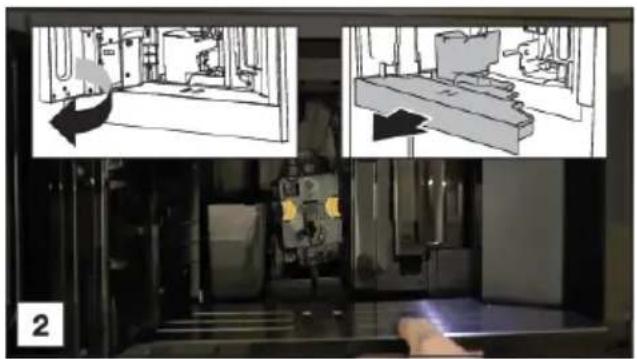
natural_image
Interior view of a laboratory or industrial facility with two views showing internal equipment and a hand operating the chamber (no visible text or symbols)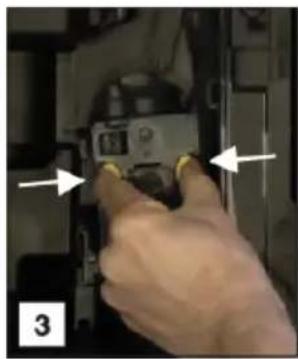
natural_image
Close-up of a hand inserting a device into a case, with arrows pointing to the component (no visible text or symbols)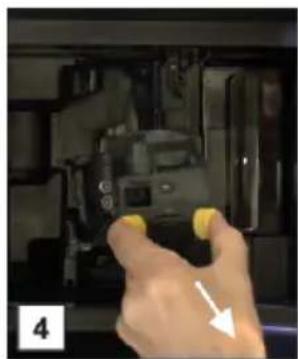
natural_image
Hand pressing down on a camera module with yellow buttons, no visible text or symbols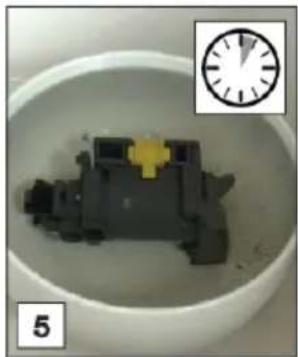
natural_image
Close-up of a mechanical component inside a white bowl, with a small inset showing a clock face (no text or symbols visible)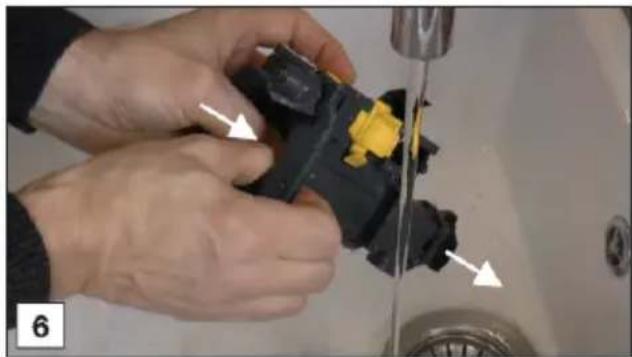
natural_image
Close-up of hands installing or adjusting a black plastic component on a sink, with arrows indicating the repair point (no text or symbols visible)
natural_image
Person washing a black cloth on a sink with a water tap, no visible text or symbols
natural_image
Close-up of a hand using a tool to adjust or repair a small object, no visible text or symbols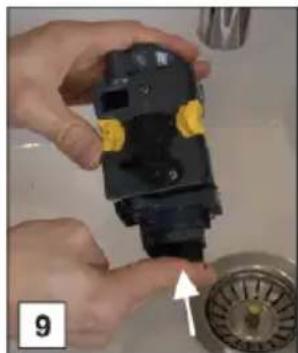
natural_image
Close-up of hands installing a black plastic component with yellow connectors, next to a water tap (no text or symbols visible)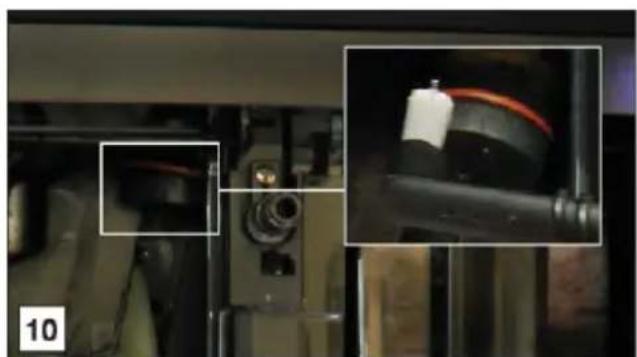
natural_image
Close-up of mechanical components with close-ups of red cables and a black cylindrical component (no visible text or symbols)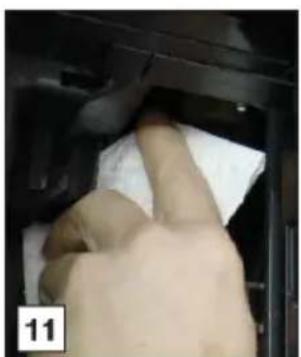
natural_image
Close-up of a hand cleaning a car interior with a cloth (no visible text or symbols)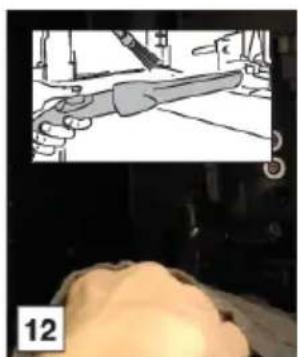
natural_image
Illustration of a hand holding a tool, with a magnified inset showing the blade and handle (no text or symbols)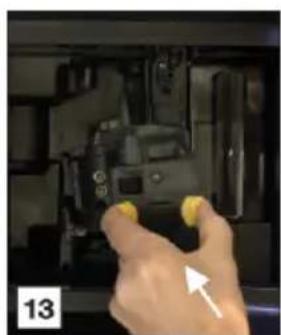
natural_image
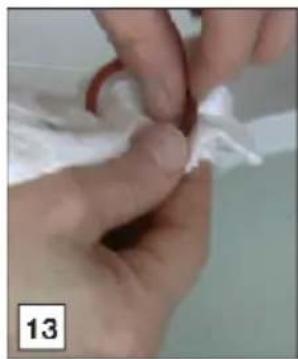
Hand holding yellow buttons inside a mechanical device (no visible text or symbols)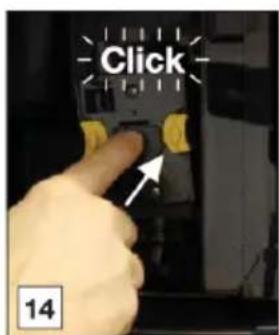
Cleanthebrewingunit/infusertwiceayear
WARNING!
- Do not remove the brewing unit when the appliance is set to 'On'. Set the appliance to 'Standby'. Donotuseforcetoremovethebrewingunit.
- Donotusewashing-upliquidtocleanthebrewingunit.Itwouldremovethelubricantapplied totheinsideofthepiston.
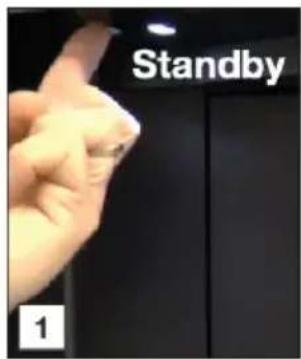
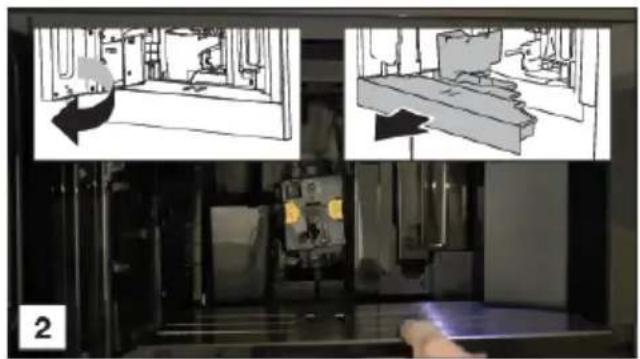
natural_image
Two-panel illustration showing a person moving a vehicle through a ramp and a device in a room (no text or symbols)
natural_image
Close-up of a hand inserting a device into a folder, with arrows pointing to the component (no visible text or symbols)
natural_image
Close-up of hands assembling a black plastic component with a yellow connector, alongside an inset showing a hand holding a dark irregular chain (no text or symbols visible)
natural_image
Close-up of hands holding a black plastic mechanical component with yellow connector, no visible text or symbols
natural_image
Close-up of hands installing or adjusting a black plastic component with a yellow tag (no visible text or symbols)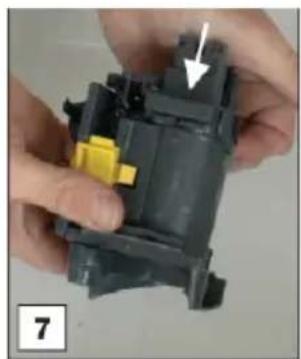
natural_image
Close-up of hands assembling a mechanical component with a yellow clip and arrow indicator (no text or symbols)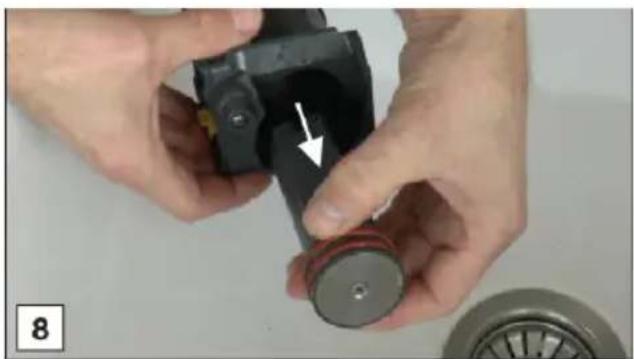
natural_image
Close-up of hands assembling a mechanical component with a white arrow indicating a detail (no text or symbols visible)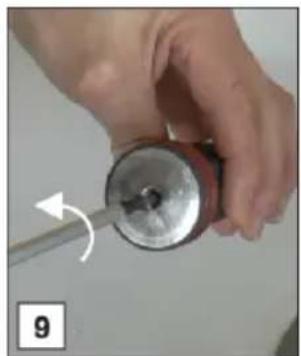
natural_image
Close-up of a hand holding a small metallic cylindrical object with a tool, showing a curved arrow indicating rotation (no text or symbols visible)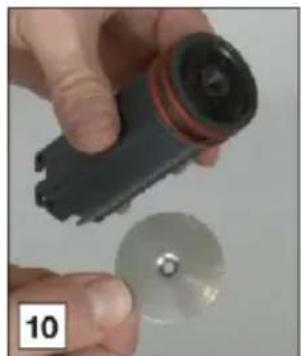
natural_image
Close-up of a hand holding a flashlight and a circular disc, no visible text or symbols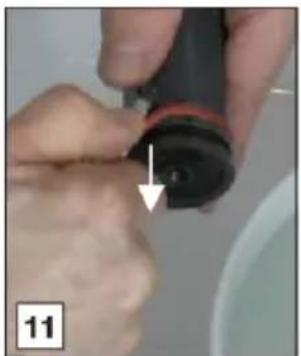
natural_image
Close-up of hands holding a black cylindrical object with a white arrow pointing to it, no visible text or symbols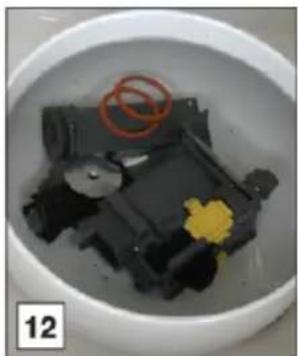
natural_image
Close-up of a small mechanical component in a white bowl, with red circles and yellow flower on the surface (no text or symbols visible)Maintenance
natural_image
Close-up of hands holding a white cloth or paper, with no visible text or symbols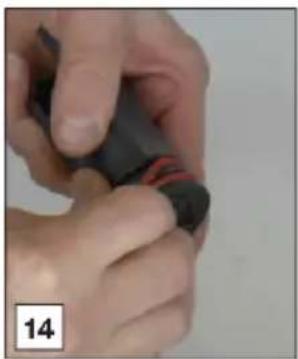
natural_image
Close-up of hands holding a small object with red markings, no visible text or symbols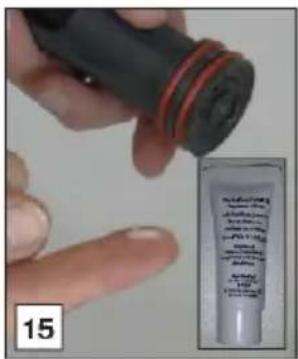
natural_image
Close-up of a hand holding a black cylindrical object with red and black stripes, no visible text or symbols
natural_image
Close-up of a hand holding a screwdriver with a curved arrow indicating motion (no text or symbols visible)
natural_image
Close-up of hands using a tool to adjust or install a black plastic component on a sink (no text or symbols visible)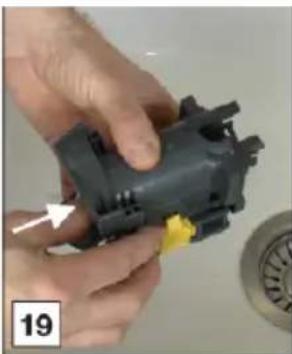
natural_image
Close-up of hands assembling a mechanical component with a yellow tag, no visible text or symbols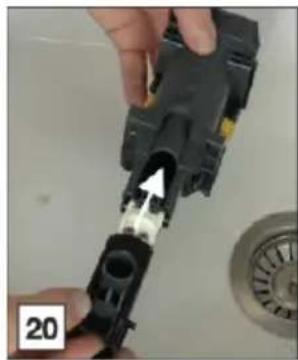
natural_image
Close-up of a hand inserting a plastic component into a black plastic housing, with a white arrow pointing to the component (no text or symbols visible)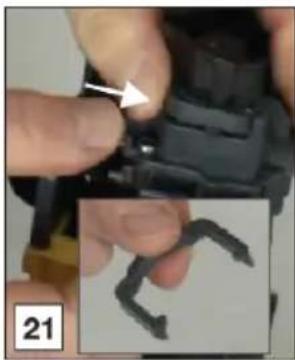
natural_image
Close-up of hands holding a black mechanical component with an arrow pointing to a small dark object, no visible text or symbols.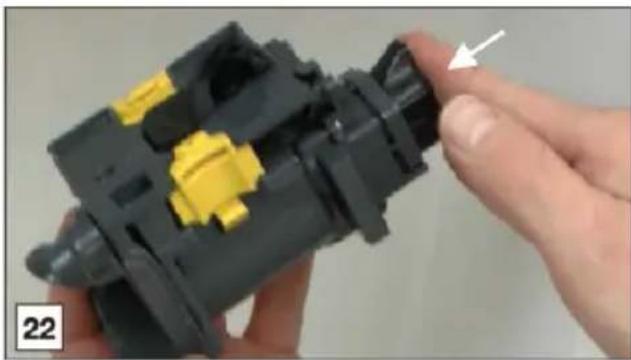
natural_image
Close-up of a hand holding a black plastic mechanical component with yellow and black components, no visible text or symbols.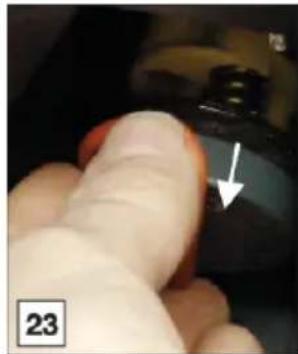
natural_image
Close-up of a finger pressing a button with an arrow pointing to the button (no text or symbols visible)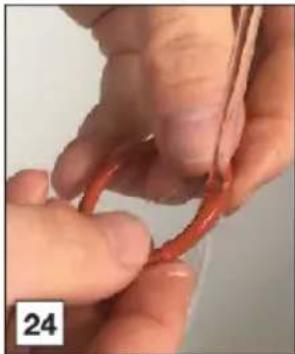
natural_image
Close-up of hands tying a red knot with a string (no text or symbols visible)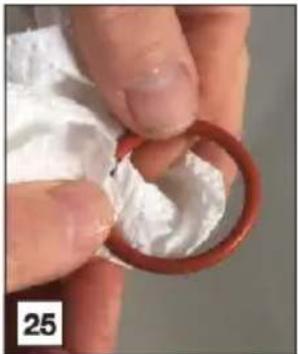
natural_image
Close-up of hands holding a red ring with white foam, no visible text or symbols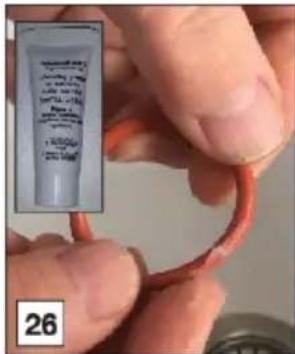
natural_image
Close-up of a hand cleaning a car interior with a cloth (no visible text or symbols)
natural_image
Illustration of a hand holding a tool, viewed from behind a person's head (no text or symbols)
natural_image
Close-up of a gloved hand pressing a black button with an arrow pointing to it (no text or symbols visible)
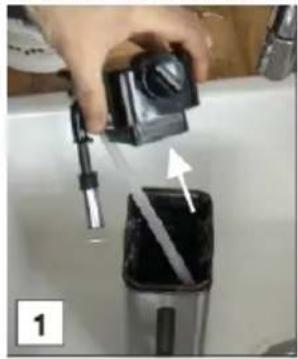
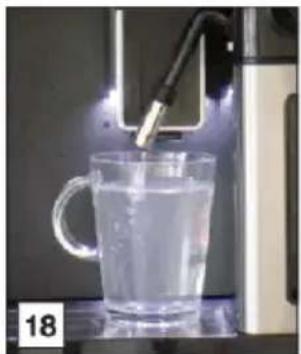
Usethemilkcleaner
natural_image
Hand holding a black control panel with a tool, next to a dark container with a white arrow and a diagonal stripe (no text or symbols visible)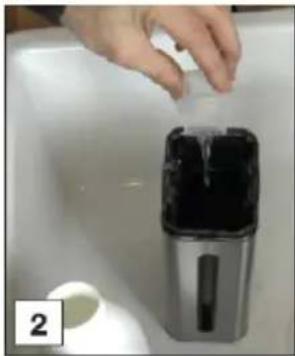
natural_image
Hand placing a small object into a container on a white surface, with a small cup nearby (no text or symbols visible)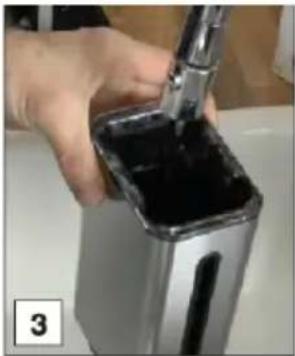
natural_image
Hand pouring dark liquid into a square container using a tool (no visible text or symbols)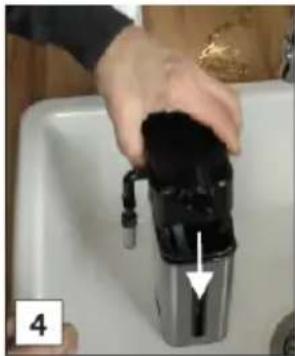
natural_image
Hand placing a black plastic cup into a white kitchen sink (no text or symbols visible)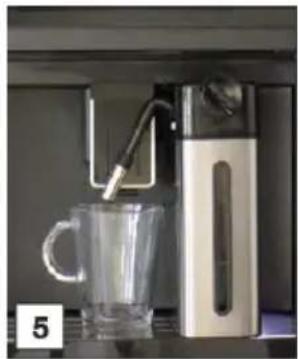
natural_image
Modern water heater with glass mug and digital water dispenser (no visible text or symbols)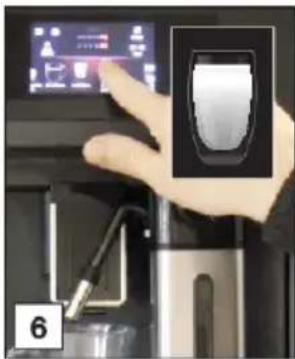
natural_image
Hand pressing a black square button on a kitchen appliance (no visible text or symbols)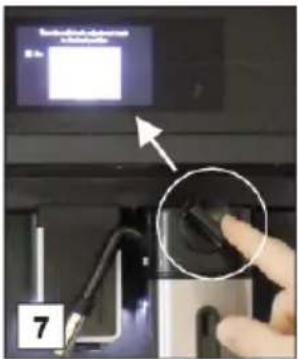
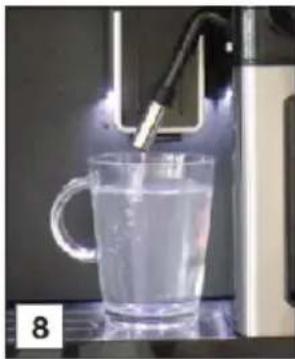
natural_image
Glass mug being heated by a 3D printer, no visible text or symbols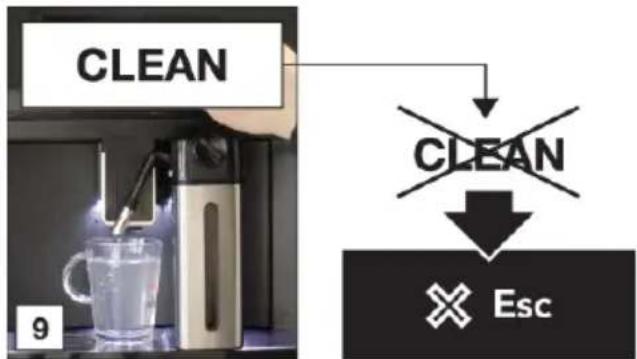
flowchart
graph TD
    A["CLEAN"] --> B["↓"]
    B --> C["EXIT"]
    C --> D["Esc"]
natural_image
Hand pouring liquid into a stainless steel water dispenser (no visible text or symbols)Maintenance
natural_image
Hand placing a black plastic container into a white basin, with an arrow pointing to the container (no text or symbols visible)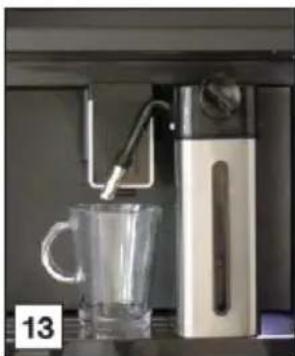
natural_image
Modern water dispenser with glass mug and digital device (no visible text or symbols)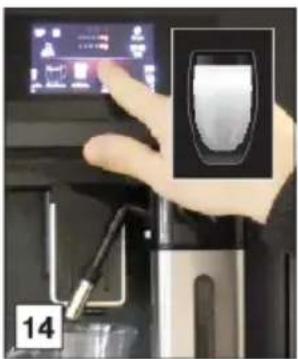
natural_image
Hand interacting with a kitchen appliance via a touchscreen display (no visible text or symbols)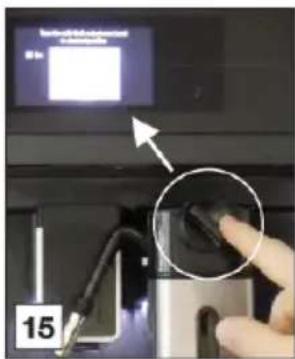
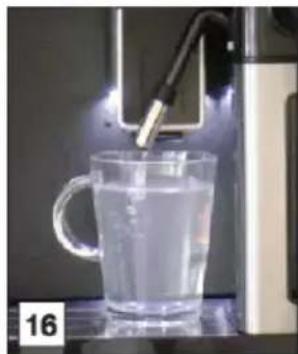
natural_image
Glass mug being dispensed with a 3D printer, no visible text or symbols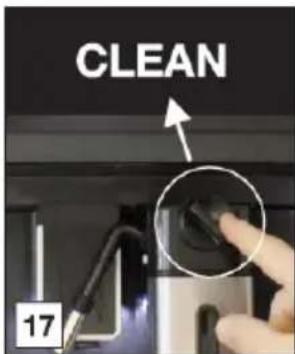
natural_image
Glass mug being dispensed with a digital water dispenser, no visible text or symbols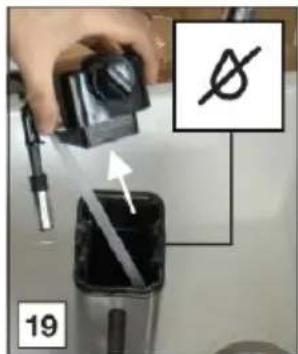

WARNING!
Readandobeytheinstructionsshownonthedisplay. Thedisplayshowsinformationandtouch keystouse. Importantinformationisaccompaniedbyanaudiosignal.
If the given instructions shown on the display or the given remedy in the table below is not the solution to a problem, contact Customer Services.
| SolutionPossiblecauseProblem | ||
 | Theinsideoftheapplianceis verydirty. | Cleantheinsideofthe appliancethoroughly. |
| Disassembleandcleanthe brewingunit. | ||
 | Areminderthattheappliance needsde-scalingand/orthe filtermustbereplaced. | Replaceorremovethewater filterand/ordescalethe applianceassoonaspossible. |
 | Remindertocleanthetubes insidethemilkcontainer. | Turnthemilkfrothadjustment knobto'CLEAN'. |
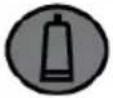 | Remindertoreplacethefilter. | Replaceorremovethewater filter. |
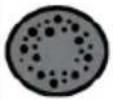 | Remindertodescalethe appliance. | Descaletheapplianceassoon aspossible. |
| Thecupswerenotpreheated.Thecupweshetsbyrinsingthem withhotwater(youcanusethe hotwaterfunction). | ||
| Thebrewingunithascooled downbecauseseveralminutes haveelapsedsincethelast coffeewasmade. | Beforemakingcoffee,usethe rinsingfunctiontoheathe brewingunit. | |
| Allowcoffeetemperatureisset. | Selectahighercoffee temperature. | |
| Thecoffeeisweakornot creamyenough. | coarsely. | Adjustthegrindlel.Thecoffeeisgroundtoo |
| Thecoffeeisnotcorrect. | Usecoffeeforespresso machines. | |
| oradropatatime. | Adjustthegrindlel.Thecoffeeisgroundtoo | |
| softandmushy. | Thegrindlevelisnotcorrect.TheslicAdjuftegroundlevel(inthe directionof1). | |
Troubleshooting
Tablecontinuedfromlastpage
| SolutionPossiblecauseProblem | ||
| orbothofthespouts. | Cleanthecoffeespouts.Thecoffeespoutsare | |
| Theappliancedoesnotmake coffee. | Theappliancehasdetected impuritiesinitsinternalcircuits.Seetheinformationshownon thedisplay. | Waitfortheappliancetobe readyforuseagainandselect therequiredbeverageagain. |
| on. | Theapplianceisnotsetto‘On’.Theapplianceisnotsetto‘On’. | PushtheOnbuttontosetthe applianceto‘On’. |
| PushtheOnbuttontosetthe applianceto‘On’. | ||
| Thebrewingunitcannotbe removed. | Theappliancehasnotbeenset to‘Standby’correctly. | PushtheStandbybuttontoset theapplianceto‘Standby’. |
| removed. | Removethedriptray.Thedriptrayhasnotbee | |
| Thebrewingunitisnotinthe correctposition. | Closethedoorandsetthe applianceto‘On’.Thebrewing unitautomaticallyreturnstothe correctposition. | |
| Theappliancemakesaweird sound(notasnormal). | Thebrewingunitandtheinfuser aredirty. | Cleantheinfuserandallparts ofthebrewingunit.Lubricate theO-ringswiththelubricating grease. |
| Attheendofdescaling,the appliancerequestsathirdrinse. | Duringthetworinsecycles,the watertankhasnotbeenfilledto theMAXlevel. | Obeytheinstructionsshownon thedisplay. |
| Themilkdoesnotcomeoutof themilkspout. | Thelidofthemilkcontaineris dirty. | Cleanallcomponentsofthemilk container. |
| Themilkcontainslargebubbles andsquirtsoutofthemilkspout orthereislittlefroth. | Themilkisnotcoldenoughor isnotsemi-skimmedor skimmed. | Useskimmedorpartially skimmedmilkatrefrigerator temperature(about5°C).Ifthe resultisnotasyouwish,try changingthebrandofmilk. |
| Themilkfrothadjustmentknob isincorrectlyadjusted. | Adjustthemilkfrothadjustment knob. | |
| Thelidofthemilkcontaineror themilkfrothadjustmentknob isdirty. | Cleanallcomponentsofthemilk container. | |
| isdirty. | Cleanthenozzle.Thehotwaterconnectionno |
Disposal of the appliance and packaging
Sustainable material have been used during the manufacture of this appliance. This appliance must be disposed of responsibly at the end of its service life. Ask your local authorities for more information about how to do this.
The appliance packaging is recyclable. The following may have been used:
- cardboard;
•polyethylenefilm(PE);
•CFC-freepolystyrene(PSrigidfoam).
Disposeofthesematerialsinaresponsiblemannerandinaccordancewithgovernmentregulations.
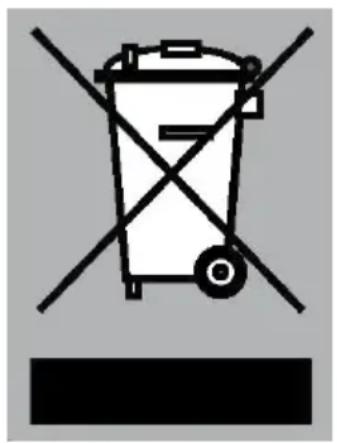
The product has been marked with across-dust bins symbol to remind you of the obligation to dispose of electrical household appliances separately. This means that the appliance may not be included with normal domestic refuse at the end of its service life. The appliance must be taken as a special municipal centre for separated waste collection to a dealer providing this service.
Aseparate collection of household appliances help stop prevent any potential negative impact on the environment and human health caused by improper disposal. It ensures that them material so which the appliance is composed can be recovered to obtain significant savings in energy and raw materials.
CE
Declarationofconformity
WeherebydeclarethatourproductssatisfytheapplicableEuropean directives, ordersandregulations, aswellastherequirementsstated inthereferencedstandards.
Installation
Safety
WARNING!
If the safety instructions and warnings are not followed, the manufacturer cannot be held responsible for any resulting damage.
- Afterremovingthepackaging, makesuretheproductiscomplete and undamaged. Ifindoubt, donotusetheappliance and contact aqualifiedprofessional.
- Installationmustbecarriedoutbyaqualifiedtechnicianandin compliancewithcurrentregulations.
- Packingelements(plasticbags,polystyreneetc.)mustnotbeleft withinreachofchildrenastheymayrepresentahazard.
- Neverinstalltheapplianceinenvironmentswherethetemperature mayreach0°Corlower(theappliancemaybedamagedifthe waterfreezes).
- Makesurethemainsvoltagecorrespondstothevoltageindicated ontheapplianceratingplate. Connecttheappliancetoan efficientlyearthedsocket. Themanufacturermaynotbe consideredliableforpossibleincidentscausedbythefailureto adequatelyearththemains.
- Makesurethesocketusedisfreelyaccessibleatalltimes, enablingtheappliancetobeunpluggedwhennecessary.
- Nevertouchtheplugwithdamphands.
- Neverpullthepowercableasyoucoulddamageit.
- This appliance can be installed over abuilt-inoven if the latter is fitted with a cooling fan.
- Donotuse multiple plug adaptersorextensionleads.
- The powercable on this appliance must not bereplaced by the user as this operation requires the use of special tools. If the cable is damaged or requires replacing, contact an authorised service centre only to avoid all risks.
- Youshouldpersonalisewaterhardnessassoonaspossible followingtheinstructions.
- Ifastationaryapplianceisnotfittedwithasupplycordanda plug,orwithothermeansfordisconnectionfromthesupplymains havingacontactseparationinallpolesthatprovidefull disconnectionunderovervoltagecategorylllconditions,the meansfordisconnectionmustbeincorporatedinthefixedwiring inaccordancewiththewiringrules.Thisisalsoapplicablefor applianceswithasupplycordandplugwhentheplugisnot accessibleafterinstallingtheappliance.Usinganomnipolar switchwithacontactseparationofatleast3mmfittedinthefixed wiringwillfulfilthisrequirement.
Dimensions
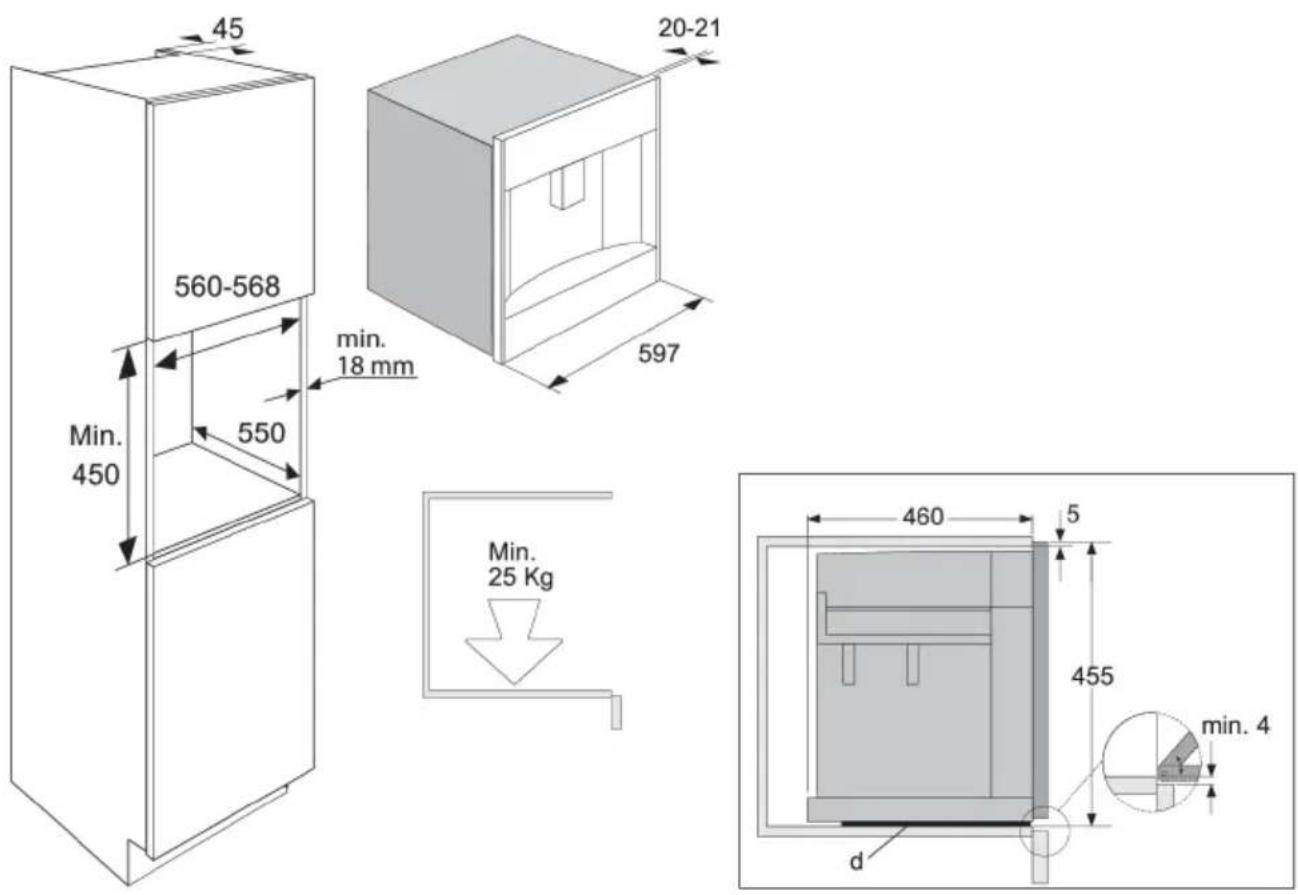
Installation
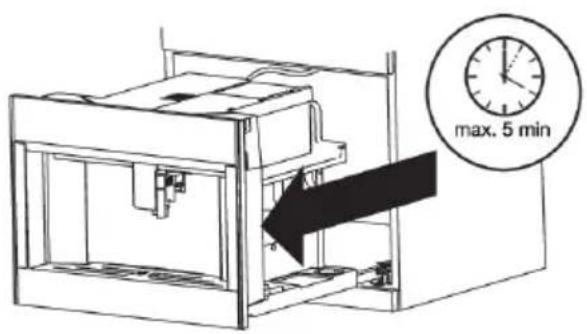
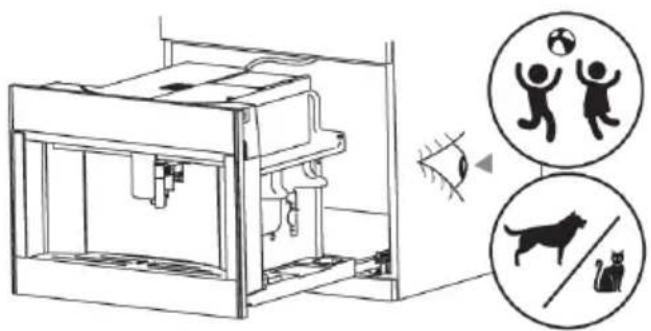
Built-in
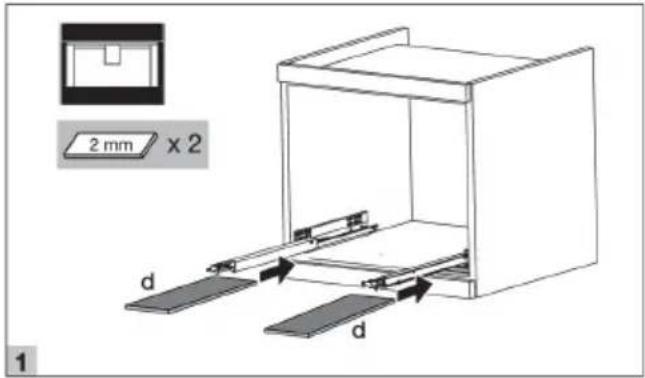
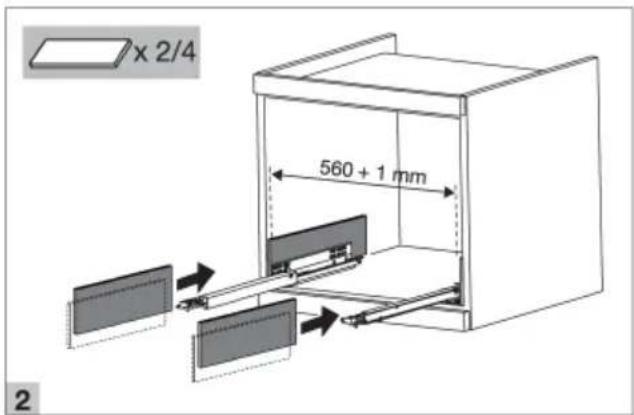
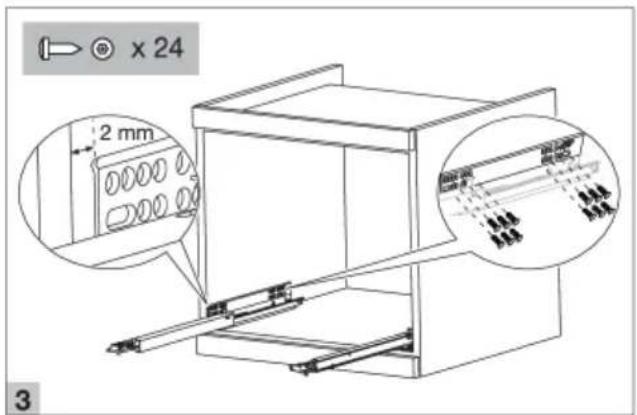
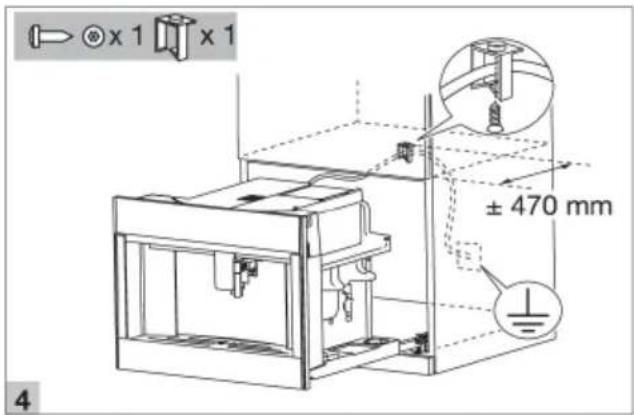
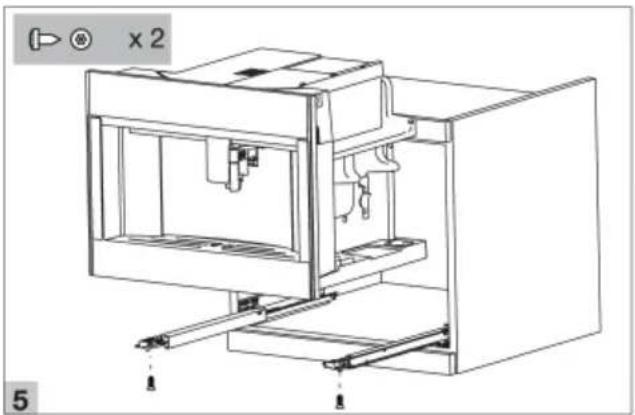
natural_image
Technical line drawing of a 3D printer or enclosure with mounting brackets and internal components (no text or symbols)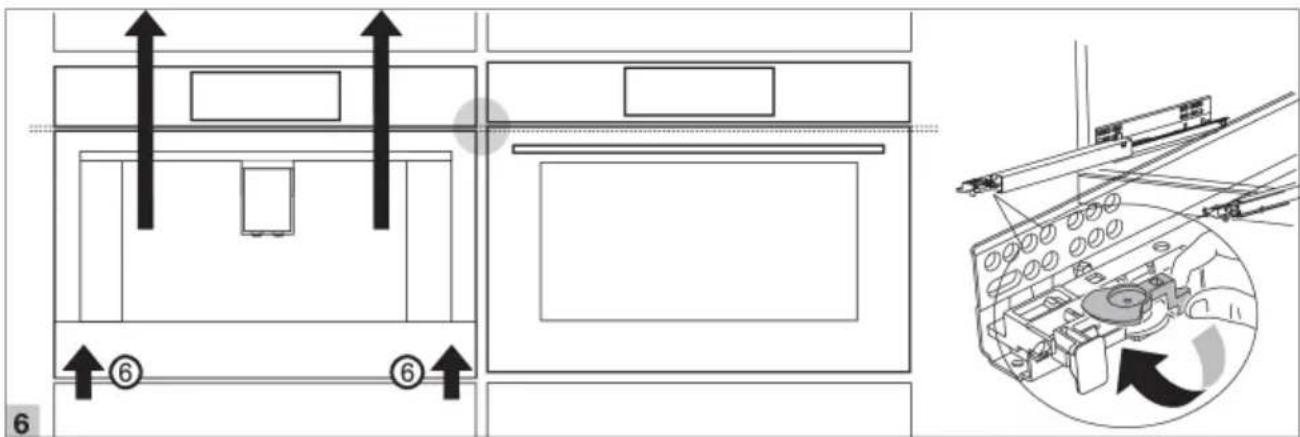
natural_image
Diagram of a 3D printer with internal components and three circular icons showing human, cat, and ball (no text or symbols)ATAG
www.atag.nl
www.atag.be


- INSTRUCTIONSFORUSE
- Contents
- Whatyoushouldpayattentionto
- Safety
- Designateduse
- Dearcustomer!
- TIP!
- Yourcoffeemachine
- Maintenanceset
- Touchkeysandsymbols
- Touchkeys
- Myprofile
- Settings
- Userprofile
- Customiseauserprofile
- Aroma
- Size
- Scrollleft/right
- OK
- Stop
- Escape
- Operation
- Beforefirstuse
- NOTE!
- WARNING!
- Danger!Riskofburns.
- Setyourapplianceto'On'
- Set your appliance to 'Standby' and 'Off'
- Importanttipsandtrickswhenyoumakecoffee
- Makecoffeeusingcoffeebeans
- Makecoffeeusingpre-groundcoffee
- Adjustthegrindlevel
- Makemilk-basedhotdrinks
- Maketwocupsofcoffee
- Customisebeverages
- Supplyabeveragethatiscustomised
- Supplyhotwaterorsteam
- HOTSURFACE!
- Tipswhenyouusesteamtofrothmilk
- Settingsmenu
- Cleanyourappliance
- Regularcleaning
- Specialcleaning
- Cleanthehotwaterspout
- Maintenance
- Cleantheinternaltubesofthemilkcontainerandthenozzle
- Cleanallcomponentsofthemilkcontainer
- Cleantheappliance'sinternalcircuit
- Cleanthecoffeegroundscontainer
- Cleanthedriptray
- Cleantheinsideofthecoffeemachine
- Cleanthewatertank
- Cleanthecoffeespouts
- Cleanthepre-groundcoffeefunnel
- Descaletheappliance
- Setthewaterhardness
- Installawatersoftenerfilter
- Replaceawatersoftenerfilter
- Removeawatersoftenerfilter
- Cleanthebrewingunit/infuseronceamonth
- Cleanthebrewingunit/infusertwiceayear
- Troubleshooting
- Disposal of the appliance and packaging
- Declarationofconformity
- Installation
- ATAG
Brand : Atag
Model : CM4574M
Category : Coffee maker