Axton

C602 - Receiver Axton - Free user manual and instructions

Find the device manual for free C602 Axton in PDF.

📄 8 pages English EN Download 💬 AI Question 10 questions ⚙️ Specs
Notice Axton C602 - page 1
Pick your language and provide your email: we'll send you a specifically translated version.
Product TypeAV Receiver
BrandAxton
ModelC602
Dimensions (W x D x H)430 x 300 x 150 mm
Weight8 kg
Power Output120 W per channel (5.1 channels)
Power Consumption500 W (max)
Standby Power< 0.5 W
Inputs4 x HDMI, 2 x Optical, 2 x Coaxial, 1 x RCA (AUX), 1 x USB
Outputs1 x HDMI (ARC), 5 x Speaker terminals, 1 x Subwoofer pre-out
Supported Audio FormatsDolby Digital, DTS, PCM
Video Support4K pass-through, HDR10
Remote ControlIncluded (IR)
SafetyDo not expose to moisture or extreme temperatures
Maintenance & CleaningWipe with a soft, dry cloth; avoid solvents
Spare Parts & RepairabilityContact Axton support for genuine parts
General InformationUser manual available for free download at notice-facile.com

Frequently Asked Questions - C602 Axton

How do I connect my TV to the Axton C602 receiver?
Use an HDMI cable from the TV's HDMI ARC port to the receiver's HDMI OUT (ARC) port. Then select the correct input on the receiver.
Can I use the receiver without a subwoofer?
Yes, you can connect only front, center, and surround speakers. The receiver will redirect bass to the front speakers if no subwoofer is connected.
How do I reset the receiver to factory settings?
Turn off the receiver, then press and hold the Power button and Input button simultaneously until you see 'Reset' on the display.
What is the maximum power output per channel?
The Axton C602 delivers 120 watts per channel into 8 ohms (1 kHz, 0.1% THD).
Does the receiver support Bluetooth?
No, the Axton C602 does not have built-in Bluetooth. You can use an external Bluetooth adapter connected to the AUX input.
How do I update the firmware?
Firmware updates are not available via USB on this model. The receiver is delivered with the latest firmware at the time of manufacturing.
What speaker impedance is supported?
The receiver supports speakers with an impedance of 4 to 16 ohms.
Can I connect a turntable to this receiver?
The receiver does not have a built-in phono preamp. You will need an external phono preamp to connect a turntable to the AUX input.
Why is there no sound from the center speaker?
Ensure the center speaker is properly connected and the receiver is set to a surround sound mode (e.g., Dolby Digital). Also check that the input source contains a center channel.
How do I clean the receiver?
Use a soft, dry cloth to wipe the exterior. Do not use any liquid cleaners or abrasive materials to avoid damage.

User questions about C602 Axton

0 question about this device. Answer the ones you know or ask your own.

Ask a new question about this device

The email remains private: it is only used to notify you if someone responds to your question.

No questions yet. Be the first to ask one.

Download the instructions for your Receiver in PDF format for free! Find your manual C602 - Axton and take your electronic device back in hand. On this page are published all the documents necessary for the use of your device. C602 by Axton.

USER MANUAL C602 Axton

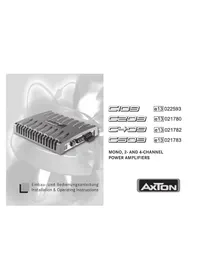
natural_image Exterior view of a black industrial electronic device with heat sinks and ventilation grilles (no visible text or symbols)

Axton C602 - 1

Installation & Operating Instructions

C602

Inhalt

A General Features ....17

B Connections & Controls C602 .....19

C Amplifier Location 20

D Wiring Tips 20

E Connecting 22

F Connecting Diagrams C602 23

G Controls and Adjustments .....25

H Troubleshooting 28

Specifications 29

J Warranty Certificate 31

Einleitung

Table of contents Click a title to access it
Manual assistant
Powered by Anthropic
Waiting for your message
Product information

Brand : Axton

Model : C602

Category : Receiver