
ACG1000CO - Coffee grinder BESTRON - Free user manual and instructions
Find the device manual for free ACG1000CO BESTRON in PDF.


| Product Type | Coffee Grinder |
| Brand | Bestron |
| Model | ACG1000CO |
| Color | Coffee |
| Power Consumption | 150 W |
| Power Supply | 220-240 V, 50/60 Hz |
| Capacity | 60 g (coffee beans) |
| Grinding Method | Stainless steel blades |
| Operation | Push-button (one-touch) |
| Dimensions (H x W x D) | 18 x 10 x 10 cm |
| Weight | 0.8 kg |
| Cord Length | 80 cm |
| Material | Plastic housing, stainless steel blades |
| Non-Slip Feet | Yes |
| Overheating Protection | Yes (thermal cutoff) |
| Safety Lock | Lid must be properly closed to operate |
| Cleaning | Detachable grinding chamber, cleaning brush included |
| Warranty | 2 years |
| Spare Parts Availability | Via Bestron service centers |
Frequently Asked Questions - ACG1000CO BESTRON
User questions about ACG1000CO BESTRON
0 question about this device. Answer the ones you know or ask your own.
Ask a new question about this device
Download the instructions for your Coffee grinder in PDF format for free! Find your manual ACG1000CO - BESTRON and take your electronic device back in hand. On this page are published all the documents necessary for the use of your device. ACG1000CO by BESTRON.
USER MANUAL ACG1000CO BESTRON
natural_image
Exterior view of a modern stainless steel and black plastic coffee maker with open lid and control buttons (no readable text or symbols)INSTRUCTION MANUALCOFFE
DE
HRN
EN S
OES
The image is too blurry to recognize any text content.
The image is too blurry to recognize any text content.
The image is too blurry to recognize any text content.
The image is too blurry to recognize any text content.
The image is too blurry to recognize any text content.
The image is too blurry to recognize any text content.
The image is too blurry to recognize any text content.
The image is too blurry to recognize any text content.
SICHERHEITSHINWEISE
NETTOYAGE ET ENTRETIEN
natural_image
Cross-sectional diagram of a mechanical component with labeled parts (no text or symbols beyond labels)REINIGING EN ONDERHOUD
- Check that the mains voltage corresponds with that shown on the rating plate of an electrical appliance before you use it.
• Always install electrical appliances on a stable and level surface where it cannot fall over.
- Certain parts of an electrical appliance may become warm or sometimes hot. Do not touch them as you may burn yourself.
• Make sure your hands are dry when you touch an electrical appliance, a cord or a plug.
- Electrical appliances must be able to lose their heat to avoid fire hazards. Therefore, make sure that the appliance has sufficient clearance around it and that it does not come into contact with flammable materials. Electrical appliances must never be covered.
- Make sure that electrical appliances, cords or plugs do not come into contact with water.
- Never immerse electrical appliances, cords or plugs in water or any other liquid.
- Do not touch electrical appliances if they have fallen in the water. Immediately pull the plug out of the socket. Stop using the appliance.
• Make sure that electrical appliances, cords and plugs do not come into contact with heat sources, such as a hot hob or open fire.
- Never let cords hang over the edge of the sink, a worktop or a table.
• Always remove plug from the socket when you are not using the electrical appliance.
- Remove the plug from the socket by pulling the plug itself and not the cord.
- Regularly check if the cord of the electrical appliance is not damaged. Do not use the electrical appliance if the cord shows signs of damage. If the cord is damaged, it should be replaced by the manufacturer, a technical service provider or a person with an equivalent qualification, to avoid any danger.
- The appliance may not be switched on with the aid of an external time switch, or by a separate system with remote control.
- This appliance may be used by persons with reduced physical, sensory or mental capabilities or lack of experience and know-how, but only if supervised or if they have been instructed on how to use the appliance safely and are aware of its potential dangers. This device may not be used by children. Keep the appliance and the cable out of reach of children.
• Children are not allowed to clean and maintain the appliance.
- Keep an eye on children to ensure that they do not play with the appliance.
- Be careful when using the appliance outdoors.
- Never use the appliance in damp or wet locations.
- Thoroughly clean the appliance after use (see Cleaning and Maintenance).
- Only use the machine for grinding coffee beans.
ENVIRONMENT

Dispose of packaging material such as plastic and cardboard boxes in the designated containers.
- Do not dispose of this product as normal domestic waste at the end of its life, but hand it in at a collection point for the reuse of electric and electronic equipment. Look for the symbol on the product, the user instructions or the packaging showing the type of waste.
- The materials can be used as indicated. By helping us reuse and process the materials or otherwise recycle the old equipment, you will be making an important contribution towards the protection of the environment.
- Your municipality can tell you where to find the designated waste collection point in your neighbourhood.
SERVICE
In the unlikely event of a malfunction, please contact Bestron customer service: www.bestron.com/service
| Technical Specifications | |
| Model ACG1000CO | |
| Mains (V) 220-240V | |
| Frequency (Hz) 50-60 | |
| Safety Class II | |
| Power (Watt) 150 | |
| Noise (dB(A)) - | |
| Max. Capacity - | |
| Maximum continuous operating time (KB) | - |
| Dimensions (L x W x H) (cm) | 10,5x10,5x18,2 |
| Cable length (cm) | 98 |
OPERATION - General
The appliance is only intended for domestic use, not for professional use.
natural_image
Cross-sectional diagram of a mechanical component with labeled parts (no text or symbols beyond labels)- Transparent lid
- Coffee bean reservoir with stainless steel grinding system
- Casing
- On/Off pulse switch

OPERATION- Use
- Fill the coffee bean reservoir with maximally 50-gram coffee beans.
- To turn on the device, the transparent lid (1) must be placed on the casing (3), then turn the lid left so it locks. (See figure 3)
- Now press the on/off pulse switch (4) to grind the beans.
- When you let go of the on/off pulse switch, the machine stops grinding.
- Take, when the grinded coffee has the desired structure, the reservoir (3) from the device and remove the freshly grinded coffee. You achieve the optimal coffee taste by using the freshly grinded coffee immediately.
ATTENTION:
- Only open the lid when the knife has completely stopped.
- Make sure you do not fill the device too much. Fill with coffee beans to the line "MAX" on the coffee bean reservoir.
- Grind the coffee beans for no longer than 45 seconds. Let the device cool down for 1 minute in between two grinding sessions.
- Prolonged use does not lead to finer coffee but does lead to loss of aroma.

CLEANING AND MAINTENANCE
- Remove the plug from the socket.
- Clean the lid, the reservoir, and the casing with a moist cloth and detergent, and dry thoroughly afterwards. Make sure no moisture gets into the device.
ATTENTION:
• This device is not suited for the dishwasher!
- Never immerse the device in water or other liquid.
- Do not use aggressive or abrasive cleaning agents or sharp objects (such as knives or hard brushes) when cleaning.
natural_image
Cross-sectional diagram of a mechanical component with concentric rings and a central shaft (no text or symbols)LIMPIEZA Y MANTENIMIENTO
natural_image
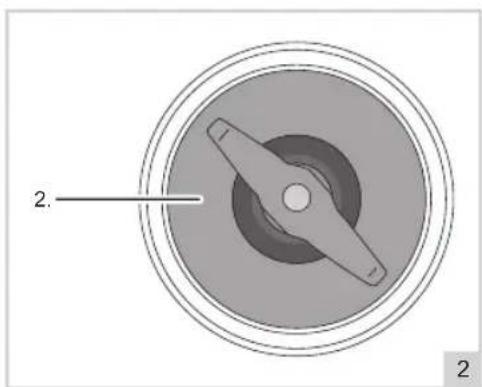
Circular mechanical component with a central blade and concentric rings, labeled with number 2 (no text or symbols on the diagram itself)CZYSZCZENIE I KONSERWACJA
natural_image
Cross-sectional diagram of a mechanical component with labeled parts (no text or symbols present)ČIŠĆENJE I ODRŽAVANJE
- Izvadite utikač iz utičnice.
- Očistite poklopac, spremnik i kućište vlažnom krpom i deterdžentom te nakon toga temeljito osušite. Pazite da vlaga ne uđe u uređaj.
PAŽNJA:
- Ovaj uređaj nije prikladan za pranje u perilici posuđa!
- Nikada nemojte uranjati uređaj u vodu ili drugu tekućinu.
- Prilikom čišćenja nemojte koristiti agresivna ili abrazivna sredstva za čišćenje ili oštre predmete (poput noževa ili tvrdih četki).
BEZPEČNOSTNÍ INSTRUKCE
natural_image
Diagram of a mechanical component with two labeled parts (2 and 2), showing concentric circular layers and central shaft (no text or symbols beyond labels)ČIŠTĚNÍ A ÚDRŽBA
ČISTENIE A ÚDRŽBA
natural_image
Circular mechanical component with a central blade and concentric rings, labeled with number 2 (no text or symbols on the diagram itself)CURATENIE SI MENTENANTA
ALL YOU WANT TO KNOW ABOUT YOUR UNIQUE 5 YEAR WARRANTY
ALLES, WAS SIE ÜBER IHRE EINZIGARTIGE 5-JAHRES-GARANTIE WISSEN MÖCHTEN TOUT CE QUE VOUS VOULEZ SAVOIR SUR VOTRE GARANTIE UNIQUE DE 5 ANS ALLES WAT U WILT WETEN OVER UW UNIEKE GARANTIE VAN 5 JAAR TUTTO QUELLO CHE VUOI SAPERE SULLA TUA GARANZIA UNICA DI 5 ANNI TODO LO QUE QUIERES SABER SOBRE TU ÚNICA GARANTÍA DE 5 AÑOS
BESTRON.COM/GUARANTEE

NEED HELP?
CHECK OUT OUR SERVICE PAGE
BRAUCHEN SIE HILFE? SCHAUEN SIE SICH UNSERE SERVICESEITE AN BESOIN D'AIDE? DISCUTE AVEC NOUS! CONSULTEZ NOTRE PAGE DE SERVICE HULP NODIG? CHAT MET ONS! BEKIIJK ONZE SERVICEPAGINA HO BISOGNO DI AIUTO? CHATTA CON NOI! GUARDA LA NOSTRA PAGINA SERVIZI ¿NECESITAS AYUDA? CONSULTE NUESTRA PÁGINA DE SERVICIO
BESTRON.COM/SERVICE

natural_image
Generic user profile icon with headset and uniform (no text or symbols)EASTERN EUROPE CUSTOMER SERVICE
POLSKA bestron.service.pl@teknihall.com HRVATSKA bestron.service.hr@teknihall.com CZECHIA bestron.service.cz@teknihall.com SLOVENSKO bestron.service.sk@teknihall.com ROMÂNIA bestron.service.ro@teknihall.com BULGARIA bestron.service.bg@teknihall.com
SERVICE HOTLINE: 00800 954 39 543

- SICHERHEITSHINWEISE
- NETTOYAGE ET ENTRETIEN
- REINIGING EN ONDERHOUD
- ENVIRONMENT
- SERVICE
- OPERATION - General
- OPERATION- Use
- ATTENTION:
- CLEANING AND MAINTENANCE
- LIMPIEZA Y MANTENIMIENTO
- CZYSZCZENIE I KONSERWACJA
- ČIŠĆENJE I ODRŽAVANJE
- PAŽNJA:
- BEZPEČNOSTNÍ INSTRUKCE
- ČIŠTĚNÍ A ÚDRŽBA
- ČISTENIE A ÚDRŽBA
- CURATENIE SI MENTENANTA
- ALL YOU WANT TO KNOW ABOUT YOUR UNIQUE 5 YEAR WARRANTY
- CHECK OUT OUR SERVICE PAGE
- EASTERN EUROPE CUSTOMER SERVICE
Brand : BESTRON
Model : ACG1000CO
Category : Coffee grinder