
TC-1402IPW-KIT - Security Camera TECNO - Free user manual and instructions
Find the device manual for free TC-1402IPW-KIT TECNO in PDF.


Pick your language and provide your email: we'll send you a specifically translated version.
| Product Type | Security Camera Kit |
| Brand | Tecno |
| Model | TC-1402IPW-KIT |
| Resolution | 1080p (1920 x 1080) |
| Lens | 3.6mm fixed lens |
| Night Vision | Infrared LEDs up to 30m |
| Weatherproof Rating | IP66 |
| Power Supply | 12V DC or PoE (Power over Ethernet) |
| Power Consumption | 5W (typical) |
| Dimensions (Camera) | 70mm x 65mm x 185mm |
| Weight (Camera) | 350g |
| Mounting | Wall or ceiling mount (bracket included) |
| Image Sensor | 1/2.7" CMOS |
| Field of View | 72° horizontal |
| Compression | H.265+ / H.264 |
| Storage | MicroSD card up to 128GB (not included) |
| Audio | Built-in microphone and speaker |
| Connectivity | Ethernet RJ45 |
| Protocols | TCP/IP, HTTP, RTSP, ONVIF |
| Mobile App | Sricam / TECNO Smart (iOS & Android) |
| Operating Temperature | -20°C to 50°C |
| Included in Kit | 2 cameras, NVR with 1TB HDD, cables, power adapters |
| Certifications | CE, FCC, RoHS |
Frequently Asked Questions - TC-1402IPW-KIT TECNO
How do I reset the camera to factory settings?
Press and hold the reset button on the camera for about 10 seconds until you hear a beep. The camera will reboot and reset all settings.
Can I use the camera without an NVR?
Yes, the camera supports standalone operation with a microSD card (up to 128GB) for local recording. However, for multi-camera setups and advanced features, using the included NVR is recommended.
What mobile app is required?
Use the TECNO Smart or Sricam app, available on iOS and Android. Scan the QR code from the camera label to add the device.
How far can the Wi-Fi reach?
This camera uses wired Ethernet (PoE) or wired 12V power; it does not support Wi-Fi. Ensure a stable network connection via an Ethernet cable.
Is the camera weatherproof?
Yes, it has an IP66 rating, meaning it is dust-tight and protected against powerful water jets, suitable for outdoor use.
How do I enable motion detection?
In the app, go to Camera Settings > Motion Detection, enable it, and set sensitivity. You can also schedule recording triggers.
Can I view the camera on my computer?
Yes, use a web browser by entering the camera's IP address. Default credentials are admin/admin (change immediately for security).
What is the default username and password?
The default username is admin and password is admin. It is highly recommended to change the password during initial setup to prevent unauthorized access.
How do I update the camera firmware?
Firmware updates are available from the TECNO support website. Download the latest firmware, access the camera web interface, and upload the file under System > Upgrade.
What is the warranty period?
TECNO offers a 2-year limited warranty from the date of purchase. Retain your proof of purchase for warranty claims.
User questions about TC-1402IPW-KIT TECNO
0 question about this device. Answer the ones you know or ask your own.
Ask a new question about this device
No questions yet. Be the first to ask one.
Download the instructions for your Security Camera in PDF format for free! Find your manual TC-1402IPW-KIT - TECNO and take your electronic device back in hand. On this page are published all the documents necessary for the use of your device. TC-1402IPW-KIT by TECNO.
USER MANUAL TC-1402IPW-KIT TECNO
Special announcement:
| Icon | Name |
| DC Power Input | |
| Power Switch | |
| USB Interface | |
| Internet Interface | |
| VGA-OUT | |
| HD-OUT | |
| A-out | Audio Frequency Output |


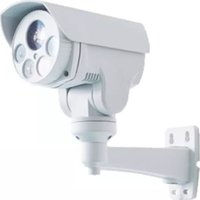
Table of contents
Click a title to access it
Manual assistant
Powered by Anthropic
Waiting for your message
Product information
Brand : TECNO
Model : TC-1402IPW-KIT
Category : Security Camera