
NMP3BE - Mp3 player NIKKEI - Free user manual and instructions
Find the device manual for free NMP3BE NIKKEI in PDF.


| Product Type | MP3 Player |
| Brand | Nikkei |
| Model | NMP3BE |
| Dimensions | 83 x 28 x 12 mm |
| Display | Dual color LCD, 128x64 pixels |
| Built-in Memory | 4GB |
| Expandable Memory | Micro-SD card up to 16GB |
| Supported Audio Formats | MP3, WMA, WAV |
| Recording Format | WAV |
| FM Radio Frequency | 87.5 MHz - 108 MHz |
| Power Source | Built-in Li-polymer battery, 3.7V |
| Charging Time | Approximately 4 hours (first 2 charges: 10 hours) |
| Battery Life | Varies with volume and usage |
| Interface | USB 2.0 |
| Operating Temperature | -5°C to 40°C |
| Compatible Operating Systems | Windows SE/ME/2K/XP, Mac OS 10, Linux 2.4.2 |
| Languages | Simplified Chinese, English, Traditional Chinese, Japanese, French, German, Italian, Dutch, Portuguese, Spanish, Swedish, Czech, Danish, Polish, etc. |
| Safety Precautions | Do not expose to extreme temperatures (>40°C); avoid humid or dirty areas; do not disassemble; do not use alcohol or benzene for cleaning; avoid high volume to prevent hearing damage. |
| Maintenance | Keep dry; avoid dropping; clean with soft, dry cloth. |
| Spare Parts / Repairability | Battery is built-in and not user-replaceable; no spare parts listed; refer to manual for troubleshooting. |
| Accessories Included | User manual, earphones |
Frequently Asked Questions - NMP3BE NIKKEI
User questions about NMP3BE NIKKEI
0 question about this device. Answer the ones you know or ask your own.
Ask a new question about this device
Download the instructions for your Mp3 player in PDF format for free! Find your manual NMP3BE - NIKKEI and take your electronic device back in hand. On this page are published all the documents necessary for the use of your device. NMP3BE by NIKKEI.
USER MANUAL NMP3BE NIKKEI
natural_image
Icon of an open book with visible text lines on pages (no actual text content)NIKKEI NMP3 MP3 PLAYER
INSTRUCTION MANUAL

DRAWINGS AND SPECIFICATIONS ARE SUBJECT TO CHANGE WITHOUT NOTICE.
Contents
Important Safety instruct ons....3
Func on overview....4
Bottom intro....5
Basic opera on....6
About ba ery 7
Main menu 8
Music mode 8
Record mode 10
FM mode 11
System mode (Se ng) 13
TEXT mode....14
USB disk func on....15
Troubleshoo ng 17
Speci ca on 18
Support Micro-SD card func on 19
Important Safety Instruc ons
The manual contains important safety instructions and information of the device's proper usage. Make sure to read carefully and understand all the instruct ons to avoid accidents.
- Please do not expose the device in the extreme temperature (above 40irc C), especially in cars with window closed during summer.
- Please do not store it in the humid or dirty area.
- Please avoid the device falling and bumping strongly.
- Please do not turn up the volume of the earphones too high while using it. If you feel ringing in your ears stop using the device or turn the volume down.
- Please do not disassemble the device by yourself and do not wipe the surface of device with alcohol or benzene or thinners.
- Please do not use the device in areas where electronic devices are prohibited.
- It is not suggested to use the device when you are driving or walking in the street.
Func on overview
- LCD Display
- Integrated Micro-SD card, support capacity up to 16GB
- Plays MP3, WMA music format le
- Built in Li-polymer ba ery
- Built in digital voice recording func on
- Product Dimension: 83 x 28 x 12 MM
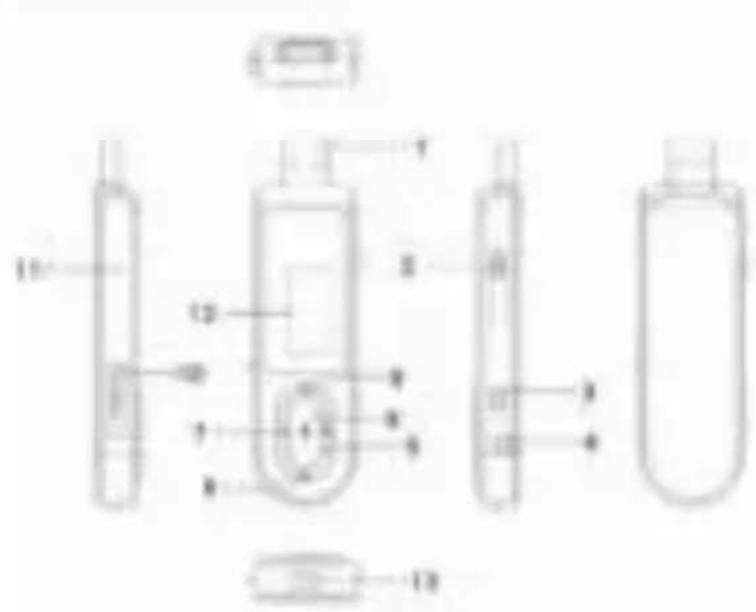
Bottom intro:
1: USB
2: USB Push the knob
3: Power ON/OFF
4: Earphone jack
5: Mode
6: Next
7: Volume
8: Play / Pause
9: Previous
10: Micro SD card slot
11: MIC
12: LCD Display
13: Strap hole
Basic Opera on
Power on
Push the button to "ON" position to turn on the device.
Long press [ ] (play/stop) bu on for 3 seconds to turn o the device, then push the Power ON/OFF button to "OFF" position.
Remarks: "ON /OFF" position is for you to power on/o completely the ba ery.
Power o :
a. In music mode: press [ ] (play/stop) bu on for one second, the music will stop, long press [ (play/stop) bu on for three seconds, the player will be turned o .
b. In other modes: long press [ ] (play/stop) but on for three seconds, the player will be turned out.
c. When ba ery power is low, system will automa cally power o .
Adjus ng volume:
Adjust the volume in music mode, and voice mode, press [ ] bu on will enter to volume adjustment interface. Pressing [ ] bu on or [ ] bu on will increase/decrease the volume
one step. Long press [ ] bu on or [ ] bu on will increase/decrease con nuously.
No ce: Do not turn up the volume too high when you put on the earphones, otherwise your hearing will be injured.
About Ba ery
The player adopts a built-in Li-polymer ba ery with large capacity.
If battery power is low, the screen will display "low power" then will automatically power off. Recharge your battery by connecting to PC via USB.
The screen displays ba ery icon and impulse when recharging ba ery. The icon will indicate full when completely recharged.
The ba ery will be full when charged con nuously for 4 hours (the rst two mes will take 10hrs).
The running me of ba ery depends on high or low of volume, playing les format, bu on opera on, etc.
The user can set [power o se ng] to save power.
Main menu
Press [ ] bu on to enter into subsidiary menu: press [ ] bu on or [ ] bu on to select.
Save se ng: hold [ ] bu on to save and exit from menu.
Music mode
Play/Stop Play: In music mode, connect the earphone to the player, then press PLAY/STOP [ ] bu on to play or stop.
Select music: Pressing [ ]bu on brie y will move to the next songs. Pressing [ ] bu on brie y will move to the previous songs.
Music mode menu: In music play mode, pressing [ ] button will enter sub-menu. press [] bu on or [] bu on to select the mode, then press [] bu on to con rm selec on: Repeat, Equalizer, Replay. Replay mes. Replay gap, Exit
✿ Repeat mode: press [ ] bu on and [ ] bu on to select repeat mode. Normal; Repeat One; Folder; Repeat Folder; Repeat All; random; intro.
✿ Equalizer mode: JAZZ, CLASSIC, ROCK, POP, NORMAL, SOFT, DBB
Tempo rate: press [ ] bu on and [ ] bu on to select tempo rate. Moving to posi ve direc on will fast tempo rate and moving to nega ve direc on will slow tempo rate. The digit "0" means normal tempo rate.
✿ Replay: A-B repeat, when "A" in the icon blinks, swing [ ] to con rm start point, swing [ ] as "B" point. The player will replay from A to B according to these ng in the replay mes.
Replay mes: In music play menu, press [ ] bu on or [ ] bu on to select replay
me. Then press [ ] bu on to con rm. Set how many mes the A-B point replay Maximum is 10 mes (1-10).
✨ Replay gap, set replay me gap between every replay.
Lyric display: User can download lyrics from website and save them in the player with the same name of music.
No ce: The player displays lyric name as the same as the MP3 le name. For example, music le name is "song.mp3" and LRC file name must be "song.lrc", they should also be in the same folder.
Record mode
In player main menu, press [ ] bu on to con rm selec ng record mode,
Press the front [ ] Bu on to start/stop recording. Press M bu on to save and exit.
No ce:
1) For ne recording, please record in quiet background.
2) Please do not talk before recording and start recording in 5\~6 seconds.
3) Make sure battery power and memory are sufficient.
4) The player support 99 voice recording les storage in each directory. If the screen displays "out of space", which indicates the current directory has already saved 99 voice recording les, the user need to change to a new directory.
5) During recording, only front [ ] Bu on and [ ] bu on can be e ec ve.
FM mode
Under main menu, swing [ ] or [ ] bu on to choose FM mode and press [ ] to
con rm. Press [ ] (play/stop) to save channel. If no channel is saved, you can look for channels by auto or manual searching. Press [ ] again to get sub-menu as below:
Save Save currently tuned frequency;
| Record Record current preset channel; |
| Delete delete current preset channel; |
| Delete All delete all saved channels; |
| Auto Search Auto search FM channel |
| Normal Band Frequencies from 87.5MHz---108MHz; |
| Japan Band frequencies from76MHz---90MHz; |
| Exit exit from FM sub-menu |
Auto search: Holding [ ] bu on or [ ] bu on for two seconds will tune frequency upward or downward un l a radio sta on is located then it stop automa cally.
Manual search: swing [ ] or [ ] bu on to search channel upward or downward one-step No ce: Normal band and Japan band can store 20 preset channels respec vely.
System mode (se ng)
Press [ ] bu on or [ ] bu on to select [system], then press [ ] bu on brie y to edit.
| System Time | Press [ ] to edit recording me. Swing [ ] bu on and the digit of yearwill increase; swing [ ] bu on to edit next digit, push [ ] or [ ]bu on to adjust the digit. Press [ ] to con rm the se ng |
| LCD set | Always light, 10 Sec, 20 Sec, 30 Sec |
| Language | Simple Chinese, English, Tradi onal Chinese, Japanese, French, German, Italian,Dutch, Portuguese, Spanish, Swedish, Czech, Denmark, Polish etc. |
| Power o | O me: set self-power o me when the player is stopped and no bu on ispressed. The me unit is seconds. O means set o the func on.Sleep me: set self-power o me a er last key pressed, regardless of whetherthe player is ac ve or stopped. The me unit is minutes. |
| Memory Check the memory size and the remaining memory | |
| info. | |
| Firmware version | Display the player's rmware version |
| Firmware upgrade | Firmware can be upgraded via connec on to PC |
| Exit Exit from the sub-menu | |
TEXT mode
Press [ ] to enter into TEXT menu, It will show as per Picture 1 on the screen.
To read the ebook, press [ ]
To set up or delete ebook le, press [], it will show as per picture 2 and picture 3 on the screen.
To bookmark the ebook, press key[] to enter to every func on sets refer to picture 4.

natural_image
Solid blue gradient background with no text, symbols, or discernible objects1

natural_image
Solid blue gradient background with no text, symbols, or discernible objects2

natural_image
Solid blue gradient background with no text, symbols, or discernible objects3

natural_image
Solid blue gradient background with no text, symbols, or discernible objects4
USB disk func on
1) The player can be also used as a mobile storage device, just plug and play to the computer, support 1GB – 8GB memory, the player also supports charging via USB when connec ng to PC.
2) When connected to a computer, the screen will indicate three different modes while opera ng:
| suspending mode | data downloading |
 |  |
| data uploading | |
 |
Trouble shoo ng
If the player couldn't play properly, please use trouble-shoo ng guide to help you.
Q: The player cannot work
A: 1. Please check the voltage of battery
-
Make sure the power bu on is on
-
Please check if volume is set to "0" or not and make sure that earphones are connected properly.
-
Damaged music data will make noise in some extent; make sure there are les in the player.
-
Choose right FAT le system in dialogue when forma ng disk.
Q: The player cannot upload /download les; no disk icon in computer
A: Please check USB cable is correctly connected.
Please properly re-install CD driver if under Win 98
Q: The player cannot record
A: Please check if memory is sufficient.
Please check the battery voltage.
Q: Strange characters are displayed
A: Please check if the correct language is selected.
Q: FM radio signal is not clear
A: Readjust the posi on between player and earphone; earphone can be used as antenna to receive the signal
Speci ca on
Dual color LCD screen : 128x64 pixel
Opera ng language: Simpli ed Chinese, English, tradi onal Chinese, Japanese, French, German, Italian, Dutch, Portuguese, and Spanish etc.
USB Interface: USB2.0
File formats supported: Music: MP3、WMA、WAV; Record : WAV
FM frequency: 87.5MHz—108MHz
The max output power: (L) 10mW+ (R) 10mW (320hm)
Built-in memory: 4GB
Power: 3.7 V Li-polymer ba ery
Operang temperature: -5°C\~40°C
Opera ng System: WINSE/ME/2K/XP, Mac OS 10、Linux2.4.2
Accessories: User Manual, Earphone
Support Micro-SD card func on
Plug and pull Micro-SD Card:
Plug: Connect Micro-SD Card to the device by inserting the card at its observing side to the socket of device, thus the MP4 player can play the les in the Micro-SD Card.
Pull: Push Micro-SD Card, thus Micro-SD Card will rebound a little. Then it's available to take it out.

- NIKKEI NMP3 MP3 PLAYER
- INSTRUCTION MANUAL
- Contents
- Important Safety Instruc ons
- Func on overview
- Bottom intro:
- Basic Opera on
- Power on
- Power o :
- Adjus ng volume:
- About Ba ery
- Main menu
- Music mode
- Record mode
- FM mode
- System mode (se ng)
- TEXT mode
- USB disk func on
- Trouble shoo ng
- Speci ca on
- Support Micro-SD card func on
Brand : NIKKEI
Model : NMP3BE
Category : Mp3 player