STV-49LED17 - Television Shivaki - Free user manual and instructions
Find the device manual for free STV-49LED17 Shivaki in PDF.


Pick your language and provide your email: we'll send you a specifically translated version.
| Product Type | LED Television |
| Brand | Shivaki |
| Model | STV-49LED17 |
| Screen Size | 49 inches (diagonal) |
| Display Resolution | 1920 x 1080 (Full HD) |
| Screen Refresh Rate | 60 Hz |
| Dimensions (with stand) | 110.5 x 70.2 x 22.5 cm |
| Dimensions (without stand) | 110.5 x 64.8 x 8.7 cm |
| Weight (with stand) | 11.2 kg |
| Weight (without stand) | 10.8 kg |
| Power Supply | AC 100-240V, 50/60Hz |
| Power Consumption (typical) | 90 W |
| Standby Power Consumption | < 0.5 W |
| Audio Output Power | 2 x 8 W |
| Speaker System | Stereo |
| Inputs | HDMI x 2, USB x 2, AV, Component, RF |
| Outputs | Headphone jack, SPDIF (optical) |
| Tuner | DVB-T/T2/C, Analog |
| Smart TV Features | No (standard TV) |
| Energy Efficiency Class | A+ |
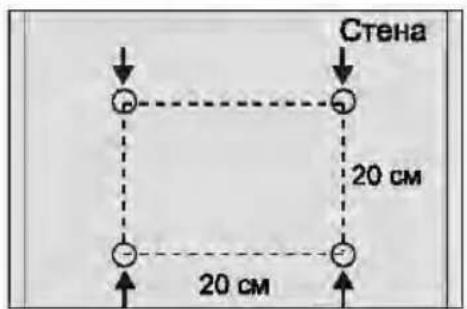
| VESA Mount Pattern | 200 x 200 mm |
| Remote Control | Included (IR) |
| Manual Languages | English, plus multiple translations available |
| Cleaning Instructions | Wipe with a soft, dry cloth; avoid solvents |
| Repairability | Designed for service; spare parts available via support |
Frequently Asked Questions - STV-49LED17 Shivaki
How do I connect my TV to a Wi-Fi network?
This model STV-49LED17 does not have built-in Wi-Fi. Use an external streaming device or connect via Ethernet if available.
What is the screen resolution of the Shivaki STV-49LED17?
The TV features a Full HD resolution of 1920 x 1080 pixels.
How do I perform a factory reset?
Go to Settings > System > Reset & Admin > Factory Reset. Confirm with the remote. All settings will be restored to defaults.
Can I mount this TV on a wall?
Yes, it supports VESA 200 x 200 mm mounting. Use appropriate screws and a wall bracket rated for the TV's weight.
What audio output options are available?
It has a headphone jack and an optical SPDIF output for connecting external sound systems.
How do I connect a USB drive to watch media?
Insert a USB drive into one of the USB ports. The TV will automatically detect media; use the Media Player app to browse photos, music, and videos.
The remote control is not working. What should I do?
Check batteries, ensure no obstructions, and point remote at the IR sensor. If still not working, try replacing batteries or contact support for a replacement.
How do I clean the TV screen safely?
Use a soft, dry microfiber cloth to gently wipe the screen. Do not use water, alcohol, or abrasive cleaners.
Is there a built-in digital tuner?
Yes, it supports DVB-T/T2/C for terrestrial and cable digital TV, as well as analog tuner.
Where can I download the user manual?
The manual can be downloaded for free from notice-facile.com in PDF format. Multiple languages are available.
User questions about STV-49LED17 Shivaki
0 question about this device. Answer the ones you know or ask your own.
Ask a new question about this device
No questions yet. Be the first to ask one.
Download the instructions for your Television in PDF format for free! Find your manual STV-49LED17 - Shivaki and take your electronic device back in hand. On this page are published all the documents necessary for the use of your device. STV-49LED17 by Shivaki.
USER MANUAL STV-49LED17 Shivaki
1

2
3

Manual assistant
Powered by Anthropic
Waiting for your message
Product information
Brand : Shivaki
Model : STV-49LED17
Category : Television