
DSB-A200C - Satellite receiver SAMSUNG - Free user manual and instructions
Find the device manual for free DSB-A200C SAMSUNG in PDF.


| Product Type | Satellite Receiver |
| Brand | Samsung |
| Model | DSB-A200C |
| Dimensions (W x H x D) | Approx. 30 x 5 x 20 cm |
| Weight | Approx. 1.5 kg |
| Power Supply | AC 100-240V, 50/60Hz |
| Power Consumption | Max 20W (standby <1W) |
| Signal Input | F-type connector, 75 ohm |
| Video Output | Composite AV, RF modulator |
| Audio Output | Stereo RCA (L/R) |
| Supported Satellite | DVB-S/MPEG-2 |
| Channel Memory | Up to 5000 channels |
| Functions | Channel search, favorite lists, timer, EPG |
| Maintenance | Clean with dry cloth; avoid liquids |
| Safety | Do not expose to rain or moisture |
| Spare Parts & Repairability | Contact authorized service centers |
| General Information | For indoor use only |
Frequently Asked Questions - DSB-A200C SAMSUNG
User questions about DSB-A200C SAMSUNG
0 question about this device. Answer the ones you know or ask your own.
Ask a new question about this device
Download the instructions for your Satellite receiver in PDF format for free! Find your manual DSB-A200C - SAMSUNG and take your electronic device back in hand. On this page are published all the documents necessary for the use of your device. DSB-A200C by SAMSUNG.
USER MANUAL DSB-A200C SAMSUNG
DIGITAL SATELLITE RECEIVER

MF68-00274E
DSB-A200C
instructions for use. . . . . . . . . . . . . . . . . . . . . . . . . . . . . . . . . . . . . . . . . . . . . . . . . . . . . . . . . . . . . . . .
Instructions for use
Per modificare II Teletext OSD:
Instructions for use ....GB
DSB-A200C

DSB-A200C
Instructions for use
GB
DIGITAL SATELLITE RECEIVER
SAFETY INSTRUCTIONS
This STB has been manufactured to satisfy international safety standards. Please read the following recommended safety precautions carefully.
MAINS SUPPLY: AC 100-240V\~, 50/60Hz
OVERLOADING: Do not overload wall outlets, extension cords or adapters as this can result in fire or electrical shock.
LIQUIDS: Keep liquids away from the STB.
CLEANING: Before cleaning, disconnect the STB from the wall socket. Use a cloth lightly dampened with water(no solvents) to clean the exterior.
VENTILATION: Do not block the STB ventilation holes. Ensure that free airflow is maintained around the STB. Never store the STB where it is exposed to direct sunlight or near heating equipment e.g. a radiator. Never stack other electronic equipment on top of the STB. Place the STB at least 30mm from the wall.
ATTACHMENTS: Do not use any attachment that is not recommended by the manufacturer; it may cause a hazard or damage the equipment.
CONNECTION TO THE SATELLITE DISH LNB:
The LNB connector cable has voltage in its center core. It is therefore recommended that the STB be disconnected from the mains power before connecting or disconnecting this cable. FAILURE TO DO SO COULD DAMAGE THE LNB.
SERVICING: Do not attempt to service this product yourself. Any attempt to do so will make the warranty invalid. Refer all servicing to a qualified service agent.
LIGHTNING: If the STB is installed in an area subject to intense lightning activity, protection devices for the STB mains connector and modem telephone line are essential. The individual manufacturer's instruction for safeguarding other equipment, such as TV set, Hi-Fi, etc., connected to the STB must also be followed during lightning storms.
GROUNDING: The ground of the LNB cable must be directly connected to the system ground for the satellite dish. The grounding system must comply with local regulations
Note: Dispose the used batteries at designated place for environment protection
CONTENT GENERAL FEATURES
Safety Instructions 1
General Features....3
Connecting Your STB 4
Description 6
Front Panel 6
Rear Panel 7
Remote Control Unit 8
Basic Functions....10
Operating The Receiver 16
Main Menu 16
-
Installation 16
1.1 LNB Setting 17
1.2 Positioner Setting....17 1.3.1 Line Mode....17
1.2.1 Oser Mode 18 1.2.2 Installer Mode 19
1.2.2 Installer Mode 18 1.3.1.10
1.3 Solarsat Setting 15 1.4 Auto Scanning 10
1.4 Auto Scanning 18 1.5 Manual Scanning 20
1.8 SMATV Scanning 21
1.7 Reset to Factory Defaults 21 -
Channel Organising 22
2.1 Delete Satellite 22
2.2 Delete Transponder 22
2.3 Delete Channel 22
2.4 Delete All Channel 23
2.5 Delete Scrambled Channels 23
2.6 Favorite Channels 23
2.7 Move & Edit Channel 24
- Parental Lock 25
3.1 Set Channel Lock. 25
3.2 Change PIN Code 26
- System Setup 26
4.1 Language Selection 26
4.2 OSD Setting....27
4.3 Media Settings....28
4.4 Modern Settings....29
4.5 Time &Timer Setting....29
4.6 System Information 30
4.7 Software Upgrade 30
4.8 Copy Channel Data 31
- Common Interface 31
Troubleshooting....32
Disposal 32
Technical Specifications 33
1. USER SECTION
▶ 4000 PROGRAMMABLE CHANNELS
- SOFTWARE DOWNLOAD VIA SATELLITE & PC(Secured)
ADVANCED ELECTRONIC PROGRAM GUIDE
▶ MULTI LANGUAGE SUPPORTED FOR OSD
SUBTITLE & TELETEXT(OSD & VBI)SUPPORTED
WITH MULTI LANGUAGE
DiSEqC 1.2 SUPPORTED
FULL FUNCTION INFRARED REMOTE CONTROL UNIT
7 SEGMENT LED DISPLAY
▶ AUTO AND MANUAL SCAN FACILITY
CHANNEL ORGANIZING(PROGRAMMABLE)
SCARTS & RCA OUTPUT
- LOW POWER CONSUMPTION
9 FAVORITE LISTS
▶ AUTO UPDATED EPG
▶ PASS LOOP FOR RGB SIGNAL
15 TIMERS TO RESERVE PROGRAMS(EVENTS) FOR TURNING
ON/OFF
2. TUNER SECTION
▶ 950\~2150 MHz WIDE BAND TUNER
▶ IF OUTPUT WITH DC PASS LOOP FOR ANALOG RECEIVER
▶ SUPPORTING DiSEqC 1.2 VERSION
13V/18V SWITCHING
▶ 22KHz CONTINUOUS TONE CONTROL
3. VIDEO SECTION
DVB-S COMPLIANT
MPEG-2 VIDEO(MP@ML)
2-45 MS/s SYMBOL RATE
COMPATIBLE FOR BOTH SCPC/MCPC
▶ SUPPORTS ASPECT RATIO 4:3(NORMAL) AND
16:9(WIDE SCREEN)
MODULATOR OUTPUT
4. AUDIO SECTION
MPEG 1 AUDIO LAYER I & II
MONO, DUAL, STEREO AND JOINT STEREO AUDIO MODE
▶ 32, 44.1 AND 48 kHz SAMPLING FREQUENCIES
VOLUME CONTROL AND MUTE FUNCTION THROUGH
REMOTE CONTROL UNIT
SPDIF DIGITAL AUDIO OUTPUT
DOLBY DIGITAL ENCORDED BIT-STREAM OUTPUT(OPTIONAL)
CONNECTING YOUR "STB"
1. LOCATION OF THE RECEIVER
Your STB should be placed under proper ventilation.
Don't put in completely enclosed cabinet that will restrict the flow of air, resulting in overheating.
The location should be safeguarded from direct sunlight, excess moisture, rough handling or household pets.
Avoid stacking other electronic components on the top of the receiver. The location should be safely accessible by the cable from your antenna system.
2. CONNECTING THE RECEIVER WITH DISH SYSTEM
After installing your antenna system, connect the coaxial cable from the LNB of your antenna to "DISH INPUT" terminal marked at the rear of the STB.
All cable connectors should be finger tightened; do not use any kind of wrench while tightening connectors. The cable should be 75ohm impedance coaxial twisted at the end with an "F" type connector.
3. CONNECTING THE RECEIVER TO TV
To connect the receiver with your television, you can use four methods: Via SCART cable, RF cable, RCA cable or Color component(Y, Pb, Pr)
Color component(Y, Pb, Pr) provides the more faithful reproduction of the colors. Connect the RF cable to the terminal marked "RF OUT" at the rear panel of STB and its other end to the TV RF input socket.
In the case of connecting your TV through SCART cable, connect the SCART connector marked TV to the respective SCART port on the TV.
4. CONNECTING YOUR ANALOG RECEIVER
To facilitate the user using analog receiver to view analog channels, STB has been provided with a loop through terminal marked as "LOOP".
Connect the coaxial cable from this terminal to the IF input terminal of your analog receiver. Now by keeping the STB in standby, you will be able to tune and view analog channels from your analog receiver.
5. CONNECTING YOUR VCR
To connect a VCR or DVD player, the STB has been provided with SCART at the rear marked "AV2".
Using a SCART connector, the VCR or DVD player can be connected to the receiver. Note : This is supported by standby.
6. CONNECTING EXTERNAL AUDIO / HI-FI SYSTEM
To connect any external Audio Hi-Fi system, the receiver has been provided with two RCA connectors at the back of the receiver, marked with AUDIO L and R respectively to connect the left and right Audio.
CONNECTING YOUR "STB"
7. CONNECTING DIGITAL AUDIO SYSTEM
Connect a fiber optic cable between Optical SPDIF on the receiver and Optical SPDIF on the Digital Audio System.
8. INSERTING COMMON INTERFACE CAM(CONDITIONAL ACCESS MODULE) AND SMARTCARD
The STB supports Common Interface CAMs under DVB specification. The CI CAMs include a built-in smart card reader.
- Insert the smart card into the CAM gently with the gold colored chip upwards
- Slide in the CAM gently inside the slot so that it sits in the socket tightly.
- To remove the CAM push the button provided by the side of the CAM slot. The CAM will be ejected from the socket.
Note : The following Common Interface CAMs are available now: IRDETO, CONAX, CRYPTOWORKS, VIACCESS, NAGRAVISION, SECA, Etc.
Connecting Figure

You can set the various media settings you want.
Place the cursor on this sub menu(System Setup → media setting menu) and press OK.
- Press the ▲/▼ keys to move the sub items and press the ◀/▶ keys to select the option.
- Press the OK key to confirm.
- Press the MENU/EXIT keys to exit the menu.
- Select the TV system : PAL, SECAM, NTSC, PAL → (auto)NTSC, SECAM → (auto)NTSC, NTSC → (auto)PAL or NTSC → (auto)PAL
- Select the TV type according to your TV: STANDARD 4: 3 ratio or WIDE SCREEN 16: 9 ratio type.
- Select the aspect ratio conversion : Letter box, Pan & Screen, Mixed or Full
- Select the Video Signal Type: Composite, Composite + RGB, Composite + YUV or S-Video
- Select the RF Channel: Ch 21\~Ch 69
- Select Broadcasting System: B/G, I or D/K
Note: Selecting RGB video signal out, YUV(YPbPr) video out turns off. Selecting composite+YUV video signal out, YUV(YPbPr) video out turns on.
DESCRIPTION
Front Panel

- This key is for turning the receiver on and Standby.
- OK This key is for entering and confirming any data to the receiver in the menu system. This key is for selecting the item. Press while viewing TV and a list of channels is displayed.
- ▲, ▼ These keys are for changing the channels during watching TV and for moving the highlight bar for selecting options on the menu.
- ◀, ▶ These keys are for increasing and decreasing the volume level manually during watching TV and for moving the highlight bar for selecting options on the menu.
5.7 Segment Display This LED display will show the current channel number. While the receiver is in Standby mode, the display will show the current time. - Infrared Sensor This is to receive the IR commands from the Remote Control Unit.
- CA Module Slot In the slot you can use a CA module from a service provider of your own choice.
Note: CA modules and smart cards are only distributed by service Providers and special distributors, not by SAMSUNG.

Rear Panel

-
AC MAINS This is to plug in the AC mains power cord. The input AC voltage range is 100V to 240V-, 50Hz/60Hz supply.
-
0/12V This is for connecting to an external LNB switch.
-
RS 232 DATA PORT This is for connecting your receiver to a computer for reading and loading data information.
-
ANT.IN This is for connecting your local RF channels to your TV through Loop.
-
RF OUT This is for connecting to your TV via RF cable.
-
AV SCARTS This is for connecting to your AV scarts for TV & VCR or DVD player.
-
COLOR COMPONENT(Y, Pb, Pr)
This is for connecting STB to your TV by using COLOR COMPONENT(Y, Pb, Pr) cable. To view a normal picture by connecting a color component cable, set the video signal type to Composite + YUV in Media Setting mode.
-
VIDEO, AUDIO R/L These RCA connectors are for connecting any external video and audio.
-
DIGITAL AUDIO OUT(OPTICAL)
Output for connection to a digital amplifier.
-
LOOP To enable the connection of an Analog receiver. The receiver is provided with this 'LOOP' port.
-
DISH INPUT This port is to connect the coaxial cable from LNB of your dish. The IF input is provided through this port and the input frequency range is 950-2150 MHz. Also the voltage switching 13V and 18V is passed through this port.
Remote Control Unit

Note: When inserting batteries, make sure that the polarity(+/-) is correct.
DESCRIPTION
......
......
DESCRIPTION
......
1. POWER
This is for switching the receiver ON/STANDBY mode.
2. 0-9 NUMERICAL keys
These keys are to enter numeric values and to select the channel directly by entering its number.
3. PG+/PG-
These keys are for moving up or down pages on the menu and TV/Radio list.
4. TV/RADIO
This key is for toggling between the TV channel and Radio channel.
5. MUTE
This key is for toggling between normal & muted audio.
6. FAV
Use the key to switch between favorite lists.
7. EPG
Electronic Program Guide key displays the TV/Radio Program guide.
8. LAST
This key is for calling up directly whatever channel you were watching from the list.
9. TEXT(GREEN)
This key is for selecting the subtitle mode. This key functions same as the GREEN key on the menu. Press it once and subtitle appears. You can select the language you want using the channel up/down keys. Press twice it. Then Teletext will be displayed on TV Screen without operating anything on TV. This Teletext can be displayed on TV which doesn't support Teletext functionality. Press three times it. Then Teletext will be available on TV. It means that Teletext can be chosen by TV with TV RCU.
-
ALT(YELLOW) This key is for selecting the soundtrack list for the current service. This key functions same as the YELLOW key on the menu. Press it once and sound track appears. Press it twice and video track appears. The sound and video track services are not provided for every channel and depend on the conditions the operator is in. This key is for displaying the help message in the sub-menu.
-
AUDIO(BLUE) This key is for changing the Audio to the left, right or both channels. This key functions same as the BLUE key on the menu.
-
i (INFORMATION) This key is for displaying the program information box in the screen. (RED) This key functions same as the RED key on the menu. Press it once and you can get simple information on the program. Press it twice and you can get detailed information on the channel in text box,
-
MENU This key is for opening up the menu or returning to the previous menu.
-
EXIT This key is for exiting a menu or returning to the previous menu or exiting some banners.
-
OK This key is for entering and confirming any data to the receiver in the menu system. This key is for selecting the item. Press while viewing TV and a list of channels is displayed.
-
◀/▶/▲/▼ These keys are for moving the highlight bar for selecting options on the menu.
-
CH/CH Those keys are for changing channels.
-
VOL+/VOL- These keys are for increasing or decreasing the volume.
-
TIMER This key is for reserving events(programs) into timer(s) in EPG. If a event is set in timer, it will be turned on/off automatically based on start/end time of event. This key activates/deactivates timer(s) in EPG as toggle type. After activating EPG screen by pressing 'EPG' key, you can select the interesting event (program) using the ▲/▼ keys and ◀/▶ keys. Then, press 'timer' key. If this event is reserved in the timer, ® is displayed on the right corner of this event name. 'EPG' on 'Event Repetition' in 'Time & Timer Settings' menu is displayed, too. However, if there is no event on EPG for the channel, this Timer can't be supported.
BASIC FUNCTIONS
1. Display Screen
Before you can view the television program, you must perform the installation. Therefore you will see only menu images at first.
After the television channels have been programmed, you will see the following picture(banner) each time you switch channels:

- Press the RED(i) key in view mode.
- Select the channel by pressing NUMERICAL (0\~9) keys or ▲/▼ keys and select TV/RADIO key to move to TV or Radio channel.
You will also see this picture each time you change channels.
When you press TV/RADIO key on the Remote Control Unit, TV and RADIO program are toggled.
Detailed program information
- Press the RED(i) key twice while you are viewing a program.
First you will see the banner described above.
After the RED( i ) key is pressed in the second time, detailed information for current program can be displayed on another banner, if there is more information. When this information is more than one page, PG+/PG- keys can be used for page up and down.
Notes: This service depends on service provider.
2. Volume Control
To control the volume level :
- Press ◀/▶, VOL- or VOL+ keys to adjust the volume level.
- Press MUTE key to turn to silence mode.
- Press MUTE key again or ◀/▶ keys in order to cancel the mute function.
3. Select Soundtrack
- Press YELLOW(ALT) key to see the soundtrack list.
- Press ▲/▼ and OK key to select one.

4. Select Videotrack
- Press YELLOW(ALT) key twice to see the videotrack list.
- Press ▲/▼ and OK key to select one.

5. Sub channel List
When subchannels are available on current channel (program) after changing channel, [C] is displayed at the right corner on the banner. In this case, press the YELLOW(ALT) key. Then you can get all subchannel list.
Select subchannel which you want among subchannel list.
6. Service List
- Press OK key to while you are viewing a program. - Select list by pressing TV/RADIO or FAV key.
The icon -0 behind the channel name symbolises scrambled channel, and the 🔒 icon behind the channel name shows parental lock channel.
- Select the channel by pressing ▲/▼, PG+/PG-
- Press OK key to watch that channel.
The colour key corresponds the following service list.
• Green(TEXT) key : Favorites
• Yellow(ALT) key : Alphabetical
• Blue(AUDIO) key : Provider
• Red(i) key : Transponder

BASIC FUNCTIONS BASICFUNCTIONS...
......
6.1 Service Favorites
- Press the GREEN(TEXT) key on the control unit to select the Favorites list.
- Press the GREEN(TEXT) key to switch between favorite list and channel list.
- Use the ▲/▼, PG+/PG- keys to select a favorite group or a channel that you want.
6.2 Service Alphabetical
- Press the YELLOW(ALT) key on the remote control unit to select the Alphabetical list.
- Press the YELLOW(ALT) key to switch between alphabet list and channel list.
- Use the ▲/▼, PG+/PG- keys to select a Alphabetical group or a channel that you want.
6.3 Service Provider
- Press the BLUE(AUDIO) key on the remote control unit to select the Provider list.
- Press the BLUE(AUDIO) key to switch between Provider list and channel list.
- Use the ▲/▼, PG+/PG- keys to select a Provider group or a channel that you want.
6.4 Service Transponder
- Press the RED(i) key on the remote control unit to select the Transponder list.
- Press the RED(i) key to switch between Transponder list and channel list.
- Use the ▲/▼, PG+/PG- keys to select a Transponder group or a channel that you want.


7. Program Information
EPG-Electronic Program Guide
The electronic program guide gives you information for the channels.
Note: 1. This service depends on service provider.
2. After receiver recognized the GMT-time from the signal which takes few seconds, it can display correct EPG information.
- Press EPG key while you are viewing a program.
This function is displayed on the screen by using only time. You will see "EPG" in the LED display of the receiver.
- GREEN(TEXT) key: Green key is for moving back to the previous date.
- YELLOW(ALT) key: Yellow key is for moving to the next coming date.
- BLUE(AUDIO) key can be used for page up, if there is more information than one page.
- RED(i) key can be used for page down, if there is more information than one page.
Time interval can be adjusted by press keys as followings on EPG screen:
1 key: 1 hour and 30 minutes 2 key: 30 minutes 3 key: 15 minutes With the TV/RADIO or FAV key you can browse among the various programs lists.
- Select the channel by pressing ▲ / ▼, PG+/PG- keys and press OK key to watch this channel. Current event can be returned by pressing LAST key during moving events on this channel.
- When the TIMER key on the remote control is pressed in the EPG screen, if the current channel involves an event, timer is set immediately and the set timer is indicated on the EPG screen. A program that has been set in this way is indicated on Timer Field of Time & Timer Setting.
8. Subtitle
When the current broadcasting program provides subtitle, press the GREEN(TEXT) key to see the current subtitle language list. If Subtitle is available on current program, □ is displayed on the banner after changing program(channel) or pressing RED(i) key.
To change the subtitle language:
- Press the GREEN(TEXT) key to see the subtitle language List.
- Use the ▲/▼ keys to select a subtitle language you want.
- Press the OK key and then the subtitle language you want is displayed.
The menu display is carefully created and user friendly to assure the easy operation of the receiver by the user.


BASIC FUNCTIONS BASICFUNCTIONS
When the current broadcasting program provides Teletext, press the GREEN(TEXT) key twice to see the current language list for Teletext in order to get teletext in OSD regardless of TV type. [T] at the right corner on the banner shows that Teletext is available on this event(program). Even [T] is displayed on the banner, Teletext may not be available due to broadcasting.

To change the Teletext OSD:
- Use the ▲/▼ keys to select a Teletext OSD you want.
- Press the OK key and then the Teletext OSD you want is displayed on the screen.
10. Teletext VBI
When the current broadcasting program provides Teletext VBI, press the GREEN(TEXT) key three times to see the current language list for Teletext. This Teletext will be displayed to the screen by TV, which supports Teletext. [T] at the right corner on the banner shows that Teletext is available on this event(program). Even [T] is displayed on the banner, Teletext may not be available due to broadcasting

To change the Teletext VBI:
- Use the ▲/▼ keys to select a Teletext VBI you want.
- Press the OK key and then the Teletext VBI you want is displayed on the screen.
11. Audio Mode
You can choose a mode among left, right or stereo using the BLUE(AUDIO) key.

To change the audio mode:
- Press the BLUE(AUDIO) key to select the left, right or stereo.
- Press the EXIT key to save and escape from this menu.
12. Near Video on Demand (NVOD)
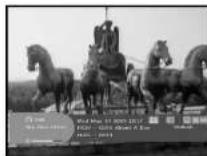
If the changed channel is a NVOD service channel, [N] is displayed at the right corner on the banner. In this case, press the YELLOW(ALT) key. Then you can get all NVOD list. Select NVOD program among those lists. Select the desired time to watch using the ▲ / ▼ keys, and then press the OK key to watch the desired program.
13. Multi feed channel or subchannel
If the changed channel is a multi feed service channel, [C] is displayed at the right corner on the banner. In this case, press the YELLOW(ALT) key. Then you can get all subchannel list. Select a program among those list, using the ▲/▼ keys, and then press the OK key to watch the selected program.

After installing your antenna system and STB with appropriate connectors.
- Plug in the AC main power and switch on the receiver.
- Press MENU key to bring up the main menu.
The LED display will show "MENU"
The following on screen display will appear:
The sub menu topics will be displayed. For the sub-menus Installation, Channel Organising and Parental Lock you need the PIN Code.
Before you begin with the "Installation" menu, you should check in the 4th menu "System Setup" whether all the information there is applicable for you.
• To see the help message, press the YELLOW(ALT) key.

1. Installation
The menu provides settings for customizing, adding new services and displaying the status of the receiver.
- Select "Installation" in the main menu mode to select the sub menu.
- Enter the PIN Code.
If you have not entered your own PIN Code then the PIN Code 0000 applies, which was set at the factory.

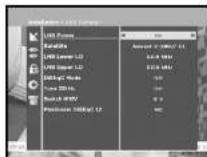
You can select the satellite and LNB setting conditions to execute channel search and you can alter the settings for 22KHz tone. The parameters set in this menu are needed for programming the channels for the "Auto scanning" and "Manual scanning".
The necessary information can be found at your antenna and LNB brochures, or you can ask your dealer.
- Select LNB power supply "On".
- Select the desired satellite name.
- Select the LNB type (frequency).
- Select the DiSEqC Mode
(Off, DiSEqC A, DiSEqC B, DiSEqC C, DiSEqC D, Tone Burst A, Tone Burst B)
If you are using a Positioner, select Positioner DISEqC1.2 ("Yes" or "No")
22KHz: In case you are using a dual LNB or two antennas connected to a 22KHz tone switch box, with the 22 KHz tone switch ("On", "Off" or "Auto") you can switch between both LNB or antennas.
0/12V: When you use two LNBs or antennas is switched to 0/12V, select what LNB and antenna are used enable or disable. 0/12V terminal is located on the rear of STB.
1.2 Positioner Setting
If you have a DiSEoC 1.2 motorized system which is fully compatible with DiSEoC1.2, then you can take advantage of the DiSEoC 1.2 functions available.
- Select Satellite.
- Select any transponder from above satellites and check out the Frequency, Symbol Rate, FEC and Polarity.
In case problems arise, ask your dealer.
Sometimes this transponder may not exist due to broadcasting. It is better to select main transponder among them for the desired satellite.
- Select from Menu Mode:
"User" mode: Enables control of basic positioner function recommended for beginners. General user uses "User" mode.
"Installer" mode: This is used to search for the position of a satellite manually.

1.2.1 User Mode
- Select Driving Mode:
You have an option to choose the positioner's movement type: Continuous, Step or Time. - Position the antenna with north, south, east and west and use the ◀/▶/▲/▼ key to drive motor. ◀key drives to west, ▶key drives to east, ▲key drives to north and ▼key drives to south.
- If you finished driving of motor, select "Store current Position," and press OK key, to reset new driving motor.
Notes: The level indicated in the "Signal Status" is only for reference.
The signal quality may be adequate even though the level indicated is not maximum.
- Go to Stored Position.
When the stored position is reached then screen displays "Stop", you can now continue with the further operations. - Select the Calculate Sat Positions to recalculate the satellite position and OK key.
1.2.2 Installer Mode
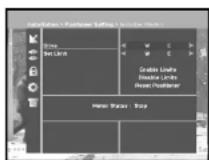
After checking the positioner's state, installer should use this menu. He should set the "Disable Limits" before using User mode.
- Select the Drive Motor West/East and use the ◀/▶ keys to drive motor.
◀key drives to west and ▶key drives to east. - Select "Enable Limit", in order to enable "Set Limit".
- Select "Disable Limit", in order to disable "Set Limit".
- Select "Reset Positioner" and OK key to reset positioner.

1.3 Solarsat Setting
This menu is only for the Solarsat antenna.
When you press this menu, you will get this message,
"This menu is only for the Solarsat antenna. If you have one-press OK, otherwise-press EXIT."
You can set the value according to your location.
- To set the Value of Date and Time, use the PG+/PG- keys to change the value.
- Use the ◀/▶ keys to change position.
- Use the ▲ /▼ keys to move each filed.
1.4 Auto Scanning
The sub menu "Auto Scanning" will enable download the channels automatically from the preprogrammed satellites.
To download channels automatically:
You can select All/Off/Only Free option mode with the the
◀/▶ keys in each satellite, which can be displayed more by the PG+/PG- keys.
Off: No Scan
All : Scan all the channels
Only Free : Scan free channels
- Press OK key.
Auto Scanning menu will be displayed.
All the channels in the list from the selected satellite will be automatically downloaded.
After scanning you will see "Your digital receiver found...".
Then, you should press OK key to store all channels into STB.


1.5 Manual Scanning
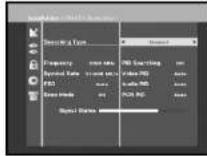
To tune in new channels and weak signals, the STB has been provided with the option "Manual Scanning" where the channel data can be entered by the user. After selecting the "Manual Scanning" from the Installation Menu, the following screen will be displayed:
- Select the target satellite for manual search. In order to scan programs from the satellite which is not listed on this menu, select 'Satellite 1', 'Satellite 2' or 'Satellite 3'.
In case of 'Satellite 1', 'Satellite 2' or 'Satellite 3',
all information about the satellite which you are interested in should be put.
- Load a transponder.
This option will enable the user to load any transponder from the preprogrammed list available within the receiver.
Notes: Especially on New transponder at Load TR, this new transponder can be added into transponder list so that you can use it on Auto Scanning later, only if at least one channel is found with this new transponder. In order to save it, press OK key. In order to get 'NEW' as new transponder at Load TR, enter '0' at Load TR or go to 'NEW' using the ◀/▶ keys.
- Input the frequency of the transponder you want to find.
- Input the symbol rate of the transponder you want to find.
- Select the FEC(Forward Error Correction) of the transponder you want to find.
You can select the value of 1/2, 2/3, 3/4, 5/6, 7/8 or Auto. - Select the polarization of the transponder you want to find. (Horizontal/Vertical/Circular Left/Circular Right)
In the case of horizontal, 18V and in the case of vertical, 13V are output through LNB line. - Select Scan Mode "All" or "Only Free"
- Set "Yes" on Network Search. You can get more channels from transponder using the homing transponder. Additionally, you can got 'Net Name' on the screen. This service depends on the information from broadcasting signal.
- Select PID searching "Yes". only if you are interested in SCPC program. You can manually search by entering individual PID(Packet Identifier)(Video/Audio/PCR) values.
• After select option, press OK key to start the scan process.

1.6 SMATV Scanning
In case that several generations use Antenna and LNB in common, search the service the from 950 to 2150MHz.
- Select Searching Type "Automatic" or "Manual".
- Select Scan Mode *All* or *Only Free*
- You can input alternative symbol rate from 1st to 4th.
Notes: 1. When your searching type is set to Automatic during SMATV scanning, you have only to enter the alternative symbol rate(1\~4) you want.
- When your searching type is set to Manual during SMATV scanning, you must enter both frequency and symbol rate.
- DiSEqC switch can be supported for SMATV on 'LNB Settings'. SMATV as the satellite on 'LNB Settings' should be selected for supporting DiSEqC switch.
When you select "Automatic", STB will search all available channels based on symbol rates over whole frequencies.
On the other hand, it will scan channels with exact
information for symbol rate and frequency on "Manual".

1.7 Reset to Factory Defaults
This is to recover the Factory set values in case the user has encountered some problems after changing any values of channel data and others which may be in error.
The screen display will be as follows:
At the request window,
if you press OK key, the receiver will be reset to factory default settings automatically.
Note: This cause your previous settings to be deleted!
All settings and information including channel data will be deleted.

2. Channel Organising
The "Channel Organising" menu has seven functions: This menu is for removing some channels from channel list which are related with designated Satellite or Transponder. And it provides making favorite list and moving channel position as you want.
- Enter the PIN Code.
If you have not entered your own PIN Code 0000 applies, which was set at the factory.
2.1 Delete Satellite
- Select the desired satellite list you want to delete by pressing RED(i) key.
- Press OK key for confirmation.
Note: This feature doesn't delete satellite itself but deletes the list of channels registered at the selected Satellite.
2.2 Delete Transponder
- Select the desired transponder list you want to delete by pressing RED(i) key.
- Press OK key for confirmation.
Note: This feature doesn't delete transponder itself but deletes the list of channels registered at the selected transponder.
2.3 Delete Channel
- Select the desired channel you want to delete by pressing RED(i) key.
- Press OK key for confirmation.
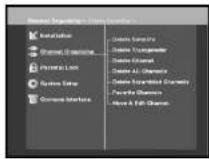


2.4 Delete All Channel
At the request window, press OK key to delete all channels and press MENU / EXIT to exit.
2.5 Delete Scrambled Channels
At the request window, press OK key to delete scrambled channels and press MENU / EXIT to exit.
2.6 Favorite Channels
You can immediately register the present channel to the desired Favorite Group. In addition, you can register a channel to multiple favorite groups.
- Select the desired Favorite Group(FAV1-FAV9) using the FAV key.
- Select the desired channel list using the ▲ / ▼ or PG+/PG-keys or numeric keys at the TV or RADIO list window.
- Press the RED(i) key and then register the selected channel at the Favorite Group.
- Then press the OK key for confirmation.
You can change TV list or Radio list by the TV/RADIO key and change favorite list by the FAV key.
- When you press the TV/RADIO key, TV list and Radio list are toggled.
- Press the FAV key to select another favorite list.
To delete channels from Favorite Group:
- Select a channel list to delete with ▲/▼ or PG+/PG- keys or numeric keys.
- Press the RED(i) key to delete the selected channel from the favorite channels.
Note: One favorite list can contain max. 200 channels.


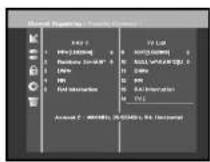
2.7 Move & Edit Channel
- Select the TV/RADIO list with ◀/▶ or TV/RADIO key.
- Select a channel in the TV or Radio list with ▲/▼ or PG+/PG- keys or numeric keys.
- Select channel by pressing the RED(i) key.
- Press the ▲/▼ or PG+/PG- keys to change the position of the channel you want, and press the OK key for confirmation.
- If you want to return the channel to the initial position, do not press the OK key but press the BLUE(AUDIO) key.

To edit Channel Name
- Select the TV/RADIO list with ◀/► or TV/RADIO key.
- Select a channel to rename with ▲/▼ or PG+/PG- keys or numeric keys.
- Press GREEN(TEXT) key. Font Table will be displayed.
- Select desired font table using the Num.1\~6 keys.
- Select desired character with ◀/▶/▲/▼ and then press the OK key to paste character to the string.

Notes: RED key: Backspace.
EXIT key : To exit font table without changing channel name. PG+/PG- key : To move the highlight "Move & Edit Channel" is applied on the all channel list.
- Press the MENU key and then press the OK key to save the set data.
3. Parental Lock
This "Parental Lock" feature sets viewing restrictions and prevents unauthorized access to your STB through the PIN (Personal Identification Number), which is a 4 digit number. (The factory preset PIN Code : 0000)
On selecting this menu, you will have two options: to set look for any desired channel and to change your PIN value.
- Enter PIN Code.
If you have not entered your own PIN Code then the PIN Code 0000 applies, which was set at the factory.
3.1 Set Channel Lock
- Select the channel by pressing ▲/▼, PG+/PG-, ◀/► or numeric keys.
- When you press the TV/RADIO key, TV list and Radio list are toggled.
- Select the channel lock by pressing RED(i) key.
- Press OK key for confirmation.
This will lock the channel. Whenever you need to view the channel, you will have to enter the PIN at the request window.
After entering PIN Code to able to access a parental locked channel, it will work on all parental locked channels. It means that you can access all parental locked channels with entering PIN Code on any parental locked channel successfully.
To cancel the lock :
- Press RED(i) key again in order to cancel the lock.


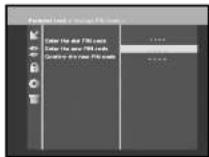
To change the PIN Code, select the second option "Change PIN Code".
This will take you to the following menu:
In this option, you need to enter the current PIN Code at the first cursor, and at the second cursor enter the desired PIN Code.
To confirm, you need to enter the new PIN Code again.
Please remember the PIN Code should be a 4 digit numerical value.
THE FACTORY PRESET PIN Code:0000.
Notes: If you forget the PIN Code, refer to 'System information' part. Once you change password, please do not forget and keep well.
4. System Setup
This option enables you to change the factory preset system settings as per your requirements.

4.1 Language Selection
The "Language Selection" option allows the user to select the desired language of the OSD, Soundtrack, Teletext, Subtitle or EPG. However, these languages for Soundtrack, Teletext, Subtitle and EPG depend on broadcasting. For example, even the language for Subtitle can be selected, it may not be supported because of no Subtitle on the program.
- To accommodate user from different regions speaking different languages, OSD languages are available 20 languages.
- To select the desired language menu, press ◀/▶ keys to change language and press OK.
- The OSD Language, Soundtrack, Teletext, Subtitle, or EPG will vary according to the selected language.

4.2 OSD Setting
You can set the OSD transparency, the display time, Color Scheme and OSD Position.
- Select OSD Transparency level. The OSD Transparency level from 0 to 100%. Setting is made with the numeric keys, ◀/▶ keys or PG+/PG- keys.
◀/▶ keys : Setting in increment of 1%.
PG+/PG- keys : Setting in increment of 10%.
Note: This transparency is NOT applied to color scheme with "User Defined" option.
- Set the display duration of the information(banner) box displayed in the screen. The time ranges from 0.5 to 60.0 seconds. Setting is made with the numeric keys, ◀/▶ keys or PG+/PG- keys.
◀/▶ keys : Adjusting in increment of 0.5sec. PG+/PG- keys : Adjusting in increment of 1 sec.
- Set the Color Scheme:
You can change color according to your preference. (i.e background, text, symbol, line, etc)
◀/▶ keys : select the color scheme mode. Color scheme 1: changes the menu to sky blue color. Color scheme 2: changes the menu to green color. Color scheme 3: changes the menu to dark brown color. User defined: Sets the color according to user preference. EPG colors: Sets the color in the EPG menu.
Notes: Color scheme 1, 2 and 3 may be changed in the future by upgrading software.


To set User defined mode or EPG color mode
- Press the GREEN(TEXT) key.
The item which you want to change will appear.
- Move the item which you want to change using the ▲/▼ keys.
- Set the color you want using the ◀/▶ keys.
- Press the OK key to set.
To see the help message, press the YELLOW(ALT) key.

OSD Position
- Place the cursor on the position you want, and press the
▲ / ▼ keys or ◀ / ▶ keys until the screen moves to the position you want.
The screen will move to the position you want.
4.3 Media Settings
You can set the various media settings you want.
Place the cursor on this sub menu and press OK.
- Press the ▲/▼ keys to move the sub items and press the
◀/▶ keys to select the option.
- Press the OK key to confirm.
- Press the MENU/EXIT keys to exit the menu.
- Select the TV system: PAL, SECAM, NTSC, PAL →
(auto)NTSC, SECAM → (auto)NTSC, NTSC →
(auto)PAL or NTSC → (auto)PAL
- Select the TV type according to your TV: STANDARD
4: 3 ratio or WIDE SCREEN 16 : 9 ratio type.
- Select the aspect ratio conversion
Letter box, Pan & Screen, Mixed or Full
- Select the Video Signal Type
Composite, Composite + RGB, Composite + YUV or S-Video - Select the RF Channel: Ch 21\~Ch 69
- Select Broadcasting System: B/G, I or D/K

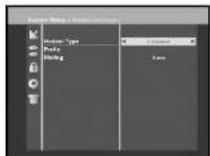
4.4 Modem Settings
This is only for supporting PPV service via a CONAX programmes.
- Modem Type: Please choose your modem type :
External or Advanced External. - Prefix: When you are using extension line,
if necessary, to call outside, please enter prefix number. To enter prefix number or configuration string, press GREEN(TEXT) key.
• Dialing: Please choose between Tone and Pulse,
Notes: External modem is only distributed by service Providers and special distributors, not by SAMSUNG.
4.5 Time & Timer Setting
1) Time
- Place the cursor on this sub menu and press OK.
- Press ◀/▶ keys to change local time in Time Zone. The local time will be changed according to your location.
GMT is referred to the standard time of Greenwich by
asting signal. This cannot be changed.
2) Timer
15 timers are supported including timer(s) from EPG.
- Select the timer number on 'Timer' using ◀/▶ keys from 1 to 15.
- Press the ◄/▶ keys to choose event repetition you want to reserve: Daily, Every Sunday, Every Monday, Every Tuesday, Every Wednesday, Every Thursday, Every Friday, Every Saturday, Once. If the timer is set from EPG screen, EPG is displayed on 'Event Repetition'.
- Press the Numerical (0\~9) keys to set the time you want and press the ◀/▶ keys to choose a switch time you want to reserve. If set time on 'Switch-on Time' is same as one on 'Switch-off Time', this timer works for 24 hours.
- Select TV program to set the event program by pressing ◀/▶ keys. When you press the TV/RADIO key, TV program and Radio program are toggled.
- Even you can set timers on Daily and Every Monday or Every Sunday, etc. The priority has the repetition event which is less. For example, when you set timers on Once and daily, 'Once' will work in stead of 'Daily' at that day. If the timer is running, 'Running' message with a timer number is displayed on 'Timer'.

If you have to contact your service provider or a service center they might ask for information available from this menu. Place the cursor on this sub menu and press the OK key. The following will be the on-screen display.
Note: If you forgot PIN Code, press '0' key four times. Then, current PIN Code is displayed. Keep in mind that your children or other people can get this PIN Code using this method.

4.7 Software Upgrade
You can download and upgrade the software of this STB through ASTRA and Hotbird or Sirius satellite when the new software is released.
: These satellites for upgrading software on Samsung Brand can be changed in the future.
During downloading don't turn off the STB.
If there is a new version of software to download, you are asked if you will update or not.
If you press OK key, the update starts right away.
In case update is impossible, you get this message "You can't update software!"
Or in case you don't need to update, "You don't need to update software!" will be displayed.
If you get information that a Transponder is changed to different one for Samsung software,
you should select 'User Advanced Mode' at Menu mode by using the ◀/▶ key.
Then you should set exact parameters for the new transponder for Samsung.

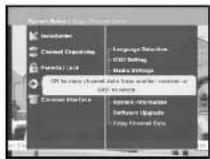
4.8 Copy Channel Data
If you want to copy the channel data from one receiver to another, please follow the instruction below.
Please make your own channel data, such as favorite
& lock channel with your own master box.
Then take your master box when you install another box.
- Plug on both master & slave receivers
- Master Box(Installed Box) : Stand-by Mode
- Slave Box(Installing Box) : Menu Mode
- Connect 2 Boxes with RS232 serial cable
(Both end should have male connector with crossed signals) - Select the 'System Setup' and press the OK key.
- Select the 'Copy Channel Data' with the ▲/▼ keys.
- Press 'OK' to start channel data copy
Note: Use this function after removing SMART CARD or CAM modules.
5. Common Interface
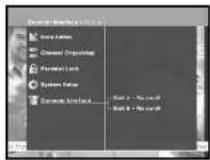
This STB is equipped with two PCMCIA slots, which enable the use of two CI-CAMS.
When a Common Interface CAM is inserted inside the PCMCIA slot, the system detects the type of the CAM automatically and display in the main menu.
On choosing this menu, you will be able to access the different options available with the type of the CAM like authorizations, pre-booking, package details etc..
备注:The menu differs according to each inserted CAM.
If the module has not been installed yet, the phase
"Not Installed" will be accordingly indicated.
During inserting any CAM, you may have distorted video or audio.
It doesn't mean STB is wrong.
TROUBLESHOOTING
| Problem | Possible cause | Solution of the problem |
| No display LED on the front panel; No power supply | Power cord not plugged in correctly | Power cord plug in correctly |
| No pictures on the screen | Receiver in Standby mode;Scart not connected tightly to video output of television; incorrect channel or video output selected on television | Sel receiver to "On";Check connection and correct;Check channel and video output and correct (TV instruction manual) |
| No sound | Audio cord connected incorrectly;Loudness level = 0;Muting active | Check connection and correct;Increase loudness on television set;Press the MUTE key |
| Remote Control does not operate directly | Incorrect operation;Batteries dead or inserted incorrectly | Point remote control towards the Receiver;Replace batteries or insert correctly |
| Poor picture quality signal strength in | Signal strength to low | Check all wire connections. Check the the "Auto Scanning" menu, correct alignment of your antenna |
| On-Screen Error Message "Searching for signal" | Antenna cable not connected or not tight;LNB defective;incorrect position of the satellite antenna;LNB is set to "OH" in LNB Setting menu | Check connection and correct;Change LNB;Check position and correct,Check the signal strength in the "Auto Scanning" menu |
| On-Screen Error Message "Channel data does not exist." | Satellite not yet set | Scan of in "Automatic scanning" or "Manual scanning" menu |
| On-Screen Error Messages: "Please check the Smartcard"; "Please insert the Smartcard". | Smartcard:- not plugged in correctly;- not plugged in. | (depend on model;Check the Smartcard. "Insert the Smartcard." |
| There is no component picture(Y, Ps, P) or RGB picture. | Selecting RGB video signal out, YUV/YPs/Pri video cut turns off;Selecting composite+YUV video signal out, YUV/YPs/Pri video cut turns on. | Select the video signal type to media setting menu : Composite, Composite - RGB, Composite + YUV or S Videos. |
DISPOSAL
The device, packaging material (e.g. Styrofoam) and the batteries must never be disposed of with household refuse. Please obtain appropriate information about the regulations in your community, and dispose of all refuse in accordance with regulations at the separate locations provided.
TECHNICAL SPECIFICATIONS
Power supply
Type : SMPS
Input voltage : AC 100-240V\~, 50/60 Hz
Fuse rating : 250 V/T1.6AH
Tuner
Freq. Range : 950 \~ 2150 MHz
Input signal level : -65 \~ -25 dBm
Channel selection : PLL frequency synthesizer
Input impedance : 75 Ωunbalanced
Connector type : F type female
LNB power control : 13 V/18 V, 22 kHz tone
DiSEqC : 1.2 supported
Demodulator
Type : QPSK DEMODULATION (DVB-S)
Symbol rate : 2 \~ 45 Ms/s
Inner FEC : Viterbi Convolutional
Outer FEC :
Coding Rate - 1/2,2/3,3/4,5/6,7/8
Reed Solomon Coding (204,188), t = 8
Video decoder
System dec
MPEG 2 ISO/TEC 13818
Profile and level :
(transport stream)
Data rate
MPEG 2 MP@ML (4:2:2)
Video formats :
1 - 15 Mb/s
Picture resolution :
4:3 (normal) & 16:9 (widescreen)
720(H) x 576(V) x 50 fields/sec
Audio Decoder
System decoding :
MPEG 1 ISO/TEC 11172\~3 layer | & ||
Audio mode :
mono, dual, stereo, joint stereo
Sampling frequency :
32, 44.1, 48 kHz
TECHNICAL SPECIFICATIONS
MEMO
A/V output
TV SCART:VIDEO (CVBS, RGB),AUDIO R&L
VCR SCART : VIDEO (CVBS), AUDIO R&L
RCA JACK : VIDEO (CVBS), AUDIO R&L
SPDIF : Digital Audio Output
Component(Y, Pb, Pr) Output :
Y output level :1Vp-p(75 Ω)
Pb/Pr output level : 0.684Vp-p(75 Ω)
RF modulator
Modulator output : CH 21_69 (preset to CH 21)
Video type : PAL B/G, K, I (preset to PAL B/G)
UHF output level : 70 ± 5 dBμV
Output connector : IEC male
Ant. O/P connector : IEC female
Tuning method : PLL frequency synthesizer
Serial data interface
Standard : RS232C, Max. 115.2 kB
Connector type : 9 pin D-type female
Common Interface
Module Type : PCMCIA TYPE II x 2
Available CAM :
VIACCESS, IRDETO, NAGRAVISION,
CRYPTOWORKS, CONAX, SECA, Etc.
- DIGITAL SATELLITE RECEIVER
- DSB-A200C
- PER MODIFICARE II TELETEXT OSD
- INSTRUCTIONS FOR USE
- SAFETY INSTRUCTIONS
- CONNECTION TO THE SATELLITE DISH LNB
- CONTENT GENERAL FEATURES
- USER SECTION
- TUNER SECTION
- VIDEO SECTION
- AUDIO SECTION
- CONNECTING YOUR "STB
- LOCATION OF THE RECEIVER
- CONNECTING THE RECEIVER WITH DISH SYSTEM
- CONNECTING THE RECEIVER TO TV
- CONNECTING YOUR ANALOG RECEIVER
- CONNECTING YOUR VCR
- CONNECTING EXTERNAL AUDIO / HI-FI SYSTEM
- CONNECTING DIGITAL AUDIO SYSTEM
- INSERTING COMMON INTERFACE CAM(CONDITIONAL ACCESS MODULE) AND SMARTCARD
- DESCRIPTION
- FRONT PANEL
- REAR PANEL
- REMOTE CONTROL UNIT
- POWER
- NUMERICAL KEYS
- PG+/PG
- TV/RADIO
- MUTE
- FAV
- EPG
- LAST
- TEXT(GREEN)
- BASIC FUNCTIONS
- DISPLAY SCREEN
- DETAILED PROGRAM INFORMATION
- VOLUME CONTROL
- SELECT SOUNDTRACK
- SELECT VIDEOTRACK
- SUB CHANNEL LIST
- SERVICE LIST
- 6.1 SERVICE FAVORITES
- 6.2 SERVICE ALPHABETICAL
- 6.3 SERVICE PROVIDER
- 6.4 SERVICE TRANSPONDER
- PROGRAM INFORMATION
- EPG-ELECTRONIC PROGRAM GUIDE
- SUBTITLE
- TO CHANGE THE TELETEXT OSD
- TELETEXT VBI
- TO CHANGE THE TELETEXT VBI
- AUDIO MODE
- TO CHANGE THE AUDIO MODE
- NEAR VIDEO ON DEMAND (NVOD)
- MULTI FEED CHANNEL OR SUBCHANNEL
- THE FOLLOWING ON SCREEN DISPLAY WILL APPEAR
- INSTALLATION
- 1.2 POSITIONER SETTING
- 1.2.1 USER MODE
- 1.2.2 INSTALLER MODE
- 1.3 SOLARSAT SETTING
- 1.4 AUTO SCANNING
- 1.5 MANUAL SCANNING
- 1.6 SMATV SCANNING
- 1.7 RESET TO FACTORY DEFAULTS
- THE SCREEN DISPLAY WILL BE AS FOLLOWS
- CHANNEL ORGANISING
- 2.1 DELETE SATELLITE
- 2.2 DELETE TRANSPONDER
- 2.3 DELETE CHANNEL
- 2.4 DELETE ALL CHANNEL
- 2.5 DELETE SCRAMBLED CHANNELS
- 2.6 FAVORITE CHANNELS
- TO DELETE CHANNELS FROM FAVORITE GROUP
- 2.7 MOVE & EDIT CHANNEL
- TO EDIT CHANNEL NAME
- PARENTAL LOCK
- 3.1 SET CHANNEL LOCK
- TO CANCEL THE LOCK
- THIS WILL TAKE YOU TO THE FOLLOWING MENU
- SYSTEM SETUP
- 4.1 LANGUAGE SELECTION
- 4.2 OSD SETTING
- TO SET USER DEFINED MODE OR EPG COLOR MODE
- OSD POSITION
- 4.3 MEDIA SETTINGS
- LETTER BOX, PAN & SCREEN, MIXED OR FULL
- 4.4 MODEM SETTINGS
- 4.5 TIME & TIMER SETTING
- TIME
- TIMER
- 4.7 SOFTWARE UPGRADE
- 4.8 COPY CHANNEL DATA
- COMMON INTERFACE
- DISPOSAL
- TECHNICAL SPECIFICATIONS
- POWER SUPPLY
- TUNER
- DEMODULATOR
- VIDEO DECODER
- AUDIO DECODER
- MEMO
- A/V OUTPUT
- RF MODULATOR
- SERIAL DATA INTERFACE
Brand : SAMSUNG
Model : DSB-A200C
Category : Satellite receiver