
DB101 - Doorbell ELRO - Free user manual and instructions
Find the device manual for free DB101 ELRO in PDF.


Pick your language and provide your email: we'll send you a specifically translated version.
| Product Type | Wireless Doorbell Chime |
| Brand | Elro |
| Model | DB101 |
| Power Source | 2 x AA batteries (not included) |
| Operating Range | Up to 100 meters in open field |
| Sound Level | 80 dB |
| Number of Tunes | 8 selectable melodies |
| Volume Control | Adjustable (low/medium/high) |
| Indoor/Outdoor Use | Indoor (chime) + Outdoor (push button) |
| Waterproof Rating (Push Button) | IP44 |
| Dimensions (Chime) | 80 x 80 x 30 mm |
| Weight (Chime) | 100 g (without batteries) |
| LED Indicator | Flashing LED on button press |
| Number of Transmitters | Up to 4 compatible push buttons |
| Frequency | 433 MHz |
| Installation | Wall mount or tabletop |
| Maintenance | Clean with dry cloth; replace batteries when low |
| Safety | Do not expose to extreme temperatures or moisture |
| Spare Parts | Batteries; compatible push buttons (model DB100) |
| Repairability | No user-serviceable parts; contact support for issues |
Frequently Asked Questions - DB101 ELRO
How do I pair the Elro DB101 chime with the push button?
Insert batteries into both units. Press the learn button on the chime (located on the side) until the LED flashes, then press the push button. The LED will stop flashing, indicating successful pairing.
What type of batteries does the Elro DB101 require?
The chime uses 2 AA batteries (not included). The push button uses a CR2032 coin cell battery (included).
How can I change the melody on the Elro DB101?
Press the melody button on the chime repeatedly to cycle through 8 available tunes. Each press will play the next melody.
What is the maximum operating range of the Elro DB101?
The wireless range is up to 100 meters in open field. Walls and obstacles may reduce the range.
Can I add multiple push buttons to one chime?
Yes, the Elro DB101 supports up to 4 push buttons. Each button can be paired separately.
How do I adjust the volume on the Elro DB101?
Slide the volume switch on the chime to low, medium, or high. It is located near the speaker.
What should I do if the chime doesn't sound when the button is pressed?
Check batteries in both units. Ensure they are inserted correctly. Re-pair the devices if necessary. Move the chime closer to the button to rule out range issues.
Is the Elro DB101 push button weatherproof?
Yes, the push button has an IP44 rating, making it suitable for outdoor use. The chime is for indoor use only.
How do I reset the Elro DB101 to factory settings?
Remove batteries from both units, wait 10 seconds, then reinsert. This will clear all pairings, and you can re-pair from scratch.
Where can I find a replacement push button for the Elro DB101?
You can purchase a compatible Elro push button (model DB100) from most electronics retailers or online.
User questions about DB101 ELRO
0 question about this device. Answer the ones you know or ask your own.
Ask a new question about this device
No questions yet. Be the first to ask one.
Download the instructions for your Doorbell in PDF format for free! Find your manual DB101 - ELRO and take your electronic device back in hand. On this page are published all the documents necessary for the use of your device. DB101 by ELRO.
USER MANUAL DB101 ELRO
natural_image
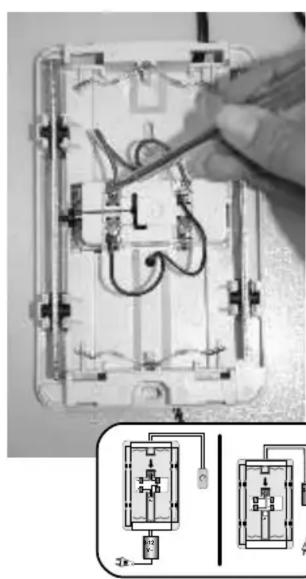
Close-up of an electrical circuit board with wires and components, showing internal wiring and a magnified inset (no text or symbols visible)◯


Manual assistant
Powered by Anthropic
Waiting for your message
Product information
Brand : ELRO
Model : DB101
Category : Doorbell