ELRO DB302 - Doorbell

DB302 - Doorbell ELRO - Free user manual and instructions

Find the device manual for free DB302 ELRO in PDF.

📄 2 pages English EN Download 💬 AI Question 10 questions ⚙️ Specs
Notice ELRO DB302 - page 1
Pick your language and provide your email: we'll send you a specifically translated version.
Product Type Wireless Doorbell Chime
Brand ELRO
Model DB302
Dimensions Approx. 80 x 80 x 30 mm
Weight Approx. 120 g
Power Source Battery operated (2 x AA batteries, not included)
Operating Frequency 433.92 MHz
Range Up to 100 m (open space)
Number of Melodies 36 selectable chime melodies
Volume Control Adjustable with 4 levels (including silent mode)
Memory Function Retains last melody and volume settings after power loss
Compatible Push Buttons All ELRO 433 MHz doorbell buttons
Wall Mount Yes, with included screws and plugs
Maintenance Wipe with a dry cloth; avoid liquids
Safety For indoor use only; keep away from moisture
Spare Parts Available from ELRO authorized distributors
Repairability Battery compartment accessible; replace batteries as needed
General Information Complies with CE standards

Frequently Asked Questions - DB302 ELRO

How do I pair the ELRO DB302 chime with a doorbell button?
Press and hold the 'Learn' button on the chime for 3 seconds until the LED flashes, then press the doorbell button. The chime will emit a beep to confirm pairing.
What type of batteries does the DB302 use?
It requires 2 AA alkaline batteries (not included).
Can I adjust the volume of the chime?
Yes, press the 'Volume' button to cycle through 4 levels: high, medium, low, and silent mode.
How many melodies are available and how do I select one?
There are 36 melodies. Press the 'Melody' button to cycle through them until you find your desired tune.
What is the maximum operating range?
In open space, the range is up to 100 meters. Walls and obstacles may reduce this distance.
Can I pair multiple doorbell buttons to one chime?
Yes, you can pair up to 4 different ELRO 433 MHz buttons. Each button will trigger the same melody or you can assign different melodies per button (if supported).
How do I reset the chime to factory settings?
Press and hold the 'Learn' button for 10 seconds until the LED turns off. All paired devices will be erased.
Does the chime remember settings after battery removal?
Yes, it has a memory function that retains the last selected melody and volume level even when batteries are removed.
Can I use the chime outdoors?
The DB302 is designed for indoor use only. It should be placed in a dry location away from moisture.
Where can I purchase spare parts?
Spare parts such as batteries or wall mounts are available from ELRO authorized distributors or online retailers.

User questions about DB302 ELRO

0 question about this device. Answer the ones you know or ask your own.

Ask a new question about this device

The email remains private: it is only used to notify you if someone responds to your question.

No questions yet. Be the first to ask one.

Download the instructions for your Doorbell in PDF format for free! Find your manual DB302 - ELRO and take your electronic device back in hand. On this page are published all the documents necessary for the use of your device. DB302 by ELRO.

USER MANUAL DB302 ELRO

Attachment ....for safety instructions

22

ELRO DB302 - 1

19
ELRO DB302 - 2

ELRO DB302 - 3

ELRO DB302 - 4

ELRO DB302 - 5

ELRO DB302 - 6
14

ELRO DB302 - 7
16

ELRO DB302 - 8
17

ELRO DB302 - 9
18

ELRO DB302 - 10
19

ELRO DB302 - 11

ELRO DB302 - 12

ELRO DB302 - 13

ELRO DB302 - 14
20

ELRO DB302 - 15
m = 311

ELRO DB302 - 16
22

ELRO DB302 - 17
23

ELRO DB302 - 18

ELRO DB302 - 19
33

ELRO DB302 - 20

natural_image Exterior view of a modern cylindrical device with a vertical panel and horizontal ridges (no text or symbols visible)

8 MELODIES

Westminister

Ding-Dong

Ding-Dong-Ding

Tubular-1

Orchestra

Trumpet-2

Trumpet

Dog barking
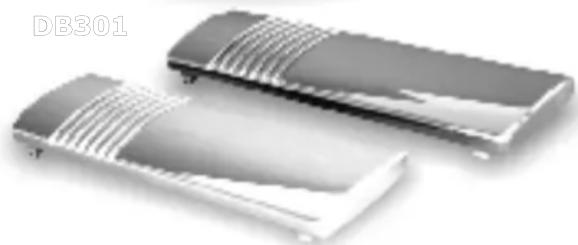
ELRO DB302 - MELODIES - 1

natural_image Two metallic electronic components with ribbed surfaces, no visible text or symbols

ELRO DB302 - MELODIES - 2

ELRO DB302 - MELODIES - 3

natural_image White 3D-rendered white electronic device with ventilation slots and a vertical grille (no text or symbols)

DB302

ELRO DB302 - MELODIES - 4

DOORBELLD

Attachment Attachment safety instructions... for safety instructions

1

Diagram 1 (A-1)

  • Selected melody
  • Battery operated

Melody selector A1 2B UM3 SIZE "AA" / R6 UM3 SIZE "AA" / R6

2

Diagram 2 (A-2)

  • 8 melodies sequence
  • Battery operated

ELRO DB302 - 2 - 1

natural_image Diagram of a device with a central circular component and internal components connected to a button (no text or symbols)

3

Diagram 3 (B-1)

  • Selected melody
  • Battery & Trafo operated

Melody selector Trafo 8-10Volt / 1Amp. NOT INCLUDED IMPORTANT!! USE ALSO BATTERI

4

Diagram 4 (B-2)

  • 8 melodies sequence
  • Battery & Trafo operated

Trafo 8-10Volt / 1Amp. NOT INCLUDED IMPORTANT!! USE ALSO BATTER

Trafo 8-10Volt / 1Amp.

NOT INCLUDED

IMPORTANT!!

USE ALSO BATTERIES

Manual assistant
Powered by Anthropic
Waiting for your message
Product information

Brand : ELRO

Model : DB302

Category : Doorbell