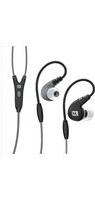
M7P - Headphones MEE audio - Free user manual and instructions
Find the device manual for free M7P MEE audio in PDF.


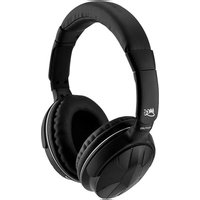
| Product Type | Over-ear headphones |
| Brand | MEE audio |
| Model | M7P |
| Driver Size | 40 mm |
| Impedance | 32 Ω |
| Sensitivity | 98 dB |
| Frequency Response | 20 Hz – 20 kHz |
| Cable Length | 1.2 m (47 in) |
| Connector | 3.5 mm gold-plated stereo jack |
| Microphone | Yes, inline with remote |
| Controls | Play/pause, volume, track skip |
| Weight | 210 g (7.4 oz) |
| Dimensions (folded) | 20 x 16 x 8 cm |
| Compatibility | Smartphones, tablets, laptops, audio players |
| Warranty | 1 year limited |
| Care Instructions | Wipe with dry cloth; store in case |
| Replacement Parts | Detachable cable and ear pads available |
| Safety | Do not use at high volume for extended periods |
Frequently Asked Questions - M7P MEE audio
User questions about M7P MEE audio
0 question about this device. Answer the ones you know or ask your own.
Ask a new question about this device
Download the instructions for your Headphones in PDF format for free! Find your manual M7P - MEE audio and take your electronic device back in hand. On this page are published all the documents necessary for the use of your device. M7P by MEE audio.
USER MANUAL M7P MEE audio
WITH MIC, REMOTE, AND UNIVERSAL VOLUME CONTROL
model: M7P
USER MANUAL

BEFORE FIRST USE WATCH THE HOW TO WEAR FIT VIDEO
at: www.meelec.com/M7PFit
Please read this manual in its entirety to ensure best fit and sound.
PRODUCT CONTENT
M7P
SPORTS IN-EAR HEADPHONES
WITH HEADSET FUNCTIONALITY
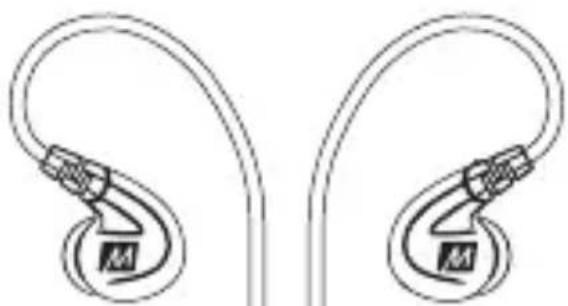
natural_image
Line drawing of two earbuds with black M-brands, no text or symbols present
Carrying case
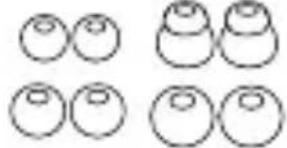
natural_image
Simple line drawing of six identical circles arranged in two rows (no text or symbols)4 pairs of eartips

Shirt
clip

User manual
PRODUCT OVERVIEW
M7P
SPORTS IN-EAR HEADPHONES
WITH HEADSET FUNCTIONALITY
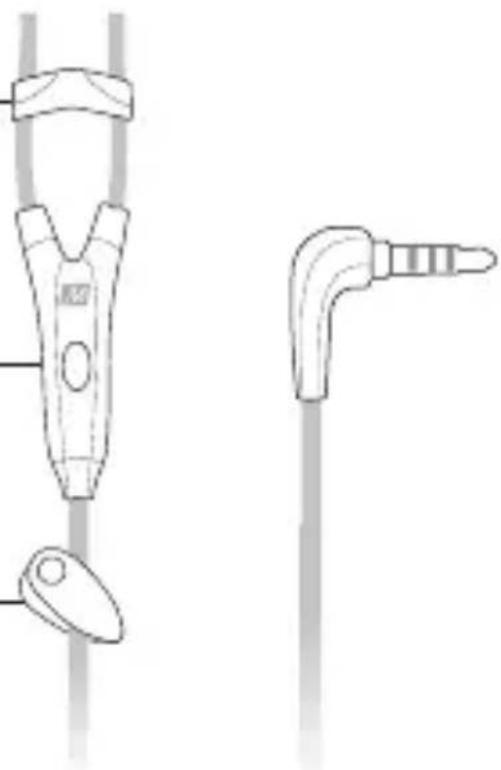
A. Flex-Fit earhooks
B. Detachable cable connectors
C. Adjustable pivoting nozzles
D. Sliding cable cinch
E. Microphone, remote, and volume control
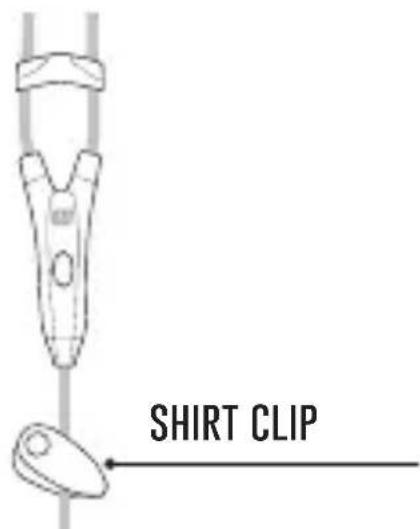
F. Shirt clip

natural_image
Technical line drawing of a medical or laboratory device with two views: one showing a clip and handle, the other showing a bent tool (no text or symbols)CONFIGURING FOR YOUR EARS: EARTIPS
The M7P is an in-ear headphone and relies on a tight seal between the eartips and your ear canals to deliver good bass response and overall sound quality. Multiple sets of eartips are included to ensure you get the best fit with your earphones. We recommend trying all of the included eartips to find the best ones for your ears. If you experience tinny sound or a lack of bass, try different eartips.
The correct eartip for your ear will:
- Allow the earphone to fit flush in the ear.
- Seal with your ear canal and reduce outside noise when inserted.
• Provide good bass response.

Install eartips as shown. Make sure eartips are installed securely before use.
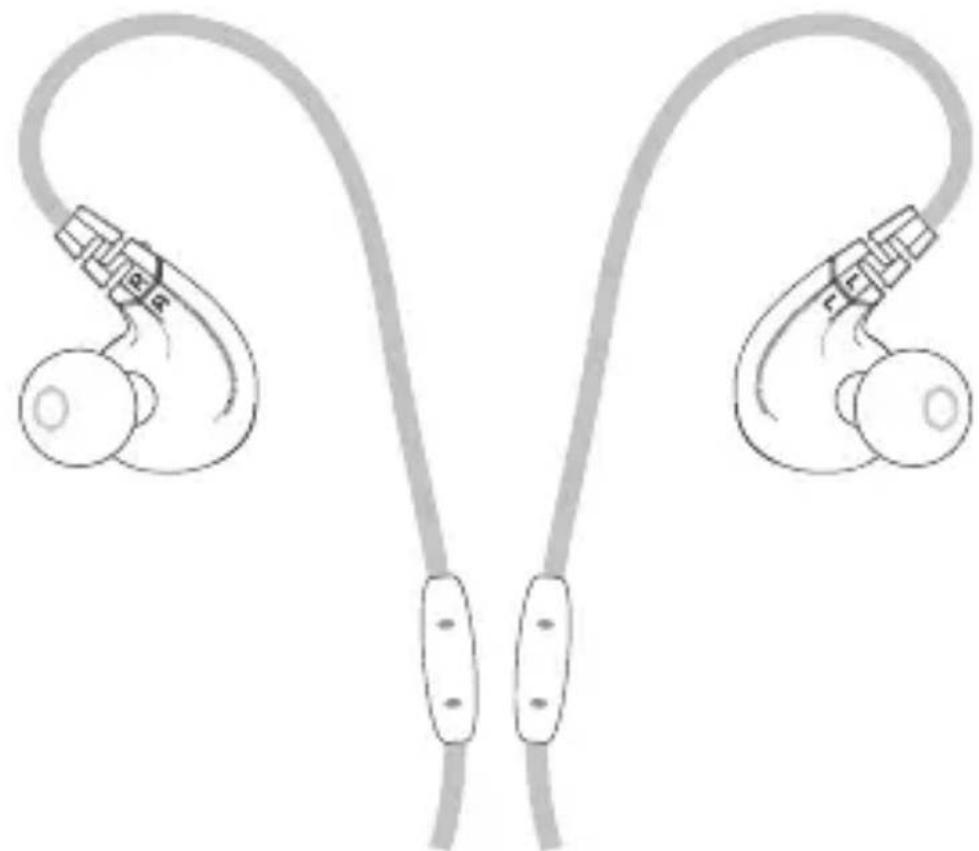
The M7P earphones feature an over-the-ear design with Flex-Fit earhooks. Using the earhooks together with the sliding cable cinch will ensure the most comfortable and secure fit.
natural_image
Illustration of two male earbuds with earphones and connectors, no text or symbols present
Identify the right and left earpieces as indicated by the "L" and "R" markings. They are not interchangeable.
continue to next page
PUTTING ON THE EARPHONES (Continued)

2.1
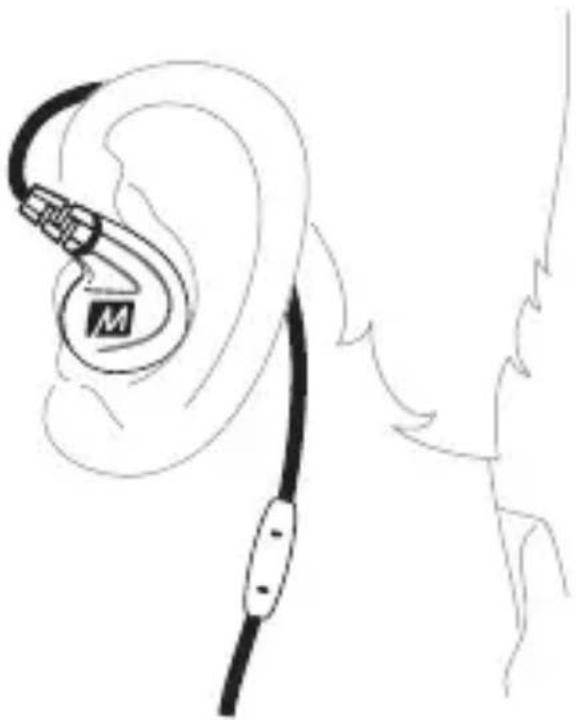
Place the earhooks over your ears and the earpieces in the corresponding ears.
continue to next page
PUTTING ON THE EARPHONES (Continued)

natural_image
Line drawing of an ear with a black cable and a labeled connector (no text or symbols)2.2
Adjust until earpieces fit flush in the ear and the eartips seal in the ear canals.
natural_image
Line drawing of an ear with a medical device attached, showing ear structure and cable (no text or symbols)continue to next page
PUTTING ON THE EARPHONES (Continued)

3
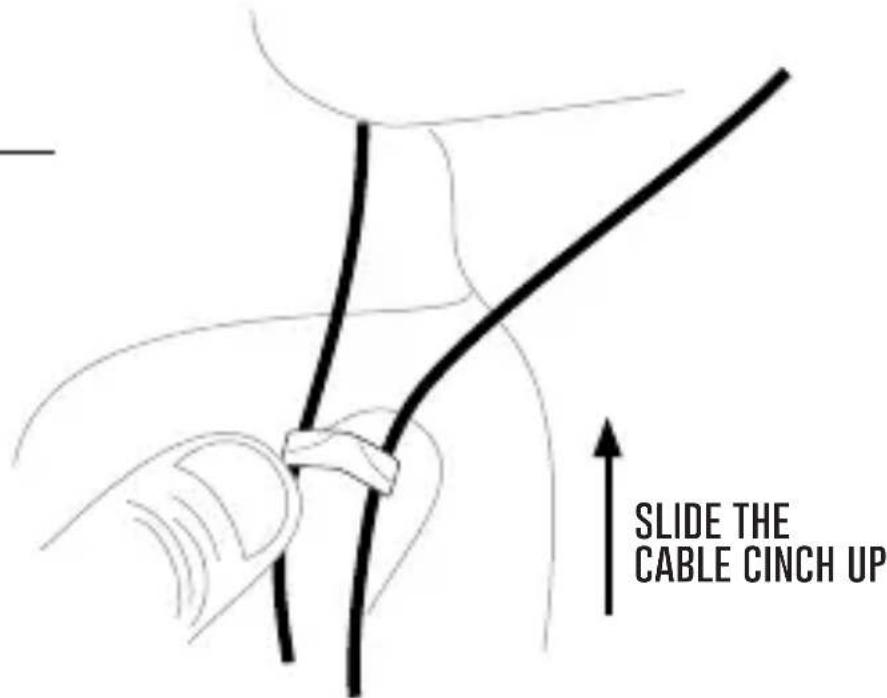
Slide the cable cinch up to fix the earphones in place for the most secure fit.

4
Use the shirt clip to control cable movement during activities.
continue to next page
PUTTING ON THE EARPHONES (Continued)
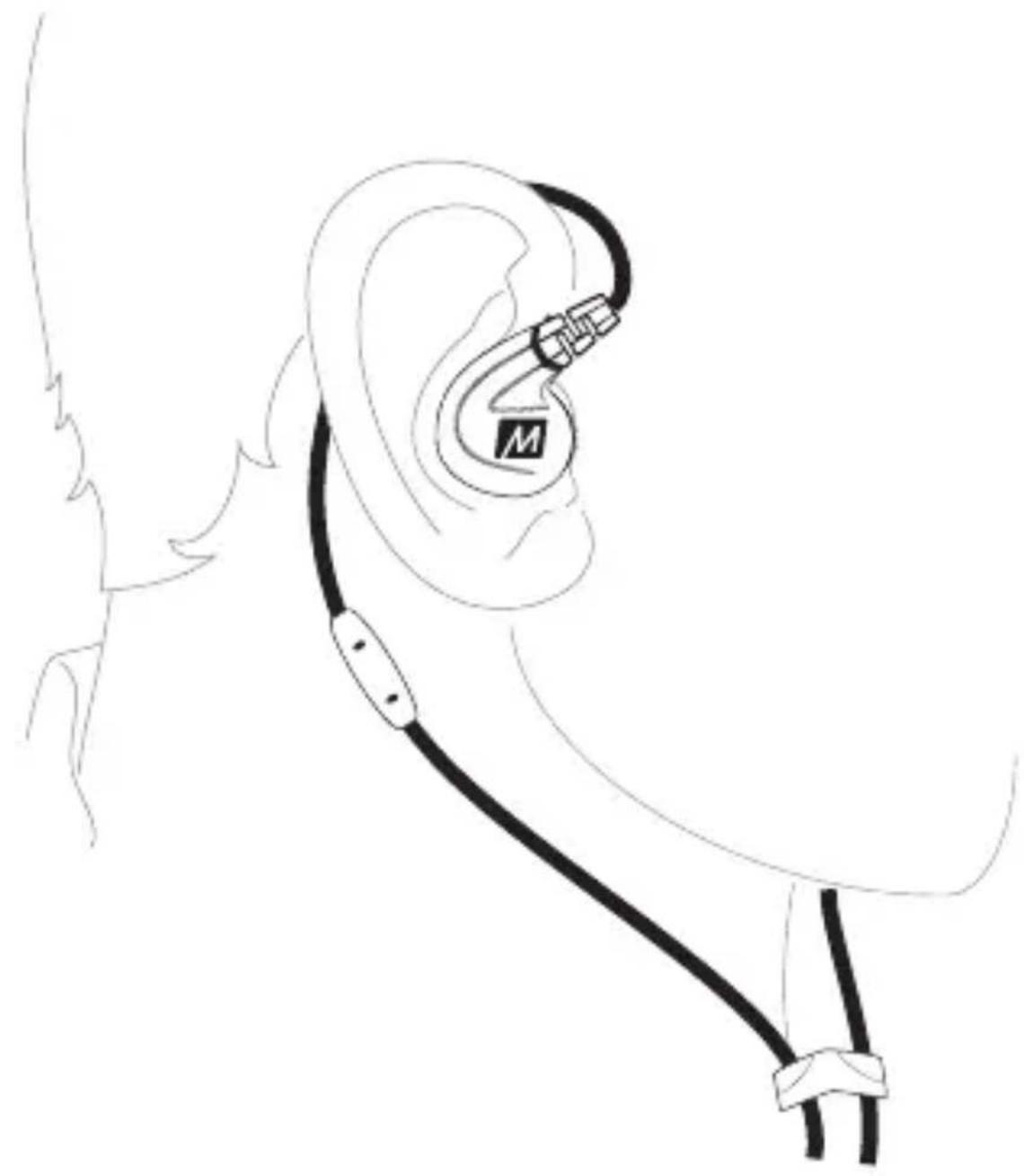
CORRECT FIT:
natural_image
Line drawing of an ear with a medical device attached, showing ear structure and cable (no text or symbols)
The earphone sits flush in the ear and the cable is secure behind the ear.
Note: If you must remove and reinsert the earphones while working out, avoid getting sweat in the nozzle as this may lead to a temporary reduction/loss of sound.
MICROPHONE & REMOTE USE
The M7P features an inline remote, microphone, and volume control.
Basic Remote Operation
for Apple ^® iPhone ^® , iPad ^® , iPod ^® and Android ^™ phones:
| Function Operation | |
| Answer incoming phone call Press the remote button | |
| End phone call Press the remote button | |
| Play media* | Press the remote button |
| Pause media | Press the remote button |
| Skip to next track** | Double-press the remote button |
| Restart the track/previous track** | Triple-press the remote button |
*You may need to open the media player application for initial playback to start. **Not all media players support this functionality.
Additional remote functions are available with many devices. Visit meelec.com/phone for complete compatibility and functionality.
VOLUME CONTROL
Set the volume on your device to your maximum preferred listening volume. Use volume slider to lower the volume as needed. For maximum volume, move the slider to the top.

FRONT SIDEBACK SIDE
REPLACING THE CABLE
The M7P features a detachable, replaceable cable.
Visit (www.meelec.com/M7P) for replacement cables and other accessories.
natural_image
Line drawing of a car interior with a speedometer and cable, no text or symbols present1.1
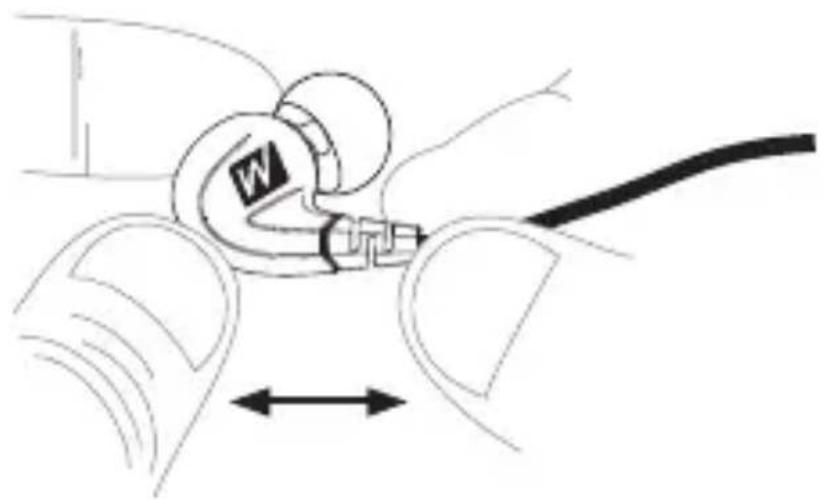
To detach the cable, grasp the earpiece and cable connector firmly, and pull straight apart without twisting.

1.2
Re-attach the cable by lining up the grooves on the connector with the earpieces as shown. Push connectors in until they fit securely. Make sure to attach the cable connector marked "R" to the right earpiece and the connector marked "L" to the left earpiece.
CARE AND CLEANING
- Do not remove from ears or unplug by pulling on the cable. Always grasp the plastic part of the plug or earpieces.
- If necessary, clean the earphones with a small amount of hydrogen peroxide on a cotton swab. Swab only the outside of the earphones. Eartips can be removed and rinsed under running water or in hydrogen peroxide. Allow earphones and eartips to dry completely before resuming use.
WARNING
Using headphones at high to moderate volumes for extended periods of time will result in permanent hearing damage. It is advised you keep volume levels moderate to low at all times for your safety. Do not use while driving a car, cycling, operating machinery, or performing other activities that require hearing surrounding sounds.
It is advised to turn the volume on your device all the way down before connecting your headphones, then gradually increase the volume until you reach a comfortable listening level.
TROUBLESHOOTING
Visit www.meelec.com/troubleshooting for solutions to common issues.
WARRANTY
MEE audio earphones purchased from authorized retailers are covered by a 1-year manufacturer warranty.
For more information, visit www.meelec.com/warranty
M7P
MEE _audio
MEE audio and its logo are registered trademarks of S2E, Inc. All rights reserved.
iPhone®, iPad®, iPod® are a registered trademark of Apple Inc.
Android ^™ is a registered trademark of Google Inc.


- BEFORE FIRST USE WATCH THE HOW TO WEAR FIT VIDEO
- PRODUCT CONTENT
- M7P
- SPORTS IN-EAR HEADPHONES
- WITH HEADSET FUNCTIONALITY
- PRODUCT OVERVIEW
- CONFIGURING FOR YOUR EARS: EARTIPS
- PUTTING ON THE EARPHONES (Continued)
- 2.1
- 2.2
- MICROPHONE & REMOTE USE
- Basic Remote Operation
- VOLUME CONTROL
- REPLACING THE CABLE
- 1.1
- 1.2
- CARE AND CLEANING
- WARNING
- TROUBLESHOOTING
- WARRANTY
Brand : MEE audio
Model : M7P
Category : Headphones