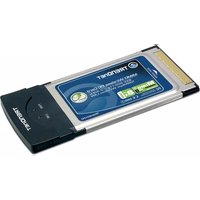
TEW-601PC - Network card / adapter TRENDNET - Free user manual and instructions
Find the device manual for free TEW-601PC TRENDNET in PDF.


| Product Type | Wireless PC Card Adapter |
| Model | TEW-601PC |
| Standards | IEEE 802.11b, IEEE 802.11g |
| Maximum Data Rate | 54 Mbps (802.11g) |
| Frequency Band | 2.4 GHz |
| Interface | 32-bit CardBus (PCMCIA Type II) |
| Antenna | Internal diversity antenna |
| Security | 64/128-bit WEP, WPA, WPA2 |
| LED Indicators | Link/Activity |
| Dimensions (L x W x H) | 115 x 54 x 5 mm (approximately) |
| Weight | 40 g (approximately) |
| Power Consumption | 3.3V DC, 350 mA (max) |
| Operating Systems Supported | Windows 98/ME/2000/XP |
| Temperature Range (Operating) | 0°C to 40°C |
| Humidity (Operating) | 10% to 90% (non-condensing) |
| Certifications | FCC, CE |
| Package Contents | Adapter, installation guide, driver CD |
Frequently Asked Questions - TEW-601PC TRENDNET
User questions about TEW-601PC TRENDNET
0 question about this device. Answer the ones you know or ask your own.
Ask a new question about this device
Download the instructions for your Network card / adapter in PDF format for free! Find your manual TEW-601PC - TRENDNET and take your electronic device back in hand. On this page are published all the documents necessary for the use of your device. TEW-601PC by TRENDNET.
USER MANUAL TEW-601PC TRENDNET
What's Next in Networking
Table of Contents
English 1
- Prepare for Installation 1
- Install Wireless Configuration Utility 2
- Install Hardware 5
- Install Drivers 6
- Wireless Configuration 8
Troubleshooting.... 9
English QIG
1. Prepare for Installation
Thank you for purchasing the TEW-601PC. Your new wireless network adapte will allow you to share the Internet, files, or other resources by connecting you to an 802.11g or 802.11b wireless network. This guide will help you setup and configure your wireless card. Following the installation instructions should be quick and easy. If you run into problems, please refer to the Troubleshooting section or the more detailed installation procedures on the User's Guide CD-ROM. If you need further technical support, please visit www.TRENDNET.com or call by phone.
Verify Package Contents
Please make sure you have everything in the box:
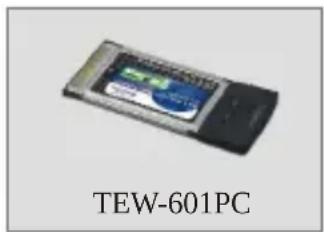


Verify Equipment
Before installing this PC Card, you should have a:
- Computer with an available 32-bit 3.3V CardBus
- 300 MHz processor and 32 MB of memory (Recommended)
- CD-ROM drive
- Properly-installed CardBus Controller
- 802.11g/802.11b Access Point (for Infrastructure Mode) or another 802.11g/802.11b wireless adapter (for Ad-Hoc/Peer-to-Peer networking mode).
Important! DO NOT install the PC Card in the computer until instructed to do so. Please follow the instructions in Section 2 before installing the adapter into your computer.
2. Install Wireless Configuration Utility
Windows 2000/XP
- Insert the TEW-601PC CD-ROM into your computer's CD-ROM drive; the installation menu will appear automatically. If the window does not appear automatically, click Start, click Run, and type E:\Autorun.exe in the text-field. Click OK to start the installation.
NOTE: Replace "E" in "E:\Autorun.exe" with whichever letter is assigned to your CD-ROM drive.
- On the Installation Menu, click Install Utility.
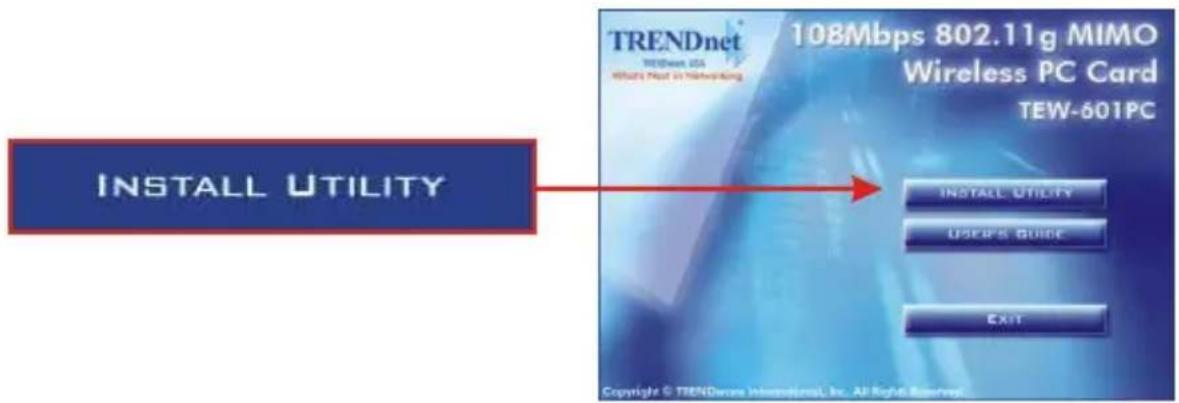
- Click Next.

4. Click Next.

5. Click Install.

- A warning message will tell you that the device you're installing has not yet been certified for Windows XP compatibility. Click Continue Anyway. For Windows 2000, click Yes.
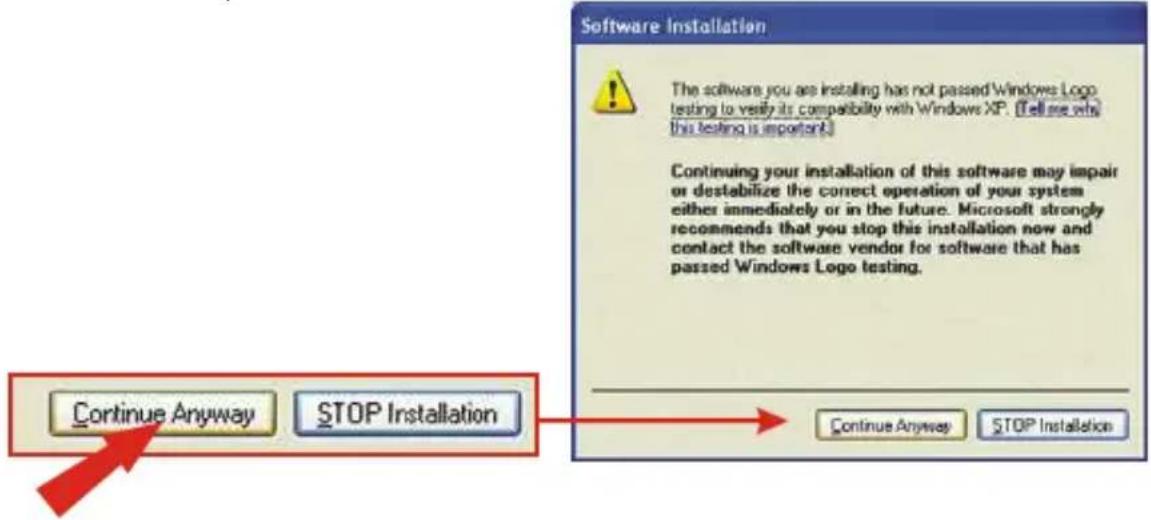
- Click Finish.

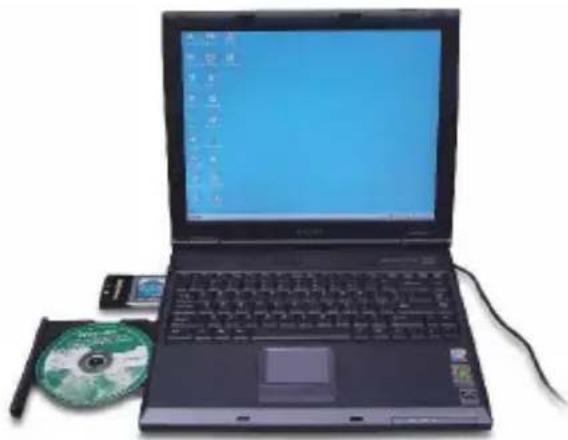
3. Install Hardware
If you are installing the TEW-601PC Wireless PC Card:
Proceed only if you have already completed the steps in Section 2
- Shut down your computer.
- Insert the PC Card firmly into your notebook PC's open PC Card slot. Only the plastic end-piece should protrude from the slot.
- Reboot your computer.
natural_image
Laptop with open screen and CD/DVD case beside it (no visible text or symbols)4. Install Drivers
Windows 2000
- After rebooting your computer, a message will tell you that the driver you are about to install "does not contain a digital signature" and will ask you if you want to continue the installation. Click Yes.

- Continue to Section 5 of this Quick Installation Guide to continue configuring your wireless card.
Windows XP
- After your computer reboots, the "Found New Hardware Wizard" will appear. Select Install the software automatically and click Next.

- A warning message will tell you that the device you're installing has not yet been certified for Windows XP compatibility. Click Continue Anyway.
![Hardware Installation The software you are installing for this hardware: TRENDware Wireless Network Adapter has not passed Windows Logo testing to verify its compatibility with Windows XP. [Tell me why this testing is important] Continuing your installation of this software may impair or destabilize the correct operation of your system either immediately or in the future. Microsoft strongly recommends that you stop this installation now and contact the hardware vendor for software that has passed Windows Logo testing. Continue Anyway STOP Installation Continue Anyway STOP Installation](/content/2026/05/1046723/images/a8ea3c3acb6112e846e322cb2d1e1dff7144df5c7633fbc48c36b42602cf5b6f.jpg)
- Click Finish.

Continue to Section 5 of this Quick Installation Guide to continue configuring your wireless card.
5. Wireless Configuration
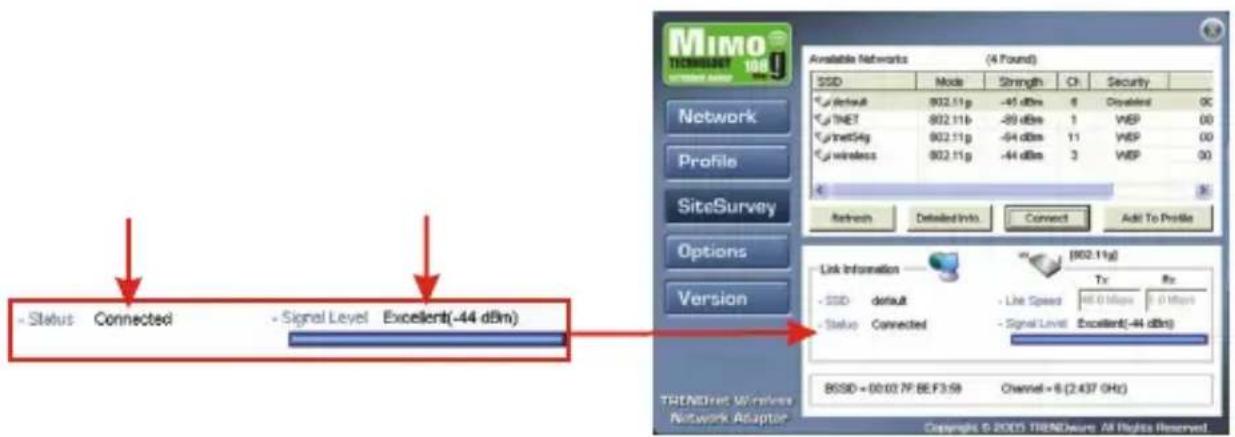
- Double-click the wireless icon in your system tray (next to the clock in the bottom right corner of your screen).

- Click Site Survey, click Refresh, and select the desired access point. Click Connect.
![SiteSurvey Refresh Detailed Info. MIMO Network Profile SiteSurvey Options Version Available Networks (4 Found) SSD Mode Strength Ch Security default 802.11g -45 dBm 6 Dirless 0 TNET 802.11b -89 dBm 1 VBP 00 Curtnet54g 802.11g -54 dBm 11 VBP 00 Curt wireless 802.11g -44 dBm 3 VBP 00 Refresh Detailed Info. Connect Add To Profile Link Information [802.11g] - SSB default - Line Speed: 54.6 MHz 2.5 MHz - Status Connected - Signal Level: Excellent(-47 dBm) BSSD = 08/02.7F.BE.F3:59 Channel = 6 (2.437 GHz) TRENDnet Wireless Network Adapter Copyright © 2005 TRENDesure. All Rights Reserved](/content/2026/05/1046723/images/256f5794f297415e12bc639682503810493729ff1d7c4624056cb4250a1e401f.jpg)
- Click OK.
- Please verify your connection status.
Congratulations! Installation is now complete.
Q1: I completed all the steps in the quick installation guide, but my card isn't connecting to my access point. What should I do?
A1: You should first verify that the Network card's SSID matches your wireless router or access point's SSID. If they already match, you should check your TCP/IP properties to ensure that Obtain an IP address automatically is selected. Refer to your Windows User's Manual if you are unable to locate your TCP/IP properties.
Q2: Windows is unable to recognize my hardware. What should I do?
A2: Make sure your computer meets the minimum requirements as specified in Section 1 of this quick installation guide. Also, you must install the wireless configuration utility (as described in Section 2) BEFORE you physically install your network card. Lastly, you may consider moving the card to a different PC Card Slot.
Q3: I cannot open the wireless configuration utility. What should I do?
A3: Go to your device manager (control panel > system) to make sure the adapter is installed properly. If you see a networking device with a yellow question mark or exclamation point, you will need to reinstall the device and/or the drivers.
If you still encounter problems, please refer to the User's Guide CD-ROM or contact technical support.
Certifications
This equipment has been tested and found to comply with FCC and CE Rules. Operation is subject to the following two conditions:
(1) This device may not cause harmful interference.
(2) This device must accept any interference received including interference that may cause undesired operation.
NOTE: THE MANUFACTURER IS NOT RESPONSIBLE FOR ANY RADIO OR TV INTERFERENCE CAUSED BY UNAUTHORIZED MODIFICATIONS TO THIS EQUIPMENT. SUCH MODIFICATIONS COULD VOID THE USER'S AUTHORITY TO OPERATE THE EQUIPMENT.


TRENDnet TRENDware, USA What's Next in Networking
Product Warranty Registration
Please take a moment to register your product online. Go to TRENDware's website at http://www.TRENDNET.com
TRENDnet Technical Support
| US/Canada Support Center | European Support Center |
| ContactTelephone: 1(310) 626-6252Fax: 1(310) 626-6267Email: support@trendnet.comTech Support Hours7:30am - 6:00pm Pacific Standard TimeMonday - Friday | ContactTelephoneDeutsch : +49 (0) 6331 / 268-460Français : +49 (0) 6331 / 268-46108-00-90-71-61 (numéro vert)Español : +49 (0) 6331 / 268-462English : +49 (0) 6331 / 268-463Italiano : +49 (0) 6331 / 268-464Dutch : +49 (0) 6331 / 268-465Fax: +49 (0) 6331 / 268-466Tech Support Hours8:00am - 6:00pm Middle European TimeMonday - Friday |
TRENDware International, Inc.
3135 Kashiwa Street. Torrance, CA 90505
http://www.TRENDNET.com

- Table of Contents
- English 1
- Troubleshooting.... 9
- English QIG
- Prepare for Installation
- Verify Package Contents
- Verify Equipment
- Install Wireless Configuration Utility
- Windows 2000/XP
- Click Next.
- Click Install.
- Install Hardware
- If you are installing the TEW-601PC Wireless PC Card:
- Install Drivers
- Windows 2000
- Windows XP
- Wireless Configuration
- Certifications
- TRENDnet TRENDware, USA What's Next in Networking
- Product Warranty Registration
Brand : TRENDNET
Model : TEW-601PC
Category : Network card / adapter