
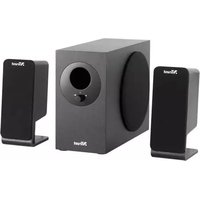
Qubic - Loudspeaker TRUST - Free user manual and instructions
Find the device manual for free Qubic TRUST in PDF.


Pick your language and provide your email: we'll send you a specifically translated version.
| Product Type | Portable Bluetooth Speaker |
| Brand | Trust |
| Model | Qubic |
| Dimensions (W x H x D) | 10 x 10 x 10 cm |
| Weight | 350 g |
| Power Supply | Built-in rechargeable battery, USB-C charging |
| Battery Life | Up to 8 hours |
| Charging Time | Approx. 2 hours |
| Connectivity | Bluetooth 5.0 |
| Bluetooth Range | Up to 10 meters |
| Output Power | 10 W RMS |
| Frequency Range | 80 Hz - 20 kHz |
| Driver Size | 52 mm |
| Water Resistance | IPX4 (splash-proof) |
| Hands-Free Calling | Yes (built-in microphone) |
| Controls | Power, Volume +/-, Play/Pause, Bluetooth pairing |
| Compatible Devices | Smartphones, tablets, laptops with Bluetooth |
| Cleaning Instructions | Wipe with a dry, soft cloth. Do not use liquids. |
| Storage Conditions | Store in a cool, dry place away from direct sunlight. |
| Accessories Included | USB-C charging cable, user manual |
Frequently Asked Questions - Qubic TRUST
How do I pair the Trust Qubic speaker with my phone?
Turn on the speaker by pressing the power button. Activate Bluetooth on your phone and select 'Trust Qubic' from the list of available devices. If prompted, enter PIN 0000. The speaker will confirm pairing with a sound.
How long does the battery last on a full charge?
The battery lasts up to 8 hours at moderate volume levels. Actual battery life may vary depending on volume and audio content.
How do I charge the speaker?
Connect the included USB-C cable to the speaker's charging port and plug the other end into a USB power adapter (not included) or a computer USB port. The LED indicator will show red while charging and turn off once fully charged. Charging time is approximately 2 hours.
Can I use the speaker while it is charging?
Yes, you can use the speaker while it is charging. However, this may prolong the charging time slightly.
Is the speaker waterproof?
The Trust Qubic has an IPX4 rating, meaning it is splash-proof. It can withstand light rain or splashes, but should not be submerged in water.
How do I reset the speaker?
If the speaker is not responding, press and hold the power button for about 10 seconds until you hear a reset tone. Then turn it on again and re-pair it with your device.
Can I connect two speakers together for stereo sound?
This model does not support TWS (True Wireless Stereo) pairing. Only one speaker can be connected at a time.
Why is the sound distorted at high volume?
Distortion may occur if the volume is set too high from both the speaker and the connected device. Try lowering the volume on your device and increasing it on the speaker, or vice versa. Also, ensure the speaker is placed on a stable surface.
How do I clean the speaker?
Use a soft, dry cloth to wipe the exterior. Avoid using any liquids or abrasive cleaners. For the speaker grille, use a soft brush to remove dust.
What should I do if the speaker does not turn on?
Check if the battery is fully charged. If the speaker still does not turn on, press and hold the power button for 10 seconds to perform a reset. If the issue persists, contact Trust customer support.
User questions about Qubic TRUST
0 question about this device. Answer the ones you know or ask your own.
Ask a new question about this device
No questions yet. Be the first to ask one.
Download the instructions for your Loudspeaker in PDF format for free! Find your manual Qubic - TRUST and take your electronic device back in hand. On this page are published all the documents necessary for the use of your device. Qubic by TRUST.
USER MANUAL Qubic TRUST
2

natural_image
Line drawing of a hand inserting a plug into a socket (no text or symbols)

?
FAQtrust.com/17247/faq
20100519R1 © Trust International B.V.

Manual assistant
Powered by Anthropic
Waiting for your message
Product information
Brand : TRUST
Model : Qubic
Category : Loudspeaker