
EL-531XBGR - Calculator SHARP - Free user manual and instructions
Find the device manual for free EL-531XBGR SHARP in PDF.


| Product Type | Scientific Calculator |
| Brand | Sharp |
| Model | EL-531XBGR |
| Power Source | Solar cell + button battery (LR44 or equivalent) |
| Display Type | 2-line LCD, 10-digit mantissa + 2-digit exponent |
| Modes | Normal, STAT, EQN, CPLX, MATRIX, VECTOR, TABLE, DRILL |
| Basic Functions | Addition, subtraction, multiplication, division, percent, square root, power, reciprocal |
| Scientific Functions | Trigonometric (sin, cos, tan), logarithmic (log, ln), exponential (e^x, 10^x), hyperbolic, factorial, random number, π |
| Statistical Functions | Mean, standard deviation, sum, sum of squares, linear regression |
| Equation Solving | Simultaneous linear equations (2-3 unknowns), quadratic and cubic equations |
| Memory | 9 independent memories, last answer (ANS) memory, history recall (up to 100 steps) |
| Dimensions (approx) | 80 mm x 170 mm x 15 mm |
| Weight (approx) | 100 g (including battery) |
| Ingress Protection | None (not water or dust resistant) |
| Key Features | Large keys, tough cover, automatic power-off |
| Maintenance | Clean with a soft dry cloth; do not use solvents or liquids |
| Battery Replacement | LR44 or equivalent; replace when display dims; remove battery if not used for long |
| Safety | Keep away from heat, moisture, and direct sunlight; do not press keys with sharp objects |
| Spare Parts & Repairability | Battery (LR44) replaceable; other parts not user-serviceable |
| Warranty | Check with retailer for warranty details |
| Manual Language | English (EN) - 2 pages PDF available online |
Frequently Asked Questions - EL-531XBGR SHARP
User questions about EL-531XBGR SHARP
0 question about this device. Answer the ones you know or ask your own.
Ask a new question about this device
Download the instructions for your Calculator in PDF format for free! Find your manual EL-531XBGR - SHARP and take your electronic device back in hand. On this page are published all the documents necessary for the use of your device. EL-531XBGR by SHARP.
USER MANUAL EL-531XBGR SHARP
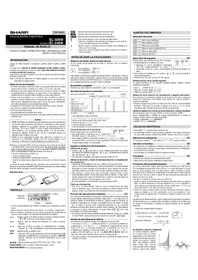
Thank you for purchasing the SHARP Scientific Calculator Model EL-509X/531X/531XG/531XH.
About the calculation examples (including some formulas and tables), refer to the reverse side of this English manual. Refer to the number on the right of each title on the manual for use. After reading this manual, store it in a convenient location for future reference.
Note: Some of the models described in this manual may not be available in some countries.
Operational Notes
- Do not carry the calculator around in your back pocket, as it may break when you sit down. The display is made of glass and is particularly fragile.
- Keep the calculator away from extreme heat such as on a car dashboard or near a heater, and avoid exposing it to excessively humid or dusty environments.
- Since this product is not waterproof, do not use it or store it where fluids, for example water, can splash onto it. Raindrops, water spray, juice, coffee, steam, perspiration, etc. will also cause malfunction.
- Clean with a soft, dry cloth. Do not use solvents or a wet cloth. Avoid using a rough cloth or anything else that may cause scratches.
- Do not drop it or apply excessive force.
- Keep batteries out of the reach of children.
- This product, including accessories, may change due to upgrading without prior notice.
NOTICE
- SHARP strongly recommends that separate permanent written records be kept of all important data. Data may be lost or altered in virtually any electronic memory product under certain circumstances. Therefore, SHARP assumes no responsibility for data lost or otherwise rendered unusable whether as a result of improper use, repairs, defects, battery replacement, use after the specified battery life has expired, or any other cause.
- SHARP will not be liable nor responsible for any incidental or consequential economic or property damage caused by misuse and/or malfunctions of this product and its peripherals, unless such liability is acknowledged by law.
- Press the RESET switch (on the back), with the tip of a ball-point pen or similar object, only in the following cases. Do not use an object with a breakable or sharp tip. Note that pressing the RESET switch erases all data stored in memory.
• When using for the first time
• After replacing the batteries
- When an abnormal condition occurs and all keys are inoperative.
If service should be required on this calculator, use only a SHARP servicing dealer, SHARP approved service facility, or SHARP repair service where available.
Hard Case

DISPLAY
Mantissa Exponent
• During actual use, not all symbols are displayed at the same time.
- Certain inactive symbols may appear visible when viewed from a far-off angle.
- Only the symbols required for the usage under instruction are shown in the display and calculation examples of this manual.
• The previous calculation result will not be recalled after entering multiple instructions.
- In the case of utilizing positive functions (√, π, sin, etc.), you can perform a chain calculation even when the previous calculation result is cleared by the use of the [0%] key.
Fraction Calculations [8]
This calculator performs arithmetic operations and memory calculations using fractions, and conversion between a decimal number and a fraction.
- If the number of digits to be displayed is greater than 10, the number is converted to and displayed as a decimal number.
Binary, Pental, Octal, Decimal, and Hexadecimal Operations (N-Base) [9].
This calculator can perform conversions between numbers expressed in binary, pental, octal, decimal, and hexadecimal systems. It can also perform the four basic arithmetic operations, calculations with parentheses, and memory calculations using binary, pental, octal, decimal, and hexadecimal numbers. In addition, the calculator can carry out the logical operations AND, OR, NOT, NEG, XOR, and XNOR on binary, pental, octal, and hexadecimal numbers.
Conversion to each system is performed by the following keys:
- [1] Converts to the binary system. "0" appears.
SHIFT → (e1): Converts to the octal system. "0" appears.
2nd = 163: Converts to the hexadecimal system. "H" appears.
The ← key: Converts to the decimal system. 'b', 'P', 'a', and 'h' disappear from the display.
Conversion is performed on the displayed value when these keys are pressed.
Note: In this calculator, the hexadecimal numbers A - F are entered by pressing √y², √x², √z², √x³, and
and displayed as follows:
A→R, B→b, C→C, D→d, E→E, F→F
In the binary, pental, octal, and hexadecimal systems, fractional parts cannot be entered. When a decimal number having a fractional part is converted into a binary, pental, octal, or hexadecimal number, the fractional part will be truncated. Likewise, when the result of a binary, pental, octal, or hexadecimal calculation includes a fractional part, the fractional part will be truncated. In the binary, pental, octal, and hexadecimal systems, negative numbers are displayed as a complement.
Time, Decimal, and Sexagesimal Calculations [10] Conversion between decimal and sexagesimal numbers can be performed. In addition, the four basic arithmetic operations and memory calculations can be carried out using the sexagesimal system.
Notation for sexagesimal is as follows

Coordinate Conversions
(11)

• The calculation result is automatically stored in memories X and Y.
Value of r or x: X memory Value of 0 or x: X memory
value of 6 or 3; 1 memory
Modify Function
[12]
In this calculator, calculation results are internally obtained in scientific notation with up to 14 digits for the mantissa. However, since calculation results are displayed in the form designated by the display notation and the number of decimal places indicated, the internal calculation result may differ from that shown in the display. By using the modify function, the internal value is converted to match that of the display, so that the displayed value can be used without change in subsequent operations.
STATISTICAL CALCULATIONS
[13]
Statistical calculations are performed in the statistics mode. Press MODE 1 to select the statistics mode. This calculator performs the seven statistical calculations indicated below. After selecting the statistics mode, select the desired sub-mode by pressing the number key corresponding to your choice.
When changing to the statistical sub-mode, press the corresponding number key after performing the operation to select the statistics mode (press MODE: 1).
←/← : Appears when the entire equation cannot be displayed.
▲/▼ : Indicates that data can be visible above/below the screen.
These indications may appear when menu, multi-line playback, and statistics data are displayed. Press ▲ ▼ ▼
to scroll up/down the view.
2.1.1. Appearance when (no) is preserved, interacting with the transitions shown in orange are enabled.
HYP: Indicates that [no] has been pressed and the hyperbolic functions are enabled. If [no] is pressed, the
symbols "2ndF HYP" appear, indicating that inverse hyperbolic functions are enabled.
ALPHA: Indicates that ALPHA (STATVAR), STD or IREL has been
pressed, and any (recall of memory content and recall of statistics) can be performed.
FIX/SCI/ENG: Indicates the notation used to display a value and changes by SET UP menu.
DEG/RAD/GRAD: Indicates angular units and changes each time [DRG] is pressed.
STAT: Appears when statistics mode is selected.
M: Indicates that a numerical value is stored in the independent memory.
BEFORE USING THE CALCULATOR
Key Notation Used in this Manual
In this manual, key operations are described as follows:

Functions that are printed in orange above the key require [2ndF] to be pressed first before the key. When you open the memory, press [2ndF] first. Numbers for input value are not shown as keys, but as ordinary numbers.
Power On and Off
Press [ON/C] to turn the calculator on, and [OFF] to turn it off.
Clearing the Entry and Memories
Clearing methods are described in the table as follows:
| Clearing operation | Entry(Display) | M*1 | A-F, X, Y*2ANS*3 | STAT*4STATVAR*5 |
| [0x8] | ○ | × | × | × |
| [2ndf][0x] | ○ | × | ○ | ○ |
| [2ndf][0-0i] | ○ | ○ | ○ | ○ |
| [2ndf][0-0i] | ○ | ○ | ○ | ○ |
| RESET switch | ○ | ○ | ○ | ○ |
○: Clear ×: Retain
Independent memory M
Temporary memory A-F, X and Y
Statistical data center
x, x̄, σx, e, Σx, Σx², S, ry, σy, Σy, Σy², Σxy, r, a, b, c.
All variables are cleared. See 'About the Memory clear key' for details.
This key combination functions the same as the RESET switch. See 'About the Memory clear key' for details.
[About the Memory clear key]
Press 📝→📞CLP to display the menu.
![SHARP EL-531XBGR - [About the Memory clear key] - 1](/content/2026/05/1046601/images/b74703ff404772f3d85d658d6a05e2aa25160a9a0d019eb7a3526a031b7c03c2.jpg)
• To clear all variables (M, A-F, X, Y, ANS, STATVAR), press ☐ 0 ☐ 8 of ☐ 0 ☐ INT.
• To RESET the calculator, press 1 0 or 1 ENT.
The RESET operation will erase all data stored in memory, and restore the calculator's default setting.
Entering and Correcting the Equation
[Cursor keys]
- Press ▶ or ▶ to move the cursor. You can also return to the equation after getting an answer by pressing ▶ (◀). See the next section for using the ▲ and ▼ keys.
- In the SET OF menu and other locations, use the [◀] or ▶ key to move the flashing cursor, then press ENT { - key}. If you need to scroll up/down the view, use the ▲ or ▼ key.
[Insert mode and Overwrite mode in the Equation display]
This calculator has two editing modes: insert mode (default), and overwrite mode. Pressing [ref] [no] switches between the two modes. A triangular cursor indicates that an entry will be inserted at the cursor, while the rectangular cursor indicates to overwrite preexisting data as you make entries.
• To insert a number in the insert mode, move the cursor to the place immediately after where you wish to insert, then make a desired entry. In the overwrite mode, data under the cursor will be overwritten by the number you enter.
• This mode setting will be retained until the next RESET operation is executed.
[Deletion key]
- To delete a number or function, move the cursor to the number or function you wish to delete, then press [DEL]. If the cursor is located at the right end of an equation, the [DEL] key will function as a back space key.
Multi-line Playback function
This calculator is equipped with a function to recall previous equations in the normal mode. Equations also include calculation ending instructions such as "n" and a maximum of 142 characters can be stored in memory. When the memory is full, stored equations are deleted in the order of the oldest first. Pressing (▲) will display the previous equation and the answer. Further pressing (▲) will display preceding equations (after returning to the previous equation, press (▼) to view equations in order). In addition, (●) can be used to jump to the oldest equation.
To edit an equation after recalling it, press ▶ (◀).
- To edit the displayed equation, press ▶ (◀) immediately after obtaining a calculation answer.
The multi-line memory is cleared by the following operations: [2nd] CA, [3rd] CEF (including the Automatic Power Off feature), mode change, memory clear ( 3rd ], RESET, [3rd] BAMES, ALPHA [16.5], ANG, constant calculation, chain calculation, angle unit conversion, coordinate conversion, N-base conversion, numerical value storage to the temporary memories and independent memory, and input/deletion of statistical data.
Priority Levels in Calculation
This calculator performs operations according to the following priority: ① Fractions (1'4, etc.) ② Functions preceded by their argument (x^1, x^2, n!, etc.) ③ Y^1, Y^2 ④ Implied multiplication of a memory value (2Y, etc.) ⑤ Functions followed by their argument (sin, cos, etc.) ⑥ Implied multiplication of a function (2×sin30, etc.) ⑦ G_0, P_0 ⑧ x +, -, AND, OR, XOR, XNOR (2 = M+, M-, →M, →DEG, →RAD, →GRAD, DATA, CD, →n!, →xy and other calculation ending instructions)
• If parentheses are used, parenthesized calculations have precedence over any other calculations.
INITIAL SET UP
Mode Selection
Normal mode (NORMAL): 📄
Used to perform arithmetic operations and function calculations.
Statistics mode (STAT): MODE 1
Used to perform statistical calculations.
When executing mode selection, temporary memories, statistical variables, statistical data and last answer memory will be cleared even when reselecting the same mode.
SET UP menu
Press setup to display the SET UP menu.

• A menu item can be selected by:
- moving the flashing
- pressing the number key corresponding to the menu item number.
- If or is displayed on the screen, press [▲] or [▼] to view the previous/next menu screen.
- Press OK to exit the SET UP menu
[Selecting the Display Notation and Decimal Places]
The calculator has four display notation systems (Floating point, Fixed decimal point, Scientific notation and Engineering notation) for displaying calculation results.
- When the FIX, SCI, or ENG symbol is displayed, the number of decimal places (TAB) can be set to any value between 0 and 9. Displayed values will be reduced to the corresponding number of digits.
- If a floating point number does not fit in the specified range, the calculator will display the result using the scientific notation (exponential notation) system. See 'Setting the Floating Point Numbers System in Scientific Notation' for details.
- Press (SET UP), followed by 8, to display the following sub-
![SHARP EL-531XBGR - [Selecting the Display Notation and Decimal Places] - 1](/content/2026/05/1046601/images/e000db63fd54ff1e25a5bacfa6a25c98c8747b3a2a085234848e62cf3328fb84.jpg)
[Setting the Floating Point Numbers System in Scientific Notation] The calculator has two settings for displaying a floating point number: NORM1 (default setting) and NORM2. In each display setting, a number is automatically displayed in scientific notation outside a preset range.
• NORM1: 0.000000001 ≤ |x| ≤ 9999999999
| [Floating point (NORM1)] | [DMC] | 100000 | + | 3 | 33°300.30000 |
| -(Fixed decimal point) | B2.5 | 8 | 0 | 33°300.30000 | |
| [TAB set to Z] | B2.5 | - | 2 | 33°333.33 | |
| -(DC/identific notation) | B2.5 | 8 | 1 | 2.33 × 10⁴ | |
| -(EN/Greening notation) | B2.5 | 8 | 2 | 26.33 × 10⁴ | |
| -(Floating point (NORM1)) | B2.5 | 8 | 1 | 33°300.30000 |
3+1000=
(400) (100)
![SHARP EL-531XBGR - [Selecting the Display Notation and Decimal Places] - 2](/content/2026/05/1046601/images/2def9d02c7b931d849f83c57a056530489c3e6144899c17d2065e9069c6456f6.jpg)
![SHARP EL-531XBGR - [Selecting the Display Notation and Decimal Places] - 3](/content/2026/05/1046601/images/967d10f43eb783b41cb3d959f2333b27f0c3a52b4dc3223d32015585b4e14b4b.jpg)
![SHARP EL-531XBGR - [Selecting the Display Notation and Decimal Places] - 4](/content/2026/05/1046601/images/8f7fce108c4bf53b54dff9e49cd7d6e5c1573706bd20a89d30819359f072b733.jpg)
Statistical Calculation Formulas
(15)
| Type | Regression formula |
| Linear | y = a + bx |
| Exponential | y = a · bx |
| Logarithmic | y = a + b · x |
| Power | y = a · sx |
| Inverse | y = a + b 1/x |
| Quadratic | y = a + bx + cxx |
In the statistical calculation formulas, an error will occur when:
- The absolute value of the intermediate result or calculation result is provided as follows:
is equal to or greater than 1 x 10^2. The denominator is zero.
• An attempt is made to take the square root of a negative number.
• No solution exists in the quadratic regression calculation.
ERROR AND CALCULATION RANGES
Errors
An error will occur if an operation exceeds the calculation ranges, or if a mathematically illegal operation is attempted. When an error occurs, pressing (or ▶) automatically moves the cursor back to the place in the equation where the error occurred. Edit the equation or press (on) to clear the equation.
Error Codes and Error Types
Syntax error (Error 5):
• An attempt was made to perform an invalid operation.
Ex. 2 [2π] —
Calculation error (Error 2):
• The absolute value of an intermediate or final calculation result equals or exceeds 10^34.
• An attempt was made to divide by 0 (or an intermediate calculation resulted in result).
• The calculation ranges were exceeded while performing calculations.
• The available number of buffers was exceeded. (There are 10
for numerical value and 24 buffers for calculation instructions; ** buffers in STAT mode.
• Data items exceeded 100 in the statistics mode.
Emulsion loss (exp. 4)
• The equation exceeded its maximum input buffer (142 characters).
An equation must be shorter than 142 characters.
Calculation Ranges
- Within the ranges specified, this calculator is accurate to ±1 of the least significant digit of the mantissa. However, a calculation error increases in continuous calculations due to accumulation of each calculation error. (This is the same for yk , , nk , ak , ln, etc., where continuous calculations are performed internally.)
Additionally, a calculation error will accumulate and become larger in the vicinity of inflection points and singular points of functions.
• Calculation ranges
±10-4-±9.999999999×10⁻⁴ and 0
If the absolute value of an entry or a final or intermediate result of a calculation is less than 10-39 , the value is considered to be 0 in calculations and in the display.
BATTERY REPLACEMENT
Notes on Battery Replacement
Improper handling of batteries can cause electrolyte leakage or explosion. Be sure to observe the following handling rules:
• Make sure the new batteries are the correct type.
- When installing, orient each battery properly as indicated in the calculator.
- Batteries are factory-installed before shipment, and may be exhausted before they reach the service life stated in the specifications.
Notes on erasure of memory contents
When the battery is replaced, the memory contents are erased. Erasure can also occur if the calculator is defective or when it is repaired. Make a note of all important memory contents in case accidental erasure occurs.
When to Replace the Batteries
[EL-509X/531X/531XH] If the display has poor contrast, the batteries require replacement.
[EL-531XG] If the display has poor contrast or nothing appears on the display even when ON/C is pressed in dim lighting, it is time to replace the batteries.
Cautions
- Fluid from a leaking battery accidentally entering an eye could result in serious injury. Should this occur, wash with clean water and immediately consult a doctor.
- Should fluid from a leaking battery come in contact with your skin or clothes, immediately wash with clean water.
- If the product is not to be used for some time, to avoid damage to the unit from leaking batteries, remove them and store in a safe place.
• Do not leave exhausted batteries inside the product.
Determination of the Angular Unit
In this calculator, the following three angular units (degrees, radians, and grads) can be specified.
→DEG
Press (no)
GRAD (g) RAD (rad)
SCIENTIFIC CALCULATIONS
- Press MODE 0 to select the normal mode.
- In each example, press (DAC) to clear the display. And if the FIX, SCI, or ENG indicator is displayed, clear the indicator by selecting 'NORM1' from the SET UP menu.
Arithmetic Operations [2]
- The closing parenthesis ☐ just before - or M- may be omitted.
Constant Calculations [3]
- In constant calculations, the addend becomes a constant. Subtraction and division are performed in the same manner.
- When performing calculations using constants, constants will be displayed as K.
Functions
- Refer to the calculation examples of each function.
- Before starting calculations, specify the angular unit.
Random Function
The Random function has four settings for use in the normal or statistics mode. (This function cannot be selected while using the N-Base function.) Press (046) to exit
- The generated pseudo-random number series is stored in memory X. Each random number is based on a number series
[Random Numbers]
A pseudo-random number, with three significant digits from 0 up to 0.999, can be generated by pressing [2nd, w##g, 0, ENT]. To generate the next random number, press [ENT].
[Random Dice]
To simulate a die-rolling, a random integer between 1 and 6 can be generated by pressing [and] [and], [and]. To generate the next random dice number, press [ENT].
[Random Coin]
To simulate a coin flip, 0 (head) or 1 (tail) can be randomly generated by pressing 2nd FAOD 3 ENT. To generate the next random coin number, press [ENT].
[Random integer]
An integer between 0 and 99 can be generated randomly by pressing [2ndF] == [3][ENT]. To generate the next random integer number, press [ENT].
Angular Unit Conversions [5]
Each time [2π] (no) are pressed, the angular unit changes in sequence.
Memory Calculations
This calculator has 8 temporary memories (A-F, X and Y), one independent memory (M) and one last answer memory (ANS). The independent memory and temporary memories are only available in the normal mode.
[Temporary memories (A-F, X and Y)]
Press S10 and a corresponding variable key to store a value in memory.
Press RCL and a corresponding variable key to recall a value from the memory.
To place a variable in an equation, press APN. followed by a desired variable key.
[Independent memory {M}]
In addition to all the features of temporary memories, a value can be added to or subtracted from an existing memory value. Press (out) and (in) to clear the independent memory (M).
[Last answer memory (ANS)]
The calculation result obtained by pressing - or any other calculation ending instruction is automatically stored in the last answer memory.
Note:
- Calculation results from the functions indicated below are automatically stored in memories X or Y. For this reason, when using these functions, be careful with the use of memories X and Y.
• Random function ....Y memory - \15, -\25.... X memory (F or 2), Y memory (R or x) - Temporary memories and last answer memory are cleared - Use of [m2], or [uPMA] will recall the value stored in memory using up to 14 digits.
Chain Calculations [7]
- This calculator allows the previous calculation result to be used in the following calculation.
- Keep batteries out of the reach of children.
- Exhausted batteries left in the calculator may leak and damage the calculator.
- Incorrect handling may cause an explosion risk.
- Do not throw batteries into a fire as they may explode.
Replacement Procedure
- Turn the power off by pressing 2ndF [OFF].
- Remove one screw or two screws. (Fig. 1)
- Lift the battery cover to remove.
- [EL-509X/531X/531XG] Remove the used battery by prying it out with a ballpoint pen or other similar pointed device. (Fig. 2) [EL-531XH] Remove the used battery.
- [EL-509X/531X/531XG] Install one new battery. Make sure the "+" side is rising up. [EL-531XH] Install one new battery. First insert the "○" side toward the spring. (Fig. 3)
- Replace the cover and screws.
- Press the RESET switch (on the back).
- Make sure that the display appears as shown below. If the display does not appear as shown, remove the batteries, reinstall them, and check the display once again.


Automatic Power Off Function
This calculator will turn itself off to save battery power if no key is pressed for approximately 10 minutes.
SPECIFICATIONS
Calculations: Scientific calculations, statistical calculation
Internal calculations:
Pending operations: 24 calculations, 10 numeric values
(5 human values in STAT mode)
1.5V ∞ (DC):
Alkaline battery (LP44 or equivalent) x 1
[E]
Built-in solar cell
1.5V ~ (DC): backup battery (Alkali Battery 0 B46 or equivalent) x 1
[EL-531XH]
1.5V = (DC)
Heavy duty manganese battery (size A15 or B20) = 1
Operating time: (EL-509X/531X)
Approx. 5000 hours
[EL-591XH]
Approx. 17,020 hours when continuously displaying $5,555 at
26
Varies according to use and other factors.
Operating temperature: 0°C - 40°C External dimensions: 50 mm (W) × 158 mm (W) × 14 mm (H)
Weight: (EL-509X/531X)
Approx. 94.5 g (0.21 lb) (including battery)
(22-0118)
[EL-531XH]
Approx. 101 g (0.23 lb) (including battery) Rotary 1 (installed), operation manual
A. 2017
FOR MORE INFORMATION ABOUT
SCIENTIFIC CALCULATOR
Visit our Web site.
http://sharp-world.com/calculation/
EL-509X
EI-521Y
EL 501XO
EL-051XG
EL-531XH
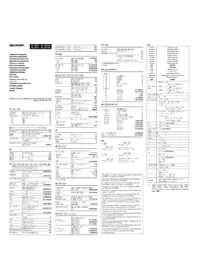
CALCULATION EXAMPLES
ANWENDUNGSBEISPIELE
EXEMPLES DE CALCUL
EJEMPLOS DE CÁLCULO
EXEMPLOS DE CÁLCULO
ESEMPI DI CALCOLO
REKENVOORBEELDEN
PELDASZÁMÍTÁSOK
PRIKLADY VÝPOČTŮ
RÄKNEEXEMPEL
LASKENTAESIMERKKEJÄ
CALCULATION EXAMPLES
CALCULATION EXAMPLES
| 50° → [rad] | 90 (2nd) | 1.570796327 |
| → [g] | 2nd | 100. |
| → [°] | 2nd | 90. |
| sin -1 0.8 = [°] | 2nd | 53.13010225 |
| → [red] | 2nd | 0.927295218 |
| → [g] | 2nd | 53.03344706 |
| → [°] | 2nd | 53.13010225 |
[6] ALPHA [RCL STO] M-N ANS
| A=68 | H = 10( K/m) | 19. |
| B=68 | H = 10( K/m) | 68. |
| A=2×B=6×D | H = 10( K/m) | 350. |
| H = 8( K/m) | 16. | |
| 24=(B+2)= (B+C) | 24=(C+2)/M-C | 1.5 |
| (B+C)=D | H = 10( K/m) | 80. |
| H = 10( K/m) | 0. | |
| 150=3.9M | 150(X) | 450. |
| 15250=M+2502 | 250(M) | 250. |
| (M=A*5/M) | 250(X) | 35. |
| M | 250(Y) | 685. |
| 1=Y=10 | 110(TD) | 710. |
| 20,510=7 | 265/10(=O)(X,Y) | 241. |
| 2,750=7 | 2750(X) | 242T/D0 |
| r=3cm | 3(TD,Y) | 20. |
| y^2=2 | 5(TD,Y)=3^2 | 29.27633289 |
| (r=Y) | ||
| 24=(A+2、A) | 24=(B) | 2.4 |
| 4=6 | 3(X) | 20. |
| 2×(A)+(B)+(C) | H = 10( K/m) | 20.2 |
[7]
| 6+4=ANS | 44 | 6 | 4 | - | 10 |
| ANS+5 | + | 5 | - | 16. | |
| 8×2=ANS | 8 | X | 2 | - | 16. |
| ANS 2 | X | - | 256. | ||
| 44+37=ANS | 44 | - | 37 | - | 81. |
| = | ( | - | - | 2. |
[8]
| 1/2 = 4/3 = ai | 4√10 | 3 (A) | 1 (B) | 2 (C) | |
| 4 (A) | 3 (C) | 4(5)=6* | |||
| - 1 a,000 | (%) | 4.833233233 | |||
| (%) | |||||
| - 1 a,c | (%) | 29=6 | |||
| 103 | 2447/3 (A) | 2 (A) | 3 | ||
| (%) | 4.641589834 | ||||
| 1/2 a2 | 7 (A) | 5 (C) | 5 (C) | 16007:3125 | |
| 1/2 a2 | 1 (A) | 8 (C) | 1 (A) | 3 | |
| (%) | 1=2 | ||||
| 1/225 | 64 (A) | 225 | - | 8=15 | |
| 24/3 | 2 (C) | 3 (C) | |||
| 3 (C) | 4 (C) | 8=81 | |||
| 1/2 | 1.2 (A) | 2.3 (C) | 12=23 | ||
| 1/2 | 1 (A) | 2 (A) | 3 (C) | 0*31'1.5" | |
| 1/2 × 103 | 1 (A) | 2 (A) | 3 (C) | 1=2 | |
| 2× 10³ | (%) | ||||
| A=7 | (%) | ||||
| 4 | 4 (A) | ||||
| A | 4 (A) | 4=7 | |||
| 1.25+ 1/2 = [a.xoo] | 1.25 | 2 (A) | 5 (C) | 1.65 | |
| - 1 a,b | (%) | 1=12=20 | |||
| 1.65 | (%) | 1.65 | |||
| - 1 a,c | (%) | 1=12=20 | |||
| - 1 a,c | (%) | 32=20 | |||
| - 1 a,xoo | (%) | 1.65 | |||
* 415±6=4 5/8
[9] ←BN [→PBN] ←OCT [→HEI] ←SEC [NEG] NOT AND OR XOH | ENOH
| DEC(35)-BIN | 25 | 11001b |
| HEX(1AC) | 1AC | |
| -BIN | 110101100b | |
| -PEN | 2202b | |
| -OCT | 654b | |
| -DEC | 428b | |
| BIN(1010-100) | 1010 | 1001 |
| x11= | 110101b | |
| BIN(111)-NEG | 111 | 1711111001b |
| HEX(1FF)= | 1FF | 1011 |
| OCT(512)= | 512 | 1611b |
| HEX(7) | 1611 | 349b |
| zFEC= | 1011 | 340b |
| 2CSE=(A) | 2CSE | 340b |
| +2000= | 2000 | 677b |
| 1901-(B) | 1901 | 444b |
| (G) | (G) | |
| 1011 AND | 1011 | 1b |
| 101= (BIN) | 1011 | 1b |
| SA OR C3 = (HEX) | SA (HEX) | db |
| NOT 10110= | 10110 | 1711101001b |
| 24 XOR 4 = (OCT) | 24 (OCT) | 25b |
| BX XNOR | BX XNOR | |
| 20 = (HEX) | 20 | FFFFFFFF16b |
| -DEC | -DEC | -159a |
[10] 2/4/1 (…3.5)
| 12°29'18.07"→[10] | 12°29'20.04"→[25] | 18.06 | 12.65501399 |
| 123.678→[60] | 123.678→[60] | 123°40'40.8" | 123°40'40.8" |
| Sh20m45s+ | 3°(W) 30°(W) 45°— | 6°(W) | 10°16'21" |
| Sh45m30s= [60] | 45°(W) 30°— | — | |
| 1234°56'12" | 1234°56'12"W | 12°— | 1234°56'07" |
| 0°34'54.57" = [60] | 0°(W) 0°(W) 34.567° | — | |
| Sh45m- | 3°(W) 45°— | 1.69°— | 2°3'26" |
| 1.69m= [60] | →[25] | — | |
| sh62°12'34" = [10] | →[60] 62°(W) 12°(W) 24° | — | 0.84652525 |
[11] →70 →25 → →
| 6 | 4 | |
| [r] | 7.211102551 | |
| [r] | 23.69008753 | |
| [r] | 7.211102551 | |
| 14 | 36 | |
| [r] | 11.32623792 | |
| [r] | 8.226993552 | |
| [r] | 11.32623792 |
[12] MDF SET UP
| S=9:ANG | VNO BITUP 5 6 BITUP 1 1 | ||||
| ANG×9= | 5 + 9 = | 0.6 | |||
| (FIX,TAB=1) | X 9 = -*1 | 6.0 | |||
| 5 + 9 = (2MP) REP | 0.6 | ||||
| X 9 = -*2 | 6.4 | ||||
| BIT(光) 8 9 | |||||
5.5555555555555×10 -1 ×9 0.6×9
[15]
| = x/n | σx√ x2-n2n |
| =√ x2-n2n-1 | x=x1+x2+...+xn x2=x12+x22+...+xn2 |
| = y/n | σy√ y2-n2n |
| xy=√ y2-n2n-1 | xy=x1y1+x2y2+...+xn y=y1+y2+...+yn y2=y12+y22+...+yn2 |
| +G | 0≤x≤n≤9399999999900≤x≤68μ/(m2)10-∞ | |
| +DEG, D'VS | 0*0 00001*≤|x|<10000* | |
| s,y→r,y | √x2T2*<10-∞ | |
| r,y→s,y | 0≤x<10-∞DEG: |x|≤104RAD: |x|≤√8x10⁴GRAD: |x|≤√8x10⁴ | |
| DRG▶ | DEG=RAZ GRAD=DEG: |x|<10-∞RAD=GRAD: |x|≤2×10-∞ | |
| +DEG-RN→PEN→OCT-HEXANDQXRORXNR | DEG: |x|≤9999999999991000000000≤x≤11111111100≤x≤111111111PEN: 2222222223≤x≤46666666440≤x≤5222222222OCT: 4000000000≤x≤777777777770≤x≤3777777777HEX: FDA8F41C01≤x≤PFFFFFFFE0≤x≤2540EJEFF | |
| NOT | RIN: 1000000000≤x≤11111111100≤x≤111111111PEN: 2222222223≤x≤46666666440≤x≤5222222222OCT: 4000000000≤x≤77777 | |
| NEG | RIN: 1000000001≤x≤11111111100≤x≤111111111PEN: 2222222223≤x≤46666666440≤x≤5222222222OCT: 4000000001≤x≤77777777770≤x≤377777777HEX: FDA8F41C01≤x≤PFFFFFFFE0≤x≤2540EJEFF |
* n. r: integer / ganze Zahlen / entier / entero / inteiro / intero / gársel getal / egenz számok / csej clad / natal isekopaisúju / janu / baltol / fúwú 2/ (peng. yie / 要称 / integer / bilangan bulat / Pahar l##
| For Australia / New Zealand only: |
| For warranty information please see www.sharp.net.au |
[13] DATA GEL X
| DATA | MARCH 1 X 2 | 0. | |
| 95 | 96 DATA | 1. | |
| 80 | 80 DATA | 2. | |
| 75 | DATA | 3. | |
| 75 | 75 (A) 3 DATA | 4. | |
| 75 | 50 DATA | 5. | |
| 50 | |||
| Σn | RGA 1 X | 75.71426771 | |
| G=∞ | RGA 2 X | 12.271791484 | |
| Σn | RGA 3 X | 7. | |
| Σm | RGA 4 X | 530. | |
| Σf=∞ | RGA 5 X | 41'250. | |
| Σg=∞ | RGA 6 X | 13.3620627 | |
| Σh=∞ | RGA 7 X | 178.5714296 | |
| (6x-7) | 1 96 (—) (400) 8 X 1 | ||
| M × 10+50u | 2 0000000000000000000000000000000000000000000000000000000000000000000000000000000000000000000000000000 | ||
| 4 10 X | 64.43510706 | ||
| λ | γ | MARCH 1 X 2 | 0. |
| 2 | 5 | 2 (mm) 5 DATA | 1. |
| 2 | 5 | DATA | 2. |
| 12 | 24 | 12 (mm) 24 DATA | 3. |
| 21 | 60 | 21 (mm) 40 (mm) 3 DATA | 4. |
| 21 | 40 | 15 (mm) 25 DATA | 5. |
| 21 | 40 | RGA 6 X | 1.052616197 |
| 15 | 25 | RGA 7 X | 1.625043286 |
| RGA 8 X | 0.995175343 | ||
| RGA 9 X | 0.541216597 | ||
| RGA 10 X | 12.67222413 | ||
| y=8 → y=? | 3 (SHP) X | 6.525394256 | |
| y=56 → x=? | 46 (SHP) X | 24.615192706 | |
| π | γ | MARCH 1 X 2 | 0. |
| 12 | 41 | 12 (mm) 41 DATA | 1. |
| 8 | 13 | 8 (mm) 10 DATA | 2. |
| 5 | 2 | 5 (mm) 2 DATA | 3. |
| 23 | 192 | 23 (mm) 200 DATA | 4. |
| 15 | 71 | 15 (mm) 71 DATA | 5. |
| RGA 8 X | 5.357505761 | ||
| RGA 9 X | -3.12828963 | ||
| RGA 10 X | 0.03332467 | ||
| x=10→y=? | 10 (SHP) X | 24.4840159 | |
| y=22→x=? | 22 (SHP) X | 9.63201409 | |
| SHP 10X | -3.432772026 | ||
| SHP 11X | 9.63201409 | ||
[14] DATA ▲ ▼
| DATA | 30 (X14) 1 2 | 0. |
| 30 | 30 (X15) | 1. |
| 40 | 40 (X17) 2 (X19) | 2. |
| 40 | 50 (X17) | 3. |
| 50 | ||
| ↓ | ||
| DATA | 30 | X2 = 46. |
| 46 | 45 (X17) 3 (X19) | N2 = 3. |
| 46 | ▼ | X2 = 60. |
| 45 | ||
| 60 | ▼ 60 (X17) | |
[16]
| Function Function Function Function Function Function Function Function Function Function Function Function Function Function Function Function Function Function Function Function Function Function Function Function Function Function Function Function Function Function Function Function Function Function Function Function Function Function Function Function Function Function Function Function Function Function Function Function Function Function Function_1 Function Function Function Function Function Function Function Function Function Function Function Function Function Function Function Function Function Function Function Function Function Function Function Function Function Function Function Function Function Function Function Function Function Function Function Function Function Function Function Function Function Function Function Function Function Function Function Function Function Functional Functional Functional Functional Functional Functional Functional Functional Functional Functional Functional Functional Functional Functional Functional Functional Functional Functional Functional Functional Functional Functional Functional Functional Functional Functional Functional Functional Functional Functional Functional Functional Functional Functional Functional Functional Functional Functional Functional Functional Functional Functional Functional Functional Functional Functional Functional Functional Functional Functional Functional Functional Functional Functional Functional Functional Functional Functional Functional Functional Functional Functional Functional Functional Functional Functional Functional Functional Functional Functional Functional Functional Functional Functional Functional Functional Functional Functional Functional Functional Functional Functional Functional Functional Functional Functional Functional Functional Functional Functional Functional Functional Functional Functional Functional Functional Functional Functional Functional Functional Formal Functional Functional Functional Functional Functional Functional Functional Functional Functional Functional Functional Functional Functional Functional Functional Functional Functional Functional Functional Functional Functional Functional Functional Functional Functional Functional Functional Functional Functional Functional Functional Functional Functional Functional Functional Functional Functional Functional Functional Functional Functional Functional Functional Functional Functional Functional Functional Functional Functional Horizontal Functional Functional Functional Functional Functional Functional Functional Functional Functional Functional Functional Functional Functional Functional Functional Functional Functional Functional Functional Functional Functional Functional Functional Functional Functional Functional Functional Functional Functional Functional Functional Functional Functional Functional Functional Functional Functional Functional Functional Functional Functional Functional Functional Functional Functional Functional Functional Functional Functional Continental Functional Functional Functional Functional Functional Functional Functional Functional Functional Functional Functional Functional Functional Functional Functional Functional Functional Functional Functional Functional Functional Functional Functional Functional Functional Functional Functional Functional Functional Functional Functional Functional Functional Functional Functional Functional Functional Functional Functional Functional Functional Functional Functional Functional Functional Functional Functional Functional Functional Focal Functional Functional Functional Functional Functional Functional Functional Functional Functional Functional Functional Functional Functional Functional Functional Functional Functional Functional Functional Functional Functional Functional Functional Functional Functional Functional Functional Functional Functional Functional Functional Functional Functional Functional Functional Functional Functional Functional Functional Functional Functional Functional Functional Functional Functional Functional Functional Functional Functional Functionally Functional Functional Functional Functional Functional Functional Functional Functional Functional Functional Functional Functional Functional Functional Functional Functional Functional Functional Functional Functional Functional Functional Functional Functional Functional Functional Functional Functional Functional Functional Functional Functional Functional Functional Functional Functional Functional Functional Functional Functional Functional Functional Functional Functional Functional Functional Functional Functional Functional Physical Functional Functional Functional Functional Functional Functional Functional Functional Functional Functional Functional Functional Functional Functional Functional Functional Functional Functional Functional Functional Functional Functional Functional Functional Functional Functional Functional Functional Functional Functional Functional Functional Functional Functional Functional Functional Functional Functional Functional Functional Functional Functional Functional Functional Functional Functional Functional Functional Functional Performance Functional Functional Functional Functional Functional Functional Functional Functional Functional Functional Functional Functional Functional Functional Functional Functional Functional Functional Functional Functional Functional Functional Functional Functional Functional Functional Functional Functional Functional Functional Functional Functional Functional Functional Functional Functional Functional Functional Functional Functional Functional Functional Functional Functional Functional Functional Functional Functional Functional Characteristic Functional Functional Functional Functional Functional Functional Functional Functional Functional Functional Functional Functional Functional Functional Functional Functional Functional Functional Functional Functional Functional Functional Functional Functional Functional Functional Functional Functional Functional Functional Functional Functional Functional Functional Functional Functional Functional Functional Functional Functional Functional Functional Functional Functional Functional Functional Functional Functional Functional Instructional Functional Functional Functional Functional Functional Functional Functional Functional Functional Functional Functional Functional Functional Functional Functional Functional Functional Functional Functional Functional Functional Functional Functional Functional Functional Functional Functional Functional Functional Functional Functional Functional Functional Functional Functional Functional Functional Functional Functional Functional Functional Functional Functional Functional Functional Functional Functional Functional Functional<|content_end|> |
| For Australia / New Zealand only: |
| For warranty information please see www.sharp.net.au |
- OPERATIONAL NOTES
- NOTICE
- HARD CASE
- DISPLAY
- COORDINATE CONVERSIONS
- (11)
- MODIFY FUNCTION
- [12]
- STATISTICAL CALCULATIONS
- [13]
- BEFORE USING THE CALCULATOR
- KEY NOTATION USED IN THIS MANUAL
- POWER ON AND OFF
- CLEARING THE ENTRY AND MEMORIES
- [ABOUT THE MEMORY CLEAR KEY]
- ENTERING AND CORRECTING THE EQUATION
- [CURSOR KEYS]
- [INSERT MODE AND OVERWRITE MODE IN THE EQUATION DISPLAY]
- [DELETION KEY]
- MULTI-LINE PLAYBACK FUNCTION
- PRIORITY LEVELS IN CALCULATION
- INITIAL SET UP
- MODE SELECTION
- SET UP MENU
- [SELECTING THE DISPLAY NOTATION AND DECIMAL PLACES]
- STATISTICAL CALCULATION FORMULAS
- (15)
- ERROR AND CALCULATION RANGES
- ERRORS
- ERROR CODES AND ERROR TYPES
- CALCULATION RANGES
- BATTERY REPLACEMENT
- NOTES ON BATTERY REPLACEMENT
- NOTES ON ERASURE OF MEMORY CONTENTS
- WHEN TO REPLACE THE BATTERIES
- CAUTIONS
- SCIENTIFIC CALCULATIONS
- FUNCTIONS
- RANDOM FUNCTION
- [RANDOM NUMBERS]
- [RANDOM DICE]
- [RANDOM COIN]
- [RANDOM INTEGER]
- MEMORY CALCULATIONS
- [INDEPENDENT MEMORY {M}]
- [LAST ANSWER MEMORY (ANS)]
- NOTE
- REPLACEMENT PROCEDURE
- AUTOMATIC POWER OFF FUNCTION
- SPECIFICATIONS
Brand : SHARP
Model : EL-531XBGR
Category : Calculator