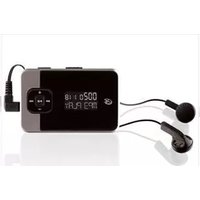
MW252S - Mp3 player GPX - Free user manual and instructions
Find the device manual for free MW252S GPX in PDF.


| Product Type | MP3 Player |
| Brand | GPX |
| Model | MW252S |
| Dimensions | Approx. 3.5 x 1.8 x 0.6 inches (89 x 46 x 15 mm) |
| Weight | Approx. 2.1 oz (60 g) |
| Power Source | Internal rechargeable battery (Li-ion, 200 mAh) |
| Battery Life | Up to 15 hours of audio playback |
| Storage Capacity | 4 GB internal (expandable via microSD, up to 32 GB) |
| Audio Formats Supported | MP3, WMA, WAV |
| Display | 1.8-inch color LCD |
| Connectivity | USB 2.0 (charging and data transfer), 3.5 mm headphone jack |
| FM Radio | Yes, with presets |
| Recording | Voice recording via built-in microphone |
| Main Functions | Music playback, FM radio, voice recording, playlist support, equalizer presets |
| Maintenance | Clean with a soft dry cloth; avoid liquids; recharge battery regularly |
| Safety Notes | Do not expose to extreme temperatures or moisture; use only specified charger |
| Spare Parts | Replacement battery and USB cable available; contact GPX support |
| Repairability | Basic repairs by qualified technician; not user-serviceable beyond battery |
| General Information | Portable MP3 player with intuitive controls, suitable for music on the go |
Frequently Asked Questions - MW252S GPX
User questions about MW252S GPX
0 question about this device. Answer the ones you know or ask your own.
Ask a new question about this device
Download the instructions for your Mp3 player in PDF format for free! Find your manual MW252S - GPX and take your electronic device back in hand. On this page are published all the documents necessary for the use of your device. MW252S by GPX.
USER MANUAL MW252S GPX
Press to play or pause the audio player.
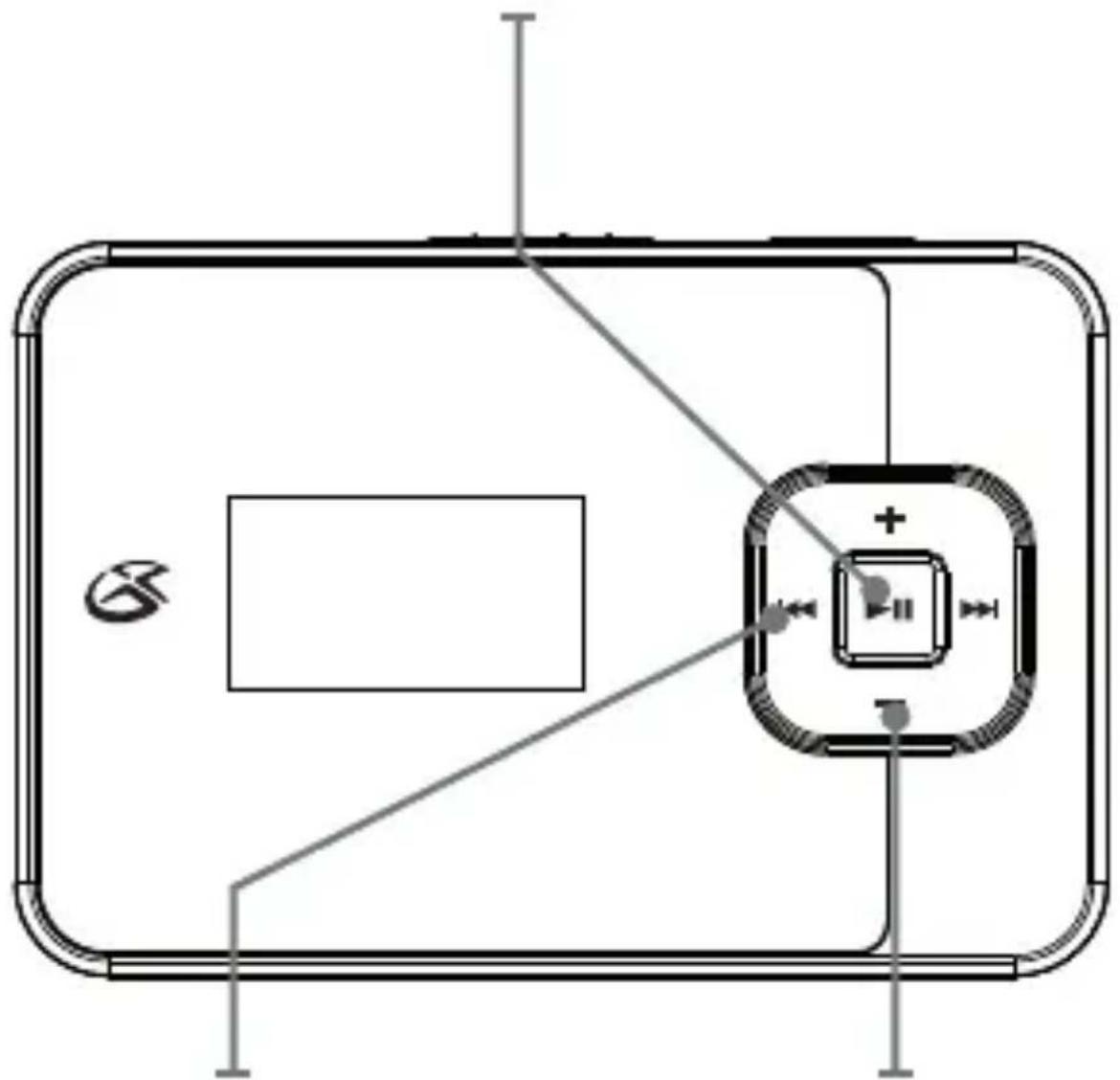
Skip/Search
Press to skip. Press and hold to search through tracks.
Volume
Press to adjust the volume.
Off/On/Hold
Adjust to power the unit off, on or enter Hold mode.
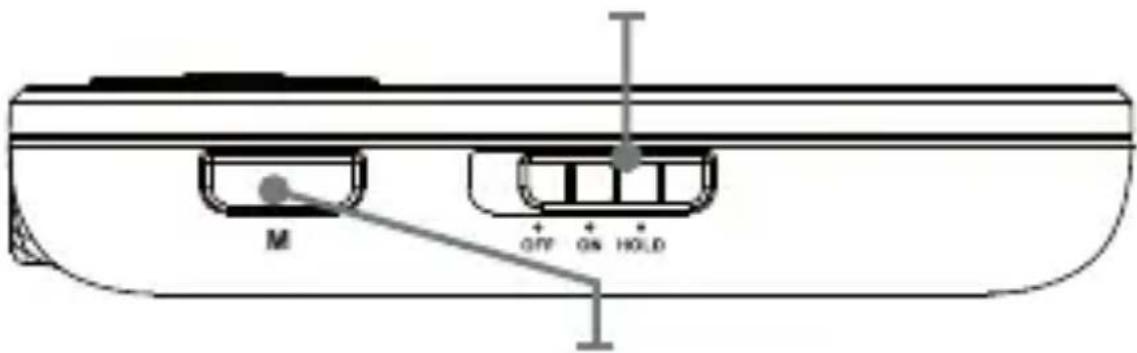
Mode
In play mode, press to access the sub-menu. Use the Volume and Play/Pause buttons to select EQ or Repeat mode.
Press again to exit the sub-menu.
natural_image
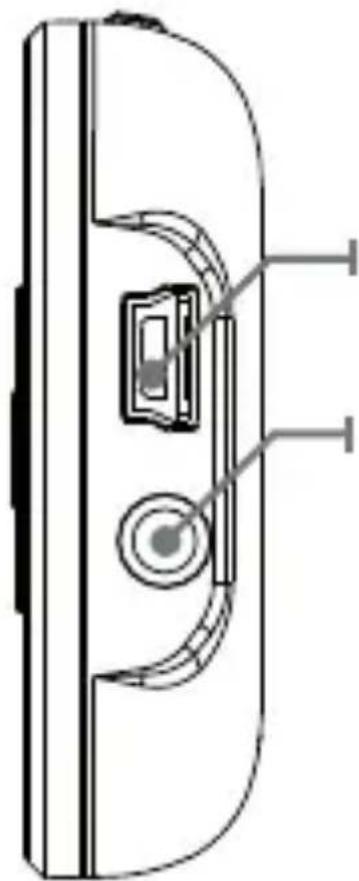
Technical line drawing of a door handle with a keyway and circular button (no text or symbols)Mini-USB Port
Stereo Headphone Jack
Music
Loading music
- Connect the digital audio player to a computer using the Mini-USB Port and a USB cable (included).
- Once connected, the unit will show up on the connected computer as if it were a connected USB thumb drive, external hard drive, or memory card.
- Drag and drop the desired audio files into the unit's drive location on the connected computer.
- After the files are loaded onto the unit, right-click on the drive and eject it from the computer, then disconnect the USB cable.
Playing Music
- Adjust the Off/On/Hold button to the On position to power on the digital audio player
- Press the Play/Pause button to begin playing music from your digital audio player.
Press the Mode button to access the sub-menu. Use the Volume and Play/Pause buttons to select EQ or Repeat mode.
Press again to exit the sub-menu.
File Compatibility:
MUSIC: MP3, WMA (non-DRM), WAV
Company Information
International Support
To download this User's Guide in English, Spanish, or French, or to get answers to frequently asked questions, visit the support section at www.gpx.com.
For Warranty Information and the most up-to-date version of this User's Guide, go to www.gpx.com.

trademarks appearing herein are the property of their respective owners.
Warnings
WARNING: Changes or modifications to this unit not expressly approved by the party responsible for compliance could void the user's authority to operate the equipment.
NOTE: This equipment has been tested and found to comply with the limits for a Class B digital device, pursuant to Part 15 of the FCC Rules. These limits are designed to provide reasonable protection against harmful interference in a residential installation. This equipment generates, uses, and can radiate radio frequency energy and, if not installed and used in accordance with the instructions, may cause harmful interference to radio communications. However, there is no guarantee that interference will not occur in a particular installation. If this equipment does cause harmful interference to radio or television reception, which can be determined by turning the equipment off and on, the user is encouraged to try to correct the interference by one or more of the following measures:
- Reorient or relocate the receiving antenna.
- Increase the separation between the equipment and receiver.
- Connect the equipment into an outlet on a circuit different from that to which the receiver is connected.
- Consult the dealer or an experienced radio/TV technician for help.
Power
DC battery power: requires 1 AAA battery (not included)

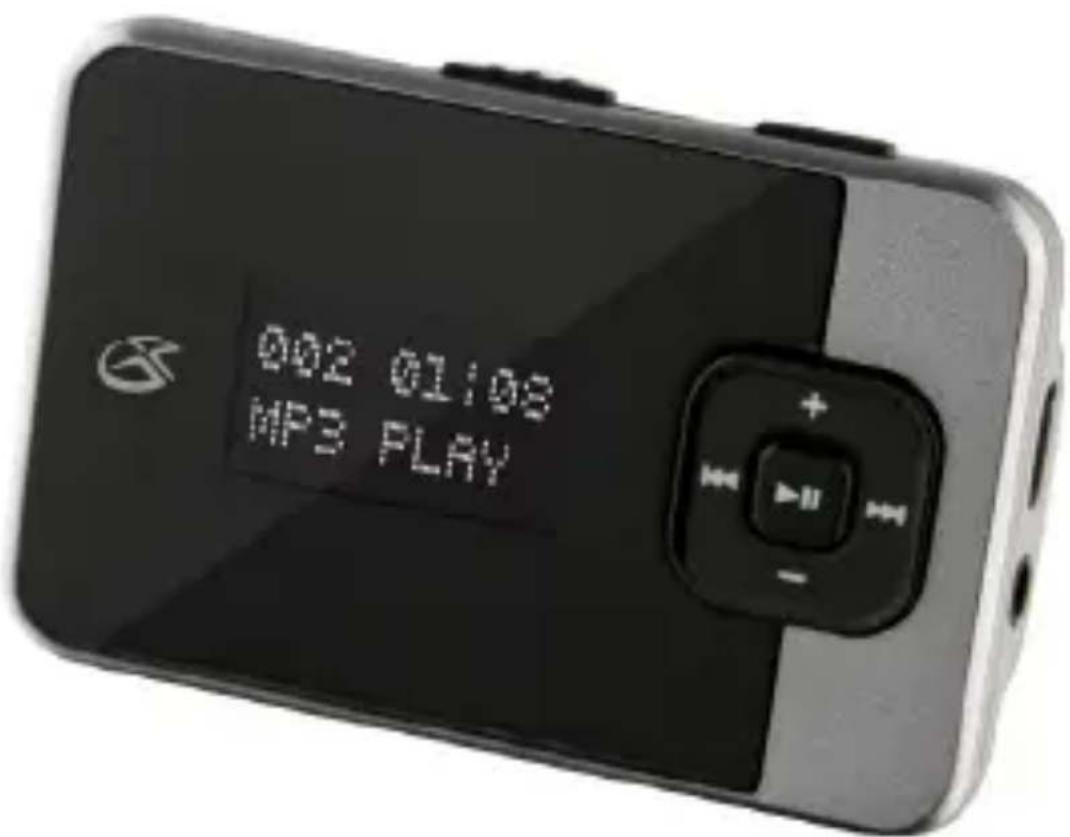
MW252S
MP3 Digital Audio Player
For the most up-to-date version of this
User's Guide, go to www.gpx.com

Brand : GPX
Model : MW252S
Category : Mp3 player