hf3 - Headphones Etymotic - Free user manual and instructions
Find the device manual for free hf3 Etymotic in PDF.


User questions about hf3 Etymotic
0 question about this device. Answer the ones you know or ask your own.
Ask a new question about this device
Download the instructions for your Headphones in PDF format for free! Find your manual hf3 - Etymotic and take your electronic device back in hand. On this page are published all the documents necessary for the use of your device. hf3 by Etymotic.
USER MANUAL hf3 Etymotic
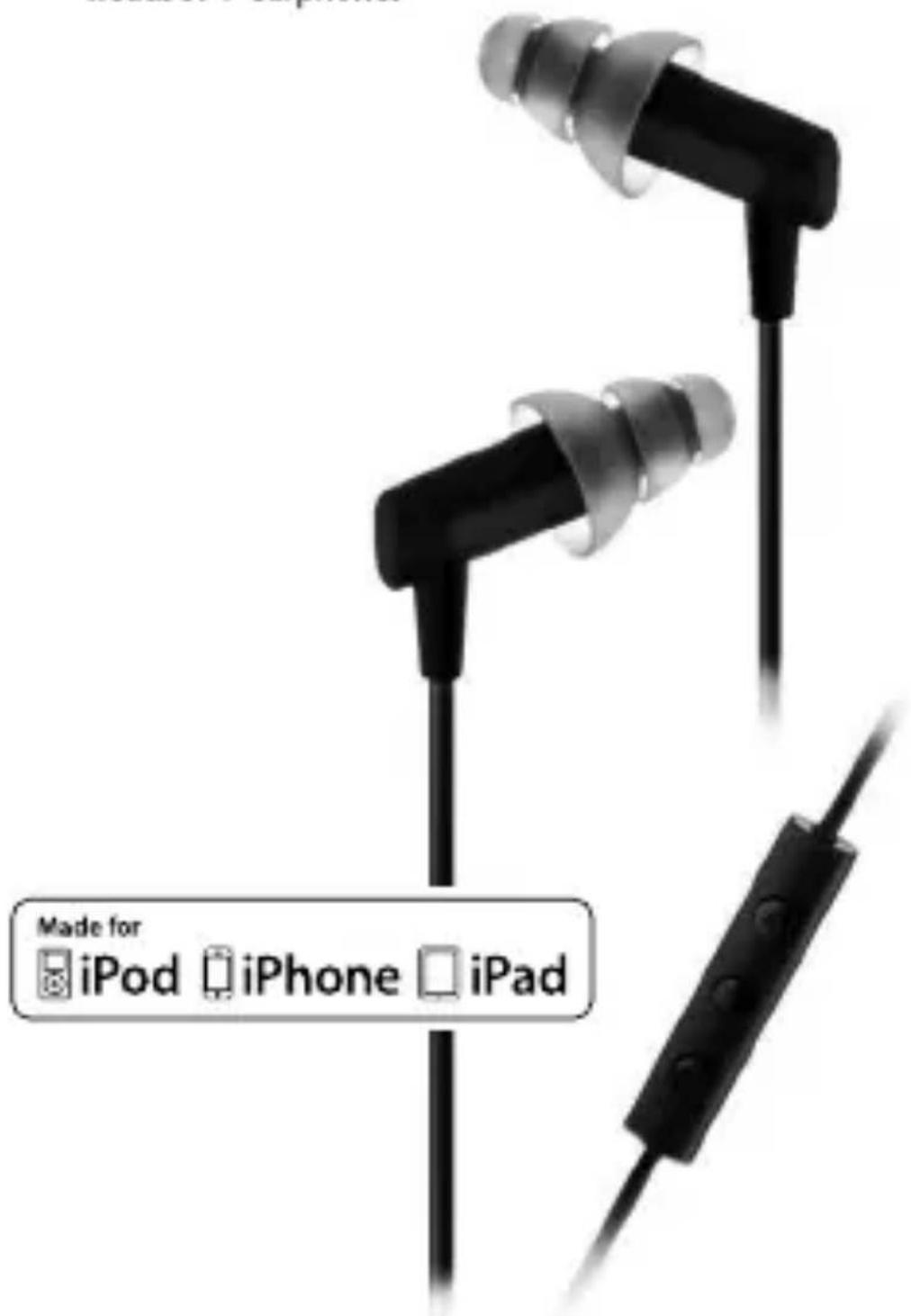
High-fidelity Noise-isolatingheadset
text_image
Made for iPod iPhone iPadUser Manual
Compatibility

text_image
Made for iPod iPhone iPad"Made for iPod," "Made for iPhone," and "Made for iPad" mean that an electronic accessory has been designed to connect specifically to iPod, iPhone, or iPad, respectively, and has been certified by the developer to meet Apple performance standards. Apple is not responsible for the operation of this device or its compliance with safety and regulatory standards. Please note that the use of this accessory with iPod, iPhone, or iPad may affect wireless performance.
Compatibility
Made for:
- iPod touch (2nd,3rd, and 4th generation)
- iPod classic
- iPod nano (4th, 5th, and 6th generation)
- iPod shuffle (3rd and 4th generation)
- iPhone 3GS and iPhone 4
- iPad
The remote and mic are supported only by iPod nano (4th generation and later), iPod classic (120GB, 160GB), iPod touch (2nd generation and later), iPhone 3GS, iPhone 4, and iPad. The remote is supported by iPod shuffle (3rd generation and later). Audio is supported by all iPod models.
Caution
In rare instances an eartip may come off in the ear canal when removing the earphone. If this should occur and the eartip cannot be easily removed, it is recommended that you promptly contact an audiologist or other medical professional. A professional can use blunt tweezers to remove the eartip.
Consult an audiologist or physician if you have excessive ear wax, difficulty inserting the eartips, or discomfort after prolonged use.
Etymotic earphones exclude most external sounds. It is unsafe to use in-ear earphones while operating a motorized vehicle, operating machinery, bicycling or jogging, because you may not be alerted to potential danger.
Do not use at excessively loud levels. Research confirms that earphon that seal the ear canal allow listeners to listen at safer levels. Noise-induced hearing loss is a function of exposure time, the average sound level and the peak of very loud sounds. A sealed eartip and lower listening levels allow for longer periods listening safe
Care
- Do not expose the earphones to extreme temperatures.
- Avoid dropping and strong impact.
- Leave eartips on the earphones for shock protection.
- Do not pull on the cord to remove the earphone from the audio device or the ear.
- Clean or replace eartips prior to use by others.
Included
- hf3 headset + earphones
• Assortment of ACCU®-Eartips - ACCU•Filterwax filters with removal tool
- Pouch
Identification

natural_image
Black-and-white product photo showing four different earbuds labeled A, B, and D (no text or symbols on the objects themselves)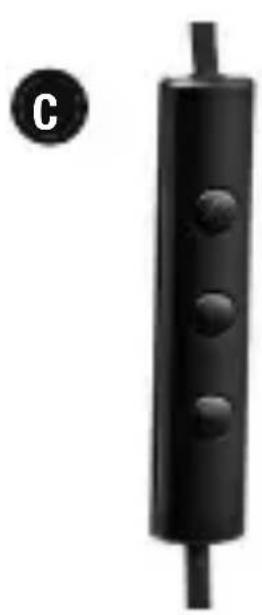
natural_image
Black cylindrical object with three circular indentations, labeled 'C' in the corner (no text or symbols on the object itself)A. Earphones
B. Cable slider
C. 3-button control/mic
D. 3.5 mm, 4-contact phone + stereo plug
Selecting an Eartip
Foam Glider3-Flange

natural_image
Four grayscale 3D-rendered mechanical parts: a folded knob, sliced cylindrical body, and a spherical knob (no text or symbols)standard large
The eartip that is most comfortable is the likely choice, but it SEAL well in your ear. If you can easily hear others when th is off, you don't have a good seal. Twist it in deeper, or chooses another eartip.
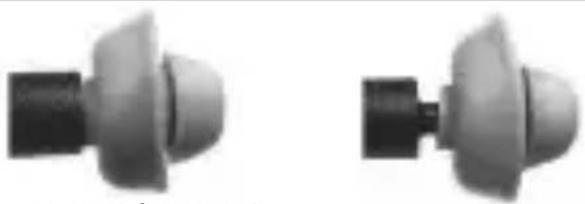
When changing eartips make sure the eartip fits securely on the stem of the earphone.
natural_image
Two identical grayscale 3D-rendered mechanical components with curved surfaces and protrusions (no text or symbols visible)correct incorrect
Cleaning and Replacing Eartips
Over time eartips may lose their elasticity. For best performance and retention, replace 3-flange eartips every 3-6 months. Replace foam and glider eartips regularly.
To clean 3-flange eartips:
- Remove eartip from the earphone.
- Clean with water and mild soap.
- Dry the eartip before placing it back on the earphone.
Proper Insertion
Important: Sound quality, full bass response and noise isolation all de on a good eartip seal in the ear
See a video demonstration at www.etymotic.com.

text_image
epend canal.- Carefully insert the earphone
while pulling up and out on the back of the ear. - Twist the earphone up into the ear canal while inserting, until outside noise is blocked out.
• 3-flange eartip: Moistening eases insertion. - Foam eartip: Roll down or compress foam eartip before inserting. Hold the eartip in place for about 5 seconds while the foam expands to create a tight seal in the ear canal.
- Glider eartip: Simply push into ear canal.
Removal
Remove earphones slowly with a twisting motion to gradually break the seal. Do not pull on the cable to remove the earp
3-Button Control
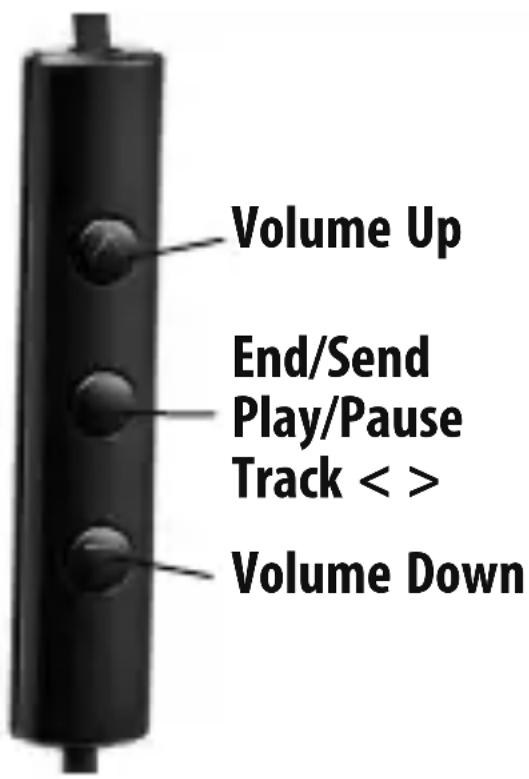
Listening to Music\* Play/Pause
While listening to music:
- Press the middle button once to Pause music.
- Press the middle button again to resume music.
*Additional functionality of the center button varies among Apple devices.
text_image
Volume Up End/Send Play/Pause Track < > Volume DownTrack
While listening to music:
- Press the middle button twice rapidly to track forward.
- Press the middle button three times rapidly to track back.
Answering a Call
Music automatically mutes and pauses for an incoming call. To answer a call while listening to music:
- Press the middle button to answer the call.
Disconnecting a Call
- Press the middle button to disconnect the call.
• Music automatically resumes.
ACCU-Filter Wax Filters
Etymotic earphones have special ACCU•Filtax filters that smooth the frequency response and prevent ear wax from entering the earphones. An ACCU•Filter is located at the end the earphone and is visible when the eartip is removed. If a filter becomes clogged, it should be replaced. A dirty ACCU•Filter will reduce earphone output. The filter should be changed if loudness decreases or the sound quality declines. Note: ACCU•Filters are not reusable.
ACCU•Filter Removal Note: Use the tool to remove the filter.

natural_image
Pure mechanical diagram showing a pipe joint with a directional arrow (no text or symbols)- Remove Eartip. 2. Insert tool into the filter.
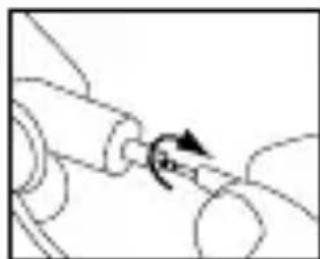
natural_image
Pure mechanical diagram showing a rotating component with curved lines and a central arrow (no text or symbols)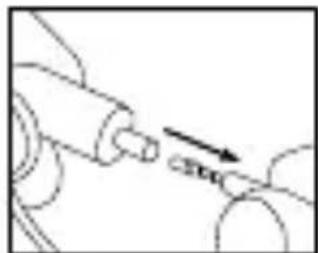
natural_image
Mechanical diagram showing a shaft and pulley system with an arrow indicating motion direction (no text or symbols)- Remove filter.
ACCU•Filter Replacement Note: Do not use the tool to replace the filter.

natural_image
Simple line drawing of a mechanical component with no text or symbols- Insert a new filter.

natural_image
Simple line drawing of a mechanical component with an arrow indicating downward motion (no text or symbols)- Press gently against a hard surface to secure the filter in place.
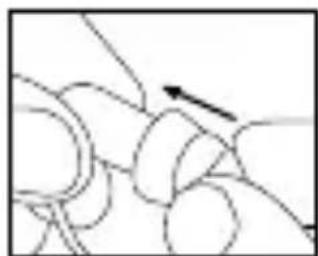
natural_image
Abstract line drawing of intertwined loops with a single arrow (no text or symbols)- Re-attach eartip.
About Etymotic
Etymotic Research has spent over twenty-five years refining in-ear technology for precision monitoring and critical listening. The first in-ear earphones were invented by Etymotic in 1984 clinical audiometry and auditory research, and later converted to the first high-fidelity, noise-isolating earphones, the ER-4s in 1991.
Etymotic's engineering team is led by founder Dr.Mead Killion, audiologist, engineer, inventor and jazz musician. Etymotic's audio engineers, musicians and audiologists working together have generated over 100 patents issued and pending.
Etymotic's mission is to design products that measure, improve and protect hearing. Etymotic's products are used by musicians and others who insist on superior sound quality. Etymotic means "true to the ear."
Warranty
Etymotic Research, Inc. warrants this product against defects in material or workmanship for a period of two years from the of original purchase from an authorized Etymotic distributor or reseller.
Etymotic will repair or replace the defective product at its option if returned within the warranty period to our designated service facility. This warranty is in lieu of all other warranties, express or implied, including, but not limited to, any implied warranty of merchantability or fitness for a particular purpose.

text_image
ACCÜ Technology™ACCU•Driver™ high performance,balanced-armature drivers are specified for an accuracy response of 85% or better.