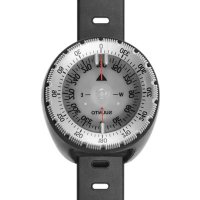
t6d Fusion - Sports Watch SUUNTO - Free user manual and instructions
Find the device manual for free t6d Fusion SUUNTO in PDF.


Pick your language and provide your email: we'll send you a specifically translated version.
| Product Type | Sports Watch |
| Brand | Suunto |
| Model | t6d Fusion |
| Dimensions | 50 mm x 50 mm x 16 mm |
| Weight | 74 g |
| Case Material | Composite |
| Display Type | LCD |
| Battery Type | Rechargeable Lithium-Ion |
| Battery Life | Up to 15 hours in training mode, 1 year in time mode |
| Water Resistance | 100 m (10 ATM) |
| GPS | Integrated |
| Heart Rate Monitor | Yes, with chest strap (optional) |
| Altimeter | Barometric |
| Barometer | Yes |
| Compass | 3D |
| Connectivity | USB |
| Memory | Up to 1000 laps |
| Care Instructions | Rinse with fresh water after use; avoid solvents |
| Spare Parts | Battery, straps, charger available from Suunto |
Frequently Asked Questions - t6d Fusion SUUNTO
How do I set the time on my Suunto t6d Fusion?
Press and hold the Mode button to enter the settings menu. Navigate to Time and adjust using the Up and Down buttons. Confirm with Mode.
How do I pair the heart rate monitor?
Wear the chest strap moistened on the back. Go to Menu > Connect > HR Monitor. The watch will search and pair automatically.
What does the 'Fusing' feature do?
Fusion technology combines GPS and accelerometer data to provide more accurate speed and distance, especially in areas with poor GPS reception.
How do I calibrate the altimeter?
Enter Menu > Altimeter > Calibrate. Enter the known reference altitude or use GPS to auto-calibrate.
How to charge the watch?
Connect the USB cable to the watch and a computer or USB wall charger. Charging time is about 2-3 hours.
The watch is not turning on. What should I do?
Press and hold the Mode button for 10 seconds. If no response, connect to charger and try again. If still off, contact Suunto support.
How do I reset the watch to factory settings?
Go to Menu > Settings > Reset. Choose Factory Reset and confirm. This will erase all personal data.
Can I change the watch strap?
Yes, use a small screwdriver to remove the pins. Suunto offers replacement straps in various colors. Ensure the new strap is compatible.
Is the watch suitable for swimming?
Yes, it is water resistant to 100 meters. However, avoid pressing buttons underwater and rinse with fresh water after use in saltwater.
How to download data from the watch?
Connect the watch to a computer via USB. Open SuuntoLink or Movescount software (if compatible). Follow prompts to transfer exercise data.
User questions about t6d Fusion SUUNTO
0 question about this device. Answer the ones you know or ask your own.
Ask a new question about this device
No questions yet. Be the first to ask one.
Download the instructions for your Sports Watch in PDF format for free! Find your manual t6d Fusion - SUUNTO and take your electronic device back in hand. On this page are published all the documents necessary for the use of your device. t6d Fusion by SUUNTO.