
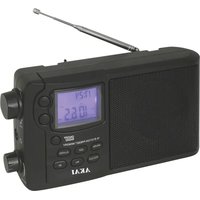
APR-11 - Radio AKAI - Free user manual and instructions
Find the device manual for free APR-11 AKAI in PDF.


| Product Type | Portable AM/FM Radio |
| Brand | AKAI |
| Model | APR-11 |
| Dimensions (approx) | 150 x 100 x 50 mm |
| Weight (approx) | 0.5 kg |
| Power Supply | 4 x AA batteries or AC adapter (not included) |
| Frequency Bands | AM (520-1610 kHz), FM (87.5-108 MHz) |
| Antenna | Built-in telescopic antenna for FM |
| Speaker | Built-in dynamic speaker |
| Volume Control | Rotary knob |
| Tuning Control | Analog tuning dial |
| Display | Analog tuning scale |
| Headphone Jack | 3.5 mm stereo jack |
| Battery Life | Approximately 20 hours (alkaline) |
| Cleaning | Wipe with dry cloth; avoid liquids |
| Safety | Do not expose to moisture or direct sunlight |
| Spare Parts | Contact AKAI customer support |
| Repairability | Refer to qualified service center |
| Country of Origin | China |
Frequently Asked Questions - APR-11 AKAI
User questions about APR-11 AKAI
0 question about this device. Answer the ones you know or ask your own.
Ask a new question about this device
Download the instructions for your Radio in PDF format for free! Find your manual APR-11 - AKAI and take your electronic device back in hand. On this page are published all the documents necessary for the use of your device. APR-11 by AKAI.
USER MANUAL APR-11 AKAI
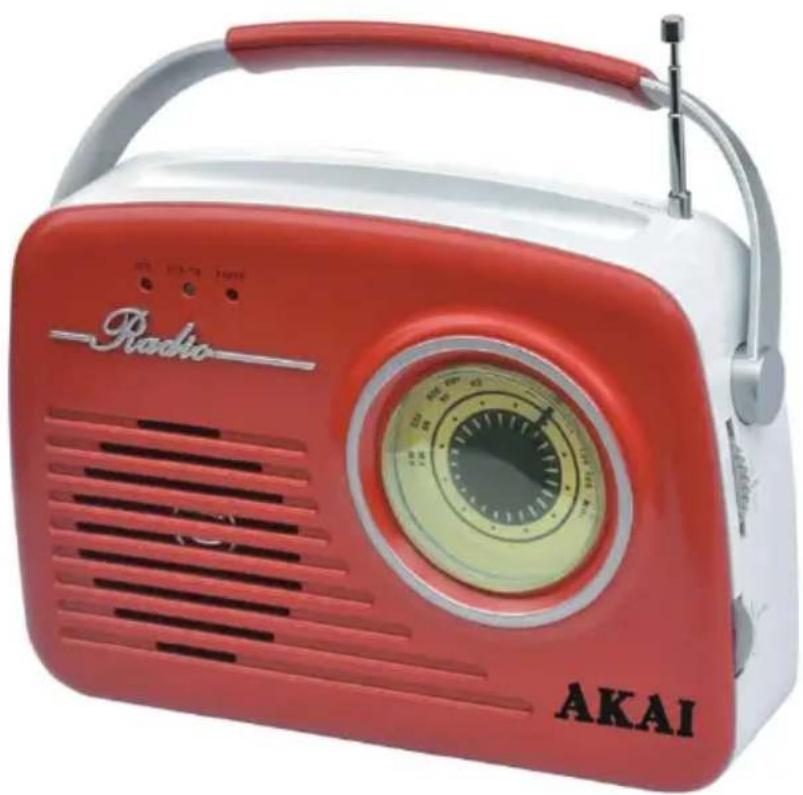
ANALOGUE RADIO WITH USB AND SD
natural_image
Red and white portable radio with Akai branding, no visible text or symbols on device bodyUser manual
Open the battery compartment and insert as indicated in the compartment four Batteries, type LR14, UM2 or C cells (not included).
Mains Supply
Connect the power cord to the AC socket inlet and the wall outlet. The power supply is now connected and ready for use. To swift off completely, unplug the power cord from the wall socket.
Unit keys
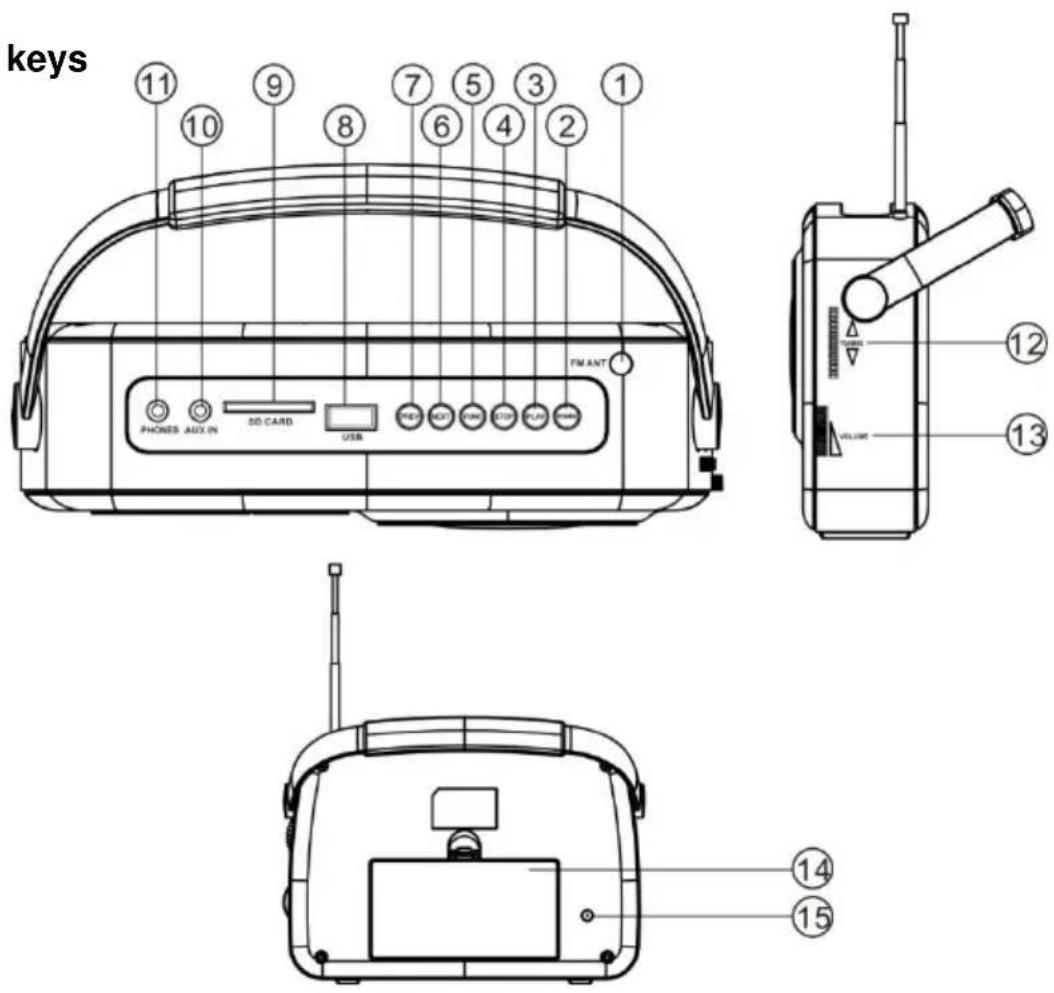
- FM ANTENNA
- POWER BUTTON
- PLAY/PAUSE BUTTON
- STOP BUTTON
-
FUNCTION BUTTON
-
NEXT BUTTON
- PREV BUTTON
- USB SOCKET
- SD SOCKET
-
AUX IN JACK
-
PHONES JACK
- TUNING
- VOL CONTROL
- BATTERY DOOR
- AC SOCKET
CONTROL PANEL
1. FM ANTENNA
2. POWER BUTTON
- Press POWER button to turn power on/off.
3. PLAY/PAUSE
- In media play mode, press to start or pause playing.
4. STOP BUTTON
- In SD/USB mode, press to stop playing.
5. FUNCTION BUTTON
- Select source of sound USB/SD/AUX/RADIO.
- In radio, press this button to change FM to AM.
6&7. PREV/NEXT BUTTON
- In media play mode, press the PREV/NEXT button to back/next track; Press and hold the PREV/NEXT to fast backwards or forwards.
8. USB SOCKET
9. SD SOCKET
10. AUX IN JACK
11. PHONES JACK
12. TUNING
- Rotate to select radio frequency.
13. VOL CONTROL
- Rotate to adjust volume level.
14. BATTERY DOOR
15. AC SOCKET
USE RADIO
Radio reception
-
Press FUNC button to select Radio mode.
-
In radio, press this button to change FM to AM.
-
Rotate volume control to adjust volume level.
-
Extend TELESCOPIC ANTENNA to its full length if you are listening to FM broadcasting.
MEDIA PLAYER Playing USB/SD
1) Press FUNC button to select USB/SD state.
2) Press PLAY to start or pause music playback.
3) Press STOP button to stop the playing, when you press play button it will start. Playing the first track.
4) PREV/NEXT button
Press the PREV/NEXT button to go to next/back track;
Press and hold the PREV/NEXT to fast backwards or forwards.
AUX FUNCTION
To listen music with a mp3, Discman, Walkman:
- Connect the device with its cable to the aux jack.
- Press FUNC to select AUX, the sound source of the MP3 or Discman or Walkman will output from the unit.
POWER OFF FUNCTION
When the radio idles on USB/SD/AUX mode over 10 min. The unit will turn to standby mode automatically.
WARNING
TECHNICAL SPECIFICATIONS
GENERAL
Power Requirement ....AC/DC: 230V \~ 50Hz
Power consumption ......AC/DC 11 Watts
Dimensions.....Approx210 mm(L)x65 mm(W) x 195 mm(H)
Operation temperature....+5 °C - +35°C
RECEIVER SECTION
Receiving Bands......AM/FM.
Tuning Range.....AM:520-1620KHz FM:87.5-108MHz
AUDIO SECTION
Power output ......Maximum 2Watt
Headphone Impedance ....4 \~ 32 Ohms
ACCESSORIES
Instruction Booklet....1
DC Adaptor....1
DISPOSAL OF WASTE ELECTRICAL AND ELECTRONIC EQUIPMENT
This symbol on the product or packaging means that the product should not be treated as household waste. Do not throw garbage at the end of its life, but take it to a collection center for recycling. In this way you will help to protect the environment and be able to prevent any negative consequences that it would have on the environment and human health.

natural_image
Symbol of a trash bin crossed with a diagonal line, representing no waste or elimination (no text or labels)
To find your nearest collection center:
- Contact local authorities;
- Access the website: www.mmediu.ro;
- Request additional information from the store where you purchased the product.
Nr.INT 187
We, INTERVISION TRADING RO SRL, default importer (manufacturer), with registered office in Mosoia Commune, Smeura Village, 8 Fagetului Alley, declare under sole responsibility that the following products:
Brand name: AKAI
Type: APR-11 B/R
Descriptions: PORTABLE RADIO
Lot: 202101XXXX
to which this declaration related is in conformity with the essential requirements of the following directives of the Council of the European Communities:
EUROPEAN COMMUNITY DIRECTIVE 2014/35/EU EUROPEAN COMMUNITY DIRECTIVE 2014/53/EU EUROPEAN COMMUNITY DIRECTIVE 2011/65/EU Amd EU 2015/863 EUROPEAN COMMUNITY DIRECTIVE 2014/30/EC
The products are compliant with the following standards:
EN 62479 : 2010
EN 301489-1 V2.2.3 : 2019
EN 301489-17 V3.2.4 : 2020
Certificate of conformity issued based on the Certificates and test reports ED210624077W; ED180612017E-2; ED180612016S-2; ED210624077W3; ED210624077W1; ED210624077W4; ED210624077W2; ED210624073C by EMTEK (Dongguan) Co., Ltd., 1&2/F. Building 2, Zone A, Zhongda Marine Biotechnology Research and Development Base, No.9, Xingcheng Avenue, Songshanhu High-technology Industrial Development Zone, Dongguan, Guangdong, China.
Intervision Trading Ro SRL,
Signature:

Printed name and Position:
CIOBANU DORIN - GENERAL MANAGER
Date: 23 rd of November, 2021
Place: Pitesti, Romania
AKAI
APR-11
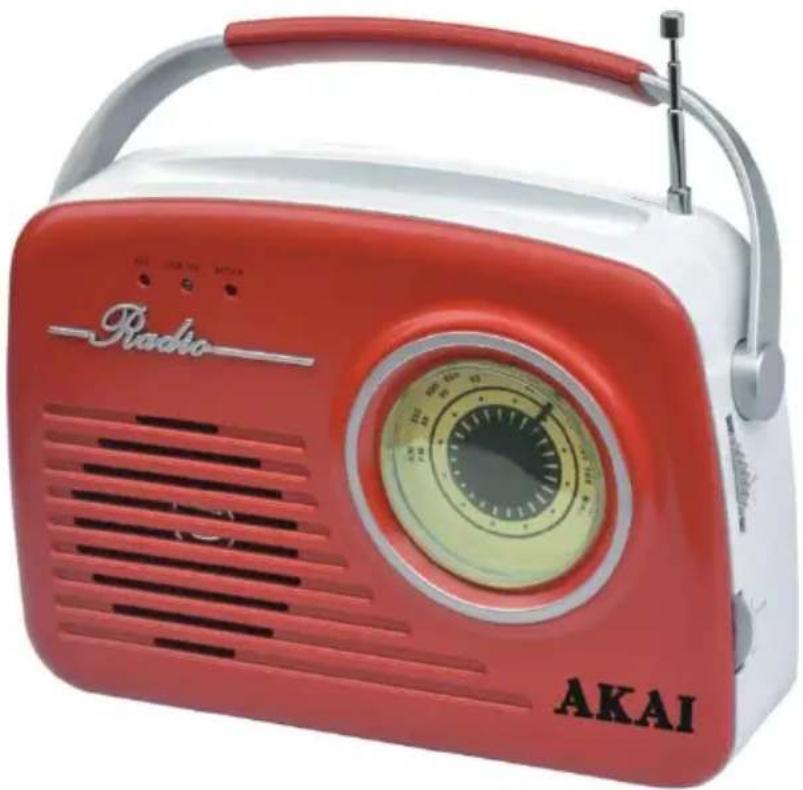
RADIO ANALOG CU MUFA USB SI SD
natural_image
Red Akai radio vest with silver handle and white base, no visible text or symbols on device bodyBenzi receptive......AM/FM.
Gama de frecvente.....AM:520-1620KHz
FM:87.5-108MHz
SECTIUNEA AUDIO
Putere iesire......Maxim 2vati
Impedanta castilor de radio....4 \~ 32 Ohms
ACCESORII
Brosura instructiuni....1
Adaptor DC....1

natural_image
Symbol of a trash bin crossed with two diagonal lines, representing no waste or discharge (no text or labels)
ED210624077W2; ED210624073C de EMTEK (Dongguan) Co., Ltd., 1&2/F. Building 2, Zone A, Zhongda
Marine Biotechnology Research and Development Base, No.9, Xingcheng Avenue, Songshanhu Hightechnology Industrial Development Zone, Dongguan, Guangdong, China.
Intervision Trading Ro SRL,
Semnatura:

Numele si functia: CIOBANU DORIN – DIRECTOR
natural_image
Red and white portable radio with Akai branding, no visible text or symbols on device bodyΟΔΗΓΙΕΣ ΧΡΗΣΗΣ
ΟΔΗΓΙΕΣ ΛΕΙΤΟΥΡΓΙΑΣ
Παροχή μπαταρίας
natural_image
Red Akai radio with silver handle and white base, no visible text or symbols on device bodynatural_image
Symbol of a trash bin with crossed lines indicating no waste or restriction (no text or labels)
ANALÓ G RÁ DIÓ USB É S SD CSATLAKOZÓ VAL

natural_image
Red and white portable radio with Akai branding, featuring a circular dial and antenna (no visible text or symbols on the device itself)natural_image
Symbol of a trash bin with crossed lines indicating no waste or restriction (no text or labels)
natural_image
Red and white vintage radio with visible grille, speaker grille, and antenna (no text or symbols on device body)INSTRUKCJA OBSŁUGI
PL - POLSKI
Zasilanie z baterii
natural_image
Symbol of a trash bin with crossed lines indicating no waste, and a solid black rectangle below (no text or labels)natural_image
Red and white vintage radio with Akai branding, no visible text or symbols on the device bodyPříručka uživatele
CZ - ČESKÝ
Napájení bateriemi
- ANTÉ NA FM
- TLAČÍTKO SPUŠTĚNÍ/ POZASTAVENÍ
- TLAČÍTKO PLAY/PAUSE
- TLAČÍTKO STOP/POZASTAVENÍ
-
TLAČÍTKO FUNKCIÍ
-
TLAČÍTKO NEXT
- TLAČÍTKO PREV
- KONEKTOR USB
- KONEKTOR SD
10.POMOCNY
KONEKTOR VSTUPU
11KONEKTOR SLUCHÁ TEK
12. TUNING
13KONTROLA HLASITOSTI
VOL
14. PŘÍSTUP K BATERIAM
15. ZÁ SUVKA AC
OVLÁ DACÍ PANEL
1. ANTENA FM
natural_image
Symbol of a trash bin crossed with diagonal lines and a horizontal bar below (no text or labels)natural_image
Red Akai radio vest with silver handle and white base, no visible text or symbols on device bodyNávod na použitie
SK – SLOVENSKÝ
Návod na použitie
natural_image
Symbol of a trash bin crossed out by two crossed lines (no text or labels)
- ANALOGUE RADIO WITH USB AND SD
- Mains Supply
- CONTROL PANEL
- FM ANTENNA
- POWER BUTTON
- PLAY/PAUSE
- STOP BUTTON
- FUNCTION BUTTON
- 6&7. PREV/NEXT BUTTON
- USB SOCKET
- SD SOCKET
- AUX IN JACK
- PHONES JACK
- TUNING
- VOL CONTROL
- BATTERY DOOR
- AC SOCKET
- USE RADIO
- Radio reception
- MEDIA PLAYER Playing USB/SD
- AUX FUNCTION
- POWER OFF FUNCTION
- WARNING
- TECHNICAL SPECIFICATIONS
- GENERAL
- RECEIVER SECTION
- AUDIO SECTION
- ACCESSORIES
- DISPOSAL OF WASTE ELECTRICAL AND ELECTRONIC EQUIPMENT
- Nr.INT 187
- AKAI
- APR-11
- SECTIUNEA AUDIO
- ACCESORII
- ΟΔΗΓΙΕΣ ΛΕΙΤΟΥΡΓΙΑΣ
- Παροχή μπαταρίας
- Zasilanie z baterii
- Napájení bateriemi
- OVLÁ DACÍ PANEL
- ANTENA FM
- Návod na použitie
Brand : AKAI
Model : APR-11
Category : Radio