ESC3 - Fitness Equipment Horizon Fitness - Free user manual and instructions
Find the device manual for free ESC3 Horizon Fitness in PDF.


User questions about ESC3 Horizon Fitness
0 question about this device. Answer the ones you know or ask your own.
Ask a new question about this device
Download the instructions for your Fitness Equipment in PDF format for free! Find your manual ESC3 - Horizon Fitness and take your electronic device back in hand. On this page are published all the documents necessary for the use of your device. ESC3 by Horizon Fitness.
USER MANUAL ESC3 Horizon Fitness
text_image
HORIZON FITNESSS-Class
SERIES
ELLIPTICAL OWNER'S GUIDE
TABLE OF CONTENTS
SAFETY INSTRUCTIONS 3
GETTING STARTED/POWER....7
MOVING/FOOT POSITION 8
KNOW YOUR ELLIPTICAL (Esc2) 9
QUICK START UP (Esc2) 10
PROGRAMMING 11
DISPLAY (Esc2) 12
KNOW YOUR ELLIPTICAL (Esc3 & Esc4) 13
QUICK START UP (Esc3 & Esc4) 14
DISPLAY (Esc3 & Esc4) 15
PROGRAM PROFILES 18
USING YOUR THR Zone™ PROGRAM....19
HEART RATE ZONE & MONITORING 21
TROUBLESHOOTING 22
COMMON PRODUCT QUESTIONS 24
EXERCISE GUIDELINES 25
ROUTINE MAINTENANCE 26
DEVELOPING A FITNESS PROGRAM &
WEEKLY LOG SHEETS 31
MONTHLY LOG SHEETS 32
HOME USE WARRANTY....33
CAUTION
Read all precautions and instructions in this manual before using this equipment. Save this manual for future reference.
IMPORTANT SAFETY INSTRUCTIONS
SAVE THESE INSTRUCTIONS
When using an electrical product, basic precautions should always be followed. Read all instructions before using this exercise product.
WARNING!
To reduce the risk of burns, fire, electrical shock or injury to persons:
- Use this exercise product for its intended use as described in this Owner's guide. Do not use attachments not recommended by the manufacture.
- Never drop or insert any object into any opening.
- Do not remove the elliptical trainer's side covers. Service should be performed only by an authorized Horizon Fitness service provider.
- Never operate this elliptical trainer if it has a damaged cord or plug, if it is not working properly, if it has been damaged, or immersed in water.
- Keep the cord away from heated surfaces.
- Do not use outdoors.
- Only use the power cord provided with your Horizon Fitness Elliptical Trainer.
- Never place the power cord under carpeting or place any object on top of the power cord, which may pinch or damage it.
- Unplug your Horizon Fitness Elliptical Trainer before moving it.
OTHER SAFETY TIPS FOR YOUR HORIZON FITNESS ELLIPTICAL TRAINER
CAUTION!
- If you experience chest pains, nausea, dizziness or shortness of breath, stop exercising immediately and consult your physician before continuing.
- Do not turn pedal arms by hand.
- Do not wear clothing that might catch on any part of the elliptical trainer.
- Make sure handlebars are secure before each use.
- Read the owner's guide before operating this elliptical trainer.
- Maintain a comfortable pace. Do not ‘sprint’ above 80 rpms on this machine.
- To maintain balance it is recommended to keep a grip on the handlebars while exercising, mounting or dismounting the machine.
OPERATION
It is essential that your elliptical trainer is used only indoors, in a climate controlled room. If your elliptical trainer has been exposed to colder temperatures or high moisture climates, it is strongly recommended that the elliptical trainer is warmed up to room temperature before first time use. Failure to do so may cause premature electronic failure.
CHILDREN
- Keep children off of your elliptical trainer at all times.
- When the elliptical is in use, young children and pets should be kept at least 10 feet away.
CLEANING
- Clean with soap and slightly damp cloth only. Never use solvents.
CONGRATULATIONS! on choosing a Horizon Fitness Elliptical Trainer.
You've taken an important step in developing and sustaining an exercise program! Your Horizon Fitness elliptical trainer is a tremendously effective tool for achieving your personal fitness goals. Regular use of your Horizon Fitness elliptical trainer can improve the quality of your life in so many ways.
Here are just a few of the health benefits of aerobic exercise:
- Weight Loss
• A Healthier Heart - Improved Muscle Tone
- Increased Daily Energy Levels
- Reduced Stress
- Help In Countering Anxiety and Depression
• An Improved Self Image
The key to reaping these benefits is to develop the exercise habit. Your new Horizon Fitness elliptical trainer will help you eliminate the obstacles that prevent you from getting in your exercise time. Inclement weather and darkness won't interfere with your workout when you use your Horizon Fitness elliptical trainer in the comfort of your home. This manual provides you with basic information for using and enjoying your new machine. A more complete knowledge of your new Horizon Fitness elliptical trainer will assist you in realizing your goal of a healthy lifestyle.
CAUTION: BEFORE BEGINNING ANY EXERCISE PROGRAM, ALWAYS CONSULT YOUR PHYSICIAN. IF YOU EXPERIENCE CHEST PAINS, NAUSEA, DIZZINESS OR SHORTNESS OF BREATH, STOP EXERCISING AND CONSULT YOUR PHYSICIAN BEFORE CONTINUING.
IMPORTANT: PLEASE READ BEFORE USE!
ASSEMBLY
CAUTION! There are several areas during the assembly process of a Horizon Fitness elliptical trainer that special attention must be paid. It is very important to follow the assembly instructions correctly and to make sure all parts are firmly tightened. If the assembly instructions are not followed correctly, the elliptical trainer could have frame parts that are not tightened and will seem loose and may cause irritating noises. To prevent damage to the elliptical trainer, the assembly instructions must be reviewed and corrective actions should be taken.
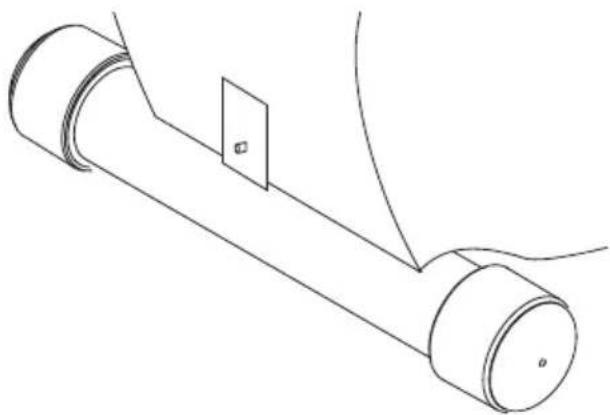
Before proceeding, find your elliptical trainer's serial number and model name located under the console mast boot for models Esc2 and Esc3 and located under left side cover for model Esc4 only and enter it in the space provided below:
SERIAL NUMBER AND MODEL NAME LOCATION:
(Esc2 and Esc3)

natural_image
Line drawing of a desk lamp with a cloth and a bag, no text or symbols present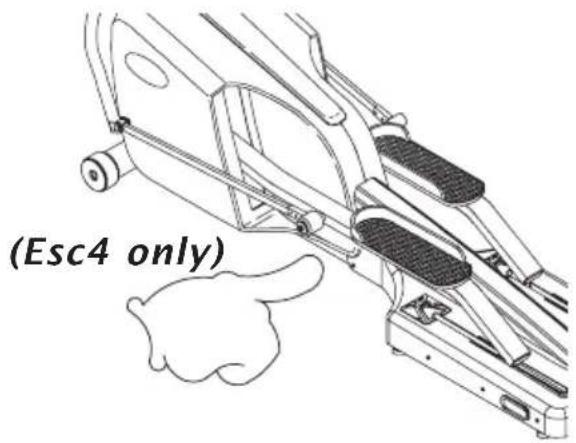
text_image
(Esc4 only)ENTER YOUR SERIAL NUMBER IN BOX BELOW:
Refer to this number when calling for service, and also enter this serial number on your Warranty Card and in your own records. Be sure to read the Safety Instructions and complete Owner's Guide before using your new Horizon Fitness elliptical trainer.
WARRANTY REGISTRATION
Your warranty card must be completed and sent to Horizon Fitness within thirty days of purchase or registered on line at www.horizonfitness.com, before a warranty claim can be processed. Please keep receipt with owner's guide as it may be required for a warranty claim. Make sure to send in warranty registration card to valuate your warranty.
POWER
The console on your (Esc2) is powered by 2 AA batteries, which are replaceable through the back side of the console. Your exercise bike itself, is powered by you.
Your programmable (Esc3 and Esc4) elliptical trainer are powered by a power supply. The power supply must be plugged into the power jack, which is located in the front of the machine near the front foot tube.
natural_image
Technical line drawing of a mechanical assembly with cylindrical components and a rectangular component (no text or symbols)LEVELING (Esc4 only)
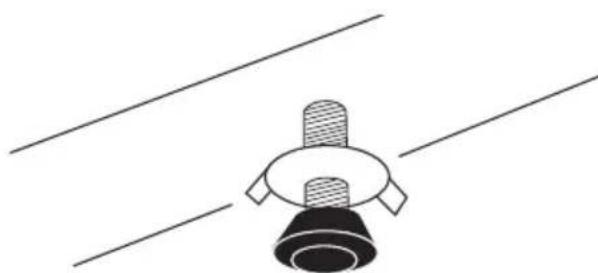
The elliptical trainer should be level for optimum use. Once you have placed the elliptical trainer where you intend to use it, raise or lower the adjustable levelers located on the bottom of the rear base frame. Once you have leveled the elliptical trainer, lock the levelers in place by tightening the wing nuts against the frame.
natural_image
Simple line drawing of a mechanical component with three protrusions and a base, no text or symbols present.MOVING
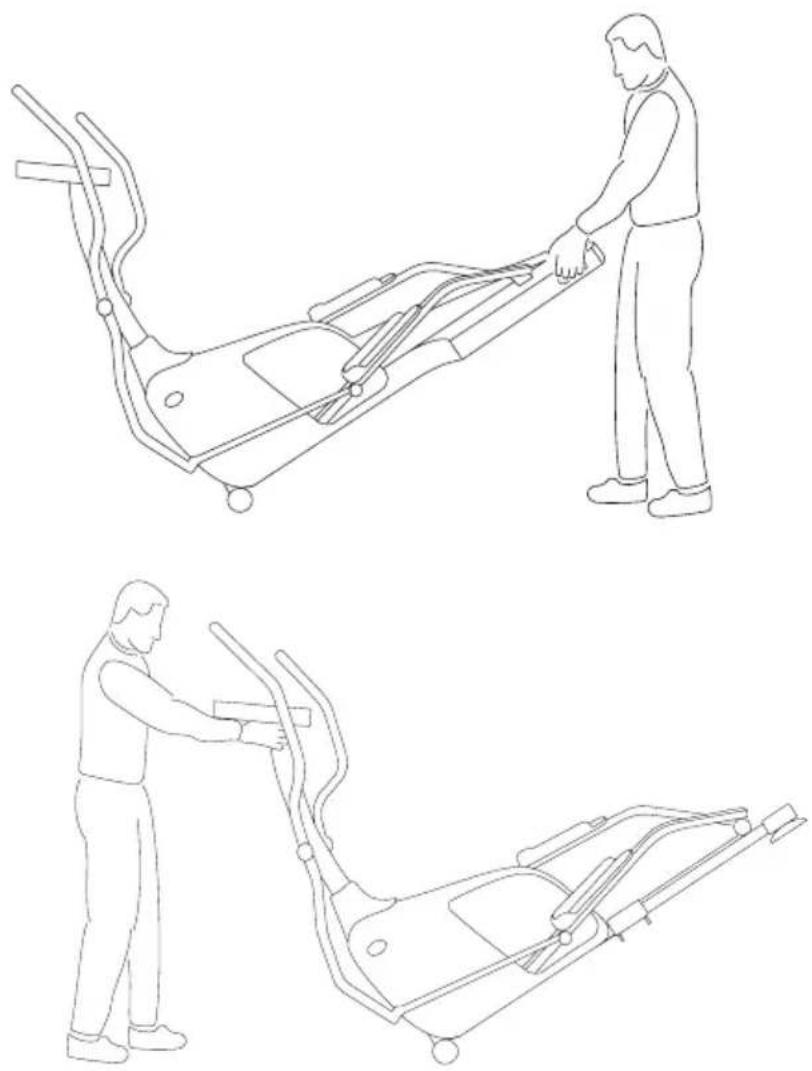
Your Horizon Fitness elliptical trainer has a pair of transport wheels built into the front of the frame. To move, firmly grasp the back end of the frame for the Esc4 and console mast for Esc3 and 2. Using the transport grips on the Esc4 and the console mast on the Esc3 and Esc2, carefully lift and roll.
natural_image
Line drawings of a person performing two different exercises on an stationary bike (no text or symbols present)CAUTION! Our elliptical trainers are well built and heavy, weighing up to 200lbs.! Use care and additional help if necessary when moving.
FOOT POSITION
When using your elliptical trainer, you may notice that your heel raises off of the foot pad. This is a natural walking or running motion and you should not try to prevent this.
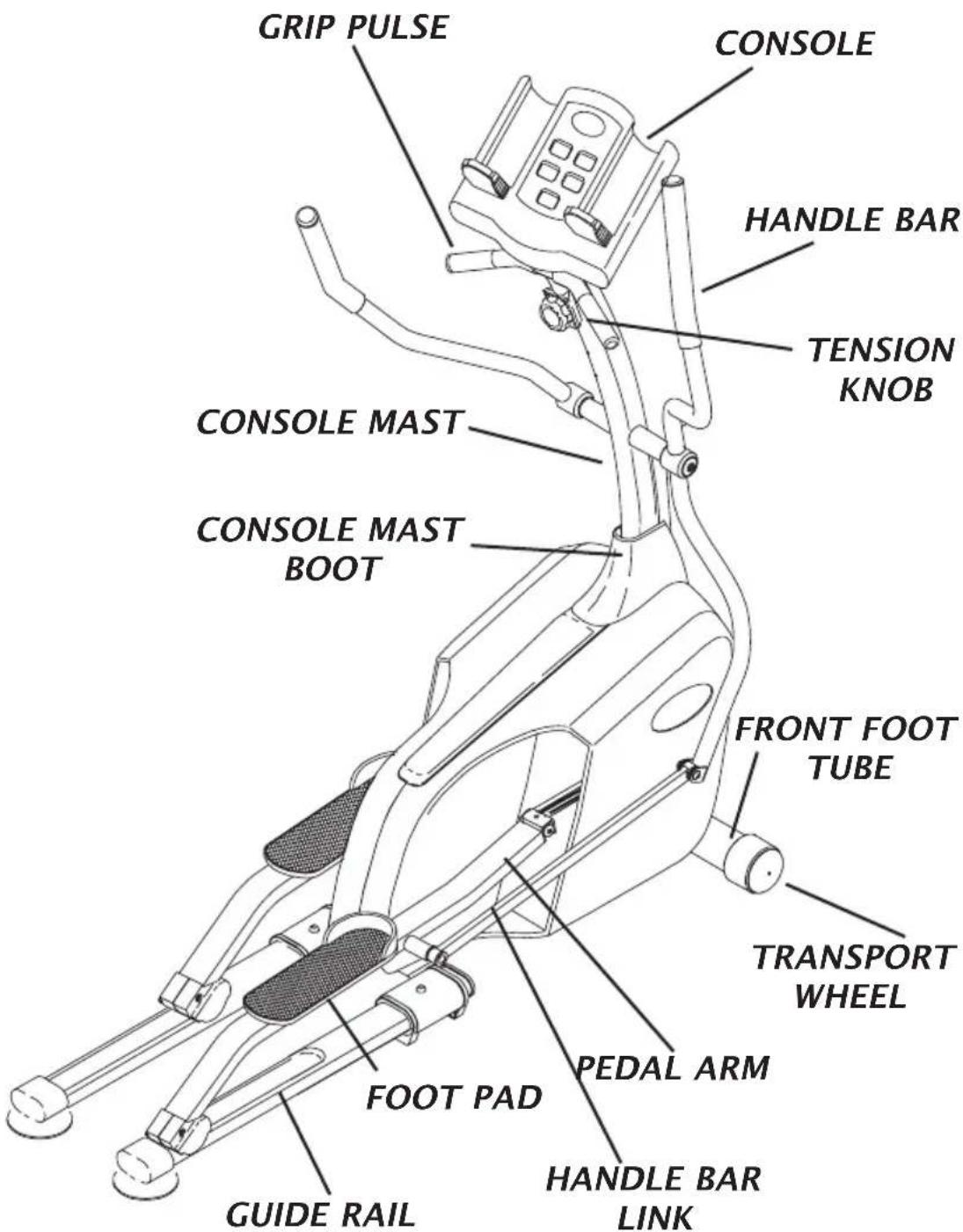
KNOW YOUR ELLIPTICAL TRAINER
text_image
GRIP PULSE CONSOLE HANDLE BAR TENSION KNOB CONSOLE MAST CONSOLE MAST BOOT FRONT FOOT TUBE TRANSPORT WHEEL PEDAL ARM FOOT PAD GUIDE RAIL HANDLE BAR LINKQUICK START UP
Simply begin exercising. The console will automatically begin counting up and tracking your information.

text_image
HORIZON FITNESS TIME 10:05 SPEED 7.5 RPM 22 DISTANCE 8.4 PULSE 96 SET TIME HOLD TO RESETRESET
Press and hold the reset button on the console.
PROGRAMMING
CHOOSING YOUR TIME
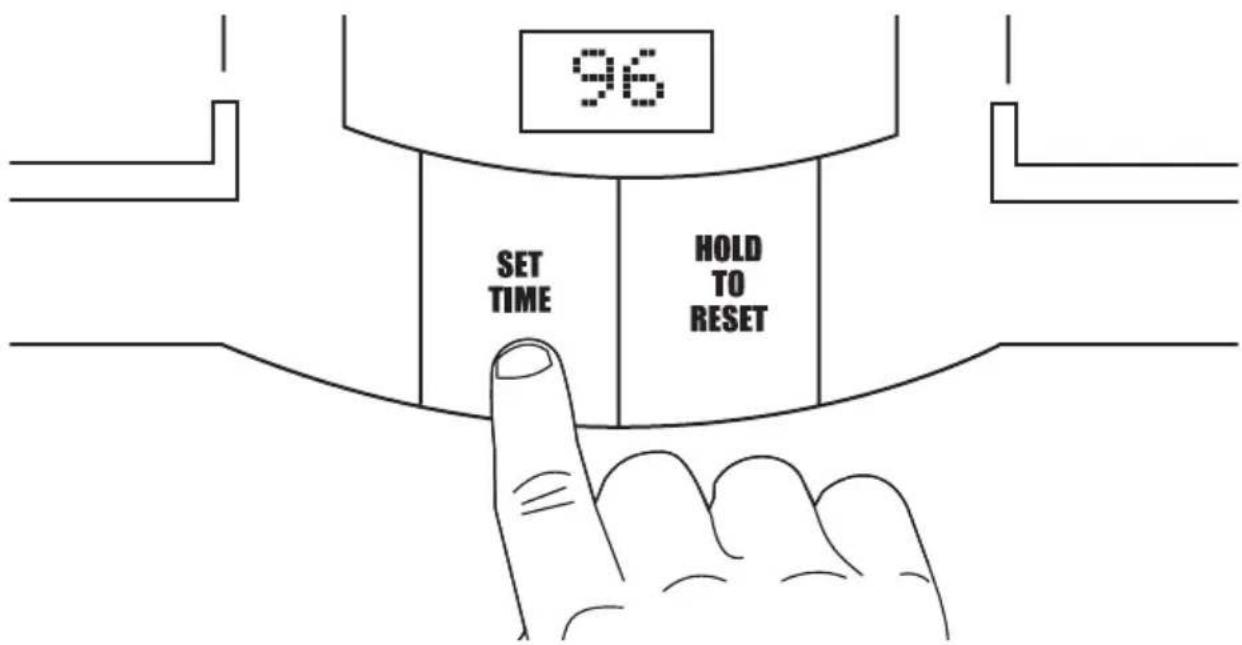
Press the ‘SET TIME’ button on the console to select your workout time (time is set in 1 minute increments).
text_image
96 SET TIME HOLD TO RESETSTARTING YOUR WORKOUT
Start pedaling, the console will automatically begin counting down.
Remember to gradually slow down your pace before stopping your workout. The machine will not stop moving if you stop your feet abruptly. After you have finished your workout, the console will ‘beep’ several times to let you know your workout is finished.
DISPLAY
TIME
Shown as Minutes:Seconds. View the time remaining or the time elapsed in your workout.
DISTANCE
Shown as Miles. View the accumulated distance during your workout.
SPEED
Shown as your speed in miles per hour.
RPM
Shown as Revolutions per Minute. Improve striding technique while reducing leg muscle fatigue by striding between 60 & 70 RPM.
PULSE
Shown as Beats Per Minute. Used to monitor your heart rate during your workout (displayed when contact is made with both grips. Pulse can only be viewed while on the pulse screen).

text_image
TIME 10:05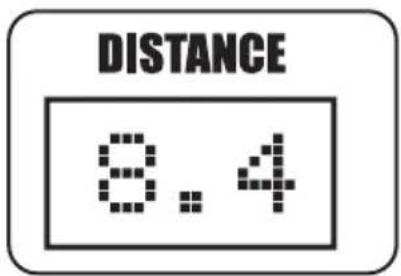
text_image
DISTANCE 8.4
text_image
SPEED 7.5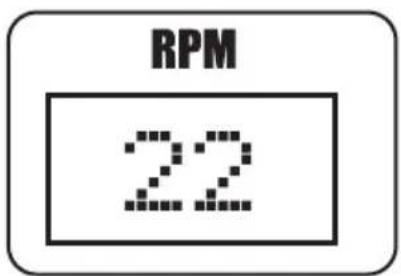
text_image
RPM 22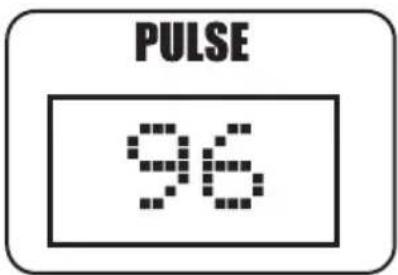
text_image
PULSE 96KNOW YOUR ELLIPTICAL TRAINER

text_image
GRIP PULSE CONSOLE HANDLE BAR CONSOLE MAST CONSOLE MAST BOOT FOOT PAD GUIDE RAIL PADAL ARM HANDLE BAR LINK FRONT FOOT TUBE TRANSPORT WHEEL
text_image
GRIP PULSE CONSOLE HANDLE BAR CONSOLE MAST CONSOLE MAST BOOT FOOT PAD GUIDE RAIL PADAL ARM HANDLE BAR LINK FRONT FOOT TUBE TRANSPORT WHEEL Esc 3, Esc 4QUICK START UP
Simply press the 'Start' button to begin exercising. The program will automatically default to the Manual program unless another program is selected.

text_image
HEART RATE RPM Limit and below all instructions and warnings, before to see appropriate outside would result to severe injury. Many children away from this apploves. MANUAL ROLLING Mountain Intervals Weight Loss THR Zone WATTS RESISTANCE DISTANCE TIME CALORIES Cancetr a playtable before using the equipment. They searching If you feel able, find, throw or start at level. START STOP Power to Power Hold to Start Please Program Please level using the - or - Time using the - or - StartRESET
Press and hold the Stop button to reset the Elliptical Trainer.
DISPLAY
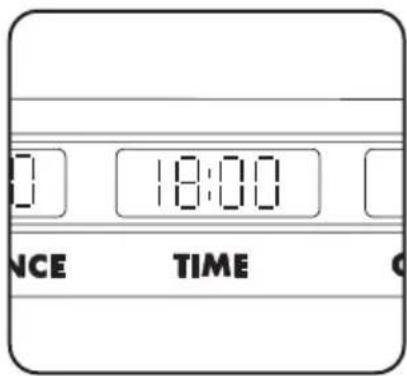
TIME
Shown as Minutes:Seconds. View the time remaining or the time elapsed in your workout.
text_image
0 18:00 NCE TIMEDISTANCE
Shown as Miles. View the accumulated distance during your workout.

text_image
1.60 18 DISTANCE TIMECALORIES
Shown as total accumulated calories burned during your workout.

text_image
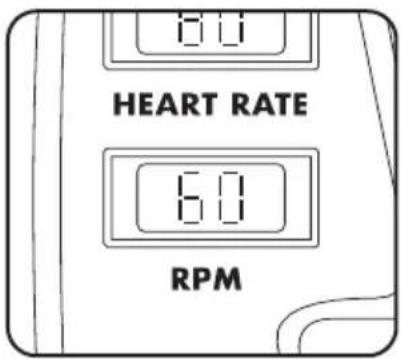
36.0 CALORIESRPM
Shown as Revolutions per Minute. Improve striding technique while reducing leg muscle fatigue by striding between 60 & 70 RPM.
text_image
8.0 HEART RATE 6.0 RPMDISPLAY
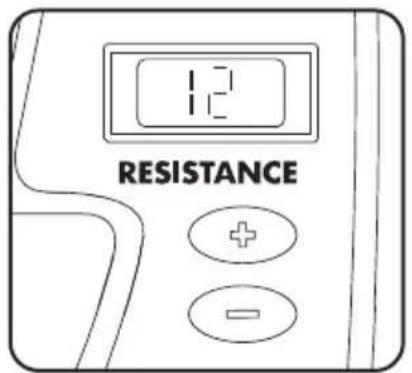
RESISTANCE
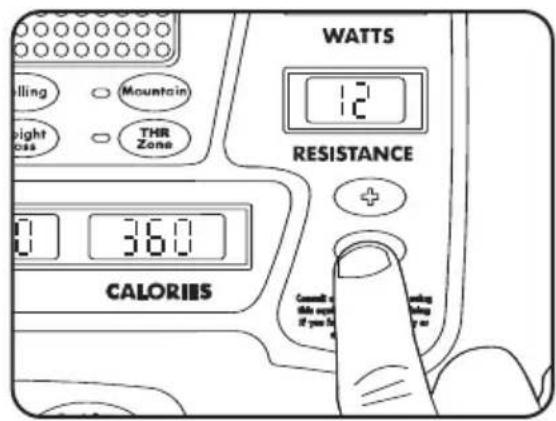
During a workout, the amount of resistance can be adjusted by pressing the plus (+) or minus (-) buttons on the console. The resistance levels vary from level 1 to 16 (level 1 being the easiest and level 16 being the most difficult).
text_image
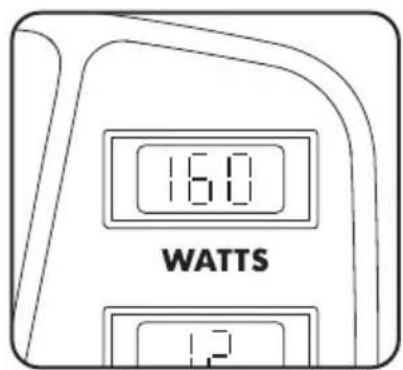
12 RESISTANCEWATTS
A measurement of your expending energy. May be used to evaluate and quantify your fitness progress over time.
text_image
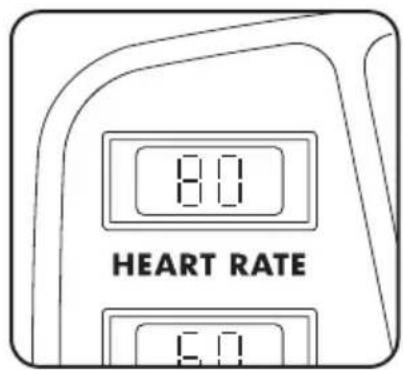
16.0 WATTS 1.2HEART RATE
Shown as Beats per Minute. You can monitor your heart rate at any time during your workout by holding the heart rate grips or wearing the chest transmitter.
text_image
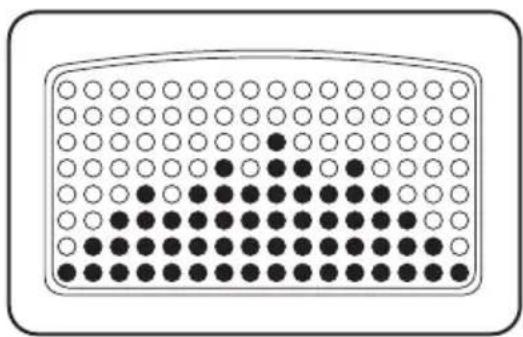
8.0 HEART RATE 6.0PROFILE
Allows you to view your program intensity while you exercise. Each horizontal row of LED's represents 2 resistance levels.
natural_image
Grid of white and black circles arranged in rows and columns within a rounded rectangle (no text or symbols)CHOOSING A PROGRAM
To choose a program, press the quick program key. The program profile lights will show you which program you have selected. Once you choose a program, wait for 5 seconds and you will see the resistance level flashing in the Resistance window.

text_image
Rolling Mountain Weight Loss THR Zone DISTANCCHOOSING A RESISTANCE
With the resistance level flashing, press the plus (+) or minus (-) buttons to adjust your resistance level. Once you choose a resistance level, wait for 5 seconds and you will see the time flashing in the Time window.
text_image
WATTS 12 RESISTANCE CALORIIS Cancal at this next if you be at the following orCHOOSING A TIME
With the time flashing, press the plus (+) or minus (-) buttons to adjust your program time. Once you choose your time, press the 'Start' button and begin you workout.

text_image
WATTS 12 RESISTANCE 18:00 36.0 TIME CALORIES Forward to this equal if you in starting using or or Press to PowerPress the 'Stop' button to pause your workout, press and hold to reset your workout. Remember to gradually slow down your pace before stopping or pausing your workout. The machine will not stop moving if you stop your feet abruptly. After you have finished your workout, the console will retain the data from your workout for 45 seconds before resetting.
PROGRAM PROFILES
MANUAL
Customized workouts, allowing the user to adjust resistance level to the user's preference.
INTERVALS
Improves your strength, speed, and endurance by raising and lowering the resistance levels throughout your workout to involve both your heart and muscles.
ROLLING
Maintains weight by gradually raising and lowering the resistance level to gradually raise and lower your heart rate.
WEIGHT LOSS
Promotes weight loss by raising and lowering the resistance level, while keeping you in your fat burning zone.
MOUNTAIN
Improves performance and stamina by raising the resistance level to high peaks to simulate the most difficult outdoor terrains.
THR Zone™
Benefits weight loss by maintaining an optimum exercise level to burn fat, while adjusting the resistance to keep you in your target heart rate zone.

natural_image
Blank rounded rectangle with a horizontal gradient bar at the bottom (no text or symbols)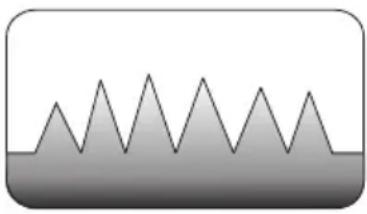
natural_image
Simple line drawing of a mountain range with triangular peaks (no text or symbols)
natural_image
Simple grayscale icon depicting three mountain peaks within a rounded rectangle (no text or symbols)
natural_image
Simple grayscale mountain silhouette with no text or symbols
natural_image
Simple grayscale silhouette of a mountain peak with no text or symbols
natural_image
Gray gradient heart shape inside a rounded rectangle (no text or symbols)USING YOUR THR Zone™ PROGRAM
Once the ‘THR Zone’ quick program key is selected, wait for 5 seconds and you will see the target heart rate flashing in the Heart Rate window. Using the chart on page 21, determine your target heart rate. Your target heart rate should be set at a number that you will be able to exercise at throughout the majority of your work-out. To adjust the target heart rate, press the plus (+) or minus (-) buttons.
Once you have chosen your target heart rate, wait for five seconds and you will see the time flashing in the Time window. Press the plus (+) or minus (-) buttons to adjust your time. Once you choose your time, press the 'Start' button and begin your workout.
The ‘THR Zone’ program will have a 5 minute warm up time before it will get you in your ‘target heart rate zone’.
After the 5 minute warm up period, the resistance level will increase gradually to get the user to the entered ‘target heart rate zone’. Once the user is at the ‘target heart rate zone’, plus or minus 5 beats, the resistance level will remain at the current resistance level.
The last 5 minutes of the program will begin the cool down period. At this time, the program will gradually decrease the resistance level to give the user a smooth cool down.
NOTE: The Chest Strap Transmitter is required to use the 'THR Zone' program.
CHEST STRAP TRANSMITTER PLACEMENT AND MOISTENING THE ELECTRODES
text_image
LOGO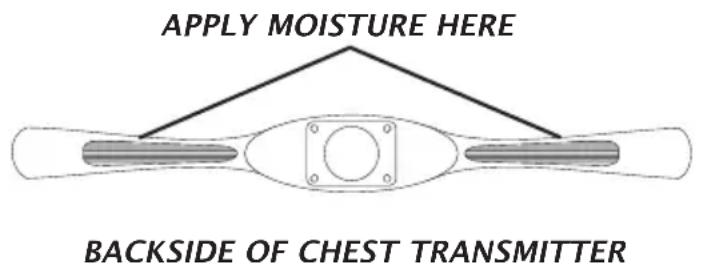
text_image
APPLY MOISTURE HERE BACKSIDE OF CHEST TRANSMITTERFEEDBACK
Your Horizon Fitness elliptical trainer offers two heart rate feedback options. You may choose to use the heart rate handlebars, or the chest transmitter for a hands free workout.
HEART RATE HANDLEBAR
Place the palm of your hands directly on the heart rate handlebars. Both hands must grip the bars for your heart rate to register. When griping the handlebars, do not grip tightly. Holding the grips tightly may elevate your blood pressure. Try to maintain moderate pressure while holding onto the heart rate handlebars. It is recommended that you hold the handlebars only long enough to see your heart rate readout on the console. You may experience an erratic readout if consistently holding the handlebars.
TELEMETRIC CHEST TRANSMITTER (Esc3 and 4 only)
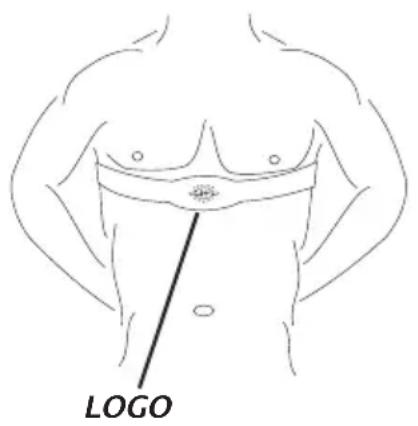
Prior to wearing the chest transmitter on your chest, moisten the two rubber electrodes with water. Center the chest strap just below the breast or pectoral muscles, directly over your sternum, with the Horizon Fitness logo facing out. Note: The chest strap must be tight and properly placed to receive an accurate and consistent readout. If the chest strap is too loose, or positioned improperly, you may receive an erratic or inconsistent heart rate readout.
If you have any problems with the heart rate function please refer to (pages 22 & 23) in the troubleshooting section.
WARNING!
The heart rate function is not a medical device. Various factors may affect the accuracy of your heart rate reading. The heart rate reading is intended only as an exercise aid.
TARGET HEART RATE ZONE
Your ‘Target Heart Rate Zone’ is a percentage of your maximum heart rate. Target Zones will vary for each individual, depending on age, current level of conditioning, and personal fitness goals. The American Heart Association recommends working-out at a ‘Target Heart Rate Zone’ of between 60% and 75% of your maximum heart rate. See the chart below for convenient reference. EXAMPLE for a 42-year old user: find AGE along the bottom of the chart (round to 40), follow AGE column up to the TARGET ZONE BAR. RESULTS: 60% of maximum Hear Rate = 108 Beats Per Minute, 75% of maximum Heart Rate = 135 Beat Per Minute.

bar
Heart Rate Chart | Age | 20 | 25 | 30 | 35 | 40 | 45 | 50 | 55 | 60 | 65 | |---|---|---|---|---|---|---|---|---|---|---| | Beats per Minute | 180 | 146 | 143 | 139 | 136 | 131 | 128 | 124 | 120 | 116 | | Target Zone | 120 | 117 | 114 | 111 | 108 | 106 | 102 | 99 | 97 | 93 |TROUBLESHOOTING YOUR ELLIPTICAL TRAINER
Your Horizon Fitness elliptical is designed to be reliable and maintenance free. However, if you do experience problems with your elliptical, please reference the troubleshooting guide listed below.
PROBLEM: There is no display on the console.
SOLUTION: Remove the console and verify that the console cable is attached properly, making sure that the cable is securely inserted into the console.
PROBLEM: The elliptical trainer makes a squeaking or chirping noise.
SOLUTION: Loosen all bolts attached during the assembly process, grease the threads and tighten again.
PROBLEM: The resistance levels seem to be incorrect, seeming too hard or too easy.
SOLUTION: Reset the console and allow the resistance to reset to the default position. Restart the console and retry the resistance levels.
HEART RATE TROUBLESHOOTING
PROBLEM: There is no heart rate reading
SOLUTION: Remove the console and verify that the heart rate cables are attached properly, making sure that the cables are securely inserted into the console.
SOLUTION: If you are using the chest strap, there may be a poor connection between the electrodes and the skin. Remoisten the electrodes with water.
SOLUTION: The chest strap may not be positioned properly. Reposition the chest strap. It may be necessary to experiment with the fit and position of the chest strap.
SOLUTION: Verify that the distance between the chest strap and the console is not beyond the recommended range of 36 inches.
SOLUTION: The battery in the chest strap may be dead. Take the chest strap to a jewelry store or return to Horizon Fitness for a battery replacement.
PROBLEM: Erratic or Inconsistent Readout.
SOLUTION: This is often caused by dry electrodes or a loose chest strap. (Esc3 and 4 only) Moisture on the rubber electrodes is required for proper operation. Try a more generous coating of water on the electrodes and tightening the chest strap.
Chest your exercise environment for sources of interference such as high power lines, large motors, etc.
You may experience an erratic readout under the following conditions:
- Gripping the heart rate handlebars too tight. Try to maintain moderate pressure while holding onto the heart rate handlebars.
- Constant movement and vibration due to constantly holding the heart rate grips while exercising.
- When you are breathing heavily during a workout.
- When your hands are constricted by wearing a ring.
- When your hands are dry or cold. Try moistening your palms or rubbing them together to warm.
- Anyone with heavy arrhythmia.
- Anyone with arteriosclerosis or peripheral circulation disorder.
- Anyone whose skin on the measuring palms is especially thick.
Note: Outside interference sources such as computers, motors and fluorescent lights may cause the heart rate reading to be erratic.
If the above troubleshooting section does not remedy the problem, discontinue use and turn the power off.
DO NOT RETURN TO THE STORE, PLEASE CONTACT THE HORIZON FITNESS CUSTOMER ASSISTANCE CENTER; TOLLFREE @ 1-888-993-3199.
ARE THE SOUNDS MY ELLIPTICAL TRAINER MAKES NORMAL?
Our elliptical trainers are some of the quietest available because they use belt drives and friction free magnetic resistance. We use the highest grade bearings and belts to minimize noise. However, because the resistance system itself is so quiet, you will occasionally hear other slight mechanical noises. Unlike older, louder technologies, there are no fans, friction belts, or alternator noises to mask these sounds on our elliptical trainers. These mechanical noises, which may or may not be intermittent, are normal and are caused by the transfer of significant amounts of energy to a rapidly spinning flywheel. All bearings, belts and other rotating parts will generate some noise which will transmit through the casing and frame. It is also normal for these sounds to change slightly during a workout and over time because of thermal expansion of the parts.
WHY IS THE ELLIPTICAL TRAINER I HAD DELIVERED LOUDER THAN THE ONE AT THE STORE?
All fitness products seem quieter in a large store showroom because there is generally more background noise than in your home. Also, there will be less reverberation on a carpeted concrete floor than on a wood overlay floor. Sometimes a heavy rubber mat will help reduce reverberation through the floor. If a fitness product is placed close to a wall, there will be more reflected noise.
HOW LONG WILL THE DRIVE BELT LAST?
The computer modeling we have done indicated virtually thousands of maintenance free hours. Belts are now commonly used in far more demanding applications such as motorcycle drives.
CAN I MOVE THE TRAINER EASILY ONCE IT IS ASSEMBLED?
Your Horizon Fitness Elliptical Trainer has a pair of transport wheels built into the front legs. It is easy to move your Elliptical Trainer by rolling it on the front transport wheels. It is important that you place your Horizon Fitness Elliptical Trainer in a comfortable and inviting room. Your Elliptical Trainer is designed to use minimal floor space. Many people will place their Elliptical Trainers facing the TV or a picture window. If at all possible, avoid putting your Elliptical Trainer in a unfinished basement. To make exercise a desirable daily activity for you, the Elliptical Trainer should be in a attractive setting.
Always consult your physician before beginning an exercise program.
HOW OFTEN?
The American Heart Association recommends that you exercise at least 3 to 4 days per week to maintain cardiovascular fitness. If you have other goals such as weight or fat loss, you will achieve your goal faster with more frequent exercise. Whether it's 3 days or 6 days, remember that your ultimate goal should be to make exercise a life-time habit. Many people are successful staying with a fitness program if they set aside a specific time of day to exercise. It doesn't matter whether it's in the morning before your shower, during lunch hour or while watching the evening news. What's more important is that it's a time that allows you to keep a schedule, and a time when you won't be interrupted. If you are to be successful with your fitness program, you have to make it a priority in your life. So decide on a time, pull out your day planner and pencil in your exercise times for the next month!
HOW LONG?
For aerobic exercise benefits, it's recommended that you exercise from between 24 and 32 minutes per session. But start slowly and gradually increase your exercise times. If you've been sedentary during the past year, it may be a good idea to keep your exercise times to as little as five minutes initially. Your body will need time to adjust to the new activity. If your goal is weight loss, a longer exercise session at lower intensities has been found to be most effective. A workout time of 48 minutes or more is recommended for best weight loss results.
WHAT KIND OF ROUTINE MAINTENANCE IS REQUIRED?
We use sealed bearings throughout our ellipticals so lubrication is not needed. The most important maintenance step is to simply wipe your perspiration off the trainer after each use.
HOW DO I CLEAN MY HORIZON FITNESS
ELLIPTICAL TRAINER?
Clean with soap and water cleaners only. Never use solvents on plastic parts.
Cleanliness of your Horizon Fitness elliptical trainer and its operating environment will keep maintenance problems and service calls to a minimum. For this reason, Horizon Fitness recommends that the following preventive maintenance schedule be followed.
AFTER EACH USE (DAILY)
Turn off the elliptical trainer with the on/off switch, and unplug the power cord from the wall outlet.
WARNING!
To remove power from the elliptical, the power cord must be disconnected from the wall outlet. (Esc3 and Esc4)
- Wipe down the elliptical trainer with a damp cloth. Never use solvents, as they can cause damage to the elliptical.
- Inspect the power cord. If the power cord is damaged, contact Horizon Fitness.
- Make sure the power cord is not underneath the elliptical trainer or in any other area where it can become pinched or cut.
EVERY WEEK
Clean underneath the elliptical, following these steps:
- Turn off the elliptical trainer with the on/off switch.
- Then unplug the power cord at the wall outlet. (Esc3 and Esc4)
- Move the elliptical trainer to a remote location.
- Wipe or vacuum any dust particles or other objects that may have accumulated underneath the elliptical trainer.
- Return the elliptical trainer to its previous position.
EVERY MONTH
- Inspect all assembly bolts and pedals on the machine for proper tightness.
HOW HARD?
How hard you workout is also determined by your goals. If you use your Horizon Fitness Elliptical Trainer to prepare for a 5K run, you will probably work out at a higher intensity than if your goal is general fitness. Regardless of your long term goals, always begin an exercise program at low intensity. Aerobic exercise does not have to be painful to be beneficial! There are two ways to measure your exercise intensity. The first is by monitoring your heart rate (see page 20), and the second is by evaluating your perceived exertion level (this is simpler than it sounds!). Note: Always consult your physician before beginning an exercise program.
PERCEIVED EXERTION LEVEL
The second and simpler way to gauge your exercise intensity is to evaluate your perceived exertion level. While exercising if you are too winded to maintain a conversation without gasping, you are working out too hard. A good rule of thumb is to work to the point of exhilaration, not exhaustion. If you cannot catch your breath, it's time to slow down. Always be aware of other warning signs of overexertion.
STRETCH FIRST
Before using your Horizon Fitness product, it is best to take a few minutes doing a few gentle stretching exercises. Stretching prior to exercise will improve flexibility and reduce chances of exercise related injury. Ease into each of these stretches with a slow gentle motion. Do not stretch to the point of pain. Make sure not to bounce while doing these stretches.
WALL PUSH
Stand near a wall with the toes of one foot about 18" from the wall, and the other foot about 12" behind the other foot. Lean forward, pushing against the wall with your palms. Keep your heels flat and hold this position for a count of 15 seconds. Make sure that you do not bounce while stretching. Alternate positions of your feet and repeat for a total of 8 repetitions.
STANDING QUADRICEPS STRETCH
Using a wall to provide balance, grasp your left ankle with your left hand and hold your foot against the back of your thigh for a count of 15 seconds. Repeat with your right ankle and hand, and continue alternating for a total of 8 repetitions.
SEATED TOE TOUCH
Sit on the floor with your legs together and straight out in front of you. Do not lock your knees. Extend your fingers towards your toes and hold for a count of 15 seconds. Make sure that you do not bounce while stretching. Sit upright again. Repeat for a total of 8 repetitions.
THE IMPORTANCE OF WARM UP AND COOL DOWN
WARM UP
The first 2 to 5 minutes of a workout should be devoted to warming up. The warm-up will limber your muscles and prepare them for more strenuous exercise. Make sure that you warm-up on your Horizon Fitness product at a slow pace.
COOL DOWN
Never stop exercising suddenly! A cool-down period allows your heart to readjust to the decreased demand. Make sure that your cool down period consists of a very slow pace to allow your heart rate to lower. After the cool-down, repeat the stretching exercises on page 28 to loosen and relax your muscles.
2·IN·1 FOOT POSITIONING
Your Horizon Fitness elliptical trainer offers a variety of foot positions. Moving your foot to the forward most position of the foot pad increases your step height, which will create a feel similar to a step machine. Placing your foot toward the back of the foot pad decreases your step height and creates more of a gliding feel, similar to a smooth walk or run.
The foot pad may also be removed and moved forward to an alternate set of holes. This alternate position offers a more effective workout for your quadricep muscles and may be more comfortable for shorter users whose stride length is not as long. To move the foot pad to this alternate position, please follow the following instructions:
- Locate the two screws holding the foot pad to the left pedal arm. The screws should be located underneath the pedal arm, directly beneath the foot pads. (See assembly guide for part reference.)
- Using a Phillips head screw driver, remove the two screws.
- Remove the foot pad by pulling it away from the pedal arm.
- Locate the alternate foot pad screw holes.
- Place the foot pad into the alternate foot pad screw holes. Secure with a Phillips head screw driver.
- Repeat for right side foot pad. 7. Once the foot pad has been adjusted in the forward most position, there should be two holes exposed, one from each side, which were used for the
previous foot pad position. Place the enclosed caps, found in the parts box, in these two exposed holes.
See illustration below:

natural_image
Technical line drawing of a slide with mesh pattern and two parallel lines, no text or symbols presentACHIEVING YOUR FITNESS GOALS
An important step in developing a long term fitness program is to determine your goals. Is your primary goal for exercising on your Horizon Fitness Elliptical Trainer to lose weight? Improve muscle? Burn Stress? Prepare for the spring racing schedule? Knowing what your goals are will help you develop a more successful exercise program. Below are some common exercise goals:
- Weight Loss
- Improve Body Shape and Tone
- Increased Energy Level
- Improved Sports Performance
-
Improved Cardiovascular Endurance
-
Weight Maintenance
- Strengthen Leg Muscles
- Improved Sleep Patterns
- Stress Reduction
If possible try to define your personal goals in precise, measurable terms, and then put your goals in writing. The more specific you can be, the easier it will be to track your progress. If your goals are long term, divide them up into monthly and weekly segments. Longer term goals can lose some of the immediate motivation benefits. Short term goals are easier to achieve. Your Horizon Fitness Elliptical Trainer console provides you with several readouts that can be used to record your progress. You can track Distance, Calories or Time. Time is the most important and useful of test functions.
KEEPING AN EXERCISE DIARY
Photocopy the weekly and monthly log sheets on the following pages to make your personal exercise log book. As time goes by you'll be able to look back with pride at the work you've done. As your fitness improves, you can look back and see how far you've come.
WEEKLY LOG SHEET
| WEEK # ____ WEEKLY GOAL: ____ | |||||
| DAY | DATE | DISTANCE | CALORIES | TIME | COMMENTS |
| SUN | |||||
| MON | |||||
| TUES | |||||
| WED | |||||
| THUR | |||||
| FRI | |||||
| SAT | |||||
| WEEKLY TOTALS | |||||
| WEEK # ____ WEEKLY GOAL: ____ | |||||
| DAY | DATE | DISTANCE | CALORIES | TIME | COMMENTS |
| SUN | |||||
| MON | |||||
| TUES | |||||
| WED | |||||
| THUR | |||||
| FRI | |||||
| SAT | |||||
| WEEKLY TOTALS | |||||
MONTHLY LOG SHEET
| MONTH____ MONTHLY GOAL:____ | |||
| WEEK # | DISTANCE | CALORIES | TIME |
| MONTHLY TOTALS | |||
| MONTH____ MONTHLY GOAL:____ | |||
| WEEK # | DISTANCE | CALORIES | TIME |
| MONTHLY TOTALS | |||
FRAME - LIFETIME
Horizon Fitness warrants the frame against defects in workmanship and materials for the lifetime of the original owner.
BRAKE - LIFETIME
Horizon Fitness warrants the brake against defects in workmanship and materials for the lifetime of the original owner.
ELECTRONICS & PARTS - 2 YEARS
Horizon Fitness warrants the electronic components and all original parts for a period of two years from the date of original purchase, so long as the device remains in the possession of the original owner.
LABOR - 1 YEAR
Horizon Fitness shall cover the labor cost for the repair of the device for a period of one year from the date of the original purchase, so long as the device remains in the possession of the original owner.
EXCLUSIONS AND LIMITATIONS
This warranty applies only to the original owner and is not transferable. This warranty is expressly limited to the repair or replacement of a defective frame, electronic component, or defective part and is the sole remedy of the warranty. The warranty does not cover normal wear and tear, improper assembly or maintenance, or installation of parts or accessories not originally intended or compatible with the elliptical trainer as sold. The warranty does not apply to damage or failure due to accident, abuse, corrosion, discoloration of paint or plastic, or neglect. Horizon Fitness shall not be responsible for incidental or consequential damages. All returns must be pre-authorized by Horizon Fitness. Horizon Fitness' obligation under this warranty is limited to replacing or repairing, at Horizon Fitness' option, the product at one of its authorized service centers. An Horizon Fitness authorized service center must receive all products for which a warranty claim is made. These products must be received with all freight and other transportation charges prepaid, accompanied by sufficient proof of purchase. Parts and electronic components reconditioned to As New Condition by Horizon Fitness or its vendors may sometimes be supplied as warranty replacement parts and constitute fulfillment of warranty terms. This warranty gives you specific legal rights, and your rights may vary from state to state.
WARRANTY REGISTRATION
Your warranty card must be completed and sent to Horizon Fitness or register on line at www.horizonfitness.com, before a warranty claim can be processed.

text_image
HORIZON FITNESSHorizon Fitness
800 Burton Blvd DeForest, Wisconsin 53532
Customer Assistance Center: 1.888.993.3199
Fax: 1.608.842.1660 or www.horizonfitness.com
Rev. 2.0