
PB100007RG - Power bank GoGen - Free user manual and instructions
Find the device manual for free PB100007RG GoGen in PDF.


| Product Type | Power Bank |
| Brand | GoGen |
| Model | PB100007RG |
| Battery Capacity | 10000 mAh |
| Input | Micro USB: 5V/2A |
| Output 1 | USB-A: 5V/2.1A |
| Output 2 | USB-A: 5V/2.1A |
| Total Output Current | 2.1A (max) |
| Charging Time | Approx. 5-6 hours with 2A charger |
| Dimensions | Approx. 139 x 68 x 14 mm |
| Weight | Approx. 220 g |
| Material | Plastic |
| LED Indicator | 4 LED lights for battery level |
| Safety Features | Overcharge, overdischarge, short circuit, and overcurrent protection |
| Operating Temperature | 0°C to 45°C |
| Compatibility | Smartphones, tablets, and other USB devices |
| Included Accessories | Micro USB charging cable, user manual |
Frequently Asked Questions - PB100007RG GoGen
User questions about PB100007RG GoGen
0 question about this device. Answer the ones you know or ask your own.
Ask a new question about this device
Download the instructions for your Power bank in PDF format for free! Find your manual PB100007RG - GoGen and take your electronic device back in hand. On this page are published all the documents necessary for the use of your device. PB100007RG by GoGen.
USER MANUAL PB100007RG GoGen
natural_image
Abstract logo design with a stylized white 'S' inside a circle (no text or symbols)PB 10 0007 RG
PB 10 0007 SG
GoGEN

natural_image
Blue rectangular electronic device with two ports and a logo, no visible text or symbols on the body.ZÁLOŽNÍ ZDROJ ENERGIE
ZÁLOŽNÉ ZDROJE ENERGIE
natural_image
Symbol of a person crossed out of a circle, no text or numbers present
natural_image
Prohibition sign with a diagonal line crossing through it, no text or symbols present.NEBEZPEČÍ UDUŠENÍ. PE SÁČEK ODKLÁDEJTE MIMO DOSAH DĚTÍ. SÁČEK NENÍ NA HRANÍ. NEPOUŽÍVEJTE TENTO SÁČEK V KOLÉBKÁCH, POSTÝLKÁCH, KOČÁRCÍCH NEBO DĚTSKÝCH OHRÁDKÁCH.

natural_image
Symbol of a trash bin crossed with two crossed lines, representing no waste or discharge (no text or labels)
natural_image
Two circular icons with pictograms: one with a person silhouette and the other with a crossed-out hand (no text or symbols)NEBEZPEČENSTVO UDUSENIA. PE VRECKO ODKLADAJTE MIMO DOSAHU DETÍ. VRECKO NIE JE NA HRANIE. NEPOUŽÍVAJTE TOTO VRECÚŠKO V KOLÍSKACH, POSTIEL'KACH, KOČÍKOCH ALEBO DETSKÝCH OHRÁDKACH

natural_image
Symbol of a trash bin crossed with a diagonal line, no text or numbers presentnatural_image
Prohibition sign with a circular border and a stylized face inside, no text or symbols present.
natural_image
Prohibition sign with a crossed-out robot silhouette inside a circle (no text or symbols)NIEBEZPIECZEŃSTWO UDUSZENIA. TOREBKE Z PE POŁOŻYĆ W MIEJSCU BĘDĄCYM POZA ZASIĘGIEM DZIECI. TOREBKA NIE SŁUŻY DO ZABAWY! TEGO WORKA NIE NALEŻY UŻYWAĆ W KOŁYSKACH, ŁÓŻECZKACH, WÓZKACH LUB KOJCACH DZIECIĘCYCH.

natural_image
Symbol of a trash bin crossed with a diagonal line and a horizontal bar, representing no waste or discharge (no text or numbers present)Thank you for purchasing our product. For optimum performance and safety, please read these instructions carefully before operating the product. Please keep this manual for future reference.
SPECIFICATION
Battery type: Li-pol Battery
Capacity: 10 000 mAh / 37 Wh
Input: Micro USB 5 V / 2 A (max)
USB-C 5 V / 2 A (max)
Output: OUT2 5 V / 2,1 A (max)
OUT1 5 V / 2,1 A (max)
Dimension: 98,5 x 64,5 x 24 mm
Weight: 210 g +/- 10 g
NOTE
The Power bank has a maximum of 2,1 A output shared between the 2 USB ports.
CHARGING INSTRUCTION

flowchart
graph TD
    A["Laptop"] -->|①| B["Switch"]
    B -->|③| C["Smartphone"]
    D["Electronic Device"] -->|②| E["Analog/USB Capacitor"]
    E -->|③| F["Smartphone"]
The mobile power will auto power on when connected.
The mobile power will turn off automatically while no-load.
Turn on the mobile power > Short press the main button.
Corresponding indicators keep flicking when charging, keep on when fully charged, go out when discharging.
CAPACITY INDICATION
Press the main button to show the remaining capacity.
| LED indicators········ | ||||
| Remaining capacity 100% 75% 50% 25% | ||||
ATTENTION
Please charge this device when remain last indicator .This device has safety protection that prevent the battery from damages when overcharging. It is normal for the casing to become warm during charging and it will gradually cool down to room temperature after fully charged.
Please make a complete charge every three month to avoid shorten the mobile power life span.
CAUTION
EN
- Please completely full charge the mobile power in first usage.
- Please make sure that use standard cable with appropriate specification, or it may lead to the mobile power damage.
- Please confirm the voltage of the electric device is 5V before charging it.
- Do not drop, knock, disassemble or attempt to repair the mobile power by yourself.
- Do not immerse or put the mobile power in water or damp place.
- Do not expose or put the mobile power near to heat sources or flammable place.
- Do not put the mobile power in car, for strong light and high temperature will lead to product damage.
- Keep the mobile power away from children.
- Do not put any item into the mobile power USB input and output ports to avoid any shortcut or damage.
- Please make a complete charge every three month to avoid shorten the mobile power life span.
- This appliance is not intended for use by young children or infirm persons unless they have been adequately supervised by a responsible person to ensure that they can use the appliance safety. Young children should be supervised to ensure that they do not play with the appliance.
ACCESSORIES
USB-C cable
WARRANTY
Our product is warranted for 2 full year from the date of purchase. The warranty is provided on all material defects and workmanship. Guarantee of 24 months does not apply to decrease in the accumulator's effective capacity caused by its use or age. Effective capacity gradually decreases depending on the method of use of the accumulator.
WE RESERVE THE RIGHT TO CHANGE TECHNICAL SPECIFICATIONS.

natural_image
Prohibition sign with a circular border and a silhouette of a person wearing a mask (no text or symbols)
natural_image
Prohibition sign with a diagonal line crossing through it, no text or symbols present.TO AVOID DANGER OF SUFFOCATION, KEEP THE PLASTIC BAG AWAY FROM BABIES AND CHILDREN. DO NOT USE THIS BAG IN CRIBS, BEDS, CARRIAGES OR PLAYPENS. THIS BAG IS NOT A TOY.
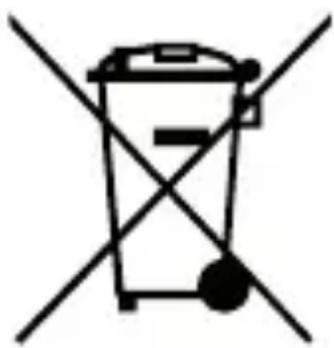
Disposal of old Electrical & Electronic Equipment (Applicable in the European Union and other European countries with separate collection systems)
natural_image
Symbol of a trash bin crossed with two diagonal lines, representing no waste or discharge (no text or labels)This symbol on the product or on its packaging indicates that this product shall not be treated as household waste. Instead it shall be handed over to the applicable collection point for the recycling of electrical and electronic equipment. By ensuring this product is disposed of correctly, you will help prevent potential negative consequences for the environment and human health, which could otherwise be caused by inappropriate waste handling of this product. The recycling of materials will help to conserve natural resources. For more detailed information about recycling of this product, please contact your local Civic Office, your household waste disposal service or the shop where you purchased the product.

natural_image
Two circular symbols: one with a crossed-out face and another with a crossed-out tool (no text or numbers present)FULLADÁSVESZÉLY. TARTSA A PE ZACSKÓT GYERMEKEKTÓL ELZÁRT HELYEN. A ZACSKÓ NEM JÁTÉKSZER. NE HASZNÁLJA EZT A ZACSKÓT BÖLCSŐKBEN, KISÁGYAKBAN, BABAKOCSIKBAN, VAGY GYEREK JÁRÓKÁKBAN.

natural_image
Symbol of a trash bin crossed with two diagonal lines, no text or numbers present
natural_image
Abstract logo design with white stylized 'S' inside a black circle (no text or symbols)GoGEN


- SPECIFICATION
- NOTE
- CHARGING INSTRUCTION
- CAPACITY INDICATION
- ATTENTION
- CAUTION
- ACCESSORIES
- WARRANTY
- WE RESERVE THE RIGHT TO CHANGE TECHNICAL SPECIFICATIONS.
- Disposal of old Electrical & Electronic Equipment (Applicable in the European Union and other European countries with separate collection systems)
- GoGEN
Brand : GoGen
Model : PB100007RG
Category : Power bank