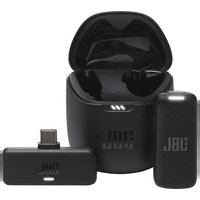
CSPM-4 - Microphone JBL - Free user manual and instructions
Find the device manual for free CSPM-4 JBL in PDF.


| Product Type | Microphone |
| Brand | JBL |
| Model | CSPM-4 |
| Color | Black |
| Connectivity | Wired (USB) |
| Cable Length | 2.0 m |
| Frequency Response | 50 Hz - 20 kHz |
| Impedance | 2.2 kΩ |
| Sensitivity | -40 dB ± 3 dB |
| Signal-to-Noise Ratio | > 70 dB |
| Polar Pattern | Cardioid |
| Power Source | USB bus power (5V DC) |
| Dimensions (H x W x D) | 150 x 100 x 80 mm |
| Weight | 300 g |
| Material | Metal and plastic |
| Microphone Technology | Condenser |
| Operating System Compatibility | Windows, macOS, Chrome OS |
| Warranty | 1 year |
| Included Accessories | USB cable, user manual |
| Mounting Type | Desktop stand |
| Controls | Mute button, volume control |
| LED Indicator | Mute status |
| Cleaning | Wipe with dry cloth |
| Storage Temperature | -20°C to 50°C |
Frequently Asked Questions - CSPM-4 JBL
User questions about CSPM-4 JBL
0 question about this device. Answer the ones you know or ask your own.
Ask a new question about this device
Download the instructions for your Microphone in PDF format for free! Find your manual CSPM-4 - JBL and take your electronic device back in hand. On this page are published all the documents necessary for the use of your device. CSPM-4 by JBL.
USER MANUAL CSPM-4 JBL
CS Commercial Solution Series
CSPM
SERIES
- CSPM-1
- CSPM-2
- CSPM-4
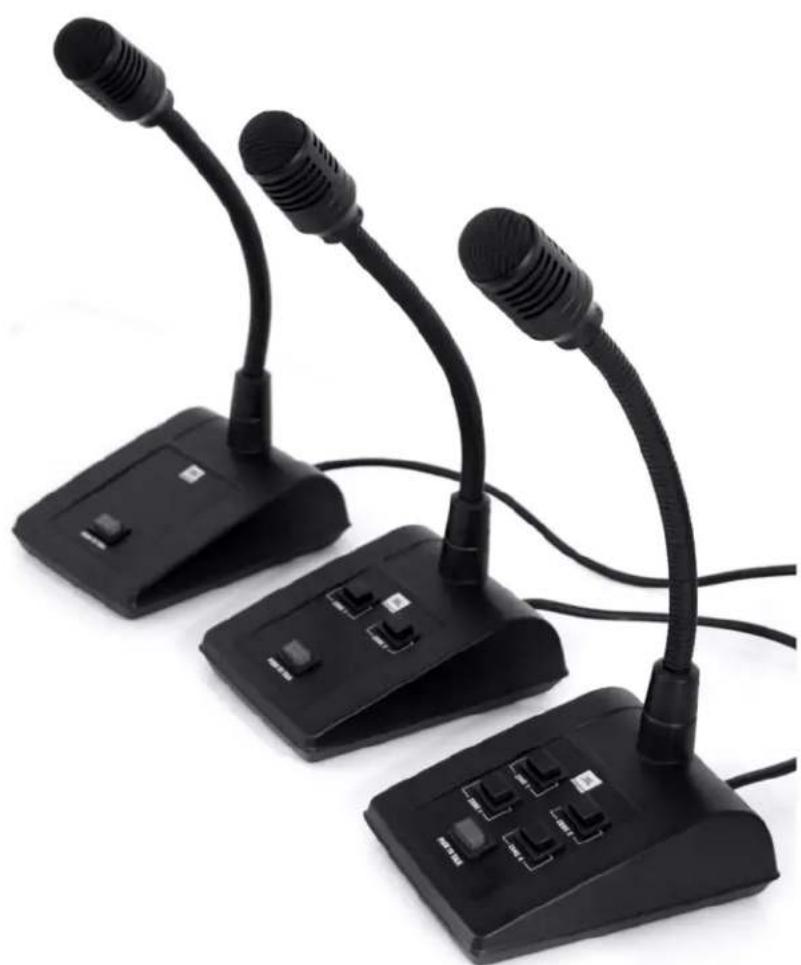
Paging Microphone Quick Start Guide
natural_image
Three black desktop computer devices with microphones and connectors, no visible text or symbolsCompliance Information

EC-DECLARATION OF CONFORMITY
Document No. 829 / 05 - 2011 (replaces No. / - )
Type of Product: Dynamic Paging Microphone
Model No.: CSPM 1 (2 or 4)
Drawing No.: 3360 H 00..0
Manufacturer: AKG Acoustics GmbH A-1230 Wien, Lemböckgasse 21 - 25 AUSTRIA
We declare under our sole responsibility that the above mentioned product is in conformity with the European Directive(s):
No. 2004/108/EC: Electromagnetic compatibility
The conformity is achieved by fulfilling the following (harmonised) European Standard(s):
EN 61000-6-1:2007; EN 61000-6-3:2007;
City, Date: Vienna, 23.5.2011
Manufacturer's Signature:

Jürgen Bopst
Managing Director
EC-DoC documentation:

This declaration certifies the accordance with the above mentioned EC-Directive but does not assure certain attributes of the product.
EC-Declaration of conformity 3360.CE1

If you want to dispose this product, do not mix it with general household waste. There is a separate collection system for used electronic products in accordance with legislation that requires proper treatment, recovery and recycling.
Private household in the 25 member states of the EU, in Switzerland and Norway may return their used electronic products free of charge to designated collection facilities or to a retailer (if you purchase a similar new one).
For Countries not mentioned above, please contact your local authorities for a correct method of disposal.
By doing so you will ensure that your disposed product undergoes the necessary treatment, recovery and recycling and thus prevent potential negative effects on the environment and human health.
Setting Up
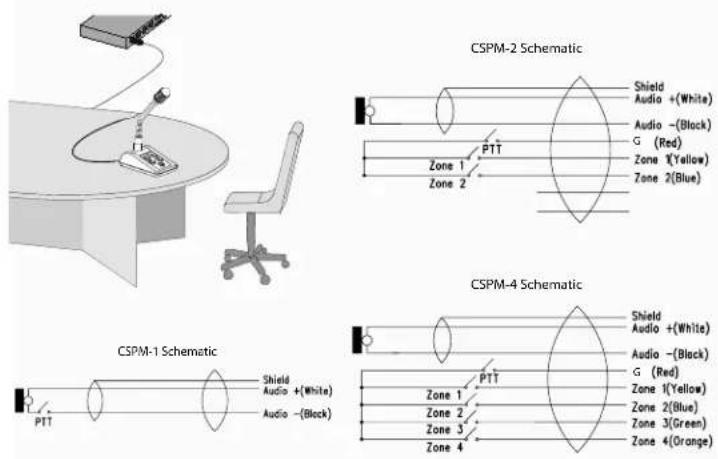
The JBL Commercial® CSPM series microphones (CSPM-1, CSPM-2, and CSPM-4) are dynamic close-talking microphones for paging systems and loudspeaker systems in airports, underground stations, department stores, etc..
Button Functions
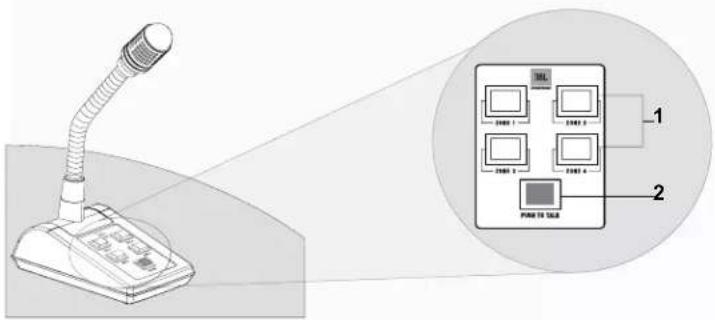
PUSH TO TALK (PTT) Button
CSPM-1: The microphone is on when the PTT button is pressed. The microphone is switched off when the PTT button is released.
CSPM-2, CSPM-4: When the PTT button is on (pressed), zone buttons are connected to the "G" pin and sound will be routed according to the state of the zone buttons. When the PTT button is off, the zone buttons are opened and no sound will be sent to any zones.
ZONE Button
Press the zone buttons to select which zones will receive the paging announcement once the PTT button is pressed.
An example of using the buttons in a public address application is:
- Press the Zone 1 button.
- Press the PUSH TO TALK button and speak. Your page will be delivered to Zone 1.
Operation and Application
natural_image
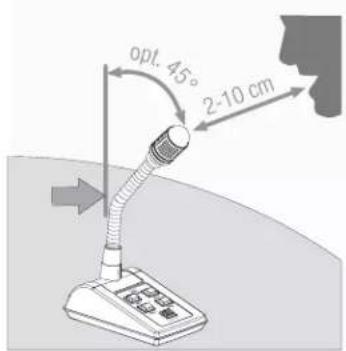
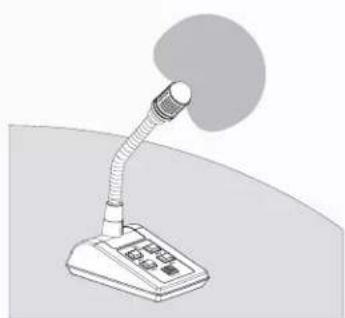
Illustration of a desktop desk lamp with a curved arm and a screen (no text or symbols)Maintain a gap between the speaker's mouth and the microphone, and do not exceed the maximum bend angle. Only bend the flexible part of the microphone.
In the case of microphones with cardioid polar pattern, most sound attenuation occurs at 180°. These microphones should preferably be used where there is an interference noise source or a loudspeaker directly opposite the speaker.
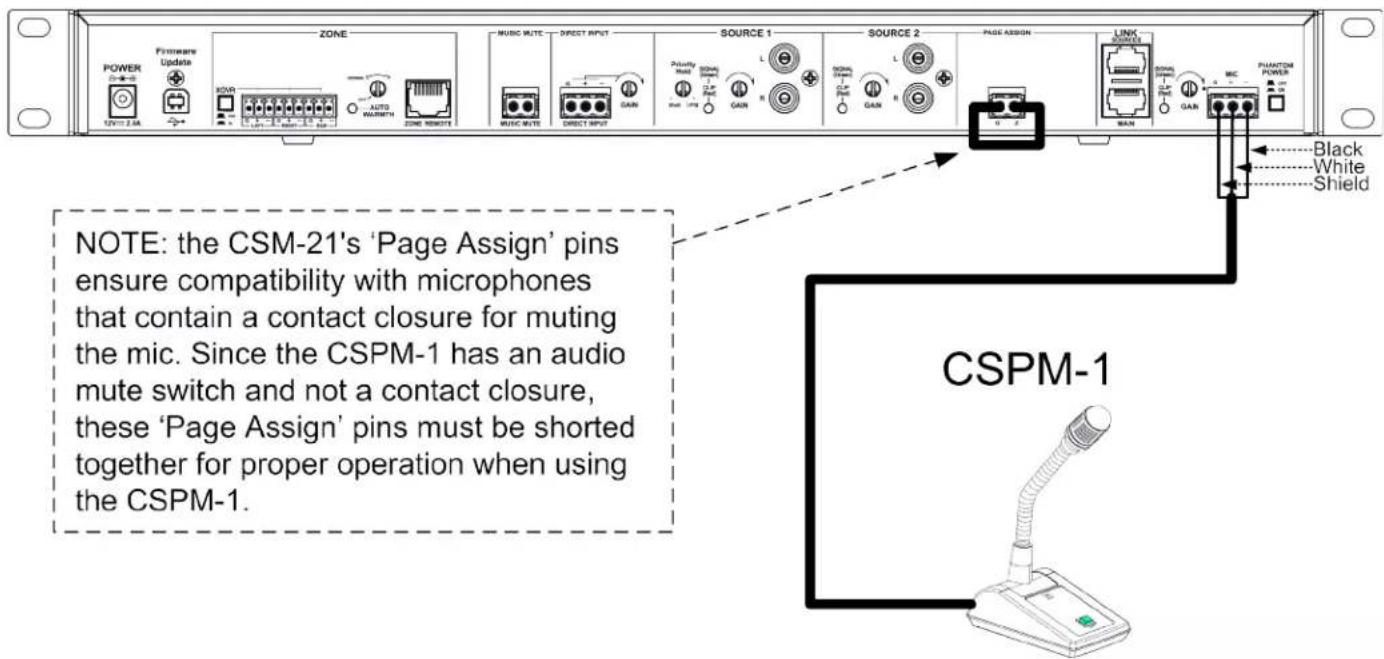
CSPM-1 with CSM-21
CSM-21
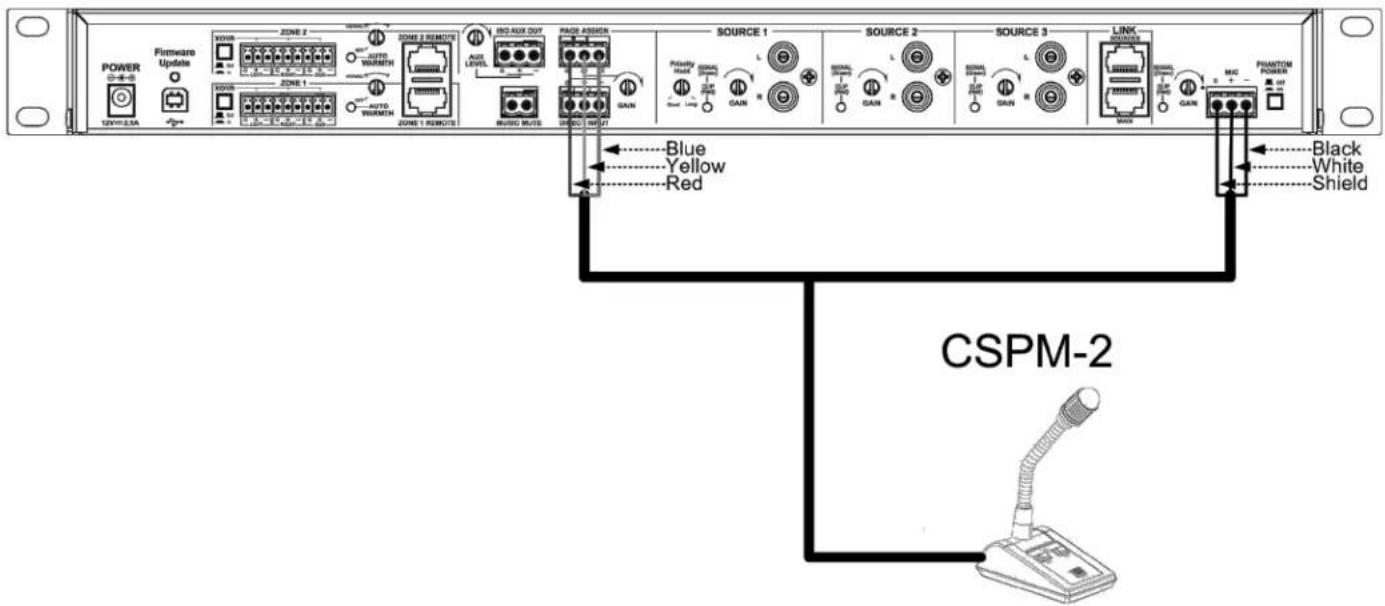
CSPM-2 with CSM-32
CSM-32
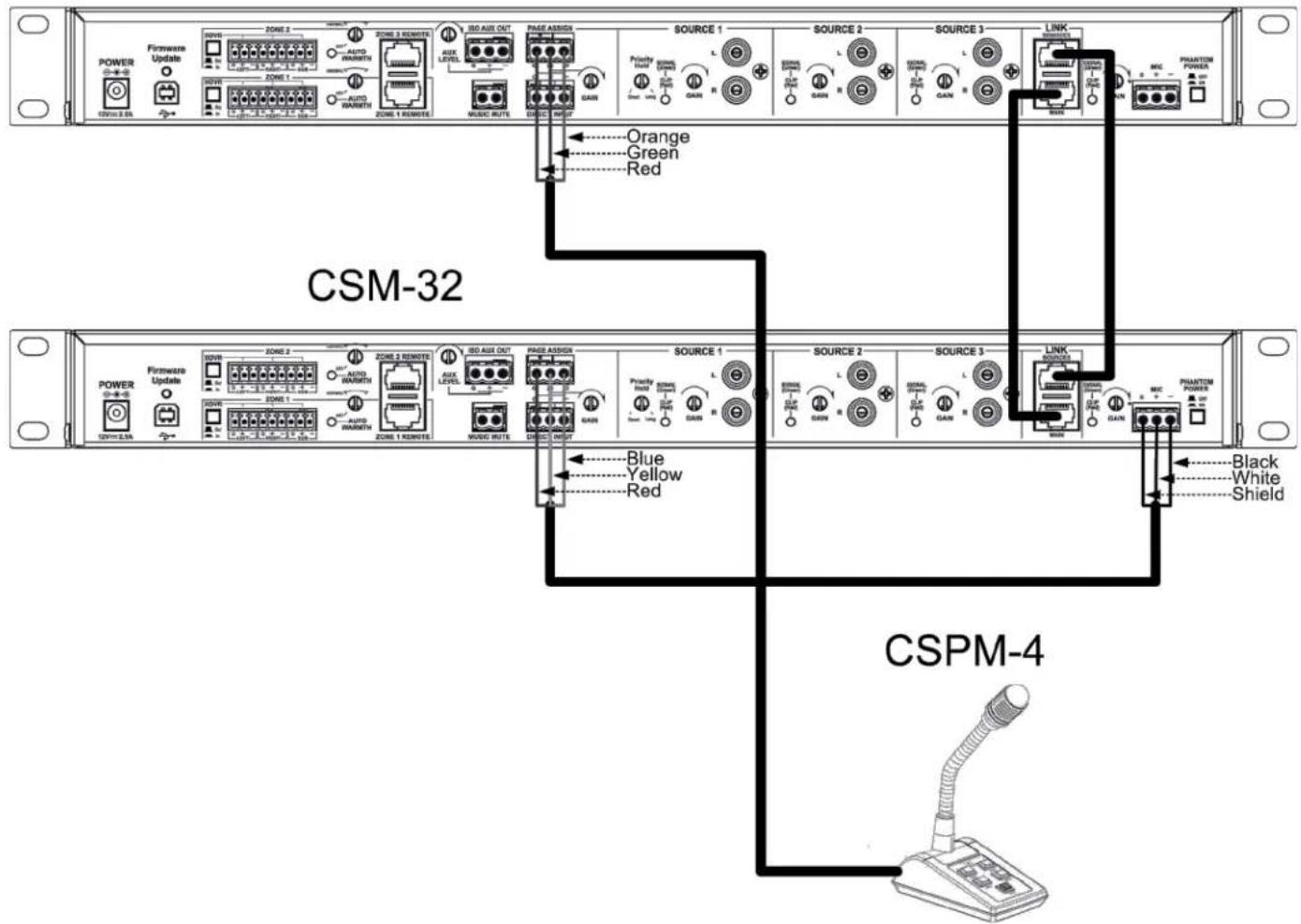
CSPM-4 with two CSM-32s
CSM-32

JBL Commercial
8760 South Sandy Parkway
Sandy, UT 84070
USA
(801) 566-8800
Part Number: 18-0897-B Issue: 03/13
Printed in USA
This guide does not include all of the details of design, production, or variation of the equipment. Nor does it cover every possible situation which may arise during installation, operation or maintenance. The information provided in this manual was deemed accurate as of the publication date. However, updates to this information may have occurred.
Trademark Notice: JBL is registered trademark of Harman. Other trademarks are the property of their respective owners.