WF2631 - Powerline Adapter Netis - Free user manual and instructions
Find the device manual for free WF2631 Netis in PDF.


User questions about WF2631 Netis
0 question about this device. Answer the ones you know or ask your own.
Ask a new question about this device
Download the instructions for your Powerline Adapter in PDF format for free! Find your manual WF2631 - Netis and take your electronic device back in hand. On this page are published all the documents necessary for the use of your device. WF2631 by Netis.
USER MANUAL WF2631 Netis
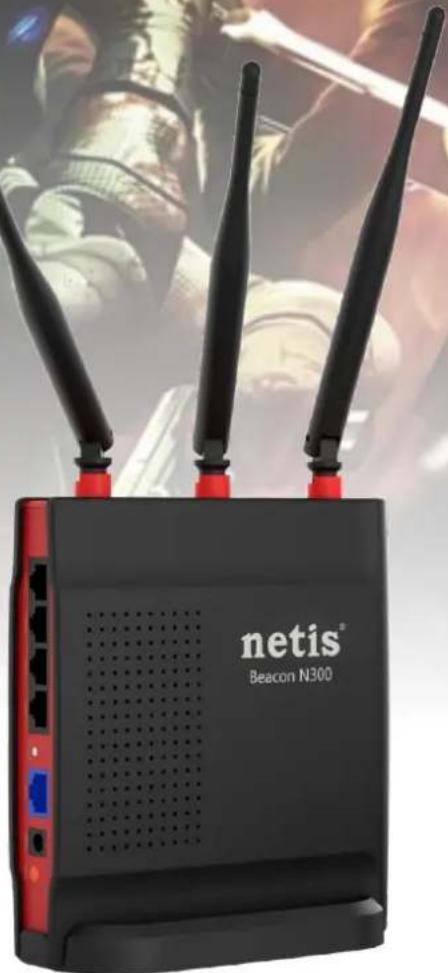
Beacon N300 Gaming Router
WF2631

300

QoS

WISP

RepeaterMbps

WDS

Multi SSID

WPS

5dBi

Easy Setup
natural_image
Black and red beige BEacon N300 wireless router with three antennas, shown against a blurred background of hands holding a device (no readable text or symbols on the device body beyond branding)Features:
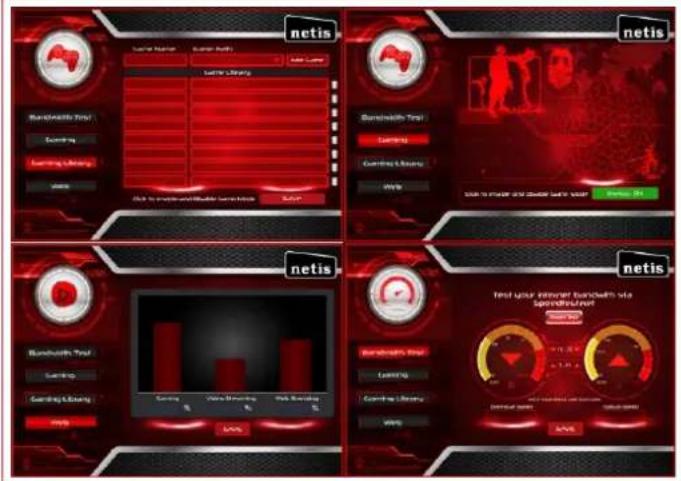
Automatically enable QoS to secure 80% online bandwidth to enhance your gaming experience
Include your favorite game into the Gaming Library for the Beacon Router to automatically enable QoS when playing
WPS Button for One Button Security Setup
Multiple Wireless Modes: AP, WDS, AP+WDS, Client, Repeater Modes
Brief:
The Netis WF2631 Beacon Series Wireless N300 Router takes your gaming experience to the next level! Offering a powerful performance by automatically activating QoS to enhance your online gaming experience. Bundled with three 5dBi high gain antennas, it ensures a wider & stronger wireless coverage. Allowing you to enjoy the wireless freedom anywhere around your home.
Specification:
Wireless
| Standards | IEEE 802.11b, IEEE 802.11g, IEEE 802.11n |
| Signal Rate | Up to300Mbps |
| Frequency Range | 2.4-2.4835GHz |
| Transmit Power | 20dBm(MAX) |
| Data Transfer Rate | 802.11n: 40MHz(150Mbps, 135Mbps, 120Mbps, 90Mbps, 60Mbps, 45Mbps, 30Mbps, 15Mbps)20MHz(72Mbps, 65Mbps, 57Mbps, 43Mbps, 28Mbps, 21Mbps, 14Mbps, 7Mbps) (Auto-Sense)801.11g: (54Mbps, 48Mbps, 36Mbps, 24Mbps, 18Mbps, 12Mbps, 11Mbps, 9Mbps, 6Mbps)802.11b: (11Mbps, 9Mbps, 6Mbps, 5.5Mbps, 2Mbps, 1Mbps) |
| Wireless Modes | AP, Repeater, AP+WDS, WDS, Client |
| Wireless Security | 64/128-bit WEP WPA-PSK/WPA2-PSK(TKIP/AES) SSID Broadcast Enable/Disable |
Hardware
| Standards | IEEE 802.3 10Base-T, IEEE 802.3u 100Base-TX | |
| Interface | 1 * 10/100Mbps Auto MDI/MDIX RJ45 LAN port | 4 * 10/100Mbps Auto MDI/MDIX RJ45 LAN port |
| LED Indicators | PWR, WLAN, LAN1-LAN4, WAN, WPS | |
| Button | Default, WPS | |
| Antenna | 3* 5dBi Fixed Antenna | |
| Power Supply | DC 9V/500mA(Output) | |
Software
| LAN Type | DHCP, Static IP, PPPoE, L2TP, PPTP, WISP |
| Port Forwarding | Virtual Servers, Port Triggering, UPnP, DMZ, FTP Private Port |
| QoS | WMM, Bandwidth Control for gaming mode |
| Access Control | IP/MAC/Domain Filtering |
| VPN Pass-through | PPTP, L2TP, IPSec |
| Others | Client Software for Gaming QoS, Multiple SSID, Dynamic DNS, Static Routing |
Others
| Certification | FCC, CE |
| Environment | Operating Temperature: 0°C~40°CStorage Temperature: -40°C~70°COperating Humidity: 10%~90% non-condensing Storage Humidity: 5%~90% non-condensing |
| Package | 1 * WF2631 1 * 9V/500mA Power Adapter1 * Installation CD (for Client Software)1 * Ethernet Cable1 * Cradle1 * Quick Installation Guide |
text_image
netis Bunzlorth Test Learning Learning Library Video Data & Image and Audio Language Options Netis Bunzlorth Test Learning Learning Library Video Data & Image and Audio Language Options Netis Bunzlorth Test Learning Learning Library Video Data & Image and Audio Language Options Netis Bunzlorth Test Learning Learning Library Video Data & Image and Audio Language Options Netis Bunzlorth Test Learning Learning Library Video Data & Image and Audio Language Options Netis Bumclith Test Learning Learning Library Video Data & Image and Audio Language Options Netis Bumclith Test Learning Learning Library Video Data & Image and Audio Language Options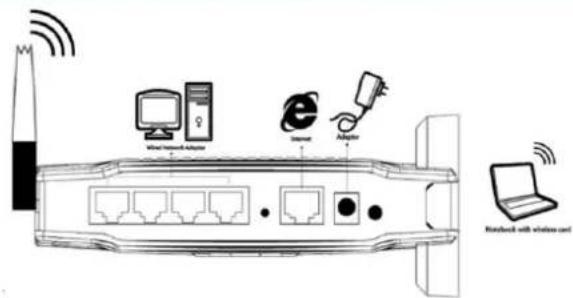
text_image
Wireless Network switch Switch Router Bluetooth Routledge Routledge with wireless card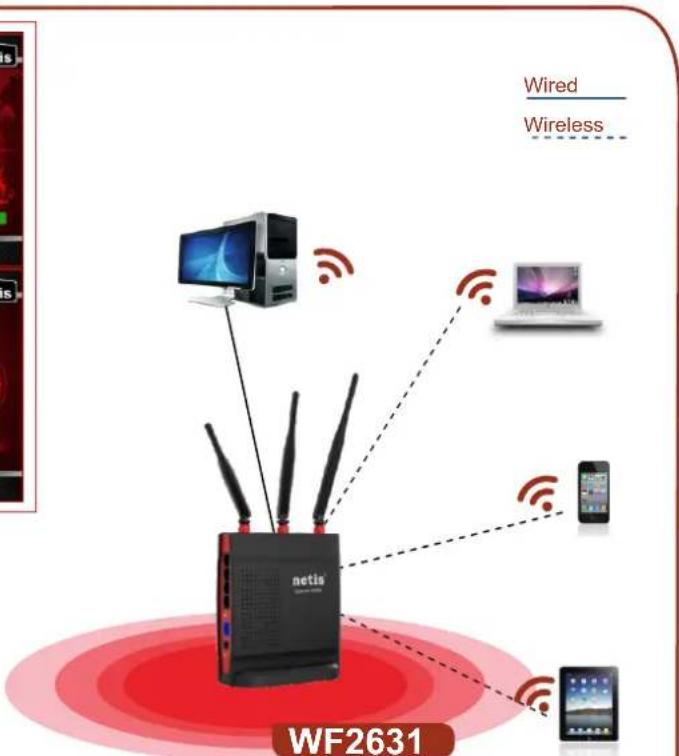
text_image
Wired Wireless netia WF2631Beacon N300GamingRouter