ASD129T11 - Air-conditioner DAITSU - Free user manual and instructions
Find the device manual for free ASD129T11 DAITSU in PDF.


User questions about ASD129T11 DAITSU
0 question about this device. Answer the ones you know or ask your own.
Ask a new question about this device
Download the instructions for your Air-conditioner in PDF format for free! Find your manual ASD129T11 - DAITSU and take your electronic device back in hand. On this page are published all the documents necessary for the use of your device. ASD129T11 by DAITSU.
USER MANUAL ASD129T11 DAITSU
Thank you very much for purchasing our air conditioner, please read this owner's manual carefully before using your air conditioner, save this manual in a safe place for future reference.
CONTENTS
IMPORTANT SAFETY INFORMATION.... 1
HINTS FOR ECONOMICAL OPERATION.... 2
PARTS NAMES.... 3
NAMES AND FUNCTIONS OF INDOOR UNIT CONTROLS.... 4
ADJUSTING AIR FLOW DIRECTION.... 5
HOW THE AIR CONDITIONER WORKS.... 6
TEMPORARY OPERATIONS.... 6
MAINTENANCE....7
AIR CONDITIONER OPERATIONS AND PERFORMANCE....9
INSTALLATION.... 10
TROUBLES AND CAUSES.... 11
TROUBLES AND CAUSES (CONCERNING REMOTE CONTROLLER)...... 12
IMPORTANT SAFETY INFORMATION
natural_image
Cartoon illustration of a person folding a sheet of paper with trees and grass in the background (no text or symbols)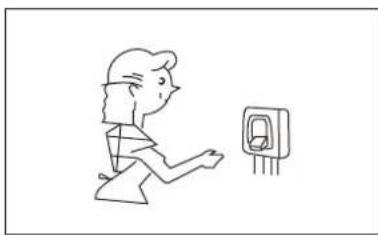
natural_image
Simple line drawing of a person running toward a wall-mounted electrical outlet (no text or symbols)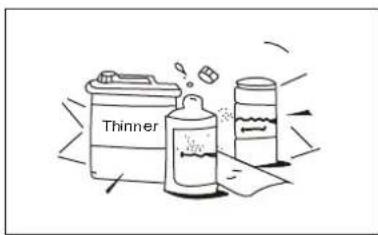
CAUTION
Do not attempt to install this unit yourself. This unit should be installed by qualified persons.
DANGER
Do not attempt to service the unit yourself. This unit has no user serviceable components, opening or removing the cover will expose you to dangerous voltage. Turning off the power supply will not prevent potential electric shock.
DANGER
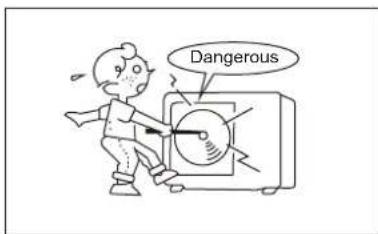
Never put hands or objects into the air outlet of indoor and outdoor units. These units contain a fan running at high speed. Touching the moving fan will cause serious injury.
DANGER
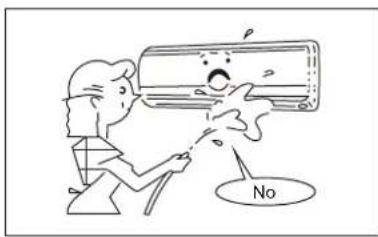
To avoid the risk of serious electrical shock, never sprinkle or spill water or other liquids on the unit.
WARNING
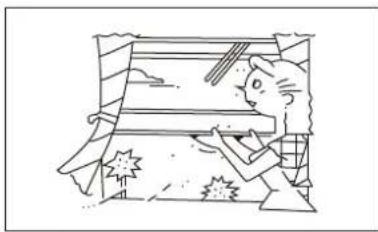
Ventilate the room occasionally while the air conditioner is in use, especially if there is also a gas appliance in use in this room. Failure to follow these directions may result in a loss of oxygen in the room.
WARNING
To prevent electric shock, turn off the power or disconnect the power supply plug before beginning any cleaning or other routine maintenance. Follow the directions for cleaning in the Owner's Manual.
WARNING
Do not use liquid cleaners or aerosol cleaners, use a soft and dry cloth for cleaning the unit. To avoid electric shock, never attempt to clean the unit by sprinkling water on it.
CAUTION
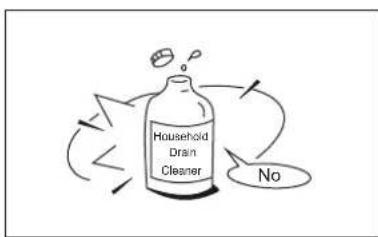
Do not use caustic household drain cleaners in the unit. Drain cleaners can quickly destroy the unit components (drain pan and heat exchanger coil etc.)
IMPORTANT SAFETY INFORMATION
natural_image
Cartoon illustration of a person reacting to a car crash (no text or symbols)NOTE
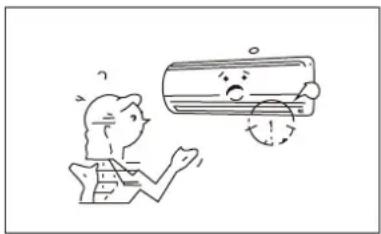
For proper performance, operate the unit under the usable operating temperature and humidity conditions indicated in this owner's manual. If the unit is operated beyond these conditions, it may cause malfunctions of the unit or dew dripping from the unit.
- The appliance is not intended for use by children or the disables without supervision.
- Children should be supervised to ensure that they do not play with the appliance.
- Set moderate temperature, especially when there are children, old men or the disables in the room.
Maintain room temperature at a comfortable level.
Clean air filter
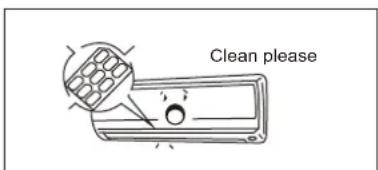
A clogged air filter would reduce cooling efficiency. Clean it once two weeks.
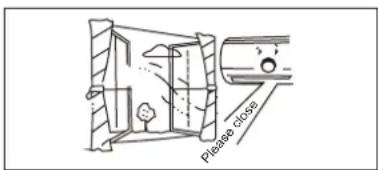
Never open doors and windows more often than necessary.
To keep cool or warm air in the room, never open doors and windows more often than necessary.
natural_image
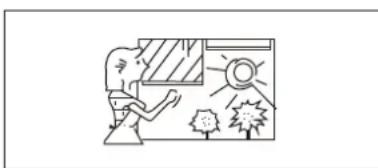
Simple line drawing of a person opening a window with trees and a sun (no text or symbols)Window curtains
In cooling, close the curtains to avoid direct sunlight.
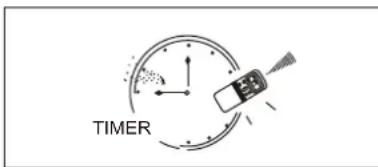
Use the timer effectively
Set the timer for the desired operation time.
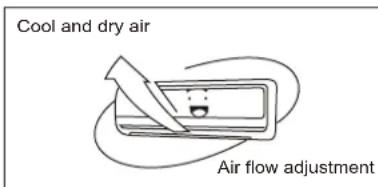
Get uniform circulation of room air
Adjust air flow direction for even circulation of room air.
PARTS NAMES
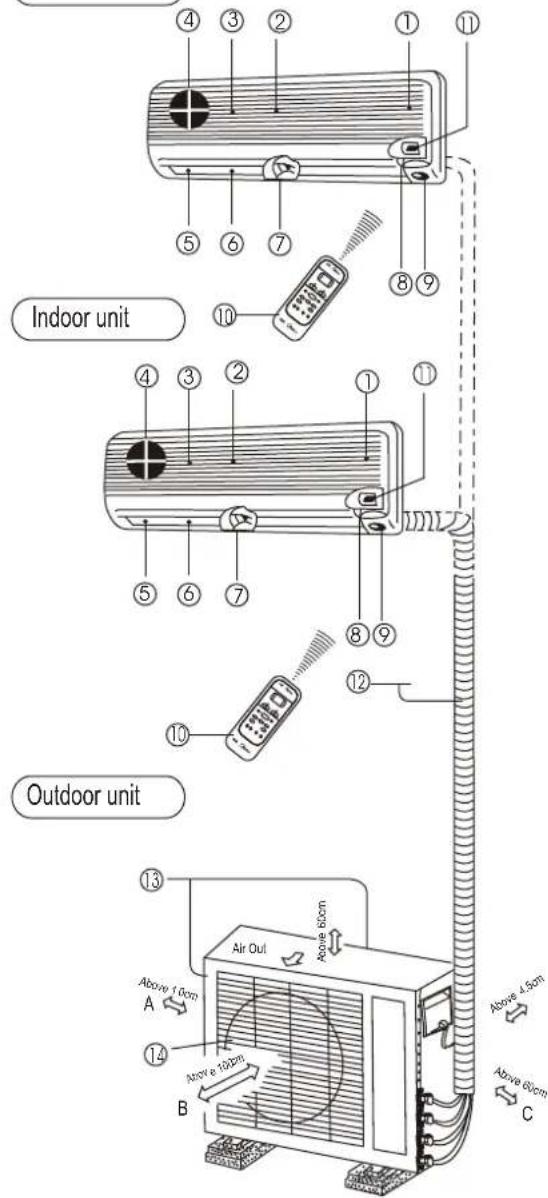
Indoor unit
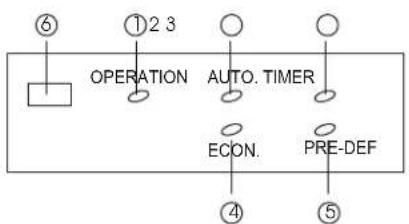
Display panel
flowchart
graph TD
    A["⑥"] --> B["OPERATION"]
    B --> C["①2 3"]
    C --> D["AUTO. TIMER"]
    D --> E["ECON."]
    E --> F["PRE-DEF"]
    F --> G["⑤"]
Indoor unit
1 Room temperature sensor
2 Front panel
3 Air inlet
4 Air filter
5 Air outlet
6 Vertical air flow louver
7 Horizontal air flow grille
8 Display panel
9 Infrared signal receiver
10 Remote Controller
11 Control panel
Outdoor unit
12 Drain hose, refrigerant connecting pipe and electric wiring.
13 Air inlet (side and rear)
14 Air outlet
Display panel
The operating conditions are indicated below.
① Operation Lamp
② Automatic Lamp
③ Timer Lamp
④ Economic Lamp
⑤ Pre-defrost Lamp (Cooling only type without)
⑥ Infrared signal receiver
NAMES AND FUNCTIONS OF INDOOR UNIT CONTROLS
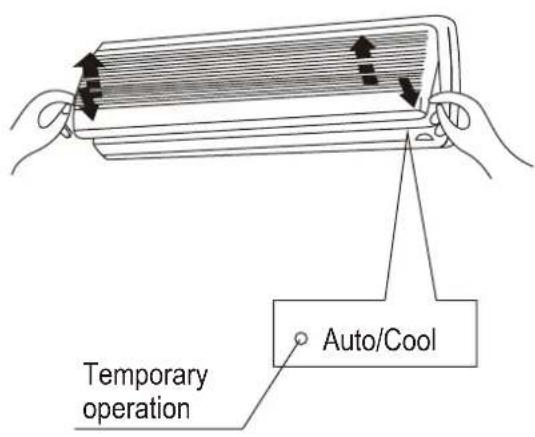
Control panel
Lift the front panel to perform control panel settings.
■ Opening the front panel
Pull up from two ends of the front panel. Open the panel and lift the panel up to an angle where it remains fixed. Do not lift the panel any further when it stops with a clicking sound.
■ Closing the front panel
Lower ends of the front panel, push the ends on both sides. Close the panel firmly.
Temporary
Normally set this switch to remote control. If you miss the remote controller or its batteries are exhausted, set this switch to the Auto/Cool Position for temporary operation.
ADJUSTING AIR FLOW DIRECTION
natural_image
Line drawing of a cylindrical air conditioner with a stack of layered materials and airflow direction arrow (no text or symbols)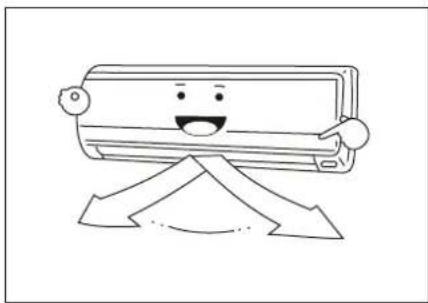
natural_image
Cartoon illustration of a smiling air conditioner with arms and legs, standing on an upward arrow (no text or symbols)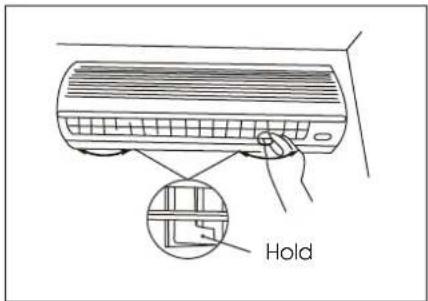
natural_image
Line drawing of a wall-mounted air conditioner with a downward arrow indicating airflow or cooling (no text or symbols)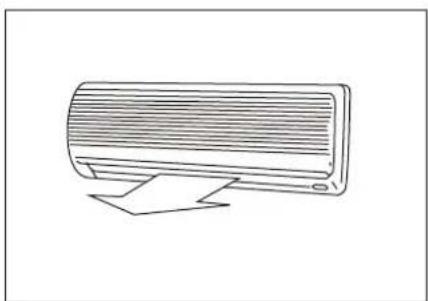
natural_image
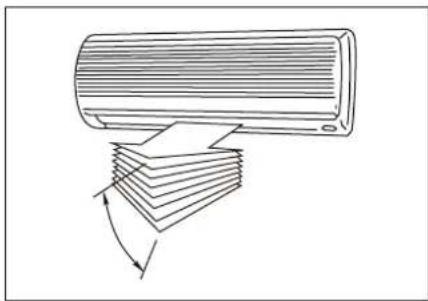
Line drawing of a wall-mounted air conditioner unit with ventilation grille and support bracket (no text or symbols)To automatically swing the air flow direction Perform this function while the air conditioner is in operation. Push the SWING button on the remote controller.
■ To stop the function, push the SWING button again.
■ To change the swing direction, push the AIR DIRECTION button.

CAUTIONS
- The AIR DIRECTION and SWING buttons will be disabled when the air conditioner is not in operation (including when the ON TIMER is set).
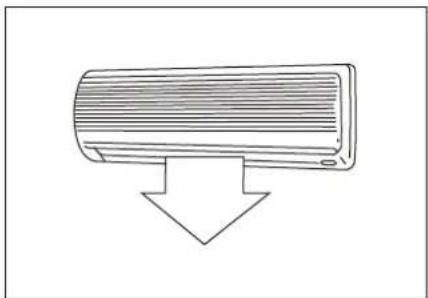
- Do not operate the air conditioner for long hours with the air flow direction set downward during the cooling or dry operation. Otherwise, condensation may occur on the surface of the vertical air flow louver and cause dew dripping.
- Do not move the vertical louver manually. Always use the AIR DIRECTION button. If you move the louver manually, it may malfunction during operation. If the louver malfunctions, stop the air conditioner once and restart it.
- When the air conditioner is started immediately after it was stopped, the vertical air flow louver might not move for 10 seconds or so.
Adjusting the Horizontal Air Flow Direction Preparation:
For the cooling or dry operation, move the vertical air flow louver downward using the AIR DIRECTION button on the remote controller.
■ Take hold of the lever on the horizontal air flow grilles and move them to adjust the air flow direction as required.
■ For the cooling or dry operation, return the vertical air flow louver to the original position using the AIR DIRECTION button on the remote controller.
If your use the AIR DIRECTION button to set the vertical air flow direction, the direction will move downward at first, then turn automatically to the direction as you desire.
When you stop operating with the remote controller, the vertical air flow louver will shut automatically.
HOW THE AIR CONDITIONER WORKS
AUTOMATIC OPERATION
- The air conditioner selects and operates in one of the operating modes of cooling, heating (cooling only type without) or fan only, depending on the room temperature.
■ The air conditioner will control room temperature automatically round the temperature point set by you.
■ If the Auto mode is uncomfortable, you can select the desired conditions manually.
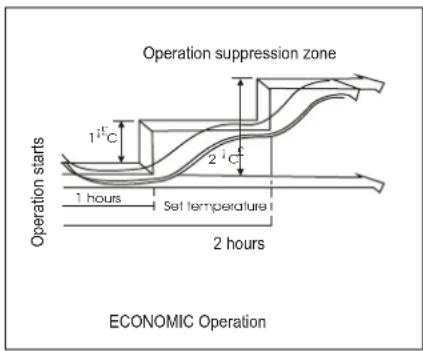
ECONOMIC OPERATION
When your push ECONO button during cooling, heating (cooling only type without), or AUTO operation, the air conditioner will start following operation. The fan speed will be automatically controlled. In the operation suppression zone where capacity is kept to the minimum, overcooling is prevented by raising the temperature setting by 1^iC after 1 hour and by 2^iC after 2 hours of operation. The room temperature is thus regulated between the operation suppression zone and the set temperature. (It depends on the outdoor temperature.)
DRY OPERATION
The dry mode will automatically select the cooling dry operation based on the difference between the set temperature and the actual room temperature.
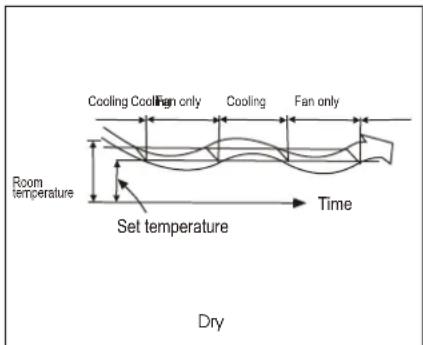
The temperature is regulated while dehumidifying by repeating turning on and off of the cooling operation or fan only.
The fan speed indicator will display AUTO and low speed will be used.
TEMPORARY OPERATIONS
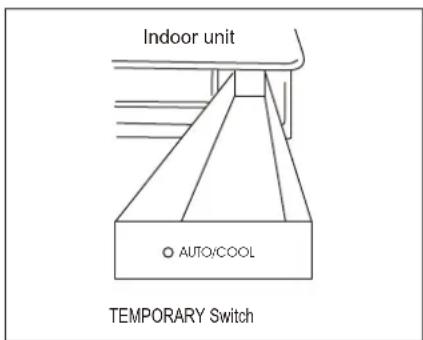
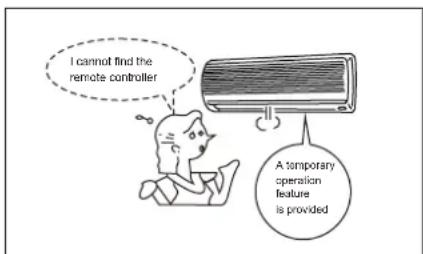
Temporary Operation
This function is used to operate the unit temporarily in case you misplace the remote controller or its batteries are exhausted.
- Set the TEMPORARY switch to the AUTO position in order to start the automatic operation.
- The COOL position is provided for test runs of the unit, and automatic temperature control is cut off at this position. Never use the position for ordinary operation.
MAINTENANCE
natural_image
Illustration of two hands holding a rectangular object with horizontal lines and arrows indicating direction (no text or symbols)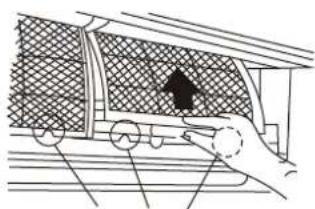
natural_image
Diagram of a hand pulling a train car with a shaded interior area and an arrow indicating motion (no text or symbols)Air Filter Handle

WARNING
WARNING
Before you clean the air conditioner, be sure to disconnect the power supply plug.
Cleaning the indoor unit and the remote controller

CAUTIONS
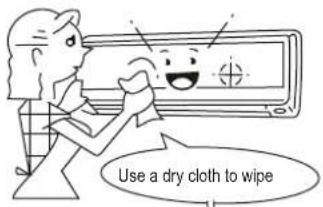
- Use a dry cloth to wipe the indoor unit and remote controller.
- A cloth dampened with cold water may be used on the indoor unit if it is very dirty.
- Never use a damp cloth on the remote controller.
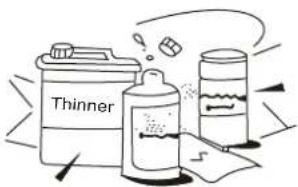
- Do not use a chemically-treated duster for wiping or leave such materials on the unit for long. It may damage or fade the surface of the unit.
- Do not use benzine, thinner, polishing powder, or similar solvents for cleaning.
These may cause the plastic surface to crack or deform.
If you do not plan to use the unit for at least 1 month.
(1) Operate the fan for about half a day to dry the inside of the unit.
(2) Stop the air conditioner and disconnect power.
(3) Remove the batteries from the remote controller.
Checks before operation

CAUTIONS
- Check that the wiring is not broken off or is not connected.
- Check that the air filter is installed.
- Check that the outdoor unit air outlet or inlet is not blocked.
Before you clean the air conditioner be sure to disconnect the power supply plug.
Cleaning the air filter
- Pull up from two ends of panel. Open the panel and lift the panel up to an angle where it remains fixed. Do not lift the panel any further when it stops with a clicking sound.
- Take hold of the left and right handles of the air filter and lift it up slightly to take it out from the filter holder.
MAINTENANCE
natural_image
Line drawing of a hand pressing down on a textured panel with a black arrow indicating the downward motion (no text or symbols)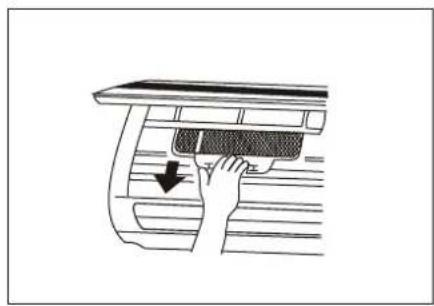
natural_image
Diagram of a hand cleaning a car interior with a mesh cover (no text or symbols)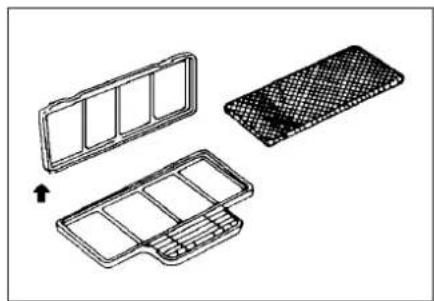
natural_image
Technical line drawing of three views of a modular device with grid patterns, no text or symbols present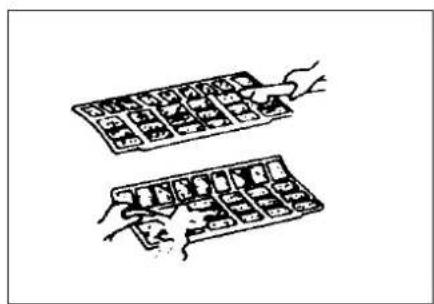
natural_image
Illustration of two hand-drawn panels with small objects, no text or symbols present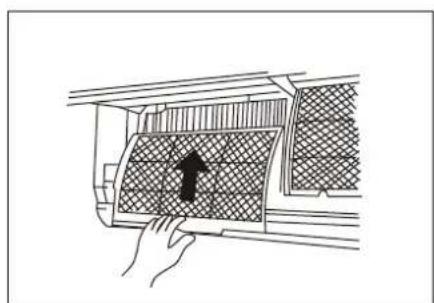
natural_image
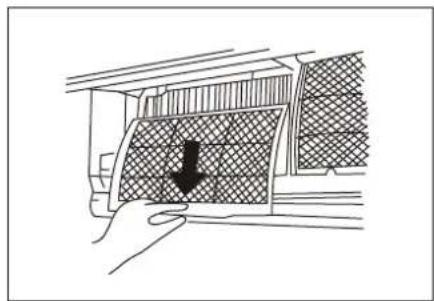
Line drawing of a hand inserting a grid into a car air vent (no text or symbols)- Take hold of the handles and pull the air filter downward.
- Remove the AIR FILTER from the indoor unit.
- Clean the AIR FILTER once two weeks.
- Clean the AIR FILTER with a vacuum clearer or water, then dry it up in cool place.
- Remove the ACTIVE CARBON FILTER/ELECTRO STATIC FILTER from the indoor unit and take it out from its support frame.
- Clean the filter every month, immerse the filter in the water with the mild detergent for 20 minutes and wash it slightly (do not rub), then expose it in the sun to dry it out for more than 3 hours. (put the black side face up)
- Install the filters into their support frames and set the support frames back in position. The black side of the filters be at the outsides.
- Insert the AIR FILTER from the top side into the unit until it is fixed thoroughly and close the front panel of the indoor unit tightly.
* Optional filter
AIR CONDITIONER OPERATIONS AND PERFORMANCE
Three-minute protection feature
A protection feature prevents the air conditioner from being activated for approximately 3 minutes when it is restarted immediately after operation.
This will protect the machine. (cooling only type without)
● Heating characteristics preheating operation
The air conditioner will not deliver warm air immediately after it is started. Warm air flows out after approximately 5 minutes when the indoor heat exchanger warms up.
• Warm air control
When the room temperature reaches the set temperature, the fan speed is automatically reduced to prevent a cold draft. At this time, the outdoor unit will stop.
• Defrosting
If the outdoor unit is frosted during heating operation, defrosting is started automatically (for approximately 5 to 10 minutes) to maintain the heating effect, and the PRE.-DEF. lamp is on.
The fans in both the indoor and outdoor units stop during the defrost operation.
- During defrost operation, defrosted water is drained from the bottom plate of the outdoor unit.
Heating capacity
In the heating operation, heat is absorbed from outdoor and released into the room. that is so-called heat pump system. When the outdoor temperature is too low, you are recommended to use another heating apparatus in combination with the air conditioner.
Consideration for accumulated snow
Select the position for the outdoor unit where it will not be subject to snow drifts, accumulation of leaves or other seasonal debris. It is important that the air flow for the outdoor unit is not impeded as this will result in reducing heating or cooling performance. During the heating mode (cooling only type without) and at sub-zero temperatures, the water drained off the outdoor unit as a result of the automatic defrost may accumulate and freeze. It is important that adequate drainage or a soak way is provided.
Power failure
Power failure during operation will stop the unit completely.
The OPERATION lamp on the indoor unit will start flashing when power is restored.
To restart operation, push the ON/OFF button on the remote controller.
Lighting or a car wireless telephone operating nearby may cause the unit to malfunction. Disconnect the unit with the power and then connect the unit with the power again. Push the ON/OFF button on the remote controller to restart it.
Air conditioner operating conditions
For proper performance, run the air conditioner under the following temperature conditions:
| Cooling operation | Outdoor temperature: 18 to 43^iC |
| Room temperature: 17 to 32^iC | |
| CAUTIONRoom relative humidity less than 80%. If the air conditioner operates in excess of this figure, the surface of the air conditioner may attract condensation. | |
| Heating operation | Outdoor temperature: -7 to 24^iC |
| Room temperature: 0 to 27^oC | |
| Dry operation | Outdoor temperature: 11 to 43^iC |
| Room temperature: 17 to 32^iC |
If air conditioner is used outside of the above conditions, safety protection features may come into operation.
INSTALLATION
Location:
- In cooling operation, the air conditioner will dry the room air, so please fix a pipe to drain all the water away in the air conditioner.
- Please let the indoor unit away from the TV set and the radio more than one meter in order to avoid the picture and noise interference.
- Powerful radio transmitters or any other devices radiating high frequency radio waves can cause the air conditioner to malfunction. Please consult the dealer where you purchased the air conditioner before installing it.
Don't fix the unit in the dangerous region with combustible gas and volatile matter.
If the air conditioner is operated in an atmosphere containing oils (machine oil), salt near a coastal area, sulfide gas near a hot spring, etc., such substances may lead to failure of the air - conditioner.
If wrong using, installation, maintenance cause the air conditioner to malfunction, please consult your dealer.
Be careful with noise or vibrations
- Please fix the unit in the stable place to avoid the noise or vibrations.
- The noise near the air outlet of the outdoor unit may enter the air exit.
- Locate the outdoor unit where noise emitted by it or hot air from its air outlet will cause no nuisance to your neighbors.
- If the air conditioner sounds abnormal during operation, contact the dealer where your purchased the air conditioner.
Wire
- To prevent the voltage, please link the air conditioner with the floor. The power socket is used as the air conditioner specially.
- Don't pull the power wiring hard.
- When linking the air conditioner with the floor observe the local rulers.
- If you want to change the power wiring, please contact the local dealer where you purchased the air conditioner..
- If necessary, use the power fuse or the circuit, breaker of the corresponding scale ampere.
Relocation
If you move out or if it is desired to relocate the air conditioner, consult your dealer, because special skills to withdraw Freon, purge air and perform other operations are required.
TROUBLES AND CAUSES
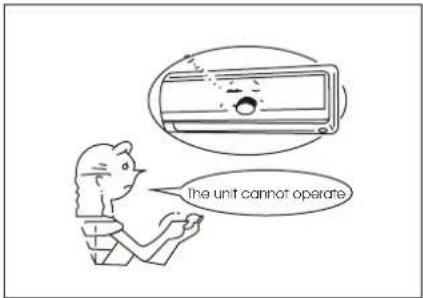
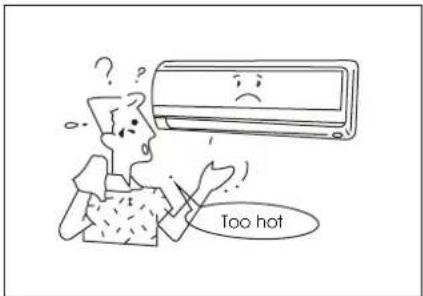
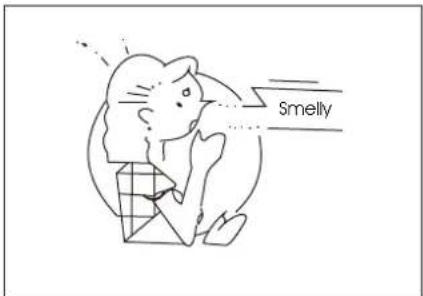
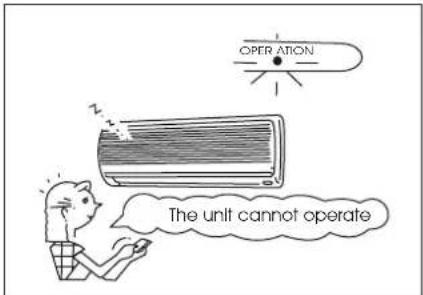
Before you ask servicing or repairs, check the following points.
| Recheck | InoperativeThe power fuse is blown or the circuit breaker has been tripped.The batteries in the remote controller are exhausted.The timer is set.Does not cool or heat well.The air inlet or outlet of the outdoor unit is blocked.Doors or windows are open.The air filter is clogged with dust.The louver is not at the correct position.The fan speed is set to low.The temperature setting is too high or too low. |
| These are not failures | Room air is smelly.A bad odor comes from the air conditioner.• Smells impregnated in the wall, carpet, furniture, clothing, or furs, are coming out.A white mist of chilled air or water is generated from the outdoor unit. |
| CAUTIONS |
| If any of the following conditions occur, stop the air conditioner immediately, set to off the power switch, and contact the dealer:·The indicator lamps flash rapidly (five times per second), you disconnect the unit with the power and then connect the unit with the power again after two or three minutes but the lamp still flash.·Switch operations are erratic.·The fuse is blown frequently or the circuit breaker is tripped frequently.·Foreign matter or water has fallen inside the air conditioner.·Any other unusual condition is observed. |
TROUBLES AND CAUSES (CONCERNING REMOTE CONTROLLER)
Before you ask for servicing or repairs, check the following points.
| Setting Change Is Impossible | ||
| Symptoms | Causes | Reason and Disposal |
| The fan speed can not be changed. | Check whether the MODE indicated on the display is "AUTO" AUTO | When the automatic mode is selected, the air conditioner automatically selects the fan speed. |
| Check whether the MODE indicated on the display is "DRY" DRY | When dry operation is selected, the air conditioner automatically select the fan speed. The fan speed can be selected during "COOL" and "FAN ONLY" and "HEAT" (cooling only type without) | |
| The Transmission Indicator "jø" Never Comes On | ||
| Symptoms | Causes | Reason and Disposal |
| The remote control signal is not transmitted even when the ON/OFF button is pushed. | ● Check whether the ON TIMER is indicated on the display. | The remote control signal is not transmitted, because the air conditioner is off. |
| The Display Never Comes On | ||
| Symptoms | Causes | Reason |
| The TEMP. indicator does not come on. | • Check whether the MODE indicated on the display is "FAN ONLY" FAN ONLY | The temperature cannot be set during fan only operation. |
| The Display Goes Off | ||
| Symptoms | Causes | Reason |
| The indication on the display disappears after a lapse of time. | Check whether the timer operation has come to an end when the OFF TIMER is indicated on the display. | The air conditioner operation stops since the set time elapsed. |
| The TIMER indicators go off after a lapse of certain time. | Check whether the timer operation is started when the ON TIMER is indicated on the display. | When the time set to start the air conditioner is reached, the air conditioner will automatically start and the appropriate indicator will go off. |
| The Signal Receiving Tone does Not Sound | ||
| Symptoms | Causes | Disposal |
| No receiving tone sounds from the indoor unit even when the ON/OFF button is pushed. | • Check whether the signal transmitter of the remote controller is property directed to the receiver of the indoor unit when the ON/OFF button is pushed. | Direct the signal transmitter of the remote controller to the receiver of the indoor unit, and then rapidly push the ON/OFF button twice. |
CS242-U 2200019824