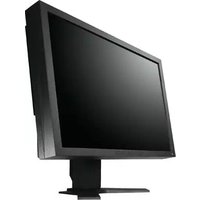
S2202WHA-BK - Screen EIZO - Free user manual and instructions
Find the device manual for free S2202WHA-BK EIZO in PDF.


Pick your language and provide your email: we'll send you a specifically translated version.
| Product Type | LCD Monitor |
| Model | S2202WHA-BK |
| Screen Size (Diagonal) | 22 inches (55.9 cm) |
| Aspect Ratio | 16:10 |
| Native Resolution | 1680 x 1050 (WSXGA+) |
| Brightness | 250 cd/m² |
| Contrast Ratio | 1000:1 (typical) |
| Response Time | 5 ms (gray-to-gray) |
| Viewing Angles (H/V) | 170° / 160° (CR 10:1) |
| Color Support | 16.7 million colors |
| Input Connectors | DVI-D (HDCP), D-Sub 15-pin |
| HDCP Support | Yes (on DVI port) |
| Built-in Speakers | None |
| Power Consumption (Typical) | 45 W |
| Power Consumption (Standby) | <1 W |
| Stand Adjustments | Tilt only |
| VESA Mount Compatible | Yes (100 x 100 mm) |
| Dimensions (W x H x D) with Stand | 511 x 406 x 210 mm |
| Weight with Stand | 6.2 kg |
| Package Contents | Monitor, power cord, DVI cable, D-Sub cable, setup guide |
| Maintenance Instructions | Clean with a soft, dry cloth; do not use solvents or abrasive cleaners. |
| Safety Precautions | Use only the specified power source; do not open the monitor; avoid moisture. |
| Spare Parts Availability | Contact Eizo authorized service centers for replacement parts. |
Frequently Asked Questions - S2202WHA-BK EIZO
What cables are included with the Eizo S2202WHA-BK?
The package includes a power cord, a DVI-D cable, and a D-Sub (VGA) cable.
How do I adjust the monitor's brightness and contrast?
Use the buttons on the front bezel to access the on-screen menu (OSM). Navigate to Brightness/Contrast to adjust.
What is the recommended native resolution for this monitor?
The recommended resolution is 1680 x 1050 at 60 Hz for optimal image quality.
How do I clean the monitor screen?
Turn off the monitor and unplug it. Wipe gently with a soft, dry microfiber cloth. Do not use alcohol or harsh chemicals.
What should I do if the monitor displays 'No Signal'?
Ensure the video cable is securely connected to both the monitor and your computer. Try a different cable or port.
Does the monitor have built-in speakers?
No, the S2202WHA-BK does not have built-in speakers. Use external speakers or headphones.
Can I mount this monitor on a VESA arm?
Yes, it supports VESA 100 x 100 mm mounting. Use the four screws on the back to attach a bracket.
How do I enable HDCP for protected content?
HDCP is automatically enabled on the DVI-D port. Ensure your source device supports HDCP.
How can I reset the monitor to factory settings?
Access the on-screen menu, navigate to Others or Setup, and select Reset or Factory Default.
What is the warranty period for the Eizo S2202WHA-BK?
Eizo typically offers a 5-year warranty, but check your region's policy. Contact Eizo support for specific details.
User questions about S2202WHA-BK EIZO
0 question about this device. Answer the ones you know or ask your own.
Ask a new question about this device
No questions yet. Be the first to ask one.
Download the instructions for your Screen in PDF format for free! Find your manual S2202WHA-BK - EIZO and take your electronic device back in hand. On this page are published all the documents necessary for the use of your device. S2202WHA-BK by EIZO.
USER MANUAL S2202WHA-BK EIZO
• HDCP (High-bandwidth Digital Content Interface)
HINWEIS
[Bei digitalem Signaleingang]
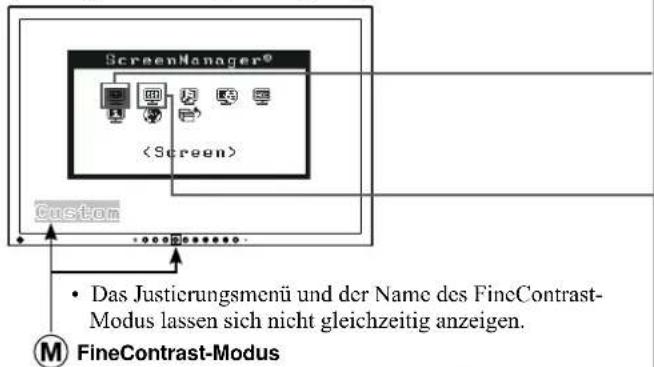

Table of contents
Click a title to access it
Manual assistant
Powered by Anthropic
Waiting for your message
Product information
Brand : EIZO
Model : S2202WHA-BK
Category : Screen