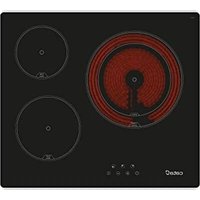
I 2 Plus - Cooker CATA - Free user manual and instructions
Find the device manual for free I 2 Plus CATA in PDF.


Pick your language and provide your email: we'll send you a specifically translated version.
| Product Type | Freestanding Cooker |
| Brand | CATA |
| Model | I 2 Plus |
| Width | 50 cm |
| Depth | 60 cm |
| Height | 85 cm |
| Weight | 35 kg |
| Power Source | Gas hob / Electric oven |
| Number of Hob Burners | 4 gas burners |
| Oven Type | Electric static oven |
| Oven Volume | 60 L |
| Energy Class | A |
| Flame Failure Safety | Yes |
| Child Lock | Yes |
| Cleaning Method | Manual cleaning with damp cloth |
| Spare Parts Availability | Original CATA spare parts |
| Warranty | 2 years |
Frequently Asked Questions - I 2 Plus CATA
How do I install the cooker?
Ensure proper gas connection by a qualified technician. The cooker must be placed on a stable, non-flammable surface with adequate ventilation. Refer to the installation section in the manual.
How do I light the gas burners?
Press and turn the knob to the maximum position while simultaneously pressing the ignition button. Hold for a few seconds until the flame stabilizes.
What should I do if the oven doesn't heat?
Check the power supply and ensure the oven function is selected. If the problem persists, contact customer service.
How do I clean the oven?
Allow the oven to cool. Remove racks and clean with mild detergent and a damp cloth. Avoid abrasive cleaners.
Is the cooker compatible with LPG?
Yes, but the injectors must be replaced. Consult a qualified technician for conversion.
How do I replace the oven light bulb?
Disconnect the cooker from power. Remove the glass cover and replace the bulb with a similar type (e.g., 25W/300°C).
Why does the flame go out?
The flame failure device may be activated. Clean the thermocouple and ensure the burner parts are dry.
Can I use aluminum foil in the oven?
It is not recommended as it can block heat circulation and damage the oven lining.
How do I set the timer?
Turn the timer knob to the desired cooking time. The oven will turn off automatically when time elapses.
Where can I find spare parts?
Contact an authorized CATA service center or visit the official CATA website for original spare parts.
User questions about I 2 Plus CATA
0 question about this device. Answer the ones you know or ask your own.
Ask a new question about this device
No questions yet. Be the first to ask one.
Download the instructions for your Cooker in PDF format for free! Find your manual I 2 Plus - CATA and take your electronic device back in hand. On this page are published all the documents necessary for the use of your device. I 2 Plus by CATA.